
Building a gaming PC on a $500 budget in 2025 is absolutely achievable with the right components and smart choices. This guide will walk you through selecting parts that deliver solid 1080p gaming performance while providing a foundation for future upgrades.
1. Set Your Expectations
At $500, you’ll be targeting smooth gameplay on many popular titles at medium settings, especially esports and less demanding AAA games. This build is ideal for:
- 1080p gaming at 30-60 FPS
- Entry-level gaming with upgrade potential
- Budget-conscious gamers wanting solid performance without breaking the bank
2. Key Components Breakdown
CPU + GPU Combo
For budget builds, prioritize a CPU with integrated graphics or an affordable dedicated GPU. In 2025, options like AMD’s Ryzen 5 7600G (with strong integrated graphics) or a budget Ryzen 3/Intel Core i3 paired with an entry-level GPU (e.g., NVIDIA GTX 1650 or AMD RX 6400) are great.
However, to maximize value, many $500 builds lean on integrated GPU solutions to avoid the cost of a separate GPU, especially given GPU price fluctuations.
Recommended CPU:
- AMD Ryzen 5 7600G (6 cores, 12 threads, strong integrated RDNA 2 graphics)
- Alternatively, Intel Core i3-13100 paired with a used or low-cost GPU
GPU:
- If budget allows, a GTX 1650 or RX 6400 for better gaming performance
- Otherwise, rely on the integrated GPU in Ryzen 5 7600G for decent 1080p gaming
RAM
- 16GB DDR4 or DDR5 RAM (2x8GB) at 3200MHz or higher is recommended for gaming and multitasking.
Storage
- 500GB NVMe SSD for fast load times and enough space for games and OS.
Motherboard
- Budget AM5 or LGA1700 motherboard compatible with chosen CPU, with essential features and upgrade paths.
Power Supply
- Reliable 450-500W 80+ Bronze certified PSU.
Case
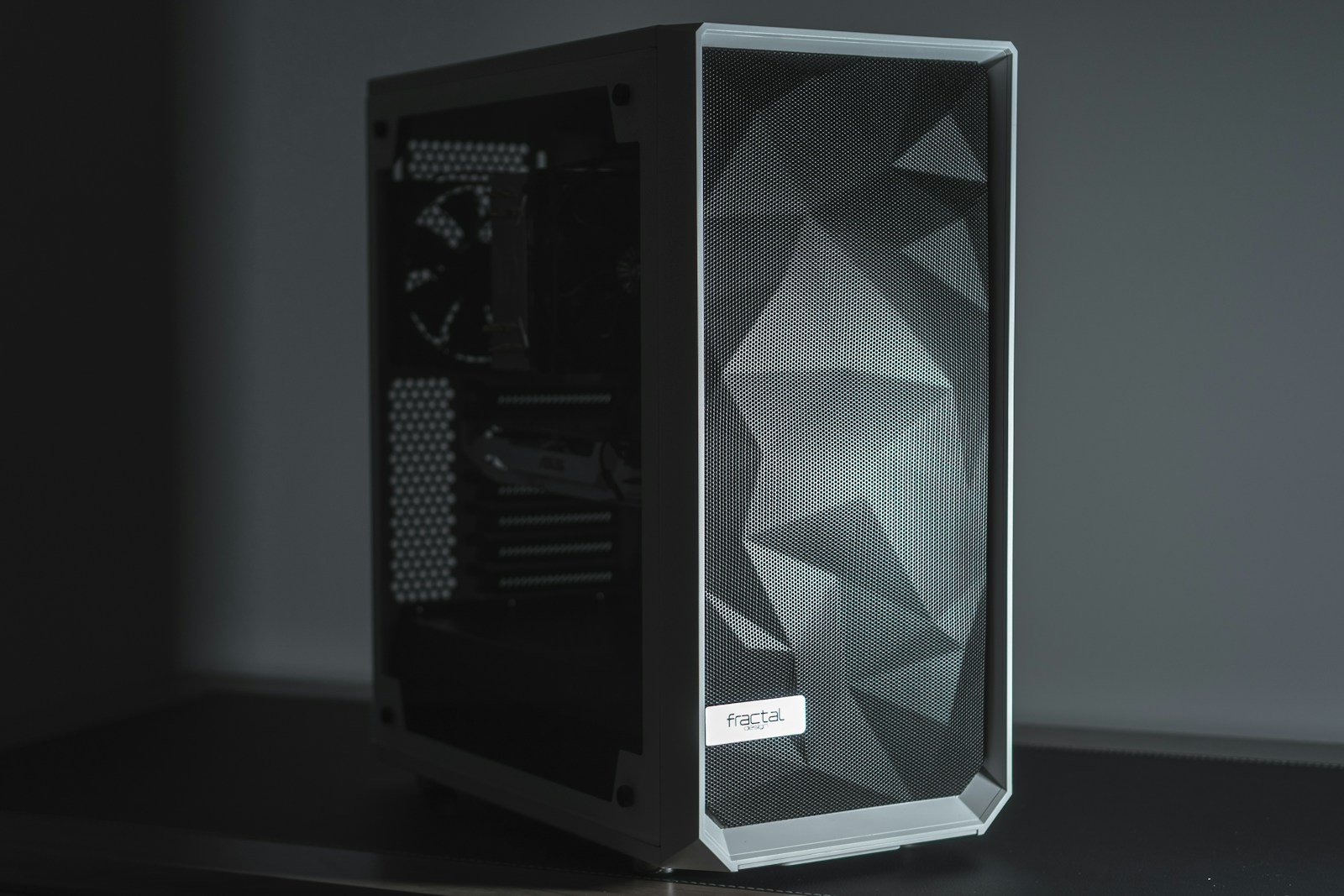
- Budget mid-tower with good airflow and cable management.
3. Sample $500 Build Configuration
| Component | Model Example | Approximate Price |
|---|---|---|
| CPU | AMD Ryzen 5 7600G | $180 |
| Motherboard | Budget AM5 board (e.g., B650) | $90 |
| RAM | 16GB DDR5 5200MHz (2x8GB) | $60 |
| Storage | 500GB NVMe SSD | $40 |
| Power Supply | 500W 80+ Bronze PSU | $50 |
| Case | Budget Mid-Tower Case | $40 |
| Total | ~$460 |
This leaves some room for peripherals or minor upgrades like a better case fan or additional storage.
4. Tips to Maximize Performance on a Budget
- Buy used or refurbished parts: GPUs and motherboards often have good deals in the second-hand market.
- Prioritize CPU with integrated graphics if you can’t afford a dedicated GPU immediately.
- Upgrade RAM to 16GB minimum for smooth gaming and multitasking.
- Use SSD over HDD for faster boot and load times.
- Optimize in-game settings: Adjust settings to medium or low for smoother frame rates.
- Plan for future upgrades: Choose a motherboard and PSU that allow adding a dedicated GPU or more storage later.
5. Where to Learn More and Find Builds
For detailed build guides, part recommendations, and step-by-step instructions tailored to 2025 budgets, check out comprehensive resources like Tech Guided’s budget gaming PC builds and build walkthroughs, which specifically cover $500 builds and beyond (Tech Guided – Best Gaming PC Under $500 in 2025).
Conclusion
A $500 gaming PC build in 2025 can deliver solid 1080p performance by focusing on a strong CPU with integrated graphics or an entry-level GPU, 16GB RAM, and fast SSD storage. With smart shopping and upgrade planning, you’ll enjoy a capable gaming experience without overspending.
Top Budget Gaming PC Components
Gaming PCs come in many shapes and sizes, with a wide range of possible components to choose from. For most gamers, finding the right balance between performance and price is the key to building or buying a great gaming PC in 2025. Whether you’re looking to play the latest AAA titles at high frame rates or just want something reliable for casual gaming, understanding what makes a good gaming PC can save you money and frustration.
Computer hardware keeps changing, with new CPUs and graphics cards coming out every year. What was top-of-the-line last year might be mid-range now. Many gamers find that a current-gen Intel Core i5 or AMD Ryzen 5 processor paired with a RTX 4070 or similar graphics card hits the sweet spot for most games without breaking the bank.
1. Intel Core i9-14900K
The Intel Core i9-14900K sits at the top of Intel’s 14th generation processor lineup. It packs an impressive 24 cores (8 P-cores + 16 E-cores) and 32 threads, making it a computing powerhouse for gamers and content creators alike.
One standout feature is its clock speed. The i9-14900K can reach up to 6.0 GHz, which helps deliver smoother gameplay and higher frame rates in demanding titles.
For serious PC builders, the technical specs matter. The processor includes 36MB of L3 cache and 32MB of L2 cache, providing quick access to frequently used data. It also comes unlocked, allowing enthusiasts to overclock for even better performance.
When building a high-end gaming system, the i9-14900K pairs excellently with top-tier graphics cards. Premium builds often match it with the NVIDIA RTX 4090 for uncompromised gaming performance.
Memory support is another strength. The processor works best with fast DDR5 memory, with many pre-built systems offering 64GB of DDR5 at 6000MT/s or similar speeds.
It’s worth noting that for purely gaming-focused setups, some alternatives might offer better value. Some gamers prefer the AMD 7800X3D for gaming-only builds due to its price-to-performance ratio.
The i9-14900K shines brightest in mixed-use scenarios. For streamers, content creators, or professionals who game and work on the same machine, the extra cores and threads provide excellent multitasking abilities.
Heat management requires attention with this processor. Due to its high power draw, pairing it with quality cooling solutions is essential for maintaining optimal performance during extended gaming sessions.
Custom PC builders looking to create top-tier systems around the i9-14900K typically include premium components throughout the build to avoid bottlenecks.
When properly cooled and paired with high-quality components, the i9-14900K delivers exceptional gaming performance that can handle any modern title at high frame rates, while still providing the computational power for background tasks.
2. AMD Ryzen 7 7700X
The AMD Ryzen 7 7700X is a powerful desktop processor that has become a top choice for gamers in 2025. With 8 CPU cores and 16 threads, it handles modern games and multitasking with ease.
This CPU reaches impressive speeds with a max boost clock of up to 5.4GHz. These high frequencies help reduce lag and stuttering during intense gaming sessions.
According to gaming communities, the 7700X is faster than about 98% of CPUs used by Steam players. Most gamers will find their graphics card becomes the limiting factor before the CPU reaches its full potential.
When building a PC around this processor, it pairs well with newer graphics cards. Many pre-built systems match it with cards like the Radeon RX 7800 XT for excellent gaming performance.
Memory compatibility is another strong point. The 7700X works with DDR5 RAM, allowing for faster data access and smoother gameplay. Most builds pair it with 16GB or 32GB configurations.
Price-wise, the 7700X offers great value. Complete gaming desktops featuring this processor start around $1,200, making it accessible for mid-range gaming budgets.
For cooling, many gamers choose liquid cooling solutions like 240mm AIOs. These keep temperatures in check during extended gaming sessions and allow for some overclocking potential.
The processor fits into AM5 motherboards, with B650 boards being a popular mid-range option. This platform provides good future upgradeability as AMD continues to support it.
Popular build configurations often include NVMe SSDs for fast game loading times. A 1TB drive provides plenty of space for a decent game library and quick access times.
Power supply requirements aren’t excessive. A quality 750W or 850W Gold-rated PSU handles the 7700X and most graphics card pairings with headroom to spare.
3. Nvidia GeForce RTX 4070 Super
The Nvidia GeForce RTX 4070 Super is a powerful graphics card that launched in early 2024 as part of Nvidia’s mid-generation refresh. It offers excellent value for serious gamers who want high performance without spending top dollar.
This GPU runs at a base clock speed of 1980 MHz and can boost up to 2475 MHz when needed. It comes with 12GB of fast GDDR6X memory running at 21 Gbps effective speed, giving you plenty of memory for modern games.
The RTX 4070 Super shines at 1440p resolution. You can play games on the highest settings while maintaining smooth framerates. This makes it perfect for gamers with 1440p monitors who don’t want to compromise on visual quality.
One of the card’s best features is DLSS (Deep Learning Super Sampling). This technology uses AI to boost performance while maintaining great image quality. The DLSS Super Resolution Quality Mode makes games run faster without looking worse.
You can find the RTX 4070 Super in many pre-built gaming PCs. For example, Best Buy sells a CLX gaming desktop that pairs this GPU with an Intel Core i9 14900KF processor and 32GB of DDR5 memory.
For those building their own PC, the GIGABYTE GeForce RTX 4070 Super Gaming OC is a popular model. It works well in mid to high-end gaming builds with a budget around $1300.
The card is designed with a dual-slot form factor, so it fits in most standard PC cases. This makes it easier to include in your build compared to some bulkier high-end cards.
Ray tracing performance is another strong point. The RTX 4070 Super handles ray-traced lighting effects well, creating more realistic shadows and reflections in supported games.
For gamers looking to upgrade from older cards like the RTX 2070 or RTX 3060, the performance jump is substantial. You’ll see much higher framerates and can enable more visual effects.
The RTX 4070 Super hits a sweet spot in Nvidia’s lineup. It’s more powerful than the standard RTX 4070 but costs less than the premium 4080 and 4090 models.
4. 16GB DDR5 RAM minimum
Gaming PCs in 2025 need at least 16GB of DDR5 RAM to run modern games smoothly. DDR5 is the newest RAM technology and offers better speeds than the older DDR4 standard.
Many pre-built gaming systems now come with 16GB DDR5 as standard. For example, HP’s OMEN 35L gaming desktop includes 16GB DDR5 memory as part of its basic configuration.
DDR5 RAM runs at much higher speeds than DDR4. For good gaming performance, look for DDR5 memory that runs at least 5200MHz. Tom’s Hardware recommends systems with DDR5-5200 RAM for mid-range gaming builds.
The speed of DDR5 RAM can vary between Intel and AMD systems. Intel processors typically work well with faster DDR5 memory, supporting speeds of 7000MHz or higher. AMD systems usually max out around 6000-6200MHz for most users.
When shopping for DDR5 RAM, brands like G.Skill offer good performance at reasonable prices. The G.Skill Trident Z5 RGB is highly rated for gaming and won’t break the bank.
While 16GB is the minimum recommended amount, some gamers might benefit from 32GB. This is especially true for those who stream their gameplay or run other programs in the background while gaming.
DDR5 RAM prices have dropped since it was first introduced. What was once a premium upgrade is now much more affordable for the average gamer building a new system.
For a complete 1080p gaming build with DDR5 RAM, pair your memory with a good mid-range CPU like the Intel Core i5-14600KF and a graphics card such as the RTX 4060. These components work well together for smooth 60fps gaming at ultra settings.
5. Corsair One i500
The Corsair One i500 stands out in the crowded gaming PC market with its compact design and powerful components. This small form factor PC packs high-end hardware into a sleek, space-saving tower that won’t take up much room on your desk.
At the heart of the i500 sits a liquid-cooled Intel Core i9-14900K processor, giving it serious processing power for both gaming and productivity tasks. The cooling system helps keep temperatures down even during intense gaming sessions.
Graphics performance comes from an NVIDIA GeForce RTX 40-series card, with options including the powerful RTX 4090 in higher-end models and the RTX 4080 Super in others. These cards deliver excellent frame rates at 4K resolution and can handle ray tracing in the latest games.
Memory options are generous, with configurations offering either 32GB or 64GB of DDR5 RAM. This amount is plenty for gaming and allows for smooth multitasking when streaming or running multiple applications.
Storage comes in the form of a 2TB NVMe SSD, providing fast load times for games and quick boot speeds for the operating system. The SSD also ensures that file transfers happen quickly when moving large game installations.
The i500 uses a micro-ATX motherboard that still offers good connectivity despite the compact case. Ports include multiple USB-A connections for peripherals and standard video outputs from the graphics card.
Pricing starts around $3,200 for models with the RTX 4080 Super, while the top-tier configurations with RTX 4090 and 64GB RAM cost significantly more. The premium price reflects both the high-end components and the engineering that went into the compact cooling solution.
One unique aspect of the i500 is its Wood Dark finish option, which gives it a more sophisticated look compared to typical gaming PCs. This aesthetic choice helps it blend into home office environments better than flashier gaming rigs.
Tom’s Hardware reviewers noted that the i500 performs well even when not gaming, making it suitable as a workstation for content creation or other demanding tasks. The combination of the i9 processor and ample RAM contributes to this versatility.
6. HP Victus 15L
The HP Victus 15L is a solid gaming desktop option for those who want good performance without breaking the bank. It comes in various configurations to match different gaming needs and budgets.
You can get the Victus 15L with either Intel or AMD processors. The Intel models offer up to a 12th Generation Core i7-12700F, while AMD models can include up to a Ryzen 7 5700G.
For graphics, the Victus 15L provides several options. You can choose between NVIDIA GeForce RTX 3060 Ti or AMD Radeon RX 6600XT at the higher end. More budget-friendly models come with cards like the AMD Radeon RX 6400.
Memory options start at 8GB but can be upgraded to 16GB for better multitasking and gaming performance. This is important since modern games often require at least 16GB for smooth gameplay.
Storage configurations typically include combinations of SSDs and traditional hard drives. Many models offer a 512GB SSD paired with a 1TB HDD, giving you fast boot times and extra space for your game library.
The Victus 15L runs on Windows 11 Home out of the box, ready for gaming without additional operating system purchases. This means you can start playing right after setup.
The desktop has a simple, clean design that won’t take up too much space. It’s more compact than many gaming PCs while still offering good cooling and component access.
While the Victus 15L performs well, some reviews note it has a few flaws. These aren’t dealbreakers but worth considering if you’re looking at this system.
For most casual and mid-level gamers, the Victus 15L hits a sweet spot of price and performance. It can handle popular titles at good settings without requiring a huge investment.
Upgrade options are available if you want to boost performance later. The standard case design makes it relatively straightforward to swap components as needed.
7. Intel Core i5 14400F
The Intel Core i5 14400F is a solid mid-range CPU that offers good value for gamers and streamers. It features 10 cores (6 P-cores + 4 E-cores) and 16 threads, which helps it handle both gaming and multitasking well.
The processor uses Intel’s performance hybrid architecture, which combines two types of cores to balance power and efficiency. This design helps direct tasks to the appropriate cores based on their demands.
With a boost clock speed that reaches up to 4.70 GHz, the 14400F provides enough speed for most modern games. The CPU also includes 20MB of cache, which helps speed up frequently used operations.
Price-wise, the i5 14400F sits at around $225, making it an accessible option for budget-conscious builders who still want decent performance. The “F” in the model name means it lacks integrated graphics, so you’ll need a separate graphics card.
When paired with modern GPUs like the RTX 4060Ti, the 14400F can handle most current games at high settings. This combination proves effective for 1080p and 1440p gaming experiences.
Some reviewers note that while the 14400F is technically a good CPU, they wouldn’t recommend Intel’s 13th or 14th gen processors right now. This suggests there might be better alternatives from AMD or older Intel generations depending on your specific needs.
The 14400F works with Intel’s LGA 1700 socket and is compatible with B760 motherboards like the Gigabyte B760-DS3H, offering a reasonable upgrade path.
For streaming, the multiple cores and threads allow for game playing while encoding video simultaneously. However, dedicated streamers might want to consider CPUs with even more cores.
When building a gaming system, pairing the i5 14400F with 16GB or more of RAM and an SSD will result in a balanced system capable of handling most gaming workloads at a reasonable price point.
8. ASUS ROG Gaming Desktop
ASUS ROG (Republic of Gamers) desktops offer powerful gaming machines for serious players. These pre-built systems combine high-end components with stylish designs that many gamers find appealing.
The latest ROG gaming desktops feature impressive hardware options. Many models come with NVIDIA GeForce RTX graphics cards, including options up to the RTX 5090 in newer models. These GPUs handle demanding games easily at high settings.
For processing power, ASUS equips their ROG systems with top-tier CPUs. You’ll find options with Intel Core i7 processors like the 13700KF, or even more powerful Intel Core Ultra 9 chips in premium models. This gives plenty of power for gaming and multitasking.
Memory isn’t a concern with these systems. Most ROG desktops include at least 16GB of RAM, with many offering 32GB or even 64GB configurations. This amount of memory keeps games running smoothly while allowing background tasks to function without slowdowns.
Storage solutions in ROG gaming PCs prioritize speed. The standard now includes 1TB NVMe PCIe 4.0 SSDs for lightning-fast game loading. Some models add extra storage with traditional hard drives for more space.
All current ROG desktops come with Windows 11 pre-installed. This saves buyers the hassle of purchasing and installing an operating system separately.
Pricing for ASUS ROG desktops varies widely based on specifications. Entry-level models with RTX 3050 or 3070 cards start around $1,299, while high-end systems with top-tier components cost significantly more.
The distinctive ROG design aesthetic sets these machines apart. With aggressive styling, customizable RGB lighting, and the iconic ROG logo, these desktops make a statement in any gaming setup.
Cooling systems in ROG desktops help maintain performance during long gaming sessions. Multiple fans, strategic airflow design, and in some models, liquid cooling options keep components running at optimal temperatures.
For gamers who prefer not to build their own systems, ASUS ROG desktops offer a convenient way to get a powerful, ready-to-use gaming PC with warranty support and professional assembly.
9. 32GB recommended for streaming
Streamers need more RAM than regular gamers. While 16GB works for basic gaming, streaming adds extra demands on your system.
When you stream, your PC runs games and broadcasting software at the same time. This simultaneous workload requires additional memory to keep everything running smoothly.
32GB RAM helps eliminate lag and stuttering during streams. According to Reddit discussions on streaming requirements, 16GB is considered the minimum for “seamless streaming,” but serious streamers typically opt for more.
The extra RAM allows you to run a game, streaming software, chat applications, browsers, and overlays without performance issues. This multitasking capability is essential for engaging with viewers while maintaining game quality.
Some streamers use a second PC just for handling the broadcast. But with 32GB RAM in your main system, a dual-PC setup becomes less necessary for most content creators.
Budget-conscious streamers can start with 16GB and upgrade later. However, if you’re building a new streaming PC, investing in 32GB from the start saves you the hassle of upgrading.
The type of RAM matters too. Faster memory with lower latency helps process the multiple tasks more efficiently. Look for modern DDR4 or DDR5 RAM with decent speeds.
RAM prices have dropped significantly in recent years, making 32GB more affordable than ever. The performance improvement justifies the cost for anyone serious about streaming.
For those streaming at higher resolutions or with complex scenes, 32GB provides the headroom needed to avoid performance problems. Stream quality directly impacts viewer retention, making this a worthwhile investment.
Remember that streaming software like OBS or Streamlabs uses significant memory, especially with multiple scenes, transitions, and effects. The 32GB recommendation accounts for these resource demands.
10. 2TB SSD Storage
Gaming PCs need plenty of storage space for modern games. A 2TB SSD gives you enough room for many AAA titles without constant uninstalling.
Modern games are huge. Call of Duty: Warzone alone can take up over 200GB of space. With a 2TB drive, you can keep 8-10 big games installed at once.
Speed matters as much as capacity. The Samsung 990 Pro is currently one of the top gaming SSDs on the market. It offers blazing-fast PCIe 4.0 performance that cuts down load times significantly.
When building a gaming PC, many pre-built systems now include 2TB SSDs as standard. For example, CyberPowerPC’s Gamer Supreme comes with a 2TB SSD paired with an RTX 4060 Ti and Intel Core i7.
The 990 Pro 2TB hits impressive speeds of 7,462MB/s reads and 6,877MB/s writes in tests, nearly maxing out what Gen 4 drives can deliver. Games load almost instantly with this kind of performance.
NVMe drives are the way to go for gaming. They connect directly to your motherboard and offer much faster speeds than SATA SSDs. The price gap has narrowed enough that NVMe makes more sense for most gamers.
Some gamers pair a smaller NVMe boot drive with a larger 2TB SSD for games. But today’s best builds often use a single large NVMe drive to simplify things.
For AMD builds, the T-Force Delta RGB works well with systems like the Ryzen 7 7700. This combo gives excellent gaming performance.
When looking at pre-built gaming PCs, 1TB drives are common but often too small. The PC Gamer recommended builds suggest 2TB as a better starting point for serious gamers.
Installation is simple. Modern motherboards have multiple M.2 slots for NVMe drives. Just insert the SSD, secure it with a small screw, and you’re ready to go.
Heat can impact SSD performance, so many premium drives come with heatsinks. If yours doesn’t, motherboard heatsinks or aftermarket options keep temperatures in check.
The extra cost for 2TB over 1TB is worth it. You’ll spend less time managing storage and more time actually playing games.
Understanding Gaming PC Components
Building a gaming PC requires knowledge of key components that affect performance. Each part plays a specific role in how well your games run and how future-proof your system will be.
Graphics Card Importance
The GPU (Graphics Processing Unit) is the most critical component for gaming performance. It handles rendering images, videos, and animations in your games.
For 1080p gaming, look for cards with at least 4GB of VRAM. Higher resolutions like 1440p or 4K need 6GB to 12GB of VRAM for smooth gameplay.
NVIDIA and AMD are the main GPU manufacturers. NVIDIA’s RTX 4060 and 4070 series offer good mid-range performance, while the RTX 4080 and 4090 handle high-end gaming. AMD’s RX 7600 and 7700 series provide solid alternatives, often at better prices.
Consider your monitor’s resolution when choosing a GPU. A powerful card is wasted on a 1080p display, while a budget GPU will struggle with 4K gaming.
Budget tip: Last generation’s high-end cards often outperform current mid-range options at similar prices.
CPU Choices for Gaming
The CPU (Central Processing Unit) is the brain of your gaming PC. It processes game logic, AI, physics calculations, and coordinates other components.
For gaming, focus on processors with strong single-core performance rather than just high core counts. Most games use 4-6 cores efficiently, with few utilizing more than 8 cores.
Current gaming CPU tiers:
- Entry-level: Intel Core i3-12100F or AMD Ryzen 5 5600
- Mid-range: Intel Core i5-13600K or AMD Ryzen 7 7700X
- High-end: Intel Core i7-13700K or AMD Ryzen 9 7900X
The CPU should match your GPU’s power level. A top-tier GPU paired with a weak CPU creates a “bottleneck” that limits performance.
When buying a CPU, check socket compatibility with your motherboard. Intel and AMD use different sockets that aren’t interchangeable.
RAM Requirements
RAM (Random Access Memory) provides temporary storage for data that the CPU needs to access quickly. More RAM lets your system handle multiple tasks smoothly.
For modern gaming, 16GB is the sweet spot. It’s enough for most games while allowing background apps to run. Heavy multitaskers or streamers should consider 32GB.
RAM speed matters for gaming performance. Look for:
- DDR4: 3200MHz-3600MHz
- DDR5: 5200MHz-6000MHz
Pay attention to CAS latency (CL) values—lower is better. A 3600MHz CL16 kit often outperforms a 3800MHz CL18 kit despite the lower frequency.
Dual-channel configurations (using two identical RAM sticks) provide better performance than single-channel setups. Always install RAM in matching pairs when possible.
When upgrading RAM, check your motherboard’s maximum supported speed and capacity to avoid compatibility issues.
Balancing Performance and Budget
Finding the sweet spot between cost and capability is crucial when building a gaming PC. Money spent wisely on key components will ensure better gaming experiences without breaking the bank.
Choosing a Suitable Power Supply Unit
A good power supply unit (PSU) forms the backbone of any gaming setup. The current market recommendation is that modern GPUs require more powerful PSUs than older systems needed. For most mid-range gaming builds, a 650-750W PSU hits the right balance.
When shopping for a PSU, look for these key features:
- 80+ certification (Bronze, Silver, Gold, or Platinum)
- Modularity (fully or semi-modular for easier cable management)
- Protection features against power surges and shorts
Budget-conscious gamers should aim for at least 80+ Bronze certification. This ensures decent energy efficiency without the premium price of Gold or Platinum units.
PSU quality matters as much as wattage. A high-quality 650W PSU from a reputable brand will outperform and outlast a cheap 850W unit. Brands like Corsair, EVGA, and Seasonic have proven track records for reliability.
For those planning future upgrades, especially to high-performance GPUs, investing in a slightly higher-wattage PSU now can save money later.
Frequently Asked Questions
Building a gaming PC can be confusing with so many specs and components to consider. Here are answers to common questions that might help you make better choices.
What are the essential components to look for in a gaming PC build?
A gaming PC needs six key components. The CPU, GPU, RAM, storage, motherboard, and power supply form the backbone of any gaming system.
For top performance in 2025, look for processors like the Intel Core i9-14900K or AMD Ryzen 7 7700X. These CPUs handle complex game calculations with ease.
The Nvidia GeForce RTX 4070 Super is a great graphics card option. It balances performance and price well for most gamers.
How much should I budget for a high-quality gaming PC?
A good gaming PC typically costs between $1,000 and $2,500. Budget builds start around $800 but may need upgrades sooner.
High-end systems with top components like the Intel Core i9-14900K and RTX 4070 Super usually fall in the $2,000-$3,000 range. Pre-built systems like the Corsair One i500 offer premium experiences but cost more.
Remember to factor in the monitor, keyboard, and mouse costs if you don’t already have them.
What’s the most important spec to consider when choosing a gaming motherboard?
Compatibility with your CPU is the most critical factor. Intel processors need Intel-compatible motherboards, while AMD CPUs require AMD-compatible boards.
Look for motherboards with good power delivery systems if you plan to overclock. This ensures stable performance during intense gaming sessions.
Expansion slots and USB ports matter too. Make sure you have enough PCIe slots for your graphics card and any other components you might add later.
Can you recommend a good gaming PC for someone just starting out?
New gamers should consider systems with mid-range components. A PC with an AMD Ryzen 5 or Intel Core i5 processor paired with at least 16GB of RAM provides good value.
The Corsair One i500 is a solid pre-built option if you prefer not to build. It comes with quality components and doesn’t require technical knowledge to set up.
A starter system with an RTX 3060 or RX 6600 XT graphics card will run most games well at 1080p resolution.
What are the minimum graphics card requirements for a smooth gaming experience?
For 1080p gaming at medium settings, the GTX 1650 with 4GB of VRAM serves as a baseline in 2025. This card handles most modern games at acceptable frame rates.
For 1440p gaming, step up to at least an RTX 3060 or AMD equivalent. These mid-range cards deliver smooth performance at higher resolutions.
4K gaming demands more power. The RTX 4070 Super or better is recommended for 4K gaming without compromising on visual quality or frame rates.
What processor and RAM combo offers the best performance for gaming and multitasking?
The Intel Core i9-14900K paired with 32GB of DDR5 RAM creates an exceptional gaming and multitasking setup. This combination handles gaming while streaming or running background apps with ease.
AMD’s Ryzen 7 7700X with 32GB DDR5 RAM offers similar performance at a potentially lower price point. The multi-core design excels at juggling multiple tasks.
For future-proofing, 16GB is now the minimum standard, but 32GB ensures your system won’t struggle with upcoming game releases and heavy multitasking demands.





