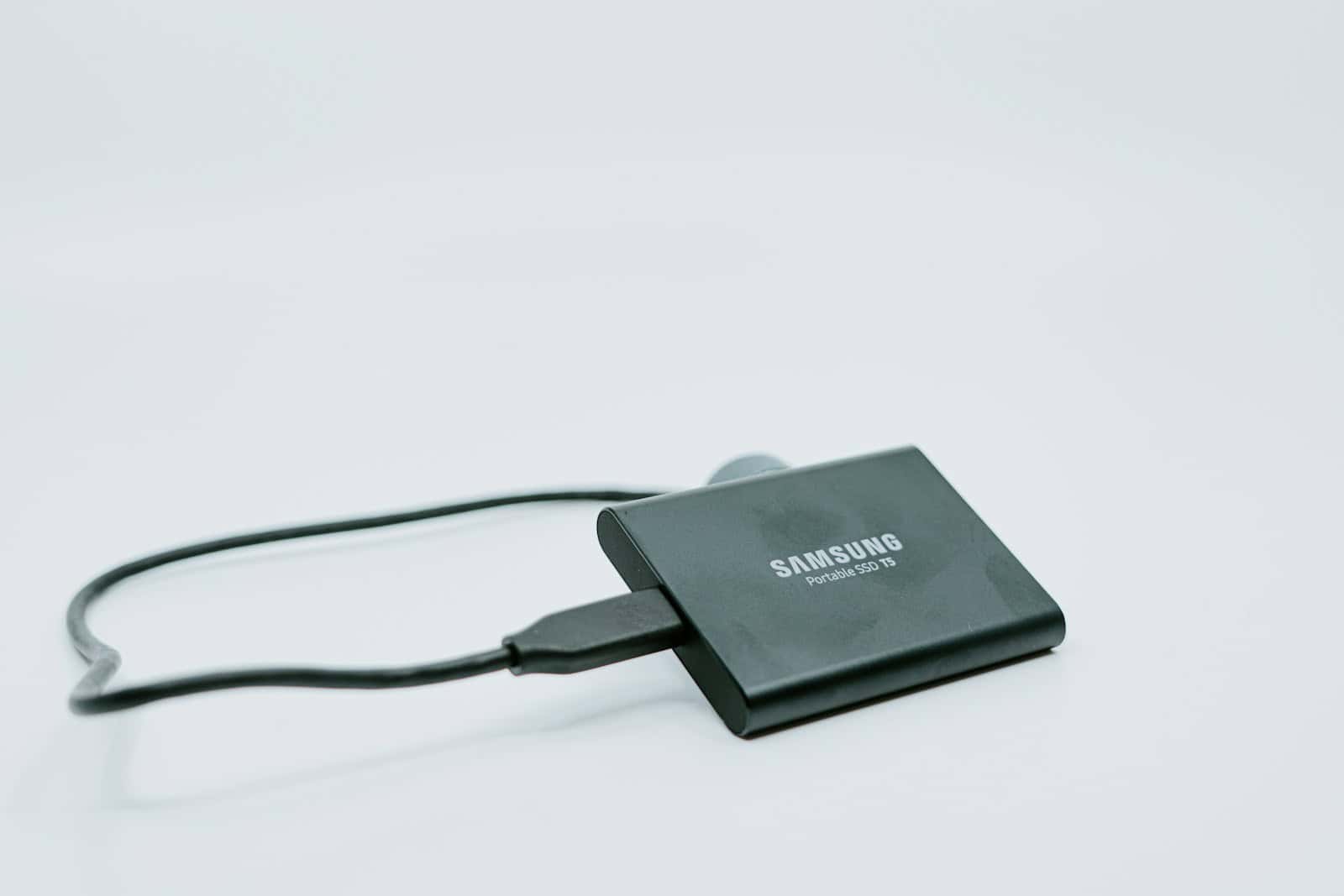
In a world where laptops keep getting slimmer and desktops more modular, the accessories you choose can make or break your workflow. The right external gear doesn’t just add ports or terabytes—it safeguards cherished memories, keeps temperatures in check during marathon gaming sessions, and even breathes new life into machines that skipped optical drives altogether.
Below you’ll find a curated snapshot of the most useful add-ons on the market today, hand-picked for reliability, performance, and sheer day-to-day convenience.
Best External Components Ranked
| Rank | Product Name | Price |
|---|---|---|
| 1 | Samsung T7 Portable SSD | Check Price |
| 2 | Seagate Portable 2TB External Hard Drive | Check Price |
| 3 | Maxone 750GB Ultra Slim Portable Hard Drive | Check Price |
| 4 | ORIGBELIE External CD/DVD Drive (8-in-1 Hub) | Check Price |
| 5 | ROOFULL External CD/DVD Drive | Check Price |
| 6 | ORIGBELIE External CD/DVD Drive (Slim) | Check Price |
| 7 | NOLYTH External CD Drive | Check Price |
| 8 | GDSTIME Dual 120mm USB Fans | Check Price |
| 9 | GDSTIME 75mm USB Blower Fan | Check Price |
| 10 | OwlTree PC Power Button | Check Price |
Best External Components
Looking for quality external components to enhance your PC setup? We’ve compiled a list of top-performing peripherals and add-ons that deliver exceptional value. These components range from storage solutions to input devices, each selected based on performance, reliability, and user feedback.
Maxone 750GB Ultra Slim Portable Hard Drive
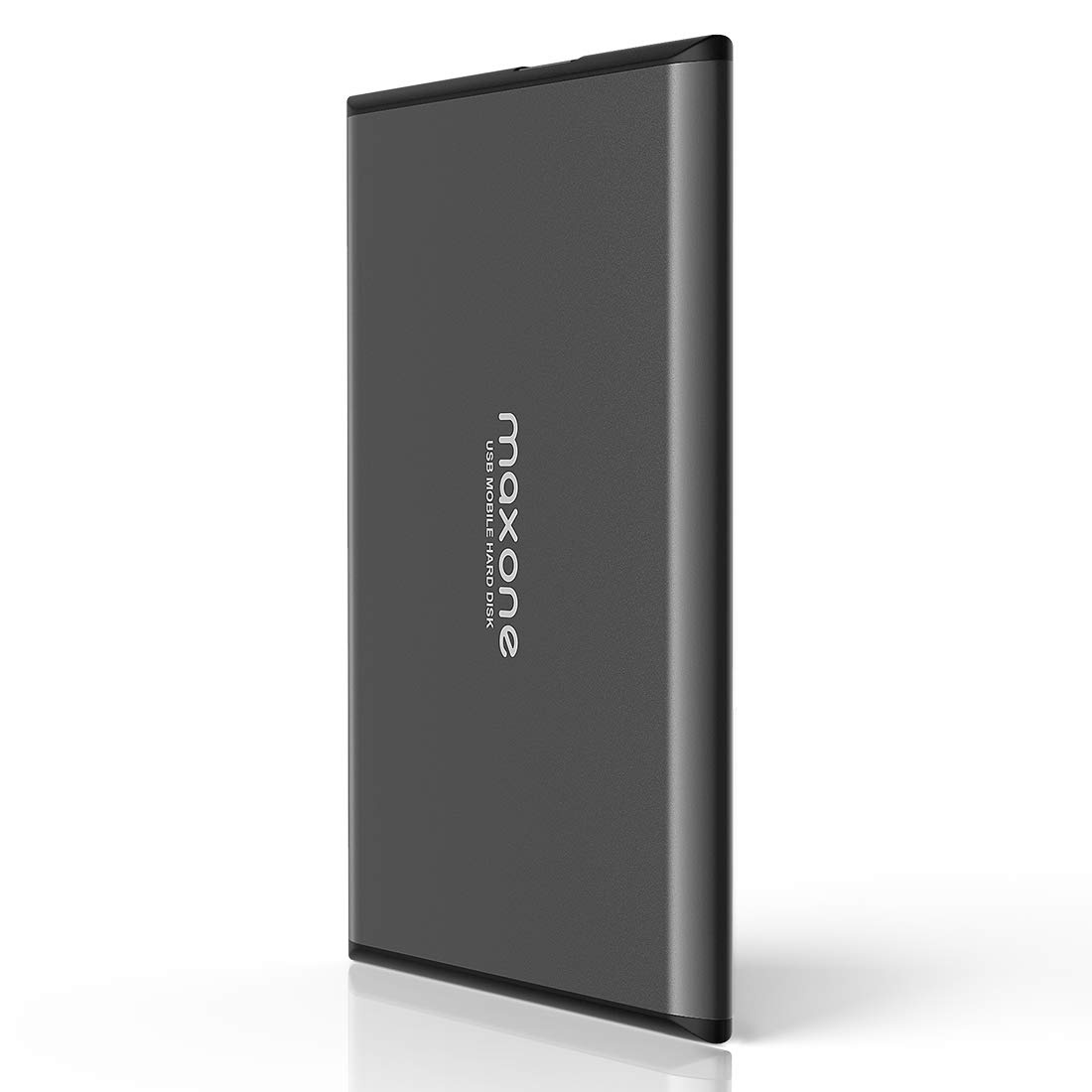
This sleek, aluminum-bodied external hard drive offers excellent value with its ample storage space and fast USB 3.0 performance for anyone needing reliable backup or expanded storage.
Pros
- Ultra-thin metal design stays cool during operation
- Plug-and-play functionality with no software installation
- Fast data transfer speeds with USB 3.0 connectivity
Cons
- Limited to 750GB capacity when larger options exist
- Some users report durability concerns with long-term use
- No included protective case or pouch
The Maxone external hard drive impresses with its remarkably slim profile. At just 0.4 inches thick, this portable storage solution slides easily into laptop bags or even pockets without adding bulk. Its charcoal grey aluminum casing not only looks professional but serves a practical purpose by efficiently dissipating heat during extended use sessions.
Setting up this drive couldn’t be simpler. You won’t need to waste time formatting or installing special drivers – just connect it to your computer’s USB port and it’s ready to store your files. This convenience makes it particularly appealing if you frequently move between different computers. The drive works seamlessly with Windows 7/8/10 systems right out of the box.
Transfer speeds represent a significant upgrade if you’re coming from older storage solutions. The USB 3.0 technology pushes data at rates up to 5 Gbps, dramatically cutting down waiting time when moving large files or folders. While not the fastest external drive on the market, it strikes a good balance between performance and affordability. Maxone backs their product with a 3-year warranty and technical support, providing peace of mind for your purchase.
Storage capacity matters, and the 750GB size hits a sweet spot for many users. It’s enough space to back up most laptop drives or store substantial media collections without breaking the bank. For gamers, this drive offers an easy way to expand your console storage, though you’ll need to weigh if 750GB meets your needs for today’s increasingly large game installations.
Seagate Portable 2TB External Hard Drive
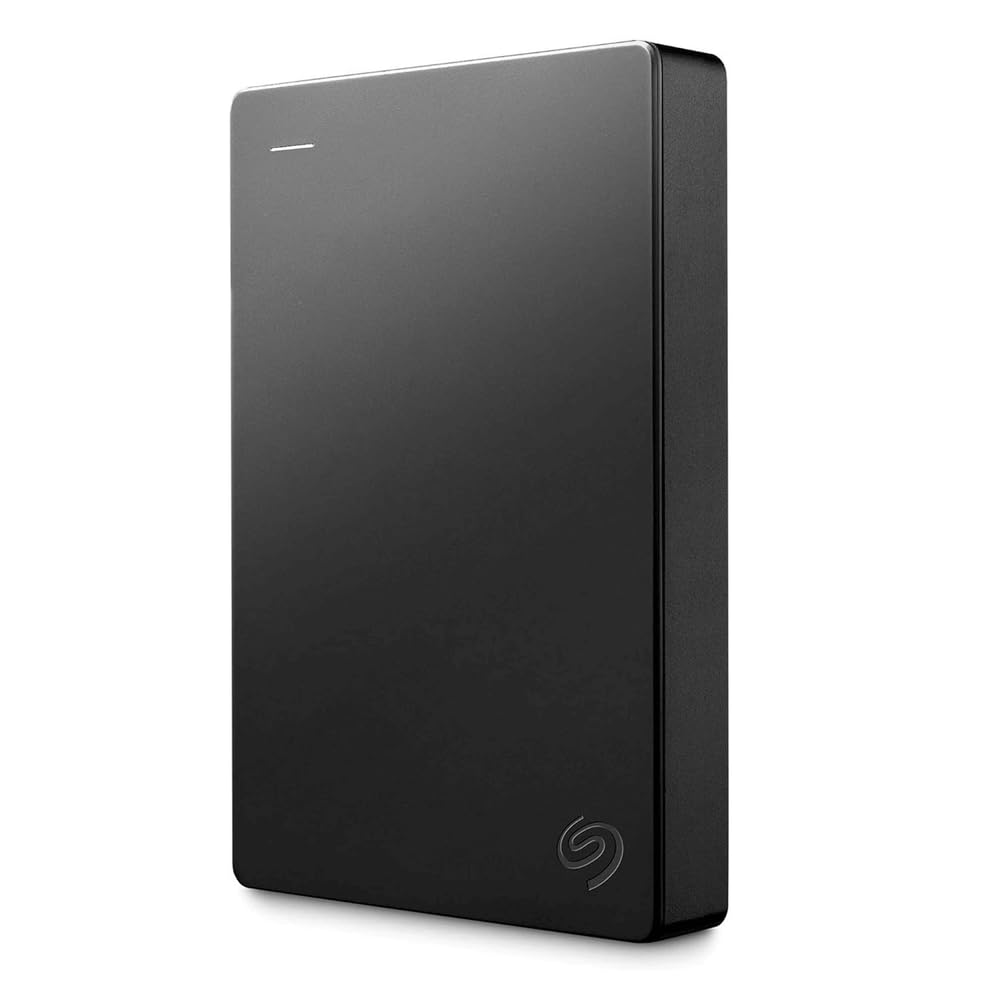
The Seagate Portable 2TB External Hard Drive offers excellent value with its plug-and-play functionality, compact design, and reliable performance for anyone needing extra storage space.
Pros
- True plug-and-play setup with no software installation required
- Compact and lightweight design for easy portability
- Compatible with both Windows and Mac computers
Cons
- Standard mechanical drive speeds, not as fast as SSD options
- Basic design without extra security features
- Requires careful handling to prevent damage
This compact storage solution gives you 2TB of space to back up your important files, photos, videos, and more. Measuring just 4.6 x 3.15 x 0.58 inches and weighing under 7 ounces, you can easily slip it into a laptop bag or pocket. The sleek black design looks professional and fits in with most setups.
Setup couldn’t be simpler with this drive. You just connect it to your computer using the included 18-inch USB 3.0 cable, and it’s automatically recognized. No software installation or configuration is needed to start using it right away. The drag-and-drop functionality makes transferring files quick and straightforward.
Versatility is a key strength of this Seagate drive. You can use it with Windows or Mac computers, and it’s even compatible with PlayStation and Xbox consoles for game storage. The 1-year Rescue Service adds peace of mind, offering data recovery options if something goes wrong. For under $70, you get reliable storage from a trusted brand that ranks as Amazon’s #1 bestseller in External Hard Drives.
ROOFULL External CD DVD Drive

This versatile external CD/DVD drive offers excellent compatibility and convenient dual USB connectivity, making it a smart purchase for anyone needing optical disc functionality for their modern laptop or desktop.
Pros
- Supports both USB-A and USB-C connections without adapters
- Reads and writes multiple CD/DVD formats with USB 3.0 speed
- Includes protective carrying case for portability
Cons
- Not compatible with ChromeOS, tablets, or gaming consoles
- Cannot read Blu-ray or 4K discs
- Mac users can’t use the eject button due to OS limitations
The ROOFULL External CD/DVD Drive solves a common problem for modern computer users. As laptops and desktops increasingly ship without built-in optical drives, this external solution fills the gap with both reading and writing capabilities. The plug-and-play functionality means you won’t need to install drivers—just connect it to your computer and it’s ready to use.
Connectivity is a standout feature with this device. The integrated USB 3.0 cable includes both Type-A and Type-C connectors, eliminating the need for adapters across different computer types. This thoughtful design provides data transfer speeds up to 10 times faster than older USB 2.0 devices. A separate power cord is also included for situations where additional power is needed.
Compatibility extends across Windows 11/10/8/7, Mac OS, and Linux systems. The drive handles a wide range of disc formats including CD+/-R, CD+/-RW, DVD+/-R, and DVD+/-RW. Its compact size (5.5 x 5.5 x 0.71 inches) makes it easy to transport, and the included protective case shields it from damage during travel.
The device performs well for most common tasks. You can use it to play music CDs, watch DVD movies, install software from discs, or burn your own media. For those digitizing old collections, it serves as an effective tool for transferring content from physical media to digital storage. The manufacturer’s 10 years of experience in producing optical drives is evident in the quality and reliability of this product.
ORIGBELIE External CD DVD Drive
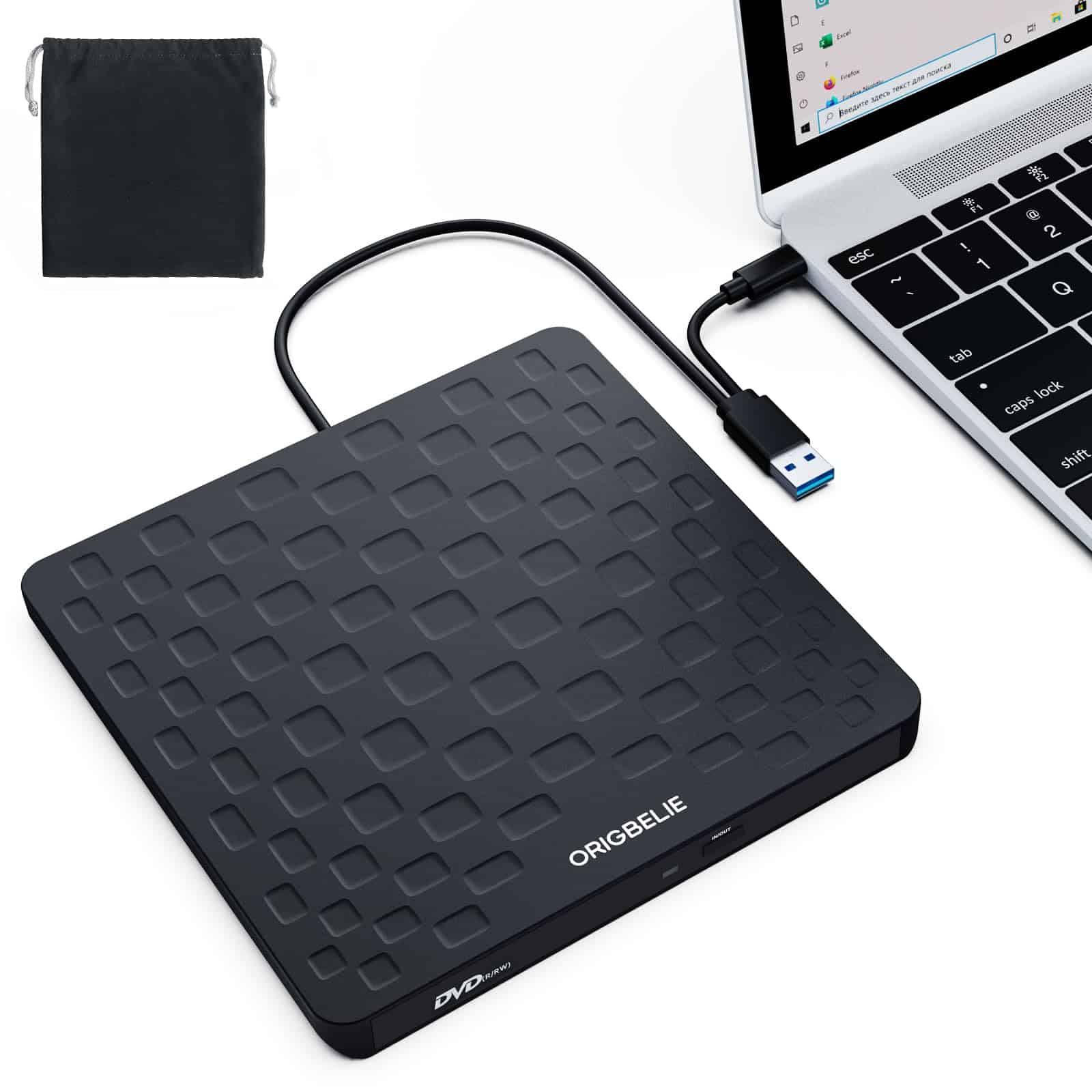
This ultra-slim external DVD drive offers excellent compatibility and portability for anyone needing optical disc capability in today’s laptop-centric world.
Pros
- Plug and play functionality with no drivers required
- High-speed USB 3.0 data transfer up to 5 Gbps
- Extremely slim 13mm profile with integrated cable design
Cons
- Not compatible with gaming consoles, tablets, or Blu-ray discs
- May require additional power for some computers
- Limited to standard CD/DVD formats
The ORIGBELIE External CD DVD Drive brings optical disc functionality back to modern computers that no longer include built-in disc drives. With its USB 3.0 connection, you’ll experience fast data transfer speeds—up to 5 Gbps—making it efficient for both reading and writing discs. The drive supports 8x DVD read/write speeds and 24x CD read/write speeds, helping you complete your tasks quickly.
Weighing just 0.2 kg with a slim 13mm profile, this drive won’t add bulk to your travel bag. The integrated cable design is particularly helpful, eliminating the worry of forgetting or losing cables while on the go. Its anti-skid bottom provides stability during operation, preventing the common issue of drives sliding around on smooth surfaces.
Compatibility extends across multiple operating systems including Windows 11/10/8/7, Linux, and Mac OS 10.6 or higher. The drive handles various disc formats like CD±R/RW, DVD±R/RW, DVD-ROM, and DVD-RAM. For computers that might not provide sufficient power through the USB port alone, ORIGBELIE includes a charging cable that connects to a 5V power source, ensuring reliable operation even with power-limited devices. This thoughtful addition addresses a common frustration with external optical drives.
ORIGBELIE External CD DVD Drive
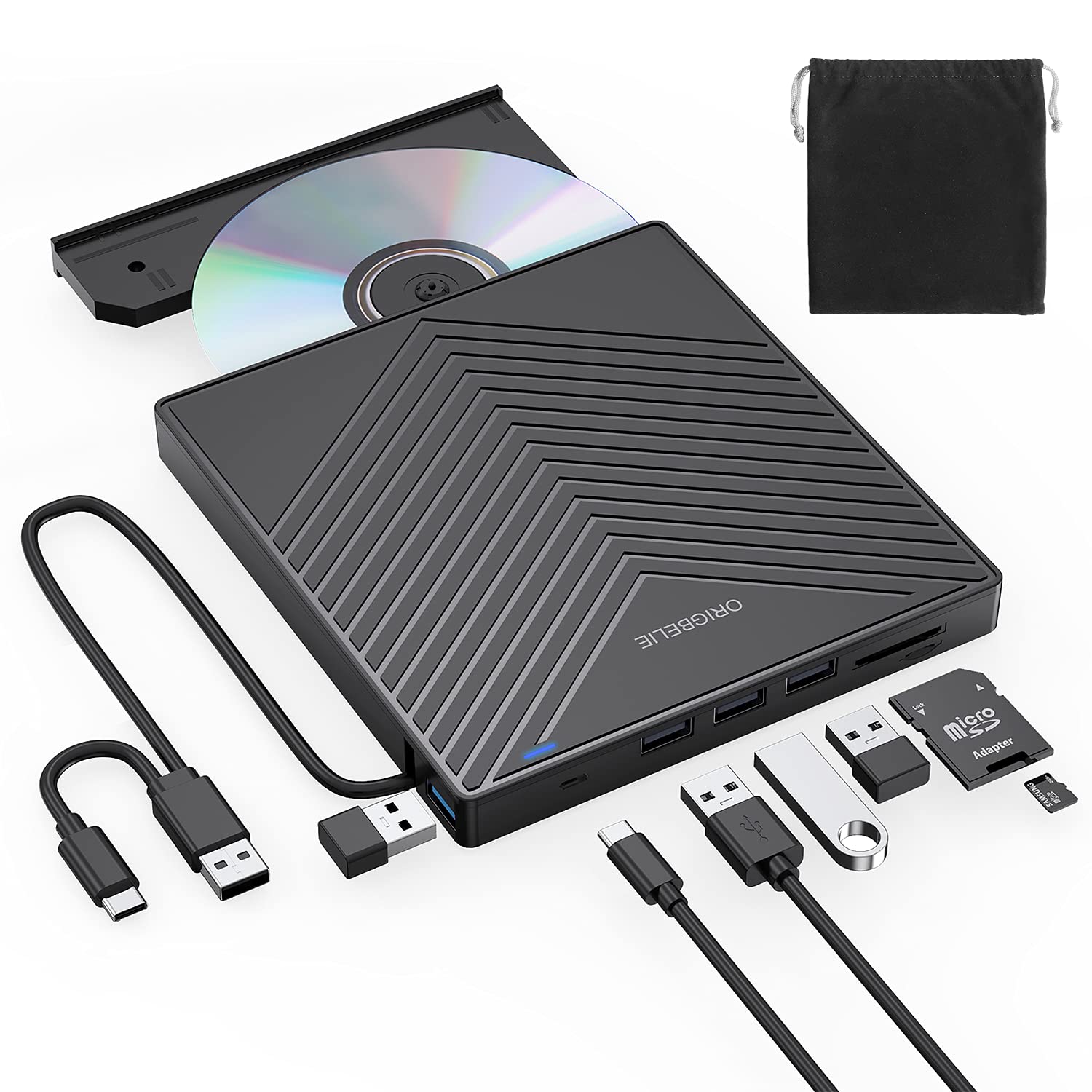
This versatile 8-in-1 external CD/DVD drive solves modern laptop limitations with its multiple USB ports, card readers, and reliable disc burning capabilities.
Pros
- Combines CD/DVD drive with 8-in-1 USB hub functionality
- USB 3.0 offers fast data transfer speeds up to 5 Gbps
- Plug-and-play design requires no drivers for easy setup
Cons
- Not compatible with cars, tablets, smartphones or Blu-ray discs
- Requires connection to a computer to function
- May need additional power source for some operations
Most modern laptops have abandoned built-in optical drives in favor of slimmer designs. The ORIGBELIE External CD DVD Drive bridges this gap with an elegant solution for anyone who still needs to access disc-based media. This slim, portable device connects via USB and works with Windows, Mac, and Linux systems.
Performance stands out with USB 3.0 technology providing data transfer rates up to 10 times faster than older USB 2.0 connections. The drive handles CD reading and writing at 24x speed, while DVD reading operates at 8x speed. This makes quick work of music playback, movie watching, data backup, and software installation tasks.
What makes this drive particularly valuable is its integrated hub functionality. Beyond handling discs, it includes one USB 3.0 port, three USB 2.0 ports, SD and TF card slots, and a USB-C port. You can connect multiple peripherals simultaneously without monopolizing your laptop’s limited ports. The compact design with embedded cable makes it easy to take anywhere.
Setup couldn’t be simpler with true plug-and-play operation. No additional drivers are needed for most systems. The drive’s anti-skid rubber pads keep it stable on your desk while working quietly during operation. For those who maintain CD/DVD collections or occasionally need disc access for work, this affordable accessory provides an effective solution without breaking the bank.
GDSTIME 75mm USB Blower Fan
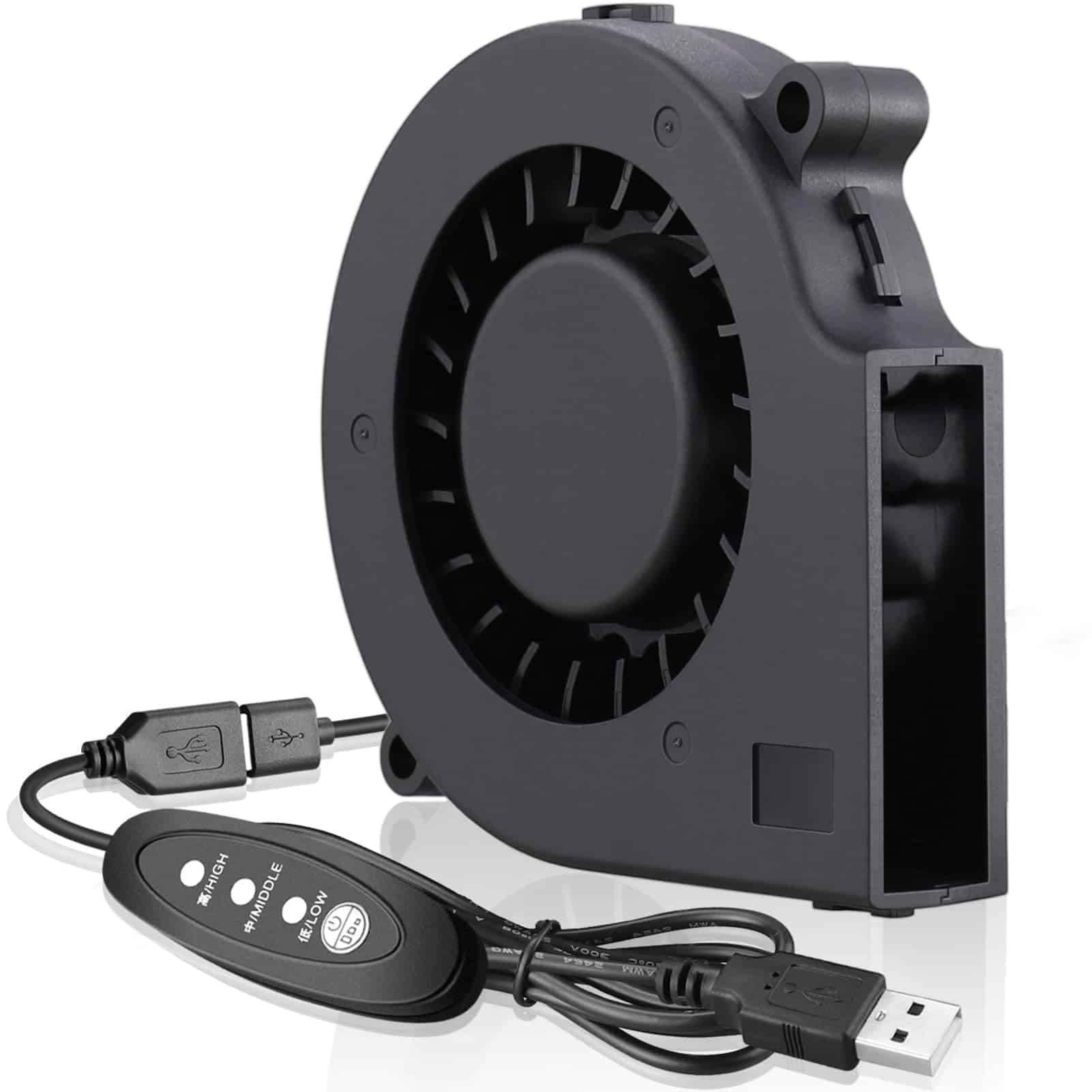
This compact 75mm USB blower fan offers excellent cooling performance for laptops and DIY projects at an affordable price point.
Pros
- Powerful airflow in a small package
- USB-powered with versatile applications
- Easy to install with a 90° air output design
Cons
- Some users report noise issues
- Slightly unbalanced in certain situations
- Limited control options for speed adjustment
The GDSTIME blower fan delivers impressive cooling capabilities despite its compact dimensions. At just 75x75x15mm, this fan pulls air from the sides and forces it out at a concentrated 90-degree angle. This design makes it perfect for spaces with limited clearance where traditional fans might not fit.
USB connectivity adds convenience to this cooling solution. With its 35cm cable, you can power the fan from a laptop, power bank, or any standard USB outlet. The voltage range of 4V to 5.5V ensures compatibility with various power sources, while the low 2-watt power consumption keeps energy use minimal.
Many customers use this fan creatively beyond typical computer cooling applications. From homemade kegerator tower coolers to ventilation systems inside helmets, the versatility impresses users. The fan provides substantial airflow at 6.83 CFM with a respectable static pressure of 0.53 In H2O, making it suitable for various cooling needs. Though some users mention noise levels, the 34.5 dB operation remains acceptable for most applications.
Installation simplicity adds to this product’s appeal. With clearly defined mounting holes and a straightforward design, you can easily incorporate this fan into existing setups or DIY projects. The estimated 35,000-hour lifespan ensures you’ll get plenty of use before needing a replacement.
GDSTIME Dual 120mm USB Fans
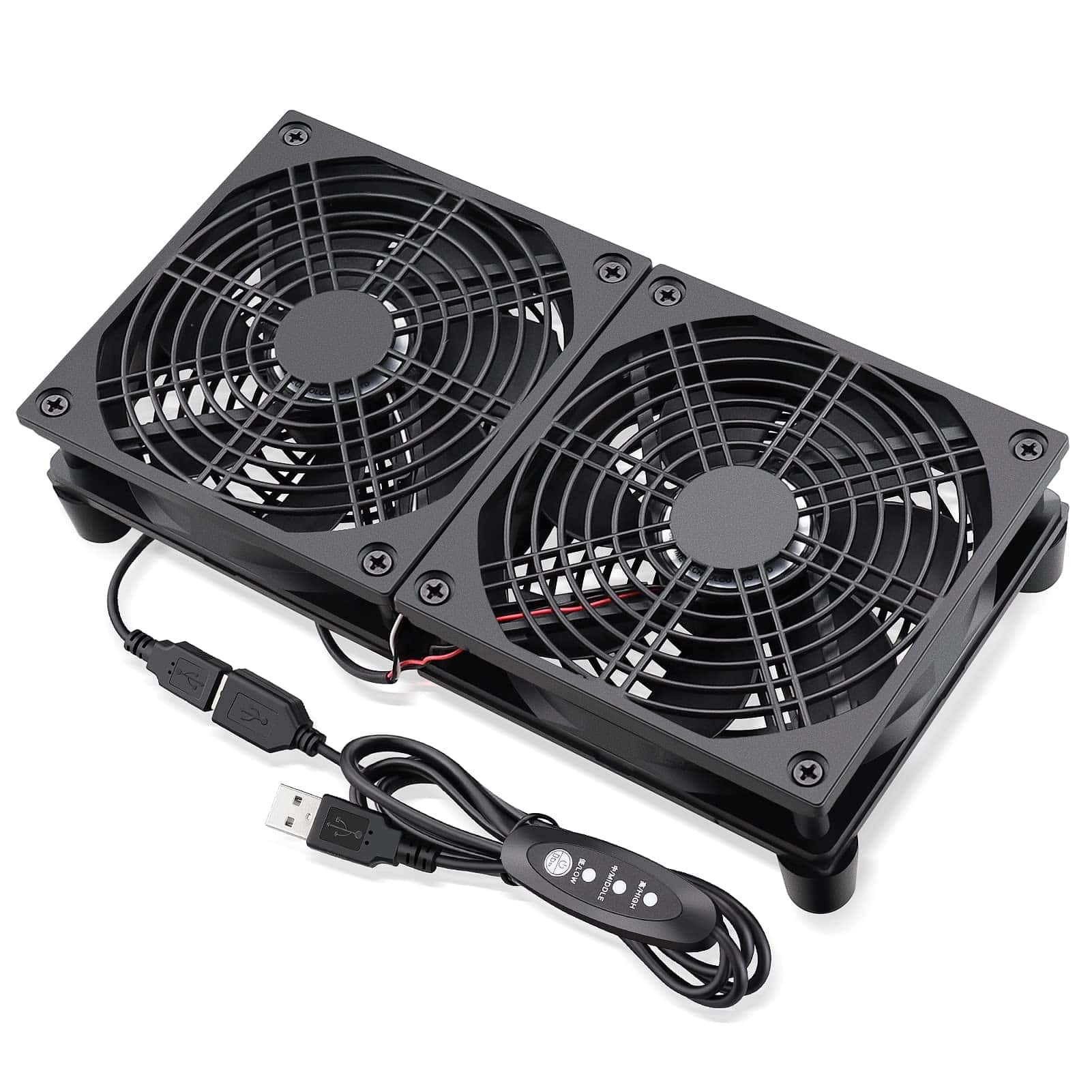
You should purchase these dual cooling fans for their impressive airflow capability and versatile use with various electronics that need temperature management.
Pros
- Three-speed controller allows customizable cooling levels
- High airflow capacity at 102CFM keeps devices running cool
- Long 40,000-hour lifespan with hydraulic bearings
Cons
- Some users report difficulty reassembling after cleaning
- Plastic construction may feel less premium
- Size might be smaller than expected from images
These dual 120mm fans offer an effective cooling solution for your overheating electronics. With dimensions of 240x120x55mm combined, they provide targeted airflow to routers, modems, gaming consoles, and other heat-generating devices. The 5V USB connection makes them compatible with most devices, drawing minimal power while delivering up to 2000 RPM of cooling performance.
Heat management becomes simple with the integrated three-speed controller. You can adjust between low, medium, and high settings depending on your cooling needs or noise preferences. At 29.6 dBA, these fans maintain reasonable quiet operation even when running at higher speeds to move their rated 102CFM of air.
Durability stands out as a key feature with the hydraulic bearing design. This construction allows for both horizontal and vertical positioning while maintaining a 40,000-hour operational lifespan at normal temperatures. The fans mount easily under or beside your electronics, creating a steady cooling path that helps extend the life of your valuable devices by preventing thermal throttling and component damage from excessive heat.
Samsung T7 Portable SSD
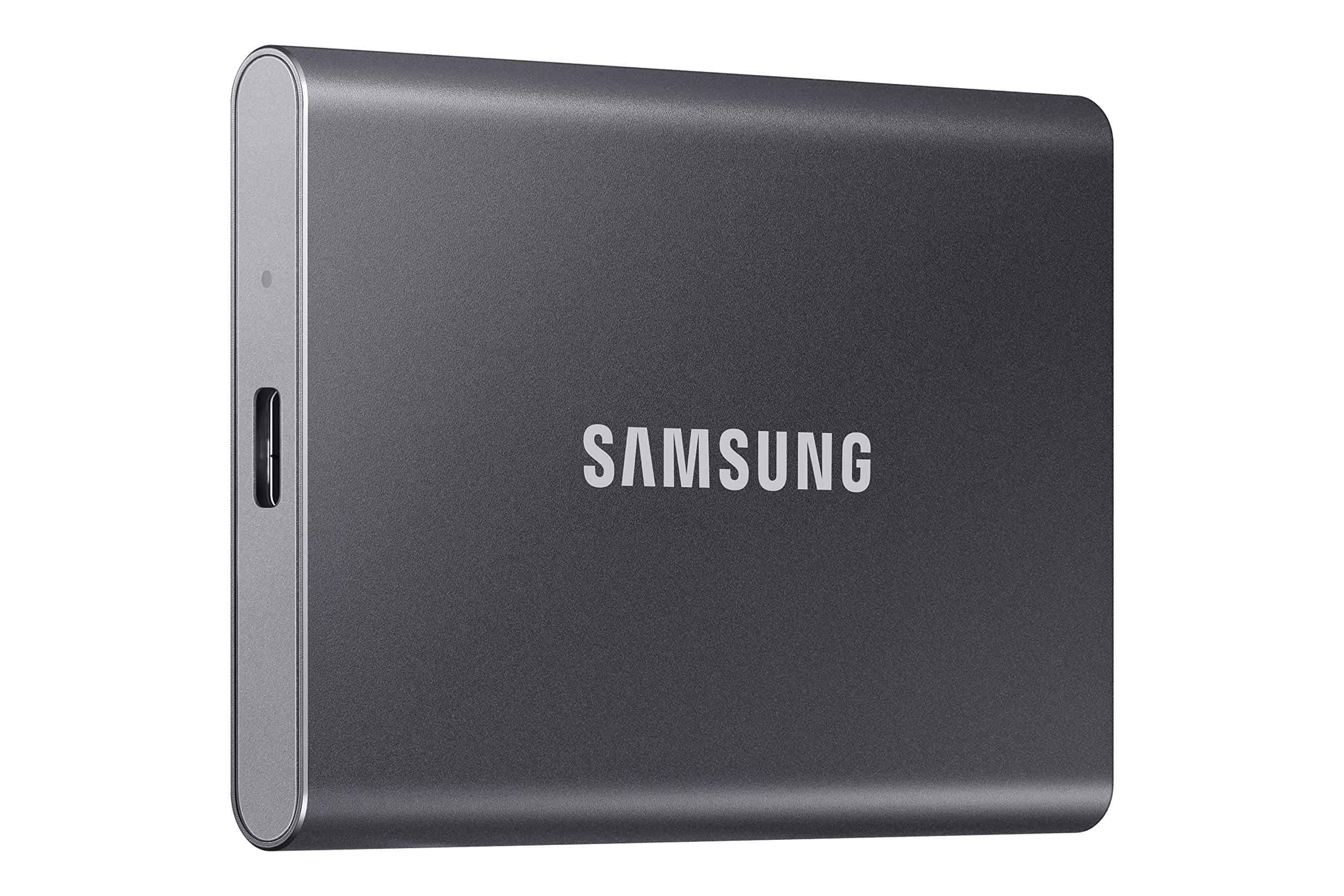
The Samsung T7 Portable SSD offers lightning-fast speeds in a compact, durable package that makes it an excellent investment for anyone needing reliable external storage.
Pros
- Exceptional transfer speeds up to 1050MB/s—nearly 10x faster than traditional hard drives
- Compact, shock-resistant design withstands drops up to 6 feet
- Broad compatibility with PCs, Macs, Android devices, and gaming consoles
Cons
- Premium price compared to traditional external hard drives
- May run warm during extended use
- Requires newer USB connections for maximum speed performance
The T7 represents a significant upgrade in the external storage market. Its sleek aluminum body houses impressive technology, allowing you to transfer large files with unprecedented ease. You’ll notice the difference immediately when moving video files, photo collections, or game libraries—tasks that once took minutes now complete in seconds.
Portability stands out as one of the T7’s strongest features. Measuring just 3.3 x 2.2 x 0.3 inches and weighing only 2 ounces, this drive slips easily into a pocket or bag. Samsung didn’t sacrifice durability for this compact size either. The solid aluminum unibody construction protects your data even if the drive takes a tumble.
Compatibility is rarely an issue with the T7. The drive works seamlessly across platforms, and Samsung thoughtfully includes both USB-C to C and USB-C to A cables in the box. This versatility makes it perfect for professionals working across multiple devices or gamers looking to expand console storage. For content creators, the ability to record 4K 60fps video directly to the drive (including iPhone 15 Pro Res support) is a game-changing feature.
Setting up the drive is straightforward, though you might need to reformat it depending on your devices. The built-in 256-bit AES hardware encryption adds valuable security to your sensitive files. Samsung’s reputation for reliability extends to this drive—the company produces all components in-house, from the NAND flash memory to the firmware.
NOLYTH External CD Drive
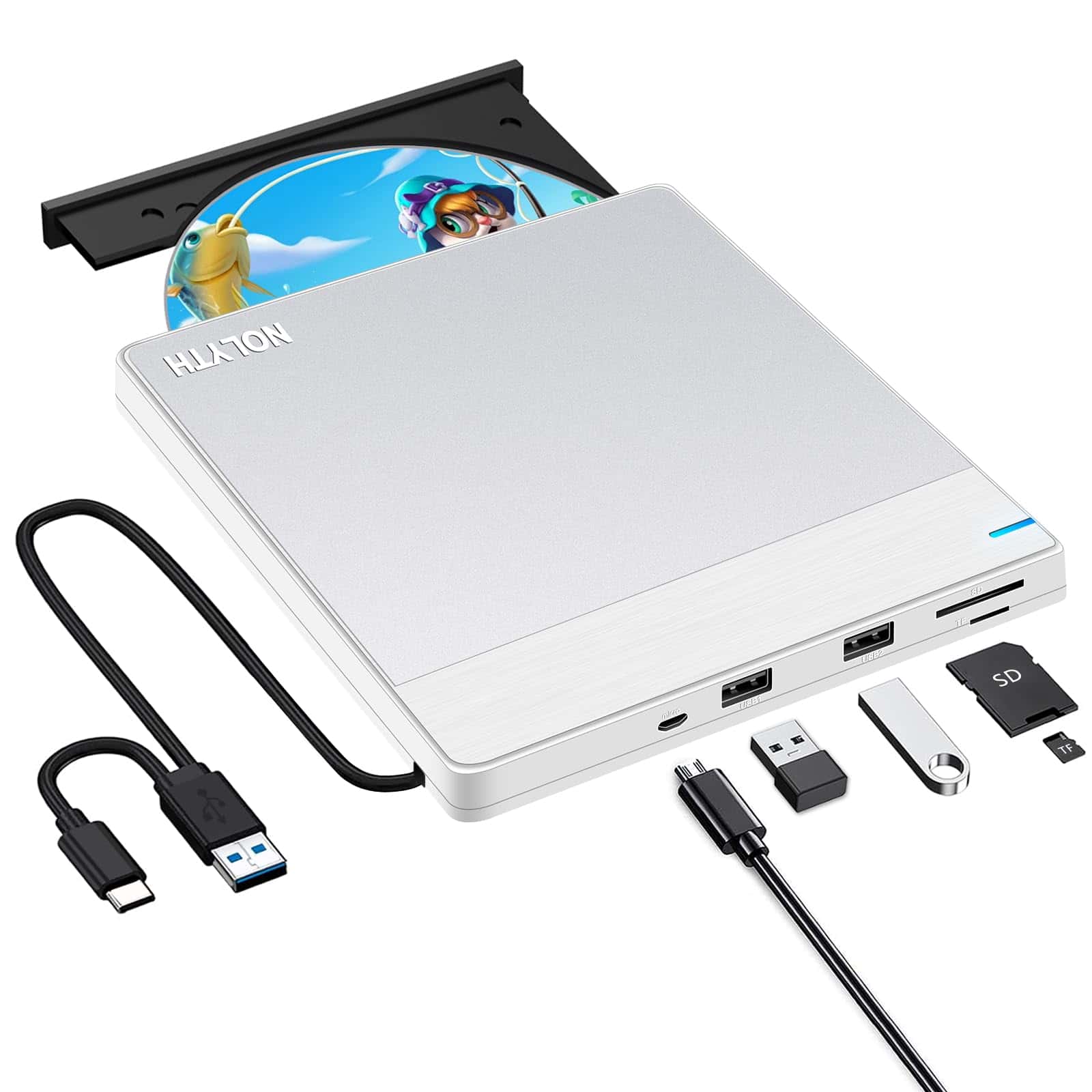
The NOLYTH External CD Drive offers remarkable versatility with extra USB ports and card readers, making it an excellent choice for anyone needing to access optical media on modern laptops.
Pros
- Ultra-thin design at just 0.7 inches thick and lightweight at 0.66 pounds
- Functions as a USB hub with two additional USB ports and SD/TF card slots
- Compatible with both Windows and Mac operating systems
Cons
- Not compatible with Chromebooks, tablets, or car systems
- Some users report noisy operation with certain discs
- Requires direct connection to computer (no wireless option)
This sleek external DVD drive solves a common problem with newer laptops and computers that lack built-in optical drives. The silver-white design with brushed aluminum top gives it a premium look that complements Mac products especially well. Its compact size means you can easily slip it into a laptop bag or drawer when not in use.
Beyond just playing DVDs and CDs, this device offers impressive functionality as a multi-purpose tool. The integrated USB hub provides two extra USB ports plus SD and TF card slots, effectively expanding your computer’s connectivity options. This means you can transfer photos from memory cards or connect additional peripherals while using the drive.
Performance-wise, the NOLYTH drive delivers respectable speeds with 24x CD reading/writing and 8x DVD capabilities. The plug-and-play setup requires no additional software installation—simply connect it to your computer’s USB or USB-C port and it’s ready to use. For Mac users especially, finding compatible external drives can be challenging, but this model works seamlessly with MacBooks and iMacs. The built-in cable storage keeps everything tidy when the drive isn’t being used.
OwlTree PC Power Button
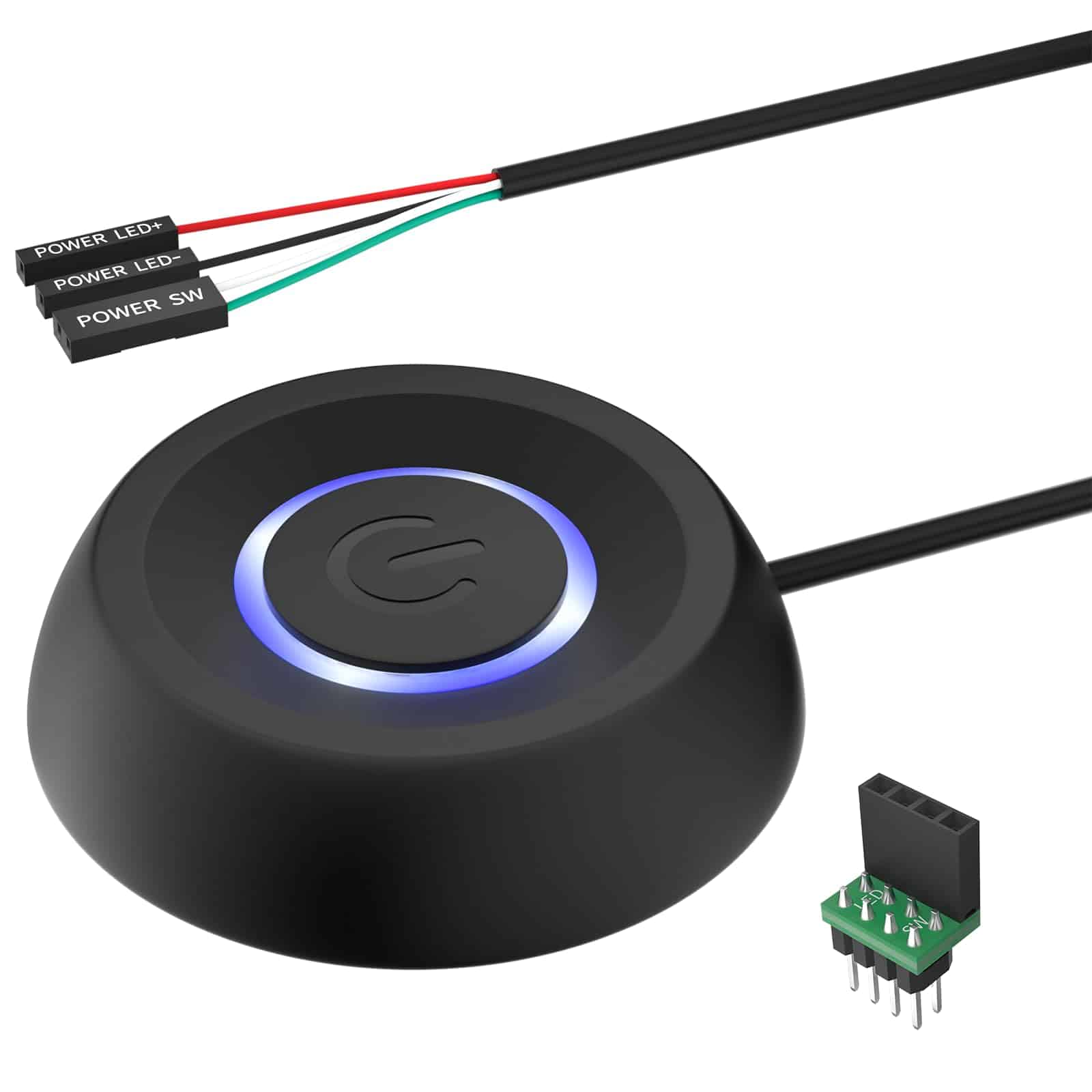
This external power button offers a practical solution for anyone with hard-to-reach computer cases or damaged power buttons.
Pros
- Long 1.7M cable provides excellent placement flexibility
- Includes splitter to work alongside existing power button
- Simple installation with included adhesive stickers
Cons
- LED light cannot be disabled
- Requires opening your case to connect to motherboard
- Some users report thin connection pins
The OwlTree PC Power Button solves a common problem for desktop users with awkwardly positioned computers. No more crawling under desks or reaching behind furniture to power on your system. With its 1.7-meter cable, you can position this button anywhere convenient within that range.
Installation is straightforward for most users. You’ll need to open your case and connect the appropriate pins to your motherboard’s power switch headers. The package includes clear instructions, adhesive stickers for mounting, and even a 1-to-2 splitter board. This splitter lets you keep your original case button functioning while adding this external option.
The button itself features a satisfying click and sturdy plastic construction. Many users appreciate the blue LED indicator light, though some mention they wish it could be turned off. Its IP65 rating suggests good protection against dust and moisture. For DIY enthusiasts, water-cooled builds, or anyone with a damaged case button, this external power switch makes a practical addition to your setup.
Buying Guide
Selecting the right external components for your system requires careful consideration of compatibility, performance needs, and budget constraints. This guide will help you make informed decisions when purchasing these essential add-ons.
Compatibility Factors
Always check connection types before buying any external component. Ensure your computer has the appropriate ports (USB, Thunderbolt, HDMI, etc.) that match the devices you plan to purchase.
Look at power requirements too. Some external components need their own power source, while others draw power directly from your computer.
Performance Specifications
| Component Type | Key Specifications to Consider |
|---|---|
| External Drives | Transfer speed, storage capacity, RPM (for HDDs), read/write speeds |
| Monitors | Resolution, refresh rate, panel type, response time |
| Audio Equipment | Frequency response, impedance, connectivity options |
| Input Devices | Polling rate, sensitivity, ergonomics, programmable features |
Consider future-proofing your purchase by selecting components with slightly higher specifications than your current needs.
Build Quality and Durability
External components often travel with you, making durability an important factor. Look for robust construction materials and quality craftsmanship.
Water and dust resistance ratings are valuable for components you’ll use in various environments. These ratings can help you assess how well the component will hold up under different conditions.
Warranty and Support
Check warranty terms before purchasing. Longer warranty periods often indicate manufacturer confidence in their product quality.
Investigate the availability of customer support and whether the manufacturer provides driver updates regularly. This ensures your component will remain compatible with future system updates.