
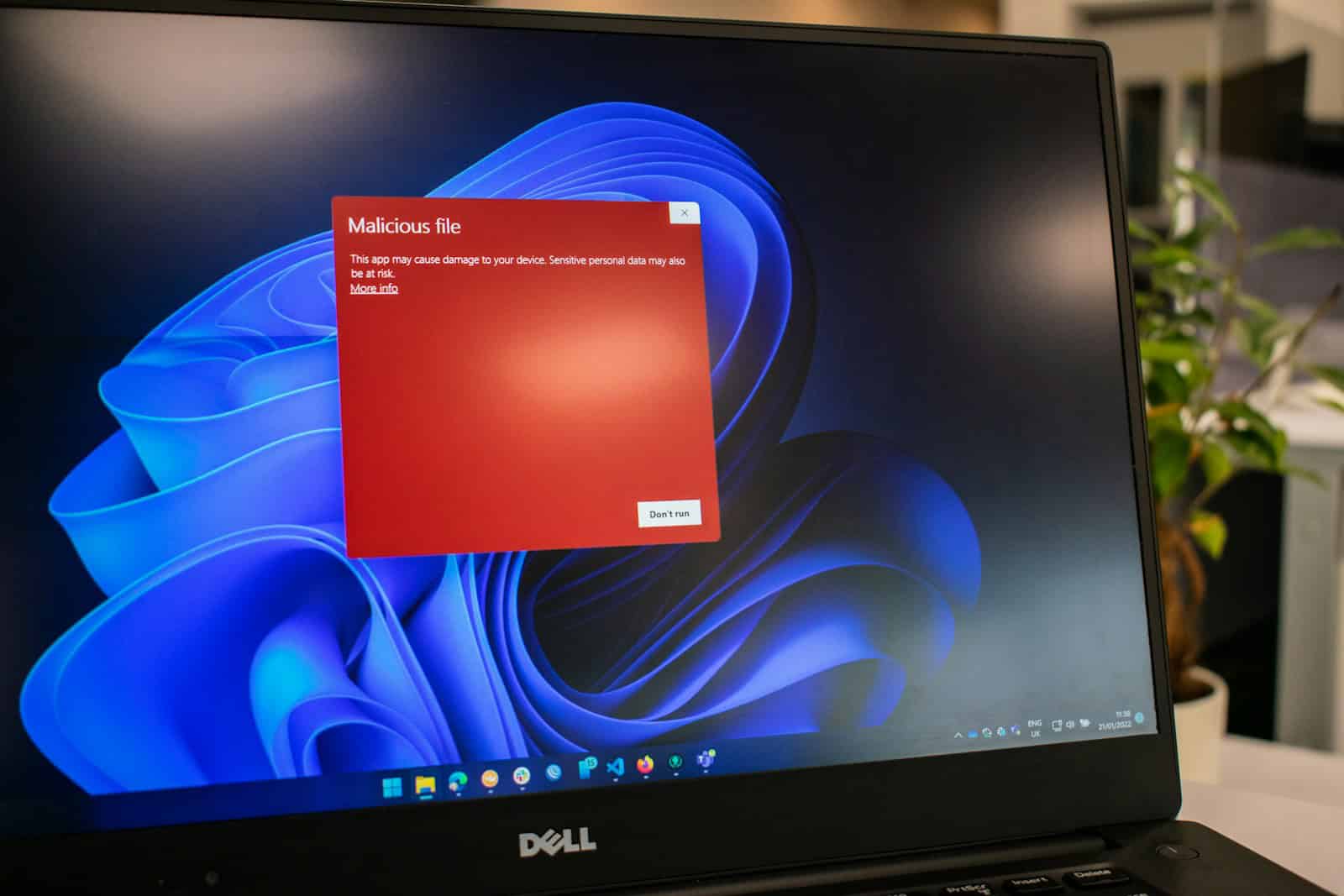
Spyware can put your personal information at risk. These sneaky programs hide on your computer and steal your data without you knowing. Finding good free spyware removal tools is essential for keeping your computer safe from these threats.
Looking for free options that actually work can save you money while protecting your privacy. Many free anti-spyware programs offer solid protection against common threats. They can scan your computer, find unwanted programs, and remove them before they cause harm.
1. Malwarebytes
Malwarebytes offers a free anti-spyware scanner that helps clean unwanted spyware from your devices. The tool is easy to install and works on multiple platforms including Windows, Mac, and Android.
Many users appreciate that the free version can detect and remove spyware that other security programs might miss. It runs quick scans that don’t slow down your computer too much.
The interface is simple enough for beginners but still has enough features to satisfy tech-savvy users. You can run on-demand scans whenever you suspect your computer might be infected.
However, the free version has limitations. It doesn’t provide real-time protection against new threats – you only get that with the premium version. This means you’ll need to manually scan your system regularly.
Some users mention that the free version displays frequent upgrade notices that can become annoying. These pop-ups encourage you to purchase the premium version.
Despite these limitations, Malwarebytes Free performs well in detection tests. In recent evaluations, it scored 95% in phishing detection tests, matching the performance of other respected security tools like Sophos and Total Defense.
The 2025 version maintains the program’s reputation for effective malware removal. It can detect and clean various threats including viruses, ransomware, and of course, spyware.
For basic protection needs, Malwarebytes Free works well as a secondary scanner alongside your main antivirus program. It excels at catching and removing spyware that might slip past other security tools.
Remember to run scans regularly since the free version doesn’t constantly monitor your system for new threats. This helps ensure your computer stays clean between scans.
2. SUPERAntiSpyware
SUPERAntiSpyware is a popular free tool that helps protect computers from various threats. It focuses on detecting and removing spyware, adware, malware, and other unwanted software that regular antivirus programs might miss.
The free version offers basic protection through on-demand scanning. You can scan your entire computer or just specific areas to find harmful programs hiding in your system. It works well alongside other security software without causing conflicts.
One nice feature is its ability to find tracking cookies that websites use to monitor your browsing habits. The program removes these cookies to help protect your privacy online.
SUPERAntiSpyware free edition has a simple interface that makes it easy for beginners to use. The scanning process is thorough but can take some time depending on your computer’s speed.
The tool includes a free spyware scanner and removal tool that can help clean up already infected systems. Many users turn to this program when their computer starts acting strangely or running slowly.
However, the free version lacks some important features. It doesn’t provide real-time protection, which means it can’t stop threats as they happen. According to some users on Reddit, both SUPERAntiSpyware and similar tools are not great at real-time detection, and work better as cleaning tools.
For continuous protection, the company offers a Professional Edition. This paid version includes automatic updates, scheduled scans, and real-time blocking of threats before they can damage your system.
The program is regularly updated to catch new threats. At 214.6MB, the current version 10.0.1272 isn’t too large compared to other security software.
SUPERAntiSpyware works best when used alongside a main antivirus program as an extra layer of security. It’s particularly helpful for finding and removing stubborn spyware that other programs miss.
3. Avast Free Antivirus
Avast Free Antivirus offers robust protection against spyware and other digital threats. This popular security solution scans, finds, and removes spyware while also blocking future infections.
The program doesn’t just target spyware – it also guards against viruses, ransomware, and other malicious software. This makes it a complete security package rather than just a specialized tool.
Avast has built a strong reputation in the cybersecurity world. With over 435 million users worldwide, it’s one of the most trusted free security solutions available today.
The free version includes all essential features needed to keep your computer safe. It detects, blocks, and removes viruses, adware, spyware, Trojans, and more without requiring payment.
Installation is simple and the interface is user-friendly. Even people with limited technical knowledge can easily navigate the program and run scans.
Avast works in the background without slowing down your system. It continuously monitors for threats while you use your computer for other tasks.
The automatic removal feature is particularly helpful. When Avast finds a threat, it can remove it automatically, saving you the trouble of figuring out what to do next.
For Android users, Avast offers a mobile version with similar protections. The mobile security app alerts you when spyware or adware-infected apps are downloaded to your device.
Regular updates keep Avast’s threat database current. This ensures protection against both established and emerging spyware threats.
The scan options are flexible, allowing for quick scans when you’re short on time or deep scans when you want thorough protection. This versatility makes it practical for everyday use.
4. AVG AntiVirus Free
AVG AntiVirus Free offers strong protection against spyware threats at no cost. This popular security tool has earned recognition for its ability to detect and remove unwanted spying software from your devices.
The free version comes with a built-in spyware scanner and detector that works quickly while using minimal system resources. You don’t need to worry about it slowing down your computer during scans.
Besides spyware protection, AVG also shields your system from viruses, Trojans, and other malware. The program runs in the background, constantly checking for potential threats that might compromise your privacy.
AVG AntiVirus Free is available for multiple platforms. You can install it on your PC, Mac, and even Android devices to keep your digital life protected across all your technology.
The Android version includes extra features like an app lock and photo vault to add another layer of privacy protection. These tools help prevent unauthorized access to sensitive apps and personal photos.
Regular updates keep the software current against new threats. AVG automatically refreshes its threat database to ensure you’re protected from the latest spyware tactics.
The clean, user-friendly interface makes AVG easy to navigate. Even if you’re not tech-savvy, you can run scans and manage your protection settings without confusion.
For basic spyware and virus protection, the free version works well for most home users. The award-winning anti-malware tool provides essential security features without requiring payment.
AVG’s parent company, Avast, has a solid reputation in the cybersecurity industry. This gives users confidence in the protection AVG provides against privacy threats.
If you want a simple, effective way to guard against spyware, AVG AntiVirus Free delivers reliable protection without complicated setup or costs.
5. Spybot Search & Destroy
Spybot Search & Destroy is a well-known free security tool that focuses on removing spyware and other privacy threats. It has been around for many years and offers several protective features in its free edition.
The free version of Spybot provides basic protection against spyware, adware, and other unwanted programs that might track your activities. It scans your computer for these threats and helps remove them.
One of the main benefits of Spybot is its on-demand scanning capability. You can run scans whenever you want to check if your system has been compromised.
The program includes several useful features even in its free edition. It offers Host File Protection and Browser Guards to help keep your system safe while browsing the internet.
Spybot’s interface is straightforward, making it accessible for users who aren’t tech experts. You can easily scan your system and see what threats have been detected.
The current version (2.9) has improved on previous releases with better detection rates. It searches your hard disk for all known types of spyware and potentially unwanted programs.
Some users have reported mixed results with Spybot’s effectiveness. A PCMag review noted that it didn’t always remove all the threats it promised to handle.
For more comprehensive protection, the company offers a Home Edition with additional features like real-time protection and keylogger detection. This paid version provides more complete security.
The free edition works best when used alongside other security tools rather than as your only defense. It can catch things that antivirus programs might miss.
Regular updates help Spybot stay current with new threats, though the free version might not update as frequently as paid alternatives. Still, it remains a useful tool for basic spyware detection.
6. Ad-Aware Free Antivirus+
Ad-Aware Free Antivirus+ offers a solid option for those seeking free spyware protection. The program combines both antivirus and antispyware capabilities to keep your computer safe from various threats.
This free tool provides real-time protection against malware, which is essential for stopping threats before they can damage your system. It also includes download protection to help you avoid dangerous files.
One helpful feature is the continuously updated filters that block malicious URLs. These filters work to prevent you from visiting harmful websites that could infect your computer.
The current version of Ad-Aware has improved compared to earlier releases. According to PCMag’s review, its scores have risen in recent evaluations, showing better performance against various threats.
It’s worth noting that Ad-Aware’s free version lacks some features found in its paid versions. This is common with free security software, but the core protection remains intact.
The program aims to prevent malware infections and privacy breaches, making it useful for basic security needs. Its interface is straightforward, allowing even beginners to use it effectively.
Some confusion exists about Ad-Aware’s purpose. While some consider it primarily an adware scanner, the current version targets all types of malware, not just adware.
Ad-Aware claims to be simple to use while still providing strong protection. This makes it a good choice for those who want security without complicated settings or options.
The free version may lack some advanced features, but it covers the essentials needed to protect against spyware and other common threats.
7. Panda Free Antivirus
Panda Free Antivirus offers basic protection for Windows and Android devices against various threats. This simple solution helps keep your computer safe from malware, spyware, and ransomware without complicated setup procedures.
The user interface is attractive and easy to navigate. Even beginners can quickly learn how to use the main features. The clean design makes finding what you need straightforward.
One of the key strengths of Panda Free Antivirus is its light impact on system resources. You can run scans without noticing a major slowdown in your computer’s performance. This makes it a good choice for older machines.
However, the free version has some limitations. According to PCMag reviews, it lacks protection against dangerous and fraudulent websites. This might be a concern if you frequently browse the internet.
The test scores for Panda Free Antivirus vary across different testing labs. This inconsistency raises questions about its reliability compared to other free antivirus options on the market.
The software focuses on core protection features rather than extras. If you’re looking for a simple solution without bells and whistles, this might work well for you.
Installation is quick and doesn’t require much technical knowledge. The program updates automatically to ensure you have protection against the latest threats.
Panda Free Antivirus also includes a USB protection feature that helps prevent infections from external drives. This can be particularly useful if you frequently exchange files using USB sticks.
The free version displays occasional ads promoting the premium version. While not overly intrusive, these reminders might annoy some users who prefer a completely ad-free experience.
For basic malware detection and removal, Panda performs adequately. TechRadar notes that it handles these basics well but falls short on additional features compared to competitors.
8. ESET Online Scanner
ESET Online Scanner is a free tool that helps find and remove malware from your computer. This scanner checks for viruses, trojans, and other harmful software that might be hiding on your system.
Unlike regular antivirus programs, you don’t need to install ESET Online Scanner permanently. It works right from your web browser, making it easy to use when you need a quick check.
The scanner is made by ESET, a trusted security company known for their comprehensive protection against various threats. Their technology can spot malware that other scanners might miss.
One great thing about ESET Online Scanner is that it looks for all types of viruses. The tool runs a thorough check of your files and helps clean up anything suspicious it finds.
Users who have tried this scanner report good results. In one case, someone mentioned the scanner found and removed trojans from their system effectively.
The process is simple. Just visit the ESET website, click on the online scanner option, and follow the prompts. You’ll need to allow the scanner to run in your browser.
While it’s scanning, you can still use your computer for other tasks. The scanner works quietly in the background, though your system might run a bit slower during the scan.
ESET Online Scanner is particularly helpful when you suspect something’s wrong with your computer. Strange behavior, pop-ups, or slow performance might signal hidden malware.
This tool doesn’t replace a full antivirus program. Think of it as a second opinion or an extra check when you’re worried about your computer’s health.
The free virus removal tool is especially useful when your regular antivirus seems to miss something. It uses different detection methods that can catch sneaky malware.
For best results, let the scanner check your entire system. This takes longer but gives you the most complete picture of your computer’s security.
9. BitDefender Internet Security
BitDefender Internet Security is actually a paid option, not free software. It offers more features than the company’s free version. The free version is called Bitdefender Antivirus Free and provides basic protection.
The paid Internet Security package works against many types of threats. These include viruses, worms, Trojans, ransomware, and spyware. It’s designed to keep your personal data safe while you browse online.
One nice thing about BitDefender is how light it runs on your computer. You won’t notice your PC slowing down much while it’s protecting you in the background.
Bitdefender Internet Security includes special features that the free version doesn’t have. These extra tools help protect your privacy and secure your online activities.
The company also offers Bitdefender Total Security, which works on Windows, Mac, Android, and iOS devices. This is their most complete package for those who want protection across all their devices.
BitDefender has a good reputation in security testing. It regularly scores well in independent lab tests that check how well it catches threats. Cybernews rates it as one of the top antivirus providers for 2025.
If you’re looking for completely free options instead, you might want to check out Avast One Basic or AVG AntiVirus Free. These have received good reviews as free alternatives.
Remember that while BitDefender’s free version offers basic protection, the Internet Security package requires payment. The company typically offers trial periods so you can test it before buying.
10. HouseCall
Trend Micro’s HouseCall is a free online security scan tool that helps detect and remove various types of malware. It can find viruses, worms, spyware, and other harmful threats without costing you a penny.
One great thing about HouseCall is its user-friendly interface. You don’t need to be a tech expert to run a scan on your computer. The tool offers custom scan options so you can check specific areas of your device if you’re worried about certain files.
HouseCall works without installation issues. Since it’s an online scanner, you won’t face the compatibility problems that sometimes come with installed software. This makes it particularly helpful for quick checks when you suspect something might be wrong.
The Smart Scan feature targets the most common areas where threats hide. This saves time compared to full system scans while still providing good protection.
HouseCall is also portable and lightweight. It doesn’t take up much disk space while still providing a complete scanning tool, as noted by Lifewire in their review of free spyware removal tools.
Some users combine HouseCall with other security tools for better protection. For example, you might use HouseCall for occasional deep scans while having another program for daily protection.
However, not everyone has had perfect experiences with the tool. Some users have questioned its effectiveness in catching all threats. One review from Bill Bennett called it “pointless,” suggesting mixed results.
HouseCall works best as part of a broader security approach. Many experts recommend using it alongside other tools like Malwarebytes or Windows Security for complete protection.
Understanding Spyware
Spyware poses a serious threat to your digital privacy and device security. This sneaky software can gather your personal information without consent and share it with others behind your back.
What Is Spyware?
Spyware is malicious software designed to enter your computer and secretly collect your data. Unlike viruses that damage your system, spyware aims to stay hidden while it watches what you do online.
The main goal of spyware is to gather information without your knowledge or permission. This can include:
- Passwords and login details
- Credit card numbers
- Browsing habits
- Email addresses and contacts
- Personal files and photos
Many people don’t even know their devices are infected. Spyware runs quietly in the background, often slowing down your computer while stealing your private information.
Common Types of Spyware
Several types of spyware target different information or serve various harmful purposes:
Keyloggers record everything you type, including passwords and messages. Hackers use these to steal login information for banks and other important accounts.
Adware tracks your browsing habits and bombards you with unwanted ads. While sometimes just annoying, adware can lead to more dangerous infections.
Password stealers focus specifically on capturing stored passwords from browsers and apps. They send this information directly to hackers.
Banking trojans target financial information by creating fake versions of banking websites to trick you into entering your account details.
Tracking cookies are small files that follow your online activity across websites, building a profile of your interests and behaviors for advertisers or worse.
How Spyware Infiltrates Devices
Spyware sneaks onto devices through several clever methods. Free software downloads often bundle spyware as hidden extras. That free game or PDF converter might come with unwanted spying tools attached.
Email attachments and malicious links serve as common entry points. Clicking on a suspicious link or opening an attachment from an unknown sender can instantly infect your device.
Fake security alerts trick users into downloading spyware. These pop-ups claim your device is infected and offer a “solution” that actually installs the very threat they warned about.
Outdated software contains security holes that spyware exploits. Keeping your operating system and apps updated helps block these backdoor entries.
Some spyware spreads through infected USB drives or other removable media. Plugging in an unknown flash drive can automatically transfer spyware to your computer without any warning signs.
Protecting Your Privacy
Keeping your devices safe from spyware requires both good habits and the right tools. Privacy protection starts with being aware of what you download and continues with using reliable security software.
Best Practices for Avoiding Spyware
Always download software from official websites or trusted app stores. Unofficial sources often bundle unwanted spyware with legitimate-looking programs. Be careful with email attachments and links, even from people you know.
Update your operating system and applications regularly. Companies release patches to fix security holes that spyware might exploit. These updates are your first line of defense.
Be cautious with permissions. Apps and websites often ask for more access than they need. If a flashlight app wants your contacts or location, that’s a red flag.
Use strong, unique passwords for each account and enable two-factor authentication when available. Password managers like Bitwarden can help you create and store complex passwords.
Read privacy policies before installing new software. Yes, they’re boring, but they tell you what data the company collects and how they use it.
Tools and Software for Spyware Prevention
Install reputable anti-spyware software. Malwarebytes offers a free spyware scanner that can remove existing threats from your device. For ongoing protection, Avast One Basic and AVG AntiVirus Free are top choices that won’t cost you anything.
Consider using browser extensions that block trackers. Privacy Badger and uBlock Origin stop websites from following you across the internet. They’re free and easy to set up.
Use a VPN (Virtual Private Network) when connecting to public Wi-Fi. This encrypts your data and hides your browsing activity from potential snoopers.
Clear your cookies regularly or use your browser’s private/incognito mode. This limits how much information websites can gather about you.
Superantispyware is another free tool worth trying. It often catches things other programs miss, making it a good complement to your main security software.
Frequently Asked Questions
Many people search for effective free spyware removal tools that really work. These common questions address the most popular free solutions and their effectiveness across different devices.
What are some top free spyware removal tools available?
Malwarebytes is widely recognized as one of the best free spyware removal tools. It uses minimal resources while providing strong protection against various threats.
SUPERAntiSpyware offers a free version that can detect and remove spyware that other programs might miss. Many tech professionals recommend it as a secondary scanner.
Spybot Search & Destroy focuses specifically on spyware threats and provides immunization features to prevent future infections.
How can I find the best spyware protection for my Windows 10 system?
Microsoft’s built-in Windows Security (formerly Windows Defender) provides solid protection against spyware. It comes pre-installed and updates automatically.
For extra protection, most experts suggest pairing Windows Security with Malwarebytes Free. This combination covers most threats without slowing down your system.
Regular system updates are crucial too. Windows 10 security patches often fix vulnerabilities that spyware might exploit.
What’s a good free app to detect and remove spyware on Android devices?
Malwarebytes for Android offers a free version that can scan and remove spyware from mobile devices. It’s lightweight and doesn’t slow down phone performance.
AVG AntiVirus Free provides strong protection against mobile spyware and other malware. It includes a privacy scanner that checks app permissions.
Google Play Protect, built into all Android devices, continuously scans apps for harmful behavior. Keep it enabled for baseline protection.
Can I trust free antivirus software to remove spyware effectively?
Free antivirus programs can remove basic spyware, but they often have limitations. Premium versions typically offer real-time protection and more thorough scanning.
Avast Free Antivirus provides decent spyware protection in its free version. It blocks future infections and guards against various threats.
Many users find that combining a free antivirus with a dedicated anti-spyware tool offers the best protection without paying for premium software.
Is there a reputable free spyware scanning tool I can use?
Malwarebytes Free is consistently ranked as one of the most reputable scanning tools. It excels at finding and removing spyware that other programs miss.
SUPERAntiSpyware offers a reliable free scanner that can run alongside other security programs without conflicts. Many IT professionals use it for secondary scans.
Both tools allow manual scanning when needed but require upgrading for real-time protection features.
What do users often recommend for free spyware and malware removal?
Most users recommend Malwarebytes as their go-to solution for spyware removal. Many have used it for years without issues.
Tech support forums frequently suggest running both Malwarebytes and Windows Security for complete protection. This combination uses minimal resources while providing maximum security.
AVG and Avast are also popular recommendations for free all-in-one protection that includes spyware removal capabilities.





