
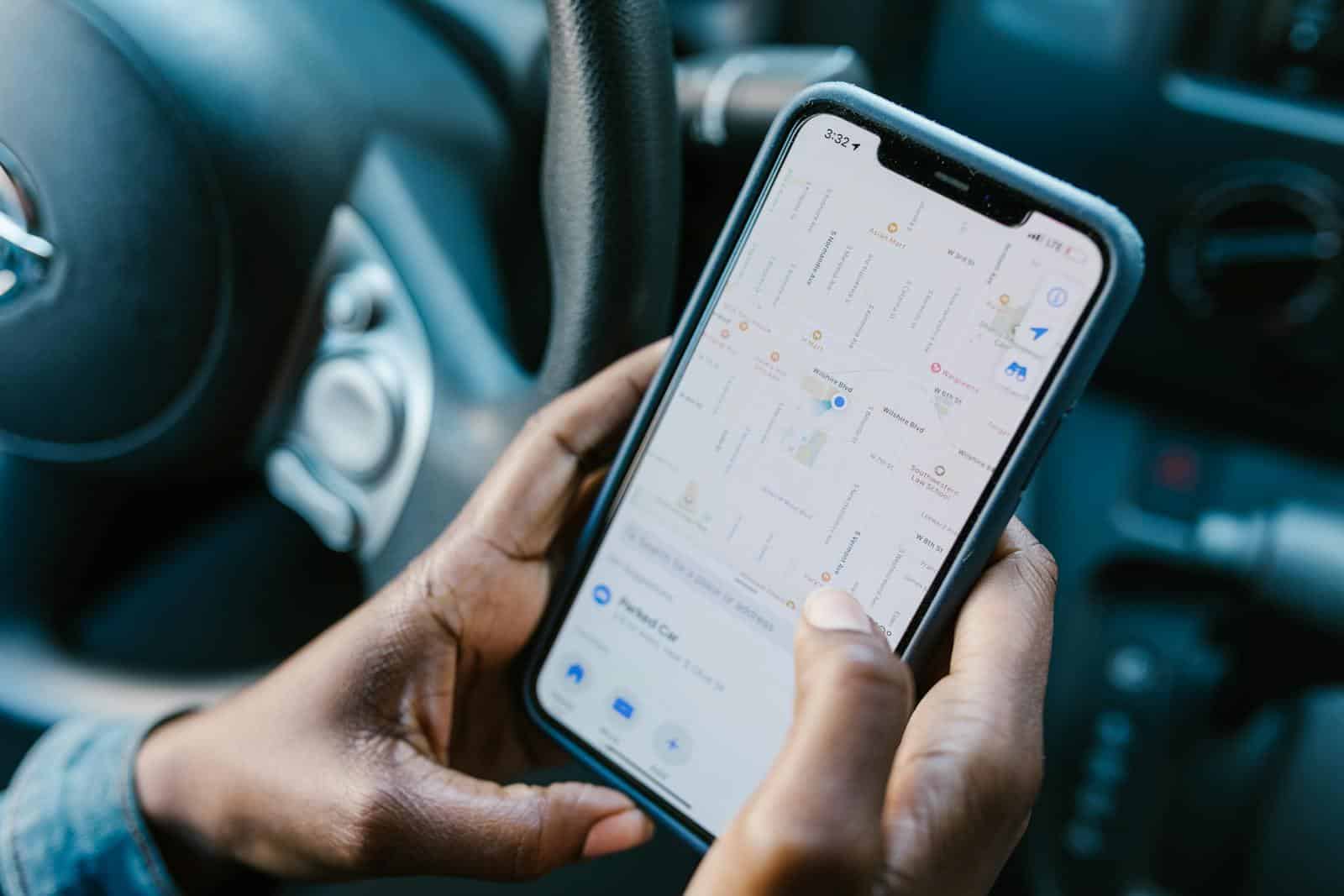
Tracking apps help people keep tabs on their loved ones, providing peace of mind and safety in today’s busy world. These apps use GPS technology to show someone’s location on a map, making it easy to check if kids got to school or if elderly parents are safe. The best free tracking apps offer reliable location services without charging users any money.
Many people look for free tracking options because not everyone can afford premium services. Free tracking apps usually show basic location information and may include features like messaging or alerts when someone arrives at a specific place. While paid versions typically offer more advanced features, the free alternatives work well for most everyday family needs.
1. Spynger
Spynger is a phone monitoring app that helps people track activities on smartphones. It works on both iPhones and Android devices, making it a flexible choice for many users.
The app offers various tracking features that go beyond basic monitoring. Users can view calls, text messages, and even track GPS locations of the target device. This makes it useful for those who want to keep tabs on someone’s movements.
Spynger markets itself as the ultimate cheating tracker app for those who suspect their partners of being unfaithful. While this is one use case, the technology can serve other purposes too.
One of the key selling points is that Spynger operates in hidden mode. The app runs in the background without the phone user knowing it’s there. This stealth feature is central to how the monitoring works.
For those on a budget, Spynger offers a free spy app version that includes basic monitoring tools. This gives users a chance to try the service before committing to a paid plan.
The app also includes a photo tracker feature that lets users monitor photos and videos on the target device. This function gives access to media files with just a few clicks.
According to its website, Spynger positions itself as the only monitoring app you’ll ever need. While this claim might be strong, the app does combine many tracking features in one package.
Installation is straightforward, requiring physical access to the target device only during setup. After that, all monitoring happens remotely through an online dashboard.
Users should note that using such apps without consent may be illegal in many places. The legal use of Spynger is typically limited to monitoring your own children or employees (on company-owned devices).
The interface is designed to be user-friendly, showing all collected data in an organized way. This makes it easier for non-technical people to use the tracking features effectively.
2. Life360
Life360 has become a popular choice for families who want to track each other’s locations. This family locator app offers both free and premium options.
The free version of Life360 provides basic location sharing features. You can see where your family members are on a map in real-time. This helps parents know when kids arrive at school or friends’ houses.
The app works on both Android and iOS devices. It’s available for download on Google Play and the App Store.
Life360 organizes users into “Circles” – private groups for your family or close friends. This setup keeps your location information secure and only visible to people you choose.
Beyond just tracking, the free version includes place alerts. These notifications tell you when someone arrives at or leaves specific locations like home, school, or work.
The app’s interface is user-friendly and easy to navigate. Even family members who aren’t tech-savvy can quickly learn how to use it.
Some users find the free version has limitations. Battery usage can be high since the app runs in the background. Location updates might also be less frequent compared to the paid version.
The premium features include driving safety tools, extended location history, and emergency assistance. While nice to have, these aren’t necessary for basic family tracking needs.
Some families have looked for alternatives to Life360, especially those concerned about privacy or battery usage. Options like the Home Assistant companion app have been mentioned as reliable replacements.
Life360 has gained popularity in the UK and other countries as families embrace location sharing for safety. The free version provides enough features for most families to stay connected.
For those who need only basic tracking capabilities, the free version of Life360 offers good value. It helps families coordinate daily activities and provides peace of mind without requiring payment.
3. FamiSafe
FamiSafe is one of the most reliable parental control apps available for both Android and iOS devices. It offers a comprehensive set of features that help parents keep track of their children’s locations and digital activities.
The app includes real-time GPS tracking capabilities that allow parents to monitor their children’s whereabouts through their mobile phones or tablets. This feature is particularly useful for families with busy schedules.
Parents can set up geofences with FamiSafe. When children enter or leave these designated areas, parents receive instant alerts. This helps ensure children are where they’re supposed to be throughout the day.
The user interface is clean and straightforward. Even people who aren’t tech-savvy can navigate the app easily, making it accessible for all types of users.
Beyond location tracking, FamiSafe offers screen time management tools. Parents can limit how long their children use their devices and which apps they can access.
The app also monitors digital habits and online activities. This helps parents stay informed about potential online dangers their children might face.
FamiSafe is often described as the best family tracking app because it balances powerful features with respect for privacy. It doesn’t feel intrusive while still providing the necessary oversight.
The free version offers basic tracking features. For more advanced functions, users can upgrade to premium plans that offer more comprehensive monitoring capabilities.
Installation is simple on both parent and child devices. The setup process takes only a few minutes, and the app runs smoothly in the background without draining battery life.
FamiSafe regularly updates its features to address new digital challenges families face. This commitment to improvement keeps the app relevant in the fast-changing digital landscape.
With its balance of user-friendliness and robust tracking features, FamiSafe stands out among free GPS tracking apps in 2025.
4. Google Find My Device
Google Find My Device is a free app that helps Android users find their lost or stolen devices. This app comes pre-installed on most Android phones and is also available on the Google Play Store.
The app works by showing your phone’s location on a map. You can see where your device is, even if it’s not connected to the internet. This feature was recently improved to work better with offline devices.
What makes Google Find My Device useful is its simple features. You can make your phone ring at full volume to find it nearby. This works even if your phone is on silent mode.
If your phone is stolen, you can lock it remotely. You can also display a message on the screen with your contact information. This helps honest people return your device if they find it.
For serious situations, Google Find My Device lets you erase all data on your phone. This protects your personal information if you can’t get your phone back.
The app doesn’t just track phones. It also works with tablets, headphones, and other accessories. This makes it a complete solution for keeping track of your tech.
Unlike some tracking apps, Google Find My Device is completely free. There are no premium features locked behind a paywall. All features are available to everyone with a Google account.
The interface is clean and easy to use. When you open the app, it immediately shows your devices on a map. Large buttons make it simple to take action when needed.
Many Android users prefer this app because it’s made by Google. It integrates perfectly with Android’s security system. It’s also regularly updated to fix bugs and add new features.
For people who lose their phones often, Google Find My Device provides peace of mind. It’s a reliable way to track and secure devices without paying extra money.
5. Find My iPhone
Find My iPhone is a free tracking app made by Apple for iPhone users. It comes already installed on iPhones and doesn’t cost anything to use.
This app helps you locate your missing device on a map. If your phone is lost, you can see exactly where it is as long as it’s turned on.
You can also use Find My iPhone to protect your data. The app lets you remotely lock your device if it gets lost or stolen. This keeps your personal information safe from strangers.
Another helpful feature is the ability to play a sound on your phone. This works great when your iPhone is nearby but you can’t see it. Maybe it slipped between couch cushions or is hiding under papers.
The app has been updated over time. Now it’s part of a larger service called Find My, which works with more Apple products like AirPods and MacBooks.
You can also use Find My iPhone to share your location with friends and family. This makes it easy to meet up or check that loved ones are safe.
If your phone is truly lost, Find My iPhone has a last resort option. You can erase all the data from your device remotely. This protects your private information from falling into the wrong hands.
The app works with your Apple ID. Just sign in with the same account you use for other Apple services. No need to create a new account or remember another password.
One nice feature is the ability to share location with other iCloud accounts. This makes it a good option for families who want to keep track of each other.
Find My iPhone works best in the Apple ecosystem. If everyone in your family uses iPhones, it’s a simple and effective choice for tracking.
6. Mobile Tracker
Mobile Tracker Free is a useful app for keeping tabs on your loved ones. It helps you monitor text messages, calls, and locations all in one place. The app even records calls and tracks pictures shared from the device it’s installed on.
This free monitoring application also keeps an eye on social media activity like Facebook and WhatsApp. What makes it stand out is that it offers these features without charging users anything.
The Mobile Tracker app available on Google Play allows users to share and track location history between devices. You can follow movements in real-time, which is helpful for families wanting to stay connected.
The best part? You can share your location with family or friends at no cost – all you need is an internet connection. This makes it perfect for parents who want to know where their children are or friends meeting up in unfamiliar places.
Some families find that even the basic versions of tracking apps work well for their needs. As one user mentioned, the free version of Life360 works fine for many families.
If you’re looking for alternatives, built-in options like Google Find My Phone and Apple’s equivalent service also provide basic tracking features. These can be accessed from other devices when needed.
Mobile Tracker offers comprehensive tracking features that go beyond just location. Its ability to monitor various communication channels makes it popular among parents and partners concerned about safety.
The app runs in the background, so the person being tracked might not know it’s active. However, it’s always best to get permission before tracking someone’s phone for ethical and legal reasons.
For those concerned about privacy, Mobile Tracker does collect data, so be sure to read their privacy policy before installing it.
7. TrackingTime
TrackingTime is a versatile time tracking tool for teams that combines simplicity with powerful features. It works across devices and platforms, making it easy for users to track hours no matter where they work.
The free version offers enough functionality for individual users and small teams. You can track time for different projects, organize tasks, and get basic reports without paying a dime.
One standout feature is the ability to switch seamlessly between web and desktop apps. This flexibility helps users maintain consistent time tracking habits regardless of their work environment.
The app provides real-time updates and notifications to keep team members in the loop. This keeps everyone informed about project progress without requiring constant check-ins.
For teams that need mobility, the Android app ensures productivity doesn’t stop when you’re away from your desk. You can log hours, check project status, and manage tasks directly from your phone.
TrackingTime creates automatic timesheets and performance reports, saving hours of administrative work. The analytics help identify productivity patterns and potential bottlenecks in workflows.
The interface uses a calendar-like layout that gives users a different way to visualize their time. This unique approach helps teams better understand how they allocate hours across projects.
Project managers appreciate the built-in task management features. They can assign work, set deadlines, and monitor progress all within the same platform they use for time tracking.
The free plan limits users to three projects and basic reporting features. While this works for individuals and very small teams, growing organizations may need to consider the paid options for more robust capabilities.
8. Toggl Track
Toggl Track stands out as a popular time tracking app with both free and paid options. The free plan is truly free forever, making it accessible for individuals and small teams.
The app works across multiple devices, including a dedicated Windows desktop version and mobile apps. This flexibility lets users track time wherever they work.
Toggl Track’s interface is clean and simple. Users can start timing tasks with just one click, making it easy to build a time-tracking habit.
The free version includes basic time tracking, project organization, and simple reports. These features help users understand where their time goes without overwhelming them with complexity.
Teams appreciate Toggl Track for its collaborative features. Even on the free plan, users can see team members’ time entries and build a clearer picture of project progress.
For those who need more, Toggl offers a Premium plan with a 30-day free trial. No credit card is needed to try these advanced features.
The app shines in reporting capabilities. Users can create visual breakdowns of time spent on different projects or clients, helping identify productive patterns and improvement areas.
Toggl Track is often praised for its ease of use. The mobile app makes tracking on the go straightforward with a timer that shows the value of your time.
For larger organizations, Toggl Track offers enterprise solutions that help build a culture of growth and performance. These tools maintain trust while providing necessary oversight.
The billable hours feature helps freelancers and consultants track client work accurately. This makes invoicing more transparent and helps users understand their true hourly rates.
In 2025, Toggl Track remains one of the best time tracking options for teams of all sizes. Its balance of simplicity and power makes it suitable for most time tracking needs.
9. Memtime
Memtime stands out as a fully automatic time tracking tool designed for teams and projects. It works in the background, tracking your work without needing constant input from you.
Unlike many time trackers, Memtime focuses on privacy. The app records your activities while respecting personal information, making it suitable for businesses concerned about data security.
One of Memtime’s best features is how it syncs with developer tools and project software. This integration helps teams log hours easily and keeps projects organized without extra effort.
Small businesses find Memtime particularly helpful. It offers clear project visibility and helps teams understand where their time goes each day. This clarity can lead to better project management decisions.
The app includes useful features like auto-reminders and budget monitoring. These tools help teams stay on track with deadlines and prevent project costs from spiraling out of control.
Memtime also stands out for its simple approach to time tracking. Instead of requiring manual input throughout the day, it captures your work automatically. This saves valuable minutes that add up over weeks and months.
For freelancers and agencies that bill by the hour, Memtime offers solid billable time tracking capabilities. The system makes it easy to see which hours to charge clients for, potentially boosting your bottom line.
Team leaders appreciate how Memtime provides insights into project timing. These details help with planning future work and estimating how long similar tasks might take.
The interface keeps things simple and avoids unnecessary complications. Even team members who dislike tracking their time find Memtime less intrusive than traditional timers.
10. Google Maps
Google Maps isn’t just for directions. It’s a powerful GPS navigation tool that can track your location in real time.
Most people already have this app on their phones, which makes it convenient. No need to download something new just to track your movements.
The app shows your current location with a blue dot. As you move, the dot moves too, creating a simple way to track where you’ve been.
Google Maps works well for basic tracking needs. It shows your path as you travel and gives you information about places you visit.
The real-time traffic updates help you avoid congested areas. This feature is especially useful when you’re trying to reach a destination quickly.
You can save locations you visit often. This makes it easy to remember places you’ve been and find them again later.
The app also works offline if you download maps ahead of time. This helps when you’re in areas with poor signal or when you want to save data.
One limitation is that Google Maps isn’t designed primarily as a tracking app. It doesn’t offer detailed statistics about your movements like specialized tracking apps do.
Still, for casual users who just need basic location tracking, Google Maps is a free option that’s already familiar. The interface is user-friendly and most people know how to use it.
Battery usage is reasonable compared to some dedicated GPS trackers. The app is designed to balance accuracy with power consumption.
For hiking or outdoor activities, Google Maps can help mark trails you’ve taken. However, for more serious outdoor adventures, a specialized GPS app might be better.
Understanding Tracking Apps
Tracking apps have become essential tools for safety, family coordination, and device protection. They use GPS technology to monitor location and offer various features depending on your needs.
Features of Free Tracking Apps
Free tracking apps come with several useful capabilities that make them valuable for everyday use. Most apps offer real-time location tracking as their core function, allowing users to see where their devices or family members are at any moment.
Many free options include:
- Geofencing alerts that notify you when someone enters or leaves a designated area
- History logs showing where a device has been
- SOS buttons for emergency situations
- Battery monitoring to check if a tracked device is running low
Some advanced free trackers like mSpy even offer monitoring of calls, texts, and social media activities. This can be helpful for parents keeping an eye on children’s online activities.
Family-focused apps like Life360 emphasize connection between loved ones, making them popular for group tracking rather than just device recovery.
Comparing Free Versus Paid Options
Free tracking apps typically provide basic functionality with limitations. They often display ads or restrict how many devices you can track simultaneously.
Free tracking app limitations:
- Limited number of tracked devices (usually 1-3)
- Basic location updates (less frequent)
- Minimal customization options
- In-app advertisements
- Restricted geofencing capabilities
Paid versions remove these restrictions and add premium features. FamiSafe and similar paid services offer enhanced tracking with precise location updates and more detailed monitoring tools.
Paid trackers typically include advanced safety features like:
- Content filtering
- Screen time management
- More frequent location updates
- Extended location history
- Priority customer support
For travelers concerned about safety, even free options can provide peace of mind by sharing location with trusted contacts. For most basic needs, free apps work well, but families or businesses may benefit from premium features.
Security and Privacy Concerns
When using free tracking apps, it’s important to understand how they protect your information and what control you have over your data. Many apps collect sensitive details about your location and activities that could be misused if not properly secured.
Data Encryption in Tracking Apps
Most reputable tracking apps use encryption to protect user data during transmission and storage. This means your location information is converted into code that can only be decoded with the right key. Life360, a popular tracking app, implements encryption standards to keep family location data secure.
However, encryption quality varies widely among free apps. Some key things to look for include:
- End-to-end encryption – ensures only authorized devices can access your data
- TLS/SSL protocols – secures data when it’s sent between your phone and servers
- Local data storage options that keep information on your device
Free apps sometimes offer weaker security than paid versions. Before installing, check privacy policies to see how they handle data breaches and if they sell information to third parties.
Permissions and User Control
Tracking apps require significant permissions to function properly, but users should maintain control over what information they share. Many privacy-focused apps now let you customize exactly what data is collected and who can see it.
When installing a tracking app, pay attention to:
- What permissions the app requests (location, contacts, camera, etc.)
- How to revoke these permissions later
- Options to pause tracking or go “invisible” temporarily
Good apps make these controls easy to find and use. For example, some tracking services allow users to set up geofenced areas rather than sharing constant location updates.
Always check if the app continues tracking in the background and how to completely delete your data if you decide to stop using the service. Remember that even GPS tracking apps with strong security features can be misused if the people you share access with aren’t trustworthy.
Frequently Asked Questions
Many people have questions about free tracking apps for different purposes. Here are answers to some common questions to help you find the right app for your needs.
What are the top free apps available for tracking family members on Android devices?
For Android users, Google Find My Device stands out as a reliable option for family tracking. It comes pre-installed on most Android phones and offers basic location tracking features.
Life360 works great for families who need more detailed tracking. The free version includes location sharing, place alerts, and crash detection.
FamiSafe offers a free trial with features like location tracking, geofencing, and app usage monitoring. It’s especially helpful for parents who want to keep tabs on their children’s whereabouts.
Can you suggest any no-cost tracking apps that are compatible with iPhones?
iPhone users can use Find My iPhone which comes built into iOS devices. It provides accurate location tracking and lost device features without any additional cost.
Life360 also works well on iPhones. The free version gives families basic location sharing and safety features.
Some apps like Cocospy and mSpy offer free trials but may require payment for continued use.
Which free tracking applications are ideal for monitoring the location of your phone?
If you’re looking to track your own lost phone, both Android and iPhone have built-in solutions. Google Find My Device works excellently for Android users while Find My iPhone serves Apple users.
Spynger offers free phone tracking with features like real-time location updates and history. It works across both major platforms.
CatchMe is another good option for real-time location sharing. It’s useful when you want to share your location with friends or family members.
Are there any family-friendly tracking apps that you can use without spending money?
Life360’s free version is very family-friendly. It lets everyone in the family see each other’s locations and sends notifications when members arrive at designated places.
Google Find My Device and Find My iPhone can be set up for family use through Family Sharing features. This costs nothing extra.
FamiSafe offers some free tracking features specifically designed for parents. Their focus on child safety makes it a popular choice for families.
What’s the best app for tracking runs without incurring any fees?
Strava’s free version works well for tracking runs. It records your route, pace, and elevation while allowing you to share your activities with friends.
Nike Run Club offers comprehensive run tracking at no cost. It includes guided runs, challenges, and detailed statistics about your performance.
Map My Run by Under Armour provides free GPS tracking for runners. It offers route planning and performance analytics without requiring payment.
How do you recommend keeping a budget in check with a free tracking app?
Mint is an excellent free app for tracking expenses. It connects to your accounts and automatically categorizes spending to help you stay within budget.
EveryDollar’s free version allows manual entry of all expenses. This hands-on approach helps many people become more aware of their spending habits.
For those who prefer a simpler approach, Google Sheets can be used as a free budget tracker. Many ready-made templates are available that make budget tracking straightforward.





