
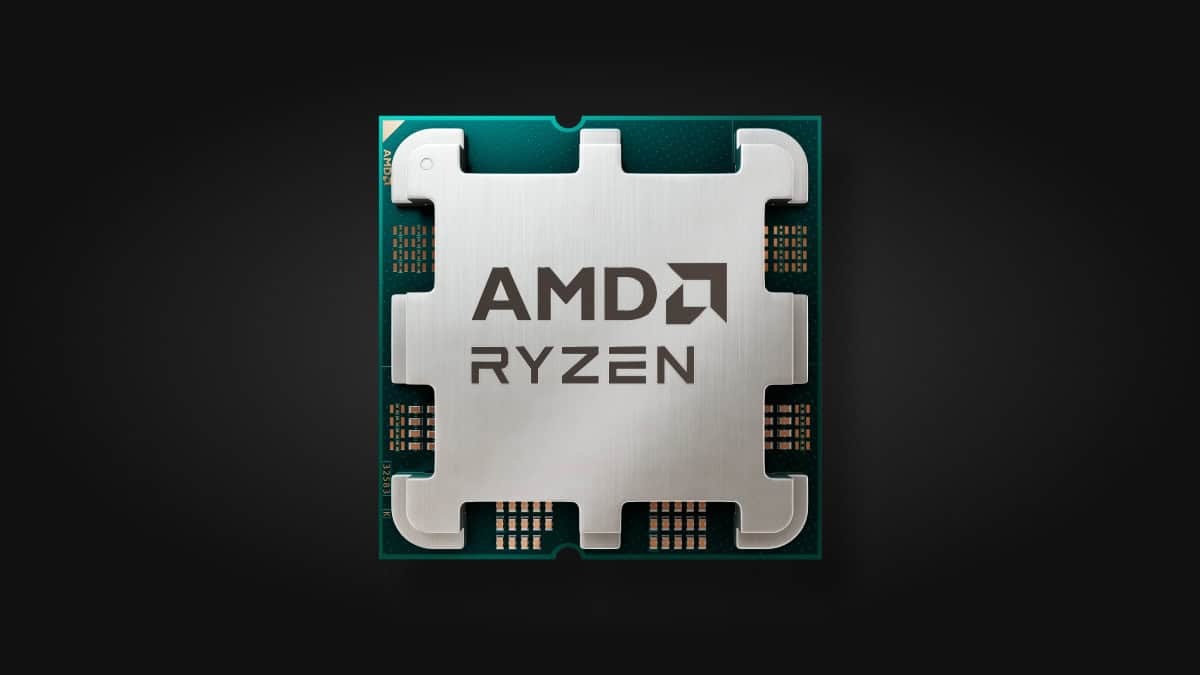
As we progress deeper into 2025, choosing the right processor for your home or office computer remains a crucial decision that impacts productivity, efficiency, and overall user experience. Whether you’re a remote worker, a creative professional, or someone who simply needs a reliable machine for everyday tasks, the processor at the heart of your system defines how smoothly everything runs.
Why the Processor Matters in 2025
Processors today are more than just raw speed engines. They handle multitasking, power efficiency, AI workloads, and connectivity features that were unimaginable a few years ago. With the rise of hybrid work models, video conferencing, cloud computing, and even casual gaming, selecting the right CPU can dramatically improve your workflow and future-proof your setup.
Top Contender: Intel Core i7-14700K — The Powerhouse for Productivity
The Intel Core i7-14700K currently leads the pack for home and office users seeking a blend of power, efficiency, and versatility. Built on Intel’s latest architecture, it features a hybrid design combining high-performance cores and efficient cores, enabling seamless multitasking from spreadsheets and video calls to photo editing and light gaming.
- Performance Highlights: With up to 20 cores (8 performance + 12 efficiency) and support for DDR5 memory, the i7-14700K handles demanding workloads without breaking a sweat.
- Future-Proofing: It supports PCIe 5.0, which allows faster data transfer speeds for next-gen SSDs and GPUs, making it a solid choice for users who want longevity.
- Energy Efficiency: Despite its power, Intel has optimized power consumption, so it’s suitable for quieter, cooler home office environments.
This processor also benefits from broad motherboard compatibility and mature software optimization, ensuring a smooth user experience.
Best Budget Option: AMD Ryzen 5 7600X — Affordable Yet Robust
For those prioritizing value without compromising performance, the AMD Ryzen 5 7600X is an excellent choice. It delivers impressive single-thread and multi-thread performance that easily handles office suites, web browsing, and creative applications like Adobe Photoshop or Premiere Pro.
- Cost Efficiency: It offers one of the best price-to-performance ratios in 2025, making it ideal for budget-conscious buyers.
- Technological Edge: Built on AMD’s advanced 5nm process technology, it boasts strong power efficiency and thermal management.
- Ecosystem: AMD’s AM5 platform supports DDR5 RAM and PCIe 5.0, ensuring compatibility with future upgrades.
The AMD Ryzen 5 9600X: A Mid-Range Option with Caveats
AMD’s Ryzen 5 9600X, part of the new 9000 series, positions itself as a baseline mid-range CPU. However, recent benchmark comparisons indicate it slightly trails behind Intel’s mid-range offerings in raw performance, particularly in multi-threaded tasks and gaming.
While it remains a competent processor, those seeking the best bang for their buck in the mid-tier segment might lean towards Intel’s alternatives for better overall responsiveness and future-proofing.
Market Trends and Deals in 2025
The processor market in 2025 is highly competitive, with both Intel and AMD offering compelling deals across the spectrum. Retailers and manufacturers are providing discounts on CPUs ranging from entry-level to enthusiast-grade, fueled by increased competition and supply chain stabilization.
- Smart Buying Tips: Look for bundle deals that include motherboards and memory, which can save hundreds of dollars.
- Consider Your Workflow: If your tasks involve heavy multitasking, video editing, or software development, investing in a higher-tier CPU like the i7-14700K pays off.
- Energy and Noise: For home offices, consider power-efficient models to reduce electricity bills and maintain a quiet environment.
Beyond Raw Specs: What to Consider When Choosing a Processor
- Integrated Graphics: Many modern processors include integrated GPUs sufficient for video playback and casual gaming, which can save you money if you don’t need a dedicated graphics card.
- Thermal Design Power (TDP): Lower TDP means less heat and quieter cooling solutions, important for small or quiet office setups.
- Platform Longevity: Choosing CPUs on platforms supporting newer standards (DDR5, PCIe 5.0) ensures easier future upgrades.
Final Verdict
For 2025, the Intel Core i7-14700K stands out as the best all-around processor for home and office use, combining raw power, efficiency, and feature-rich compatibility that suits a wide range of users. Meanwhile, the AMD Ryzen 5 7600X offers a compelling budget-friendly alternative without sacrificing too much performance.
With ongoing deals and technological advancements, this year is an excellent time to upgrade your processor and enhance your computing experience, whether for work, creativity, or casual use.
By understanding the nuances of each processor and aligning them with your specific needs, you can confidently invest in a CPU that will keep your home or office computer running smoothly for years to come.
Choosing a computer processor can feel like a tough decision. There are so many options from companies like Intel and AMD, each with different speeds and features. The best processor for your computer depends on what you’ll use it for, whether that’s gaming, work tasks, or just everyday browsing.
Processors have changed a lot in recent years. They now have multiple cores and advanced technologies that help them run faster while using less power. The AMD Ryzen 7 9800X3D has become popular for gaming, while the Intel Core i7-14700K offers great all-around performance for most users. Picking the right one means balancing speed, price, and your specific needs.
1. AMD Ryzen 5 7600
The AMD Ryzen 5 7600 stands out as a solid choice for budget-conscious PC builders who still want good performance. This processor comes with 6 cores and 12 threads, giving it enough power for both everyday tasks and gaming.
With a base clock speed of 3.8 GHz and the ability to boost up to 5.1 GHz, this CPU delivers quick response times for most applications. The 6MB of L2 cache helps speed up frequently used processes.
One big plus of the 7600 is its cooling needs. It requires minimal cooling, making it easier to build around compared to higher-end chips that need fancy cooling solutions.
Gamers will find the Ryzen 5 7600 particularly appealing when paired with graphics cards like the RX 7600. The combination provides smooth gameplay without creating a bottleneck in most titles.
The processor supports newer technologies too. With PCIe 5.0 and DDR5 memory support, your system stays ready for upcoming hardware advances. This future-proofing aspect means you won’t need to upgrade as quickly.
For multitasking, the 7600 holds its own. Whether you’re running multiple applications or doing light content creation, the 12 threads handle workloads efficiently.
Price-to-performance ratio is where this CPU truly shines. It offers much of what its more expensive siblings provide but at a more affordable price point. This makes it perfect for mid-range builds.
If you own an older AM4 motherboard, note that the 7600 uses the newer AM5 socket. For AM4 systems looking to pair with an RX 7600 graphics card, the 5800X3D might be a better option.
The Ryzen 5 7600 handles everyday computing tasks with ease. From web browsing to office applications, this processor provides snappy performance that most users will appreciate.
2. Intel Core i5-13400F
The Intel Core i5-13400F stands out as a budget-friendly processor that delivers strong performance for gaming PCs. This 10-core CPU combines six Performance-cores and four Efficient-cores, giving you a total of 16 threads for multitasking.
For gamers on a budget, this processor offers great value. It’s well-priced and works well for most gaming setups, though it might not pair perfectly with the most expensive graphics cards.
The addition of E-cores is a big improvement over the previous generation 12400F. These E-cores handle background tasks while gaming, which helps reduce stuttering since the P-cores can focus entirely on your game.
Performance tests show the 13400F delivers about a 16% boost in threaded work compared to its predecessor. It also provides a modest 4% improvement in single-threaded tasks, which helps with everyday computing.
For 1080p gaming, this processor provides more than enough power. Most gamers will find it matches well with mid-range graphics cards, creating a balanced system that doesn’t break the bank.
The “F” in the name means this processor lacks integrated graphics. You’ll need a separate graphics card, which most gamers already plan to use anyway.
Temperature management is relatively straightforward with this chip. It doesn’t run as hot as higher-end processors, making it easier to cool with standard cooling solutions.
The i5-13400F is particularly good for economical gaming builds. It hits a sweet spot between price and performance that many budget-conscious builders appreciate.
At around $200, this processor competes strongly against AMD alternatives in the same price range. The value proposition is compelling for those building a new system without overspending.
3. AMD Ryzen 9 9800X3D
The AMD Ryzen 9 9800X3D stands out as one of the top processors for gaming in 2025. This CPU has gained popularity because of its impressive 3D V-Cache technology, which helps reduce latency in games.
Gamers love this processor for its excellent performance in the latest titles. The 9800X3D often trades blows with the higher-tier 9950X3D in gaming scenarios, making it a smart choice for those who focus mainly on gaming.
Recent updates to the chipset drivers have helped fix earlier issues with core parking. These fixes mean the processor now runs games more smoothly than before.
For pure gaming, many experts consider the 9800X3D one of the best CPUs available. It delivers high frame rates in most modern games while keeping power consumption reasonable.
The processor offers a good balance between gaming performance and price. While not the cheapest option, it provides excellent value for serious gamers who want top-tier performance.
What makes this CPU special is how it handles game data. The extra cache memory means games can access information faster, resulting in smoother gameplay and higher frame rates.
Users who do both gaming and productivity work might want to weigh their options. The 9800X3D is strong in gaming but the 9950X3D offers better multi-threaded performance for tasks like video editing or 3D rendering.
Temperature management is another strong point for the 9800X3D. It typically runs cooler than competing high-end processors, which means less noise from cooling fans during intense gaming sessions.
Pairing this processor with a good graphics card and fast RAM will help unlock its full potential. The combination can handle even the most demanding game titles at high settings.
4. Intel Core i9-14900K
The Intel Core i9-14900K stands as a powerhouse processor in today’s market. With 24 cores (8 P-cores + 16 E-cores) and 32 threads, it delivers impressive computing muscle for demanding tasks.
Gaming performance is where this chip truly shines. The processor reaches up to 6.0 GHz max clock speed, giving gamers smoother gameplay and higher frame rates in their favorite titles.
However, it’s worth noting that the 14900K isn’t a complete overhaul from its predecessor. Many reviewers point out it’s essentially the Core i9-13900K with a slight clock boost, making the upgrade questionable for those already using last generation’s chip.
Heat management presents a real challenge with this processor. The 14900K tends to run hot, with power consumption reaching up to 300W under heavy loads. This means users need robust cooling solutions to prevent thermal throttling during intensive tasks.
When compared to AMD’s offerings, the Intel chip takes an interesting position. While the Ryzen 9800x3D is often considered the best CPU for gaming, the 14900K comes in at a lower price point while offering more cores and threads.
For those building high-end gaming rigs, the 14900K pairs excellently with top-tier graphics cards. Tests show it can push the NVIDIA GeForce RTX 4090 to its limits, making it ideal for 4K gaming and other graphics-intensive applications.
The integrated graphics capabilities, while not replacing a dedicated GPU for serious gaming, provide a functional backup option for basic display needs when troubleshooting or building systems.
For content creators and professionals, the high core count makes quick work of rendering, compilation, and other multi-threaded tasks. The processor excels at both single and multi-core performance, though it requires significant power to achieve these results.
5. Intel Core i7-14700K
The Intel Core i7-14700K stands out as one of the best value processors available today. With 20 cores (8 P-cores and 12 E-cores) and 28 threads, it packs serious computing power for both gaming and productivity tasks.
What makes this processor special is its performance compared to price. It offers equivalent performance to the Core i9-13900K and Ryzen 9 7950X3D while costing nearly $200 less. This makes it an excellent choice for budget-conscious builders who don’t want to sacrifice power.
Gamers will appreciate the i7-14700K’s clock speeds. It reaches up to 5.6 GHz with Turbo Boost Max Technology 3.0, providing smooth gameplay and impressive frame rates across various titles.
The processor also comes with integrated graphics, which can serve as a backup if your dedicated GPU fails. Though not powerful enough for serious gaming, the integrated graphics handle basic display tasks without issues.
PCMag named the i7-14700K the best value of Intel’s refreshed “Raptor Lake” CPUs, noting that it brings marked improvements at no extra cost compared to previous generations. This kind of value proposition is rare in the processor market.
For multitasking and productivity, the additional E-cores make a big difference. The i7-14700K handles video editing, 3D rendering, and other CPU-intensive tasks with ease. The extra cores help with background tasks while gaming too.
Heat management is decent with this processor, though a good cooling solution is recommended. The chip can run hot under full load, so investing in quality cooling will help maintain those high boost clocks.
PC Gamer’s review confirms that the i7-14700K delivers high frame rates in games without sacrificing multithreaded performance. This balance makes it versatile for streamers who game and encode video simultaneously.
The i7-14700K currently sells for around $330-420 depending on sales and retailers. This price point hits a sweet spot between mid-range and high-end processors, offering premium performance without the premium price tag.
6. AMD Ryzen 5 7600X
The AMD Ryzen 5 7600X is a 6-core, 12-thread desktop processor that has gained attention in the gaming community. It’s built on AMD’s Zen 4 architecture, which offers improved efficiency and strong single-core performance.
With a base clock speed of 4.7GHz and boost speeds up to 5.3GHz, this CPU delivers solid performance for both gaming and multitasking. The processor includes 38MB of cache, which helps reduce latency and speed up data processing.
One nice feature is the integrated Radeon graphics. While not powerful enough for serious gaming, it provides basic display capabilities without needing a separate graphics card.
For gamers building a new PC, the 7600X offers great value. It handles modern games well, especially at higher resolutions like 1440p where the GPU typically becomes the limiting factor.
Reddit users have noted that the 7600X is perfectly capable for gaming at 1440p. However, they also point out that the non-X version (the 7600) performs almost as well for a lower price.
Price-to-performance ratio is something to consider. PCMag reviews suggest the 7600X is outperformed by lower-priced competition in many tests, which might make it harder to recommend at its current price point.
The processor uses the AM5 socket, which requires a new motherboard if upgrading from older AMD systems. This platform supports DDR5 memory and PCIe 5.0, giving it good future-proofing.
Power consumption is another factor to consider. The 7600X has a TDP of 105W, which is reasonable but not the most efficient option available today.
7. Intel Core i9-13900KS
The Intel Core i9-13900KS is a powerhouse processor that stands out in the CPU market. Released as the flagship model of Intel’s 13th Gen “Raptor Lake” lineup, this CPU has made headlines as the world’s first 6 GHz processor.
This impressive chip comes with 24 cores in total – 8 Performance cores and 16 Efficiency cores. This combination provides exceptional multitasking capabilities for demanding users. It also features a generous 36MB cache, which helps speed up frequently used operations.
Performance is where the i9-13900KS truly shines. The processor delivers unparalleled speed for intensive tasks like video editing, 3D rendering, and high-end gaming. For gamers specifically, it’s considered among the best CPUs for 4K gaming, especially when paired with high-speed DDR5 RAM.
The retail price of the Core i9-13900KS is around $689, making it a premium option in the processor market. This price reflects its position as Intel’s fastest consumer-oriented processor to date.
Power consumption is something to consider with this high-performance chip. Tests have shown it can draw up to 328W of power and reach temperatures of 100°C under heavy loads. This means a robust cooling solution is essential for anyone looking to use this processor.
In office and web-based tasks, the i9-13900KS performs marginally better than the i9-13900K. The improvements are modest for these everyday tasks, as expected with such a high-end processor.
Availability might be an issue for those interested in this CPU. Reports indicate it has been sold out in many locations due to high demand and possibly limited production runs.
8. AMD Ryzen Threadripper 3970X
The AMD Ryzen Threadripper 3970X stands out as a powerhouse CPU for professionals with demanding workloads. With 32 cores and 64 processing threads, this processor handles complex tasks with ease.
It reaches impressive speeds with a 4.5 GHz max boost frequency and comes packed with a massive 144MB cache. These specs make it perfect for 3D rendering, video editing, and other resource-heavy applications.
The 3970X doesn’t just win on core count. It also excels with high IPC (instructions per clock), high frequency, and fast memory support, giving it advantages across multiple performance areas.
For connectivity, this CPU offers a major benefit over consumer platforms. It provides 128 PCIe lanes compared to just 28 lanes on AM5 platforms, allowing for more expansion cards, storage drives, and high-speed connections.
Memory overclocking is straightforward with the 3970X. It shares similar memory controllers with Ryzen 3000 chips, making it accessible for users who want to push performance further.
The 3970X performs so far ahead of many competitors that it essentially created a new class of consumer-accessible CPUs when it launched. This processor bridges the gap between mainstream and server-grade computing.
While not meant for the average gamer, content creators, engineers, and scientists benefit tremendously from its parallel processing capabilities. The multi-threaded performance makes short work of tasks that would bog down lesser CPUs.
Heat output and power consumption are considerations with this processor. You’ll need robust cooling and a quality power supply to keep this CPU running optimally during intensive workloads.
The price point reflects its professional-grade status, making it an investment rather than a casual purchase. However, for those who depend on computing power for their livelihood, the time saved often justifies the cost.
9. Intel Core i7-12700K
The Intel Core i7-12700K is a powerful 12th Generation “Alder Lake” processor that offers excellent performance for both gaming and productivity tasks. It features 12 cores and 20 threads, making it a strong choice for multitasking and demanding applications.
This processor handily outperforms its previous “Rocket Lake” generation counterpart. The jump in performance is noticeable in both everyday tasks and heavy workloads.
The i7-12700K has a base clock speed of 3.60 GHz and can reach up to 5.00 GHz with Intel’s Turbo Boost technology. This makes it responsive for gaming while still having enough power for content creation.
One of the key improvements in this CPU is its hybrid architecture. It combines performance cores (P-cores) with efficiency cores (E-cores) to balance power and energy usage better than previous generations.
For gamers, this processor delivers great single-threaded performance. Games typically rely heavily on single-core speeds, and the i7-12700K serves well in this area.
The processor includes 25MB of cache memory, which helps speed up repeated tasks and improves overall system responsiveness. More cache generally means better performance for frequently used applications.
When comparing value, some users debate between this model and the i5-12600K. While the i5 is cheaper, the i7-12700K will last even longer for those who want to future-proof their system.
The i7-12700K is unlocked for overclocking, giving tech enthusiasts the ability to push performance beyond factory settings. This feature adds value for those comfortable with tweaking their system.
Heat management should be considered with this CPU. Due to its high performance, a quality cooling solution is recommended rather than the stock cooler option.
For productivity tasks like video editing or 3D rendering, the extra cores in the i7-12700K make a significant difference compared to lower-tier options. The processor handles these intensive workloads without slowing down.
Intel has also improved the onboard graphics with this generation, though serious gamers will still want a dedicated graphics card for the best experience.
10. Intel Xeon E5-2697 v3
The Intel Xeon E5-2697 v3 is a powerful processor designed for server and workstation use. Released with a base frequency of 2.60 GHz, this processor can reach up to 3.60 GHz with Intel Turbo Boost Technology.
This processor features 14 cores, making it ideal for multi-tasking and heavy workloads. The large number of cores allows it to handle multiple processes simultaneously without slowing down.
One standout feature is its impressive 35MB cache, which helps speed up frequent tasks by storing data closer to the processing cores. This reduces the time needed to fetch information from main memory.
For memory support, the E5-2697 v3 can handle up to 768GB of RAM. This large memory capacity makes it perfect for data-intensive applications like databases and virtualization.
The processor uses the LGA 2011 socket, commonly known as Socket R. This makes it compatible with many server motherboards designed for the Intel Xeon E5 family.
In benchmark tests, the E5-2697 v3 shows strong performance for its generation. While newer processors have surpassed it, it still offers good value for certain workloads.
Users might notice that while the processor can theoretically boost to 3.6GHz, real-world usage typically sees around 3.1GHz under load. This is normal behavior based on thermal and power constraints.
When compared to its successor, the E5-2697A v4 performs about 15% better in multi-threaded tasks. However, the v3 model still offers solid performance for many applications.
For businesses working with older server hardware, this processor remains a viable option. Its balance of core count, clock speed, and cache makes it suitable for various computing tasks.
Understanding Computer Processors
Computer processors are the brains of your computer, handling all calculations and operations. They’ve evolved dramatically over the years, becoming faster and more efficient.
How Computer Processors Work
A processor (CPU) works by following a simple cycle: fetch, decode, execute, and store. It fetches instructions from memory, decodes what those instructions mean, executes the commands, and stores the results.
Modern CPUs can handle billions of these cycles per second. This speed is measured in gigahertz (GHz), with most current processors running at 2.5 GHz to 3.5 GHz. Higher numbers generally mean faster performance, but it’s not the only factor.
CPUs use a special architecture to process multiple instructions simultaneously. They also employ techniques like pipelining (starting a new instruction before finishing the current one) and branch prediction (guessing which path a program will take).
Clock speed used to be the main performance indicator, but today’s processors use multiple cores to work on several tasks at once. This parallel processing capability makes a huge difference in overall performance.
Key Components of a Processor
Modern processors contain several critical components that work together:
Cores: Independent processing units within a CPU. More cores allow for better multitasking. Current processors range from 2 to 16 cores depending on their intended use.
Cache: Ultra-fast memory built into the processor. It stores frequently used data for quick access. Larger cache sizes typically improve performance.
Threads: Virtual cores that allow a single physical core to handle multiple processes. This capability significantly improves multitasking efficiency.
The architecture—how these components are designed and connected—greatly affects performance. Each new processor generation brings improvements in power efficiency and processing capabilities.
Popular processor families include Intel Core (i3, i5, i7, i9) and AMD Ryzen series, with i5 and Ryzen 5 models offering a good balance for everyday computing needs.
Factors to Consider When Choosing a Processor
Selecting the right CPU for your computer requires understanding several key specifications that affect performance. These specs determine how well your system will handle tasks from everyday browsing to intensive gaming or content creation.
Clock Speed and Cores
CPU clock speed (measured in GHz) tells you how many instructions a processor can handle per second. Higher numbers generally mean faster performance for single-threaded tasks like gaming. For example, a 4.5GHz processor can process instructions more quickly than a 3.5GHz one.
The number of cores is equally important. Each core works like a separate processor, allowing your computer to handle multiple tasks simultaneously. Modern CPUs typically have between 4 and 16 cores.
For everyday tasks and light gaming, 4-6 cores with good clock speeds work well. Content creators and heavy multitaskers should look for 8+ cores.
The latest generation processors usually offer the best balance. Intel’s 12th generation and AMD’s Ryzen 5000/6000 series provide excellent performance for most users. Always try to get the latest generation you can afford.
Thermal Design Power (TDP)
TDP indicates how much heat a processor generates and how much power it consumes. This spec, measured in watts, affects:
- Your cooling requirements
- Power consumption
- System noise levels
Lower TDP chips (35-65W) work well in smaller builds and use less electricity. High-performance CPUs can reach 125W or more, requiring robust cooling solutions.
For most home users, a processor with 65-95W TDP offers a good balance between performance and heat output. Gaming rigs and workstations may need higher-TDP chips for maximum performance.
Always check if your cooling system can handle your CPU’s thermal output. Inadequate cooling leads to thermal throttling, where your processor slows down to prevent overheating.
Integrated Graphics
Many modern processors include built-in graphics capabilities, eliminating the need for a separate graphics card for basic use. The quality varies significantly between different CPU models.
Intel’s UHD Graphics provide basic display functionality for everyday tasks like web browsing and office work. Their newer Iris Xe graphics offer improved performance that can handle light gaming.
AMD’s processors often feature more powerful Radeon Vega or RDNA2 integrated graphics, capable of casual gaming at lower settings and resolutions.
Consider your needs carefully. If you’re:
- Building a basic work PC → Integrated graphics are sufficient
- Creating a gaming system → A dedicated graphics card is usually better
- Setting up a compact mini PC → Strong integrated graphics save space
For budget-conscious builders, choosing a CPU with capable integrated graphics can save money upfront, with the option to add a dedicated card later.
Frequently Asked Questions
Choosing the right processor depends on your specific needs and budget. Most people have common questions about which CPUs work best for their particular use case.
What are the top-rated processors for high-performance gaming?
The AMD Ryzen 9 9800X3D stands out as the best processor for gaming thanks to its excellent balance of price and performance. This CPU utilizes AMD’s 3D V-Cache technology, which gives it an edge in many gaming scenarios.
The Intel Core i9-14900K is another powerhouse for gaming enthusiasts who want the absolute highest frame rates. It offers impressive single-core performance, which many games rely on heavily.
For gamers on a tighter budget, the AMD Ryzen 5 7600 delivers great gaming performance without breaking the bank.
Which processor would you recommend for the best laptop experience?
For laptops, the choice depends on your primary use. Intel’s 13th and 14th generation mobile processors like the i7-1370P offer excellent performance for productivity and moderate gaming in thin and light designs.
AMD’s Ryzen 7000 series mobile processors provide impressive battery life while maintaining strong performance. They’re particularly good for creative professionals who need to work away from power outlets.
Apple’s M2 and M3 chips deserve mention for MacBook users, offering exceptional performance per watt that translates to both speed and battery longevity.
What’s the latest in processors for mobile devices?
Qualcomm’s Snapdragon 8 Gen 3 leads Android phones with improved AI processing and gaming performance. This chip powers many flagship Android devices released in 2024-2025.
Apple’s A17 Pro chip for iPhones continues to set benchmarks for mobile performance with its powerful CPU cores and neural engine capabilities.
MediaTek’s Dimensity 9300 has gained ground as a cost-effective alternative that doesn’t sacrifice much performance compared to premium options.
For an office setup, which CPU brand and model should I consider?
The Intel Core i5-13400F offers excellent value for office work. It has enough cores and processing power to handle multiple applications simultaneously without commanding a premium price.
AMD’s Ryzen 5 7600 is another solid option for office setups. It provides good multi-tasking performance and energy efficiency, which means lower electricity bills over time.
For businesses looking at pre-built systems, more expensive processors are typically better, but that doesn’t mean you need the highest-end models for standard office tasks.
What are the key differences between the latest high-end AMD and Intel CPUs?
AMD’s latest Ryzen processors typically offer more cores and threads at similar price points compared to Intel. Their Ryzen 9 9800X3D excels in gaming thanks to its large cache.
Intel’s 14th generation processors like the Core i9-14900K generally provide better single-core performance. This makes them slightly faster for programs that don’t use many cores.
Power consumption tends to be higher with Intel’s top chips, while AMD usually offers better energy efficiency. This affects both electricity costs and cooling requirements for your system.
Can you list the high-performance processors that are great for creative professionals?
The Intel Core i7-14700K offers an excellent balance for creative work. With 20 cores (8 performance + 12 efficient), it handles video editing and 3D rendering with ease.
AMD’s Ryzen 9 7950X is a monster for creative tasks with its 16 cores and 32 threads. It particularly shines in heavily multi-threaded applications like video encoding and CAD work.
For those with bigger budgets, Intel’s Core i9-14900K delivers top-tier performance across creative applications. Its high clock speeds help with both rendering tasks and more single-threaded operations like Photoshop.





