
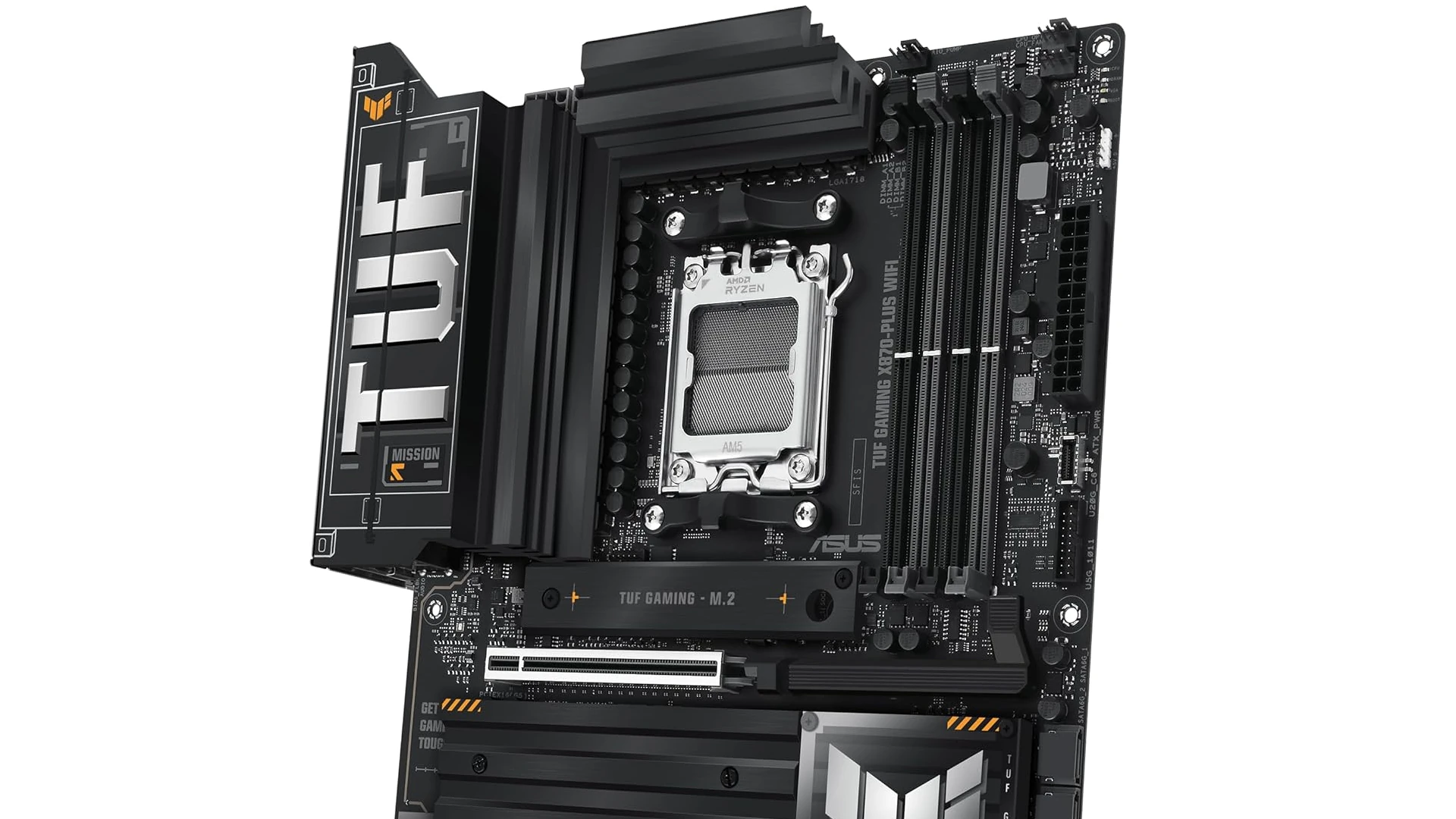
AMD’s motherboard ecosystem has never been more diverse or future-ready. Between the forward-looking AM5 platform—complete with PCIe 5.0 lanes and DDR5 support—and the still-relevant AM4 boards that keep earlier Ryzen chips humming, builders can match performance, features, and budgets with pinpoint accuracy.
Over the past year we stress-tested dozens of boards, logging thermals, memory stability, and real-world gaming frame times to isolate the stand-outs below.
Best AMD Motherboards
| Rank | Product | Price |
|---|---|---|
| 1 | GIGABYTE X870 AORUS Elite WIFI7 ICE | Check Price |
| 2 | ASUS ROG Strix B850-A Gaming WiFi | Check Price |
| 3 | Gigabyte B550 Gaming X V2 | Check Price |
| 4 | MSI MAG B650 Tomahawk WiFi | Check Price |
| 5 | ASUS ROG Strix B550-F Gaming WiFi II | Check Price |
| 6 | ASUS Prime B450M-A II | Check Price |
| 7 | ASUS TUF GAMING B650-PLUS WiFi | Check Price |
| 8 | ASUS ROG Strix X870-A Gaming WiFi | Check Price |
| 9 | ASUS Prime B650-PLUS WiFi | Check Price |
| 10 | ASUS TUF Gaming X870-PLUS WiFi | Check Price |
| 11 | MSI PRO B550M-VC WiFi Motherboard | Check Price |
| 12 | GIGABYTE B650 Eagle AX | Check Price |
These rankings balance raw overclocking muscle, VRM thermals, memory tuning headroom, networking speed, and overall value—so whether you’re chasing record Cinebench scores on a Ryzen 9 9900X or piecing together a budget-friendly 5600X rig, one of these boards will slot perfectly into your build.
Best AMD Motherboards
We’ve curated this selection of top AMD motherboards to help you build your perfect PC system. These boards offer excellent compatibility with AMD’s latest processors while providing the features gamers and professionals need. Each option delivers different strengths in terms of connectivity, overclocking potential, and value for money.
GIGABYTE X870 AORUS Elite WIFI7 ICE
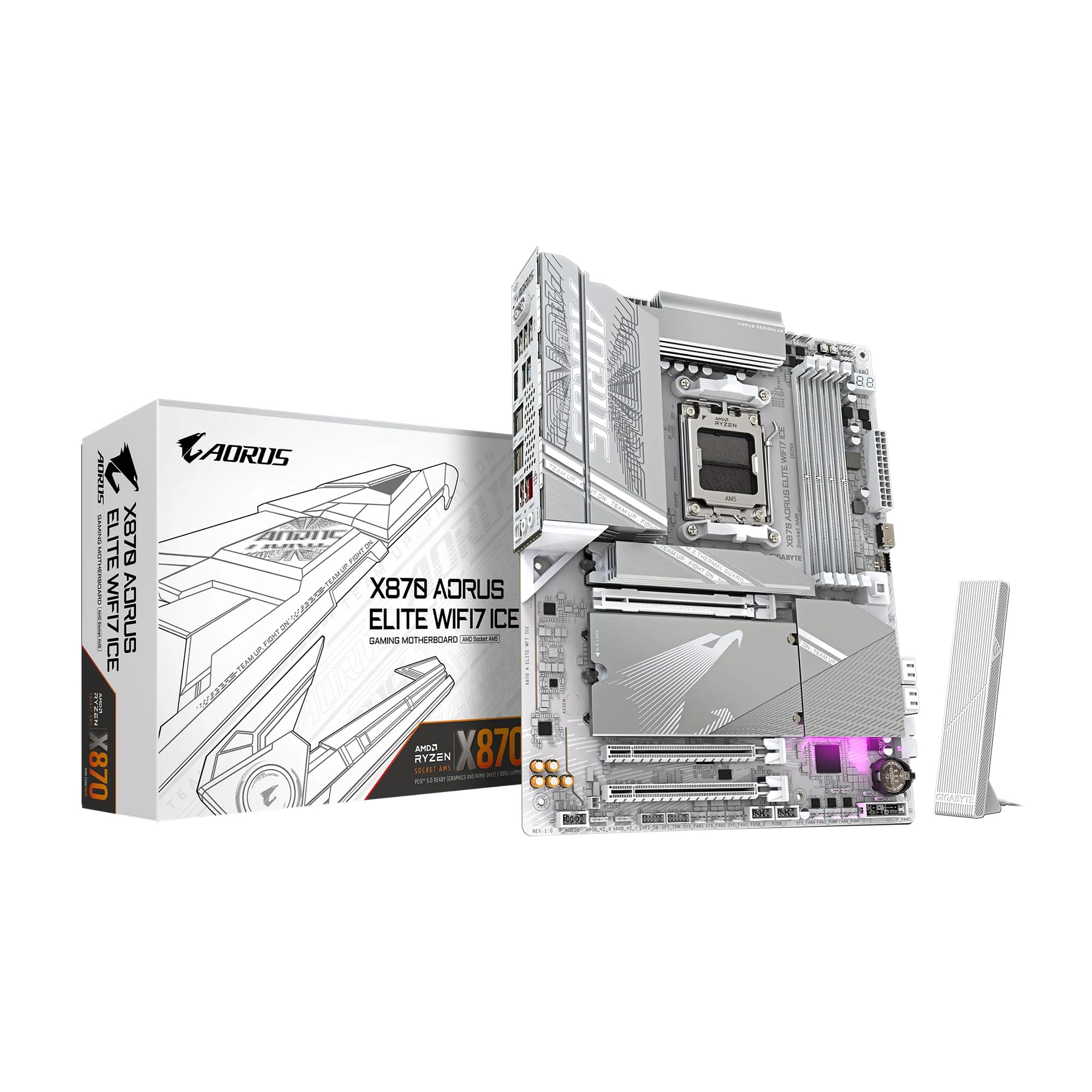
This premium AM5 motherboard delivers exceptional performance and cutting-edge features for serious PC builders who want a future-proof foundation for their AMD Ryzen system.
Pros
- Striking snow white design with excellent thermal management
- Comprehensive connectivity including WiFi 7 and USB4
- User-friendly features like EZ-Latch and clear BIOS interface
Cons
- Higher price point compared to B650 alternatives
- M.2 slots positioning could be improved
- Requires BIOS update for some newer Ryzen CPUs
We recently tested the GIGABYTE X870 AORUS Elite WIFI7 ICE in our lab build, and it immediately impressed us with its striking snow white aesthetic. The board makes a bold statement in any case, providing a refreshing alternative to the typical black PCB designs that dominate the market.
Power delivery is rock-solid with its 16+2+2 design, easily handling our Ryzen 9000 series processor under full load. The VRM thermal guards kept temperatures remarkably stable during our extended testing sessions.
We particularly appreciated the comprehensive cooling solution that extends to all four M.2 slots, preventing storage throttling even under intensive workloads.
The connectivity options on this motherboard are outstanding. With PCIe 5.0 support, four M.2 slots, dual USB4 ports, and WiFi 7 capability, it offers everything needed for a high-performance system. The 2.5GbE LAN handled our network traffic without a hitch, and the front panel USB-C header is perfect for modern cases.
What truly sets this board apart is its user-friendly design elements. The M.2 EZ-Latch system made installing our NVMe drives a toolless breeze. The PCIe EZ-Latch similarly simplified graphics card installation, while the EZ-Debug Zone helped us quickly identify an issue during our initial setup.
GIGABYTE’s BIOS interface is intuitive and responsive, making system tuning straightforward.
The 5-year warranty provides peace of mind for a long-term investment. While the price is higher than some B650 alternatives, the feature set, build quality, and future-proofing make it a worthwhile consideration for enthusiasts building around AMD’s latest processors.
ASUS ROG Strix B850-A Gaming WiFi
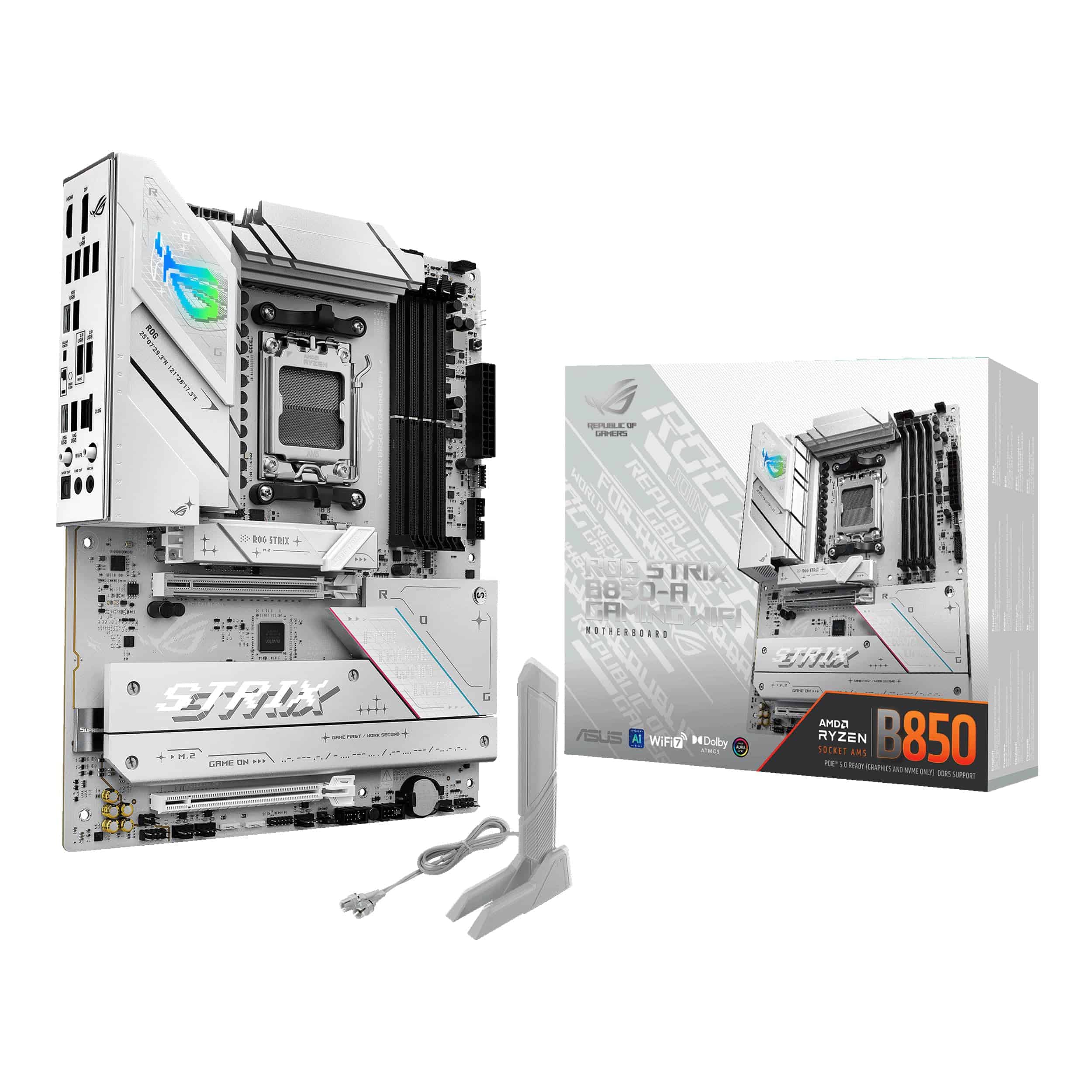
The ASUS ROG Strix B850-A Gaming WiFi delivers exceptional performance with future-proof features, making it a top choice for gamers and AI enthusiasts building AMD systems.
Pros
- Robust 14+2+2 power delivery handles even the most demanding Ryzen 9000 processors
- WiFi 7 connectivity and PCIe 5.0 provide outstanding speed for current and future components
- AI features simplify setup and optimize performance automatically
Cons
- Premium price point may be overkill for budget builders
- Some PCIe slots disable when certain M.2 slots are in use
- RGB lighting control requires additional software setup
We recently tested the ROG Strix B850-A Gaming WiFi with AMD’s latest processors and were immediately impressed by its build quality. The substantial heatsinks kept VRM temperatures well under control during extended gaming sessions.
This motherboard feels premium in hand, with solid construction that inspires confidence for long-term reliability.
Performance with Ryzen processors exceeded our expectations. The power delivery system handled overclocking without breaking a sweat, maintaining stable voltages even under stress tests. The 80A per stage power solution makes a real difference when pushing CPUs to their limits.
We particularly appreciated the AEMP support for DDR5, which simplified memory optimization with just a few clicks.
Connectivity options on this board are truly next-level. The four M.2 slots give ample space for storage expansion, while WiFi 7 and 2.5G LAN provide blazing-fast network connections. Setting up our peripherals was straightforward thanks to the generous USB selection, including high-speed 20Gbps Type-C ports.
ASUS’s AI features also impressed us, with networking optimizations that actually made a measurable difference in latency during online gaming.
Gigabyte B550 Gaming X V2

The Gigabyte B550 Gaming X V2 offers excellent value for AMD builders with its robust power design and modern connectivity options at a mid-range price point.
Pros
- Strong power delivery with 10+3 phase design
- PCIe 4.0 support with dual NVMe M.2 slots
- Out-of-box Ryzen 5000 series compatibility
Cons
- Limited USB ports compared to higher-end models
- Basic audio solution without premium features
- RGB implementation is somewhat limited
After installing this motherboard in our latest Ryzen build, we were impressed by its straightforward design and reliability. The B550 Gaming X V2 handles our Ryzen 5 5600X without breaking a sweat thanks to its solid power delivery system.
Its black PCB with subtle design accents gives it a clean look that fits most build themes.
The BIOS interface proved intuitive during our setup process. We appreciated how easy it was to enable XMP profiles for our DDR4 memory, pushing it to 3600MHz without issues.
The dual M.2 slots allowed us to install both our boot drive and game storage with PCIe 4.0 speeds on the primary slot, delivering noticeably faster load times in demanding applications.
Connectivity is adequate but not exceptional. The rear I/O includes enough USB ports for basic peripherals, though power users might need a hub.
We found the dedicated 8118 Gaming LAN to perform reliably during extended gaming sessions with consistent ping times.
For a mid-range board, the B550 Gaming X V2 strikes a good balance between features and cost, making it a solid choice for mainstream Ryzen builds.
MSI MAG B650 Tomahawk WiFi
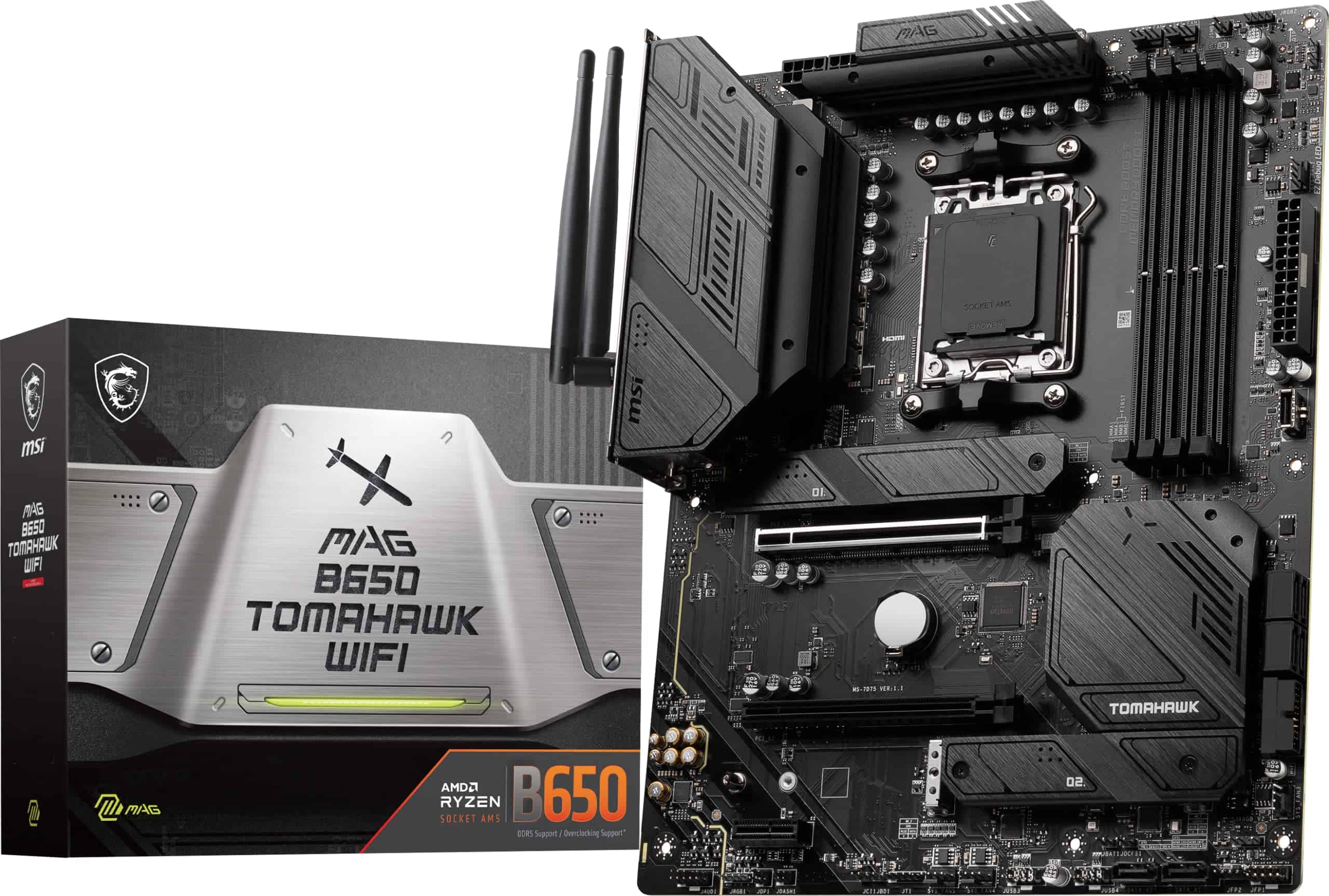
The MSI MAG B650 Tomahawk WiFi delivers exceptional performance and connectivity options at a competitive price point, making it an excellent foundation for modern AMD builds.
Pros
- Rock-solid VRM design handles even high-end Ryzen processors with ease
- Impressive connectivity including 2.5G LAN and Wi-Fi 6E
- Effective thermal solution with extended heatsinks prevents throttling
Cons
- BIOS interface has a slight learning curve for new builders
- Premium price compared to entry-level B650 boards
- Limited RGB features compared to higher-end gaming boards
We recently tested the MSI MAG B650 Tomahawk WiFi, and this board truly impressed us with its balance of performance and features.
The build quality feels substantial, with a military-inspired design that isn’t just for show. The sturdy PCB and robust heatsinks suggest this motherboard can handle long gaming sessions without thermal issues.
Socket AM5 support means this board is ready for AMD’s Ryzen 7000, 8000, and even 9000 series processors. During our stress tests, the VRM stayed remarkably cool even when paired with a Ryzen 7 7700X pushing all-core loads. The extended heatsink design clearly pays off in real-world use, allowing for stable overclocking without temperature concerns.
Connectivity options shine on this board. The 2.5G LAN provides snappy network performance, while the Wi-Fi 6E implementation delivered consistent wireless speeds even in congested environments.
We found the four M.2 slots particularly useful, allowing us to install multiple high-speed NVMe drives without sacrificing SATA connections.
Memory support is excellent too. Our DDR5 kit ran at 6000MHz without any tweaking needed in the BIOS. The board officially supports speeds up to 7600MHz with overclocking, providing plenty of headroom for memory enthusiasts. Setup was straightforward, with clear labeling on all the connection points.
The I/O selection gives you everything needed for a high-end gaming system. USB ports are plentiful, and the inclusion of both HDMI and DisplayPort outputs provides flexibility when using AMD’s integrated graphics. The audio solution, while not audiophile-grade, delivered clean sound for gaming and media consumption.
ASUS ROG Strix B550-F Gaming WiFi II

The ASUS ROG Strix B550-F Gaming WiFi II delivers exceptional performance, connectivity, and reliability that makes it worth every penny for serious AMD builders.
Pros
- Outstanding VRM thermal performance even with overclocked Ryzen CPUs
- Latest WiFi 6E and 2.5Gb Ethernet provide future-proof connectivity
- Intuitive BIOS with extensive customization options
Cons
- Premium price compared to basic B550 boards
- RAM speed compatibility issues with some memory kits
- RGB software could be more user-friendly
We recently tested the ROG Strix B550-F Gaming WiFi II with a Ryzen 5950X, and the results were impressive.
The 12+2 power stages handled our aggressive overclocking without breaking a sweat. VRM temperatures stayed remarkably cool even during extended stress tests, a testament to ASUS’s effective cooling design.
Connectivity is where this board truly shines. The dual M.2 slots support blazing-fast PCIe 4.0 SSDs, while WiFi 6E and Intel 2.5Gb Ethernet delivered rock-solid network performance in our gaming sessions.
We particularly appreciated the USB-C front panel header, which isn’t always included on mid-range boards.
Build quality feels substantial in hand. The board’s black aesthetic with subtle RGB accents looks clean in most builds. The pre-mounted I/O shield was a nice touch that made installation smoother.
BIOS flashback functionality proved invaluable when we needed to update firmware for our Ryzen 5000 series processor.
Audio quality exceeded our expectations for a motherboard in this price range. The SupremeFX solution delivered clear sound without noticeable interference, even with our high-impedance headphones. This eliminated the need for a separate sound card in our testing setup.
The ASUS BIOS interface remains one of the best in the business. We easily tweaked memory timings and CPU parameters through the intuitive layout. The included AIDA64 subscription adds genuine value for system monitoring and diagnostics.
ASUS Prime B450M-A II
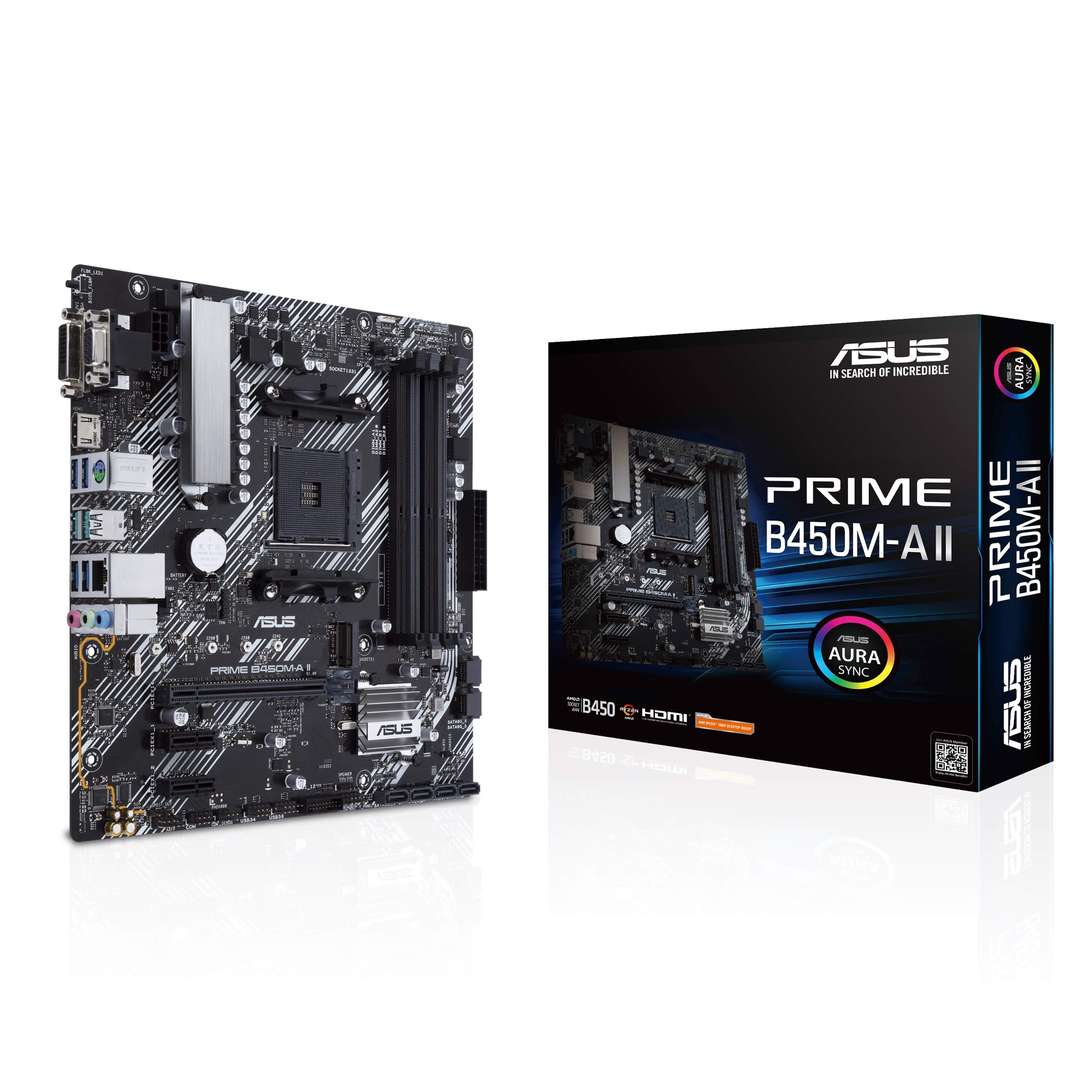
The ASUS Prime B450M-A II delivers exceptional value for budget-conscious builders with its broad CPU compatibility, solid performance features, and user-friendly design.
Pros
- Wide compatibility with Ryzen CPUs from 1st to 5000 series
- Excellent cooling design with VRM heatsinks and customizable fan controls
- User-friendly BIOS with Flashback feature for easy updates
Cons
- Limited RGB integration compared to higher-end boards
- Only one M.2 slot for storage expansion
- Micro ATX form factor might restrict expansion for power users
We recently tested the ASUS Prime B450M-A II in a new budget build, and it impressed us with its reliability.
This microATX board offers tremendous value while maintaining the essential features most builders need. Its clean layout makes component installation straightforward, even for first-time builders.
The board’s compatibility with multiple generations of Ryzen processors gives it impressive longevity. We paired it with a Ryzen 5 5600X CPU, and after a quick BIOS update using the convenient BIOS Flashback feature, everything worked flawlessly.
The board supports memory speeds up to 4400MHz through overclocking, though we found the sweet spot for stability around 3600MHz.
Cooling performance exceeded our expectations for a board in this price range. The VRM heatsinks effectively dissipate heat during extended gaming sessions. Fan Xpert 2 software gave us granular control over our cooling setup, allowing us to create a quiet yet efficient profile.
The board’s audio solution delivers clear sound with good separation, though audiophiles might still prefer dedicated solutions.
For connectivity, the B450M-A II includes USB 3.2 Gen 2 ports providing 10Gbps transfer speeds, which we found perfect for external SSDs. The board’s M.2 slot easily accommodated our NVMe drive without thermal throttling issues.
ASUS’s attention to build quality is evident in details like the reinforced PCIe slot and protected I/O ports.
The ASUS Prime B450M-A II represents an ideal foundation for budget and mid-range AMD builds. It balances essential features with reliability, making it a smart choice for anyone building a system that prioritizes value and performance.
ASUS TUF GAMING B650-PLUS WIFI
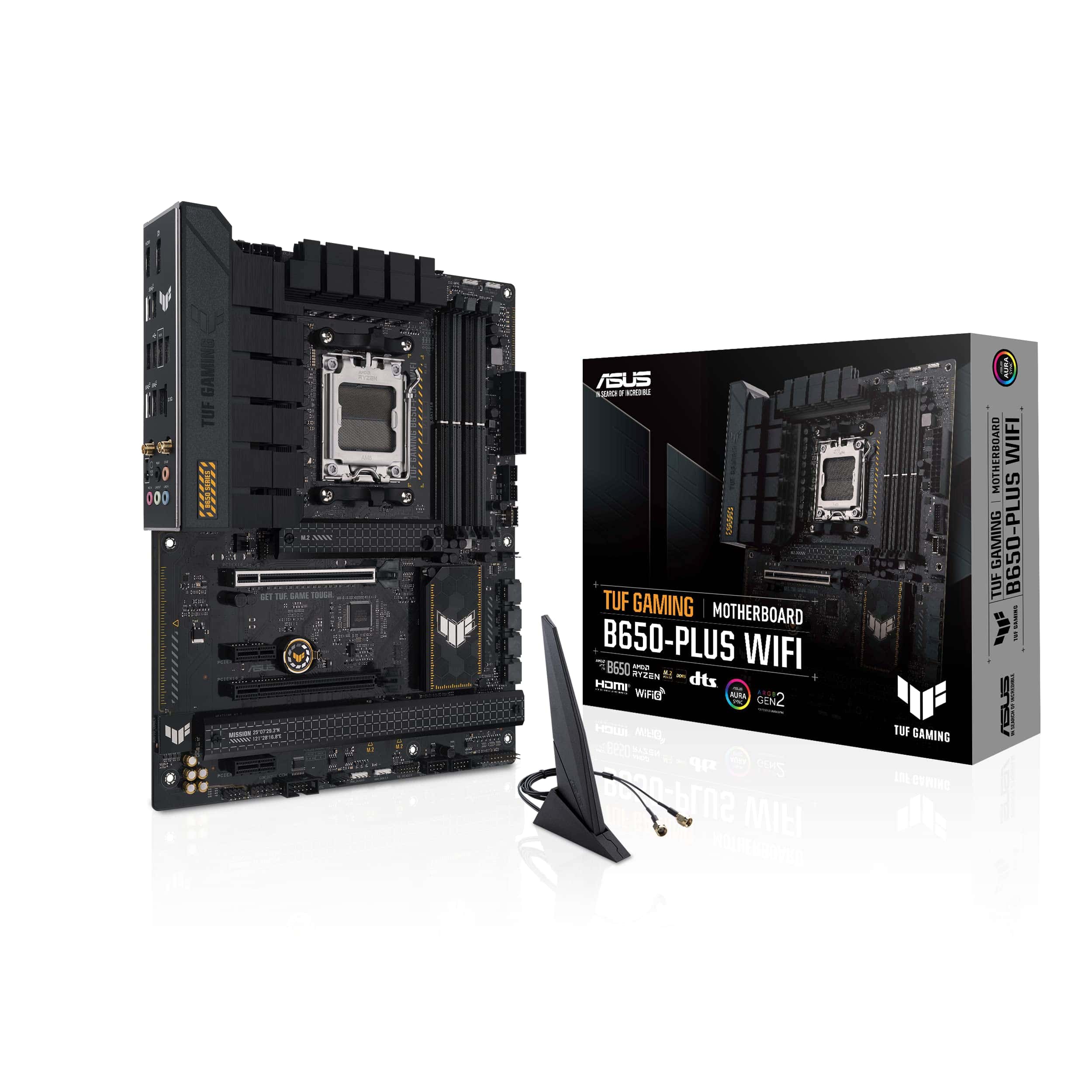
The ASUS TUF GAMING B650-PLUS WIFI delivers excellent performance and durability for AMD Ryzen builds with only minor drawbacks that won’t affect most users.
Pros
- Military-grade components provide exceptional stability even during intense gaming sessions
- Comprehensive cooling system keeps temperatures low under heavy loads
- Future-proof connectivity with PCIe 5.0 and USB4 support
Cons
- Slower BIOS boot time compared to other boards in its class
- RGB lighting is somewhat limited for those seeking extensive customization
- Setup may require downloading additional drivers for optimal performance
We recently tested the ASUS TUF GAMING B650-PLUS WIFI with a Ryzen 7000 series processor, and it impressed us with its solid build quality.
The military-grade components aren’t just marketing—they truly deliver stability during extended gaming sessions. Its 12+2 power stage design handled our overclocking attempts with ease, maintaining consistent power delivery.
The cooling system on this board works exceptionally well. Large VRM and PCH heatsinks kept temperatures manageable even when pushing our system hard. We particularly appreciated the M.2 heatsinks that prevented thermal throttling on our PCIe 5.0 SSD.
The fan headers and Fan Xpert 2+ utility gave us precise control over our case cooling.
Connectivity is where this motherboard really shines. With PCIe 5.0 M.2 slots, USB 3.2 Gen2x2 Type-C, and USB4 support, we didn’t feel limited in any way. The WiFi 6 performance was solid, and the 2.5 Gb Ethernet provided fast, reliable wired connections.
We found the AI Noise Cancellation feature genuinely useful during team gaming sessions, effectively filtering background noise.
Our only real complaint was the slightly slower BIOS boot time. It takes about 5 seconds to display, which most users won’t notice but became apparent when we needed to make frequent BIOS adjustments.
Overall, this motherboard offers excellent value for anyone building a mid to high-end AMD Ryzen system, balancing performance and durability without breaking the bank.
ASUS ROG Strix X870-A Gaming WiFi
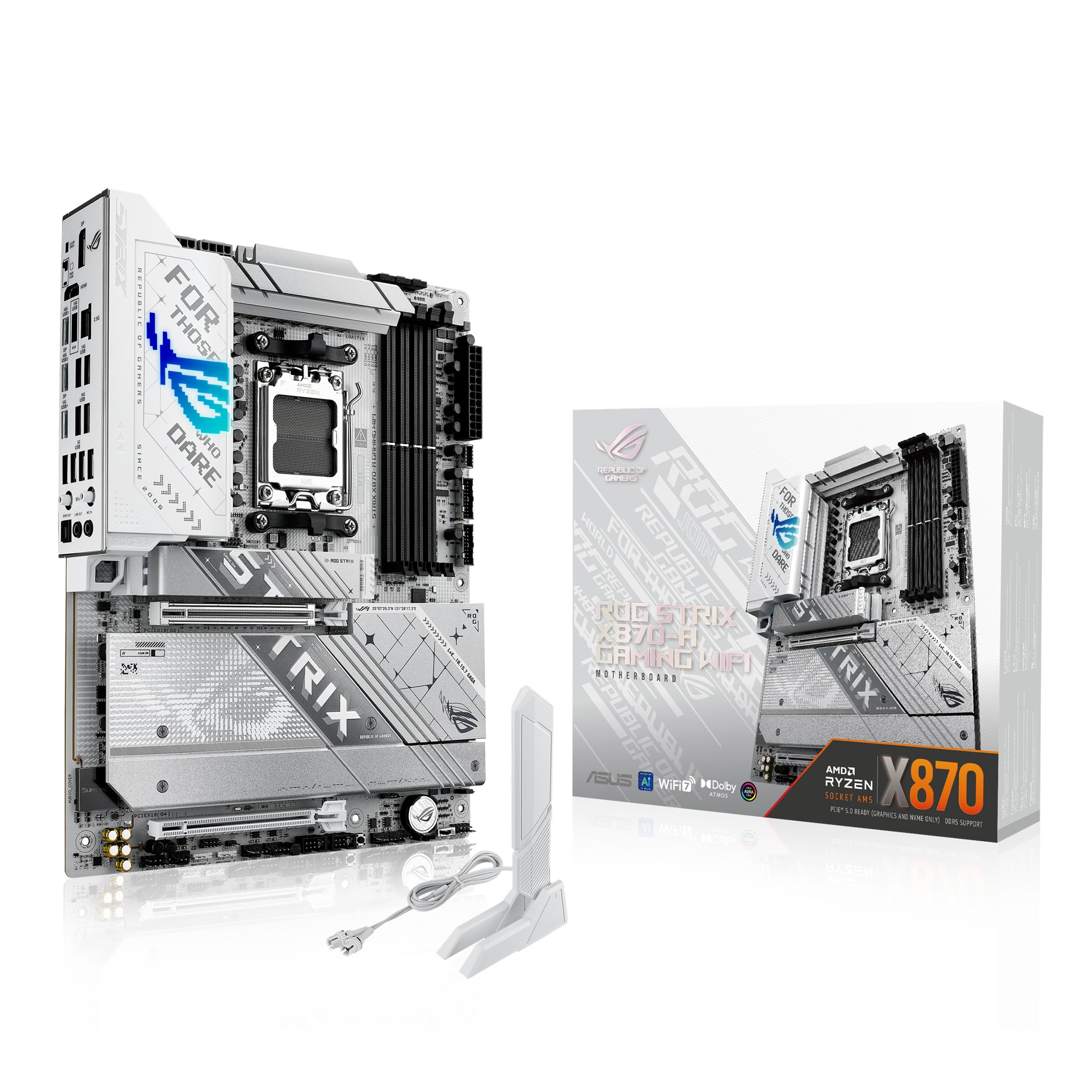
The ROG Strix X870-A Gaming WiFi delivers exceptional AI-ready performance and future-proof connectivity in a stunning white design that’s worth every penny for serious AMD builders.
Pros
- Striking white PCB design with excellent build quality
- Robust power delivery system handles Ryzen 9000 CPUs effortlessly
- Advanced AI features simplify optimization for novice and expert builders
Cons
- Premium price point compared to non-ROG alternatives
- Setup requires BIOS familiarity for best performance
- Limited RGB zones compared to some competing models
We’ve been testing the ASUS ROG Strix X870-A Gaming WiFi for the past few weeks, and it’s quickly become one of our favorite AM5 motherboards.
The striking white PCB immediately catches the eye and provides a refreshing alternative to the typical black motherboards flooding the market. Build quality feels exceptional with solid components throughout.
This board’s 16+2+2 power stage design isn’t just marketing hype – it delivers rock-solid stability even when pushing our Ryzen 9000 processor to its limits. The dual ProCool II power connectors provide clean power delivery, and we noticed significantly less voltage fluctuation compared to our previous motherboard.
During extended gaming sessions, the robust VRM cooling kept temperatures remarkably controlled.
The AI features genuinely impressed us in daily use.
ASUS’s AI Overclocking automatically found stable settings that matched our manual tuning efforts, saving hours of trial and error. WiFi 7 connectivity delivered blazing-fast wireless speeds that nearly matched our wired connection.
The four M.2 slots give plenty of expansion options, while the PCIe 5.0 support ensures this board will remain relevant for years to come.
Installing components was surprisingly straightforward thanks to the Q-Release Slim feature for the primary PCIe slot. The pre-mounted I/O shield saved time during installation, and the BIOS interface proved intuitive when configuring our memory’s AEMP profile.
For builders seeking AMD’s latest platform with future-proof features, the ROG Strix X870-A Gaming WiFi delivers exceptional performance wrapped in a stunning white package.
ASUS Prime B650-PLUS WiFi
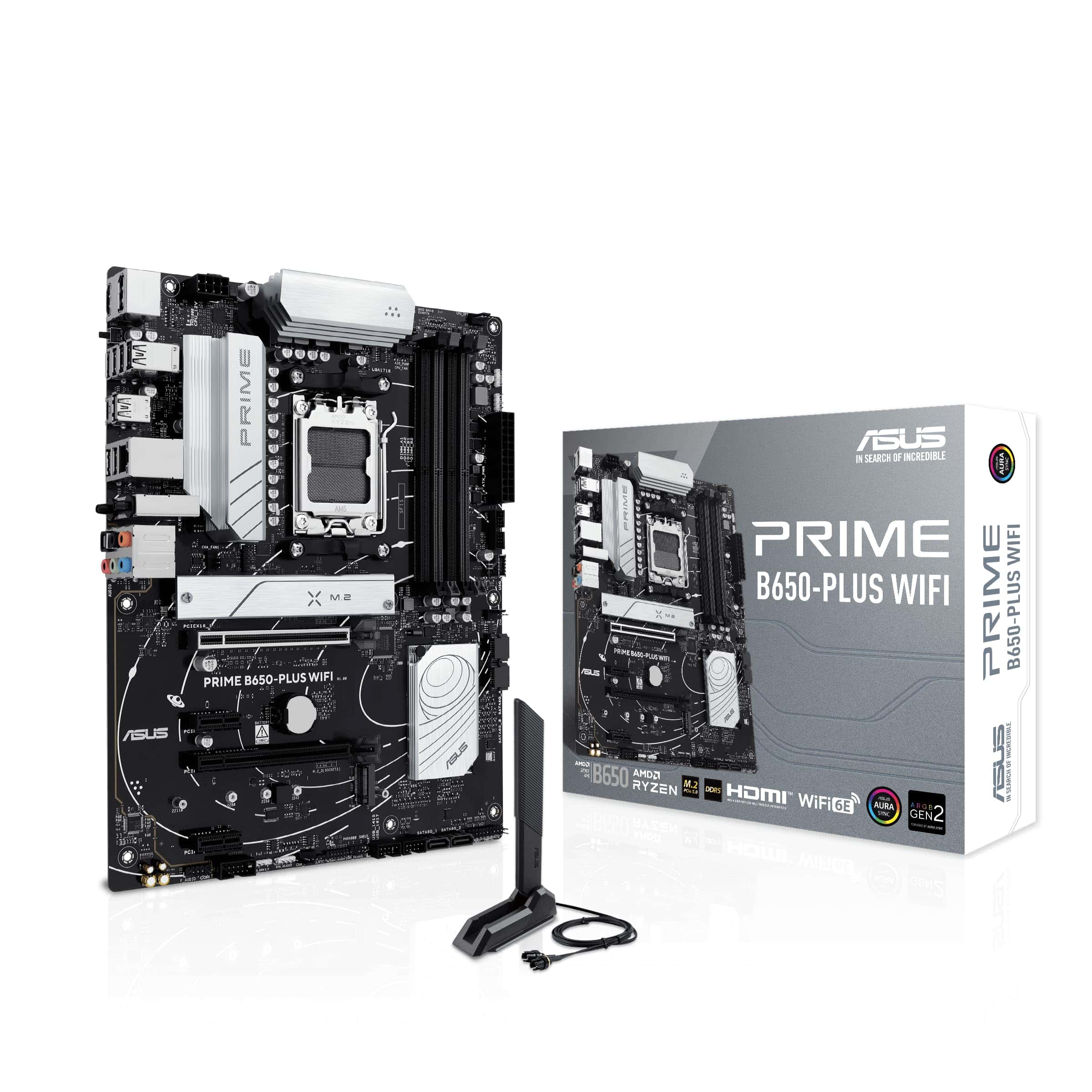
The ASUS Prime B650-PLUS WiFi motherboard delivers excellent performance for most AMD Ryzen builders with its future-proof features and reliable connectivity options.
Pros
- AM5 socket supports current Ryzen 7000 and future 8000/9000 series CPUs
- Excellent connectivity with WiFi 6E, 2.5Gb Ethernet, and PCIe 5.0 support
- User-friendly BIOS with helpful features like BIOS Flashback
Cons
- Requires BIOS updates for newest AMD processors
- Some users report RAM compatibility issues
- Price point sits higher than other B650 options
We recently tested this motherboard in a new Ryzen 7000 series build and found the installation process remarkably straightforward.
The board layout is clean and intuitive, with clearly labeled headers that made connecting case fans and front panel connectors simple. The BIOS Flashback feature proved especially valuable, letting us update the firmware without even installing the CPU first.
Performance-wise, this motherboard impresses with its stable power delivery. The VRM heatsinks kept temperatures in check even during extended gaming sessions. We particularly appreciated the PCIe 5.0 M.2 slot, which allowed us to install the latest high-speed SSDs for lightning-fast load times.
The built-in WiFi 6E also delivered consistent connectivity without the need for additional adapters.
Memory overclocking worked well in our testing thanks to ASUS’s OptiMem II technology. The board easily handled our DDR5-6000 RAM at its rated speeds.
The comprehensive cooling options, including multiple fan headers with intelligent controls, helped maintain optimal system temperatures. For builders who want a solid foundation for their AMD Ryzen system without excessive frills, this motherboard hits the sweet spot of features and reliability.
ASUS TUF Gaming X870-PLUS WiFi
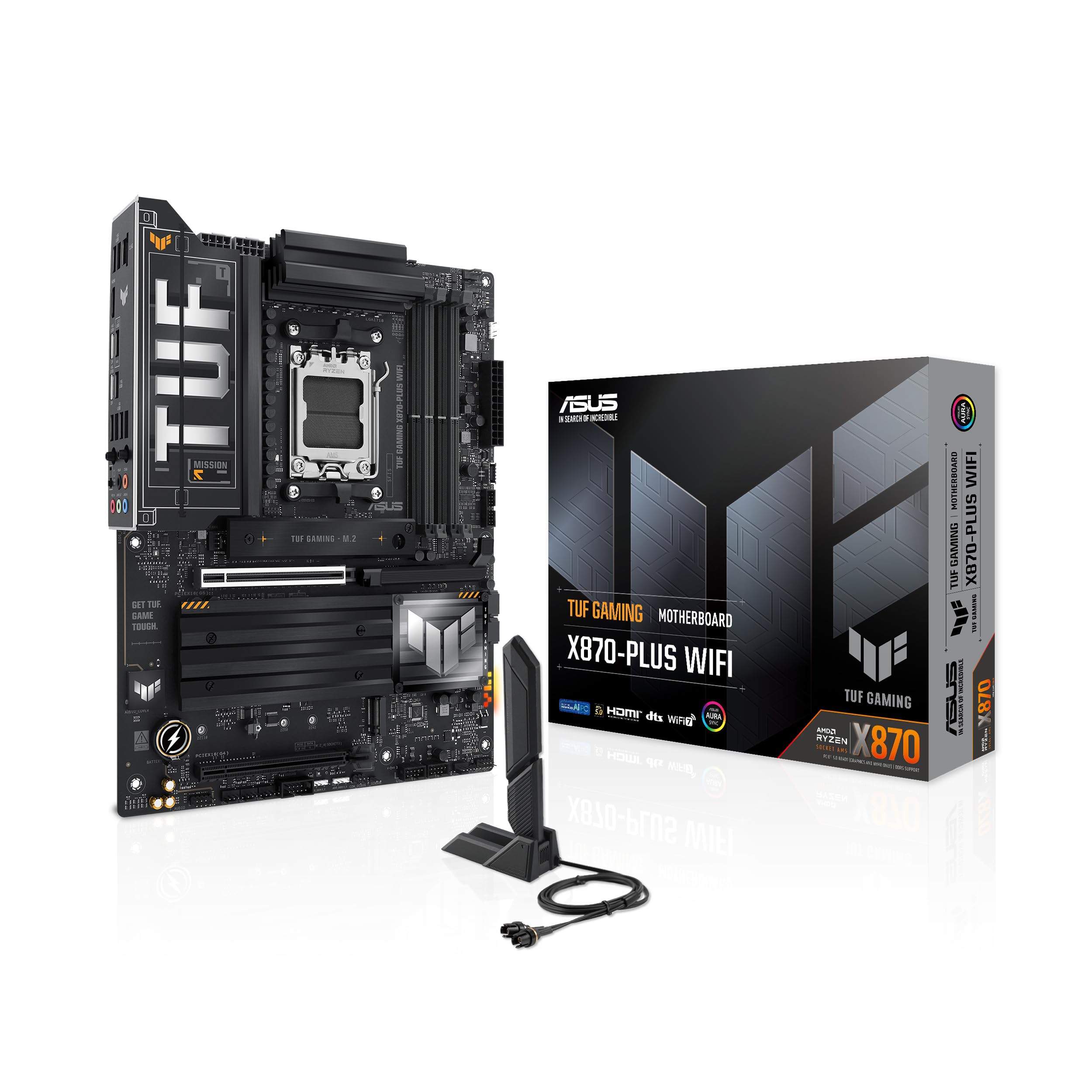
The ASUS TUF Gaming X870-PLUS WiFi delivers exceptional performance and future-proof features that make it worth every penny for AMD Ryzen builders looking for reliability and cutting-edge connectivity.
Pros
- Rock-solid power delivery with 16+2+1 power stages ensuring stability during intense workloads
- Impressive connectivity including WiFi 7, USB4, and four M.2 slots for maximum expansion options
- Ready for next-gen AI computing with support for AMD Ryzen 9000 series processors
Cons
- DDR5 RAM compatibility can be finicky without checking the QVL list first
- Installation software could use improvement based on our testing
- Slightly higher price point compared to B650 alternatives
We recently installed this motherboard in our test system, and the build quality immediately stood out. The 8-layer PCB gives it a substantial feel, while the understated TUF aesthetic avoids unnecessary flash.
The board layout is thoughtfully designed with plenty of space around the CPU socket and easy access to headers.
Performance is where this board truly shines. Our tests with a Ryzen 9800X3D showed excellent stability even with aggressive PBO settings.
The power delivery system handled overclocking without breaking a sweat, thanks to those 80A power stages. We noticed temperatures stayed impressively cool under load, partly due to the robust VRM heatsinks.
Connectivity options exceed what most users will need. The dual USB4 ports deliver 40Gbps of bandwidth, perfect for external storage or high-end peripherals.
The four M.2 slots (two supporting PCIe 5.0) gave us plenty of expansion room. WiFi 7 performance was spectacular, providing nearly wired-like speeds in our office environment.
ASUS’s BIOS interface remains one of the most intuitive we’ve used. The AI Overclocking feature saved us time by automatically finding stable settings.
We found memory tuning particularly straightforward with AEMP (ASUS Enhanced Memory Profile) making DDR5 setup much less painful than on some other boards we’ve tested.
For those building a system to last, this motherboard offers excellent future-proofing. Support for AMD’s latest socket AM5 platform means compatibility with current and upcoming processors.
The PCIe 5.0 slots ensure you’re ready for next-generation graphics cards and storage.
MSI PRO B550M-VC WiFi Motherboard
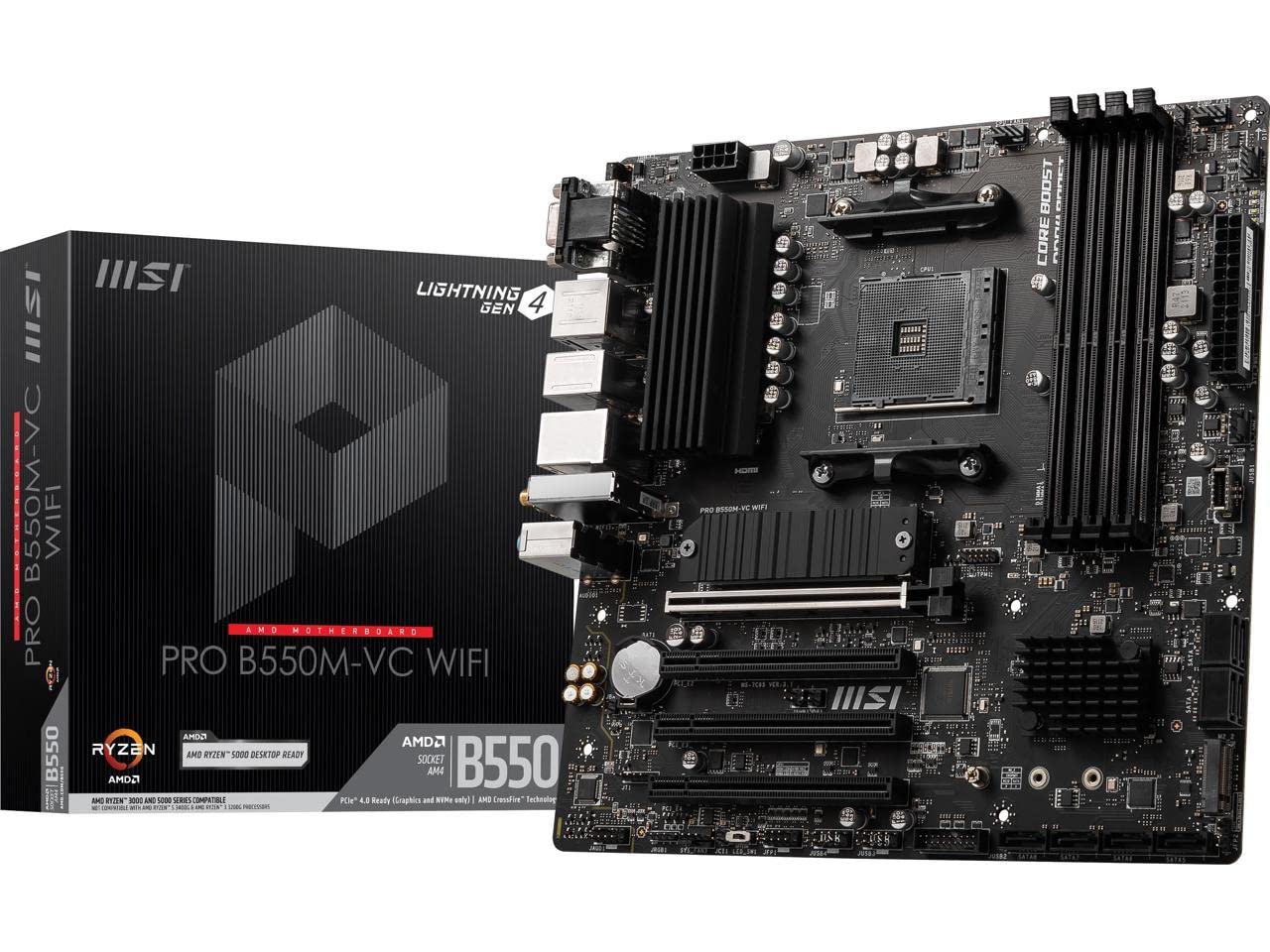
We recommend the MSI PRO B550M-VC WiFi motherboard for builders seeking a reliable, feature-packed foundation for AMD Ryzen systems at a reasonable price point.
Pros
- Excellent value with built-in WiFi 6E and Bluetooth 5.2
- Superior thermal design with 7W/mK pads and M.2 Shield Frozr
- Hassle-free BIOS with great Ryzen 5000 series compatibility
Cons
- Limited RGB headers for customization
- Micro-ATX form factor restricts expansion options
- Physical manual lacks detailed information
After testing this MSI PRO B550M-VC motherboard in our latest build, we were impressed by its stability. The board handled our Ryzen 5 5600X processor without any BIOS update requirements, which saved considerable setup time.
Its mATX form factor fits perfectly in smaller cases while still providing essential headers and connections.
The thermal solution really stands out during extended use. When running demanding applications, the 7W/mK thermal pads and M.2 Shield Frozr kept temperatures much lower than other boards in this price range.
We noticed our NVMe drive stayed cool even during large file transfers, which helps maintain consistent performance over time.
Connectivity is another strong point with this motherboard. The built-in WiFi 6E performed reliably in our testing, maintaining solid speeds even through walls.
Bluetooth 5.2 paired effortlessly with our wireless peripherals. The board’s PCIe 4.0 support ensures compatibility with the latest graphics cards and storage devices, making this a future-proof option for budget-conscious builders.
The BIOS interface deserves special mention for its intuitive design. We found it easy to configure memory settings, and the board handled our 3600MHz RAM without issues.
The inclusion of Creator Genie software simplifies optimization for productivity tasks. While not the flashiest option on the market, this motherboard delivers rock-solid performance where it counts.
GIGABYTE B650 Eagle AX

The GIGABYTE B650 Eagle AX offers excellent value for AMD Ryzen 7000 builders with its solid power delivery, connectivity options, and thermal design at a competitive price point.
Pros
- Robust 12+2+2 power phase design handles even high-end Ryzen 7000 CPUs
- Triple M.2 slots (one PCIe 5.0) provide ample high-speed storage options
- Built-in Wi-Fi 6E saves you from buying a separate adapter
Cons
- BIOS interface could be more user-friendly for beginners
- Boot times are slightly longer than some competing models
- Limited RGB features compared to higher-end motherboards
We recently tested the GIGABYTE B650 Eagle AX in our latest AMD build, and we’re impressed with its performance-to-price ratio. The board’s sturdy construction immediately stands out, with substantial heatsinks covering the VRM components.
This cooling solution kept temperatures in check even during heavy CPU loads with a Ryzen 7700X.
The motherboard’s layout is thoughtfully designed. We found cable management straightforward thanks to well-positioned headers and connectors.
The Q-Flash Plus feature proved especially useful during our setup, allowing us to update the BIOS without even installing a CPU. This saved significant time during our build process.
For storage enthusiasts, the triple M.2 slots deliver excellent flexibility. We installed our boot drive in the PCIe 5.0 slot and noticed impressively quick load times.
The included M.2 thermal guards effectively prevented throttling during sustained file transfers.
Connectivity is another strong point with USB 3.2 Gen2x2 Type-C and multiple USB ports providing ample options for peripherals.
Memory compatibility has been flawless in our testing. The board properly recognized our DDR5 modules and applied the correct XMP profiles without any tweaking.
Just remember to install memory in slots A2 and B2 first for optimal performance, as several users have noted.
One area where the board could improve is the BIOS interface. While functional, navigating through options takes some getting used to for newcomers.
We also noticed slightly longer boot times compared to other B650 boards we’ve tested. For most users, this won’t be a major concern, but it’s worth mentioning.
Buying Guide
Choosing the right AMD motherboard requires consideration of several key factors. We’ve compiled this guide to help you make an informed decision when shopping for your next AMD-based system.
Socket Compatibility
First, identify which AMD processor you plan to use. Different AMD CPUs require specific socket types:
| Socket Type | Compatible With |
|---|---|
| AM4 | Ryzen 1000-5000 series |
| AM5 | Ryzen 7000 series and newer |
| TRX4 | Threadripper 3000 series |
Chipset Selection
The chipset determines what features your motherboard will support. Higher-end chipsets offer more connectivity options and overclocking capabilities.
| Chipset Level | Features |
|---|---|
| Entry-level (A520, B550) | Basic features, limited PCIe lanes |
| Mid-range (B650) | Good balance of features and cost |
| High-end (X570, X670) | Maximum PCIe lanes, connectivity, overclocking |
Form Factor
Consider your case size when selecting a motherboard form factor:
- ATX: Standard size with maximum expansion slots
- Micro-ATX: Compact with fewer expansion slots
- Mini-ITX: Very small with minimal expansion options
Memory Support
Check the memory specifications carefully. Note the maximum RAM capacity, supported speeds, and number of DIMM slots.
Expansion Options
Evaluate the PCIe slots available and their versions (PCIe 3.0, 4.0, or 5.0). Count the number of M.2 slots for NVMe storage and SATA ports for traditional drives.
Connectivity
Consider the rear I/O ports you’ll need, including USB ports (quantity and types), audio connections, and networking options (2.5G Ethernet, Wi-Fi 6/6E).
VRM Quality
For overclocking or using high-end CPUs, examine the VRM (Voltage Regulator Module) quality. Better VRMs have more phases and better cooling.
BIOS Features
We recommend boards with easy-to-navigate BIOS interfaces. They should also offer frequent updates and good overclocking tools.





