Computers and tablets have evolved from luxury gadgets to daily essentials, powering everything from remote jobs and virtual classrooms to digital art and high-end gaming. The best device for you will depend on how you use it—whether you’re typing essays, editing videos, making conference calls, or streaming your favorite shows. But with so many options on the market in 2025, it can be overwhelming to choose the right one.
Fortunately, the newest generation of devices offers something for everyone. Tablets are more powerful and versatile, often replacing laptops for casual users. Budget Android models now include accessories like keyboards and styluses out of the box. Windows tablets blur the line between productivity and portability. And Apple continues to dominate with its iPads thanks to refined software, performance, and ecosystem support.
We’ve tested the most talked-about models and filtered out the noise to bring you a ranked list of this year’s best-performing and best-value tablets and computers. Whether you need powerhouse performance, a kid-friendly media device, or an affordable all-in-one for basic tasks, you’ll find something that fits your needs below.
🔝 Best Tablets & Computers of 2025
From premium Android tablets with stylus support to value-packed 2-in-1s with accessories included, this list covers the spectrum. Whether you’re buying for work, school, entertainment, or family use, one of these options is likely the best fit for your 2025 digital lifestyle.
Best Computers & Tablets in 2025
Finding the right computer or tablet can significantly improve your productivity and entertainment experience. The market offers numerous options across various price points, with features tailored to different needs from basic web browsing to intensive gaming or professional design work. Our experts have tested the latest models to bring you this carefully selected list of top performers that deliver excellent value for your investment.
Samsung Galaxy Tab A9+ 11″ Tablet
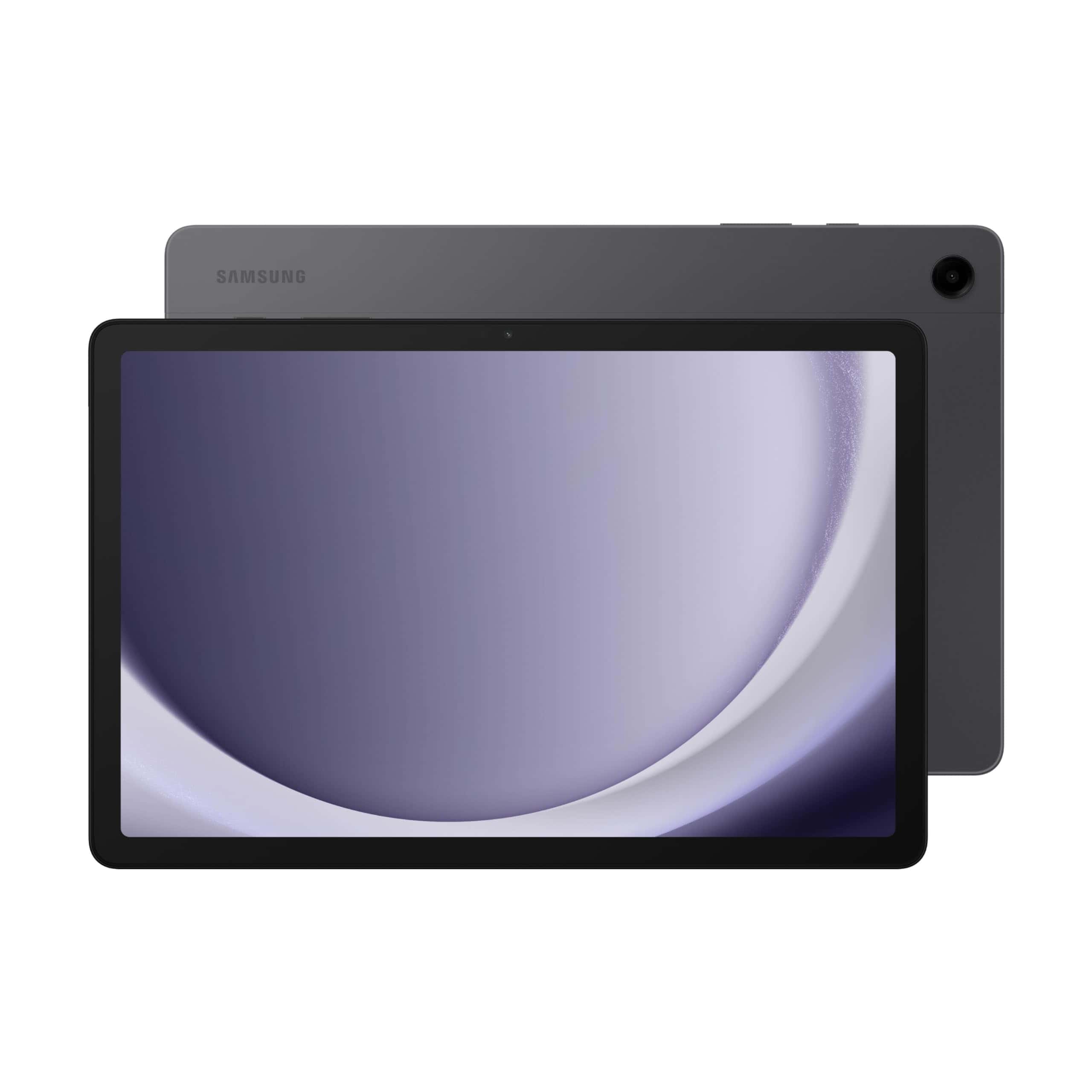
This family-friendly tablet delivers excellent value with its large display, quad speakers, and versatile multitasking capabilities for everyday use.
Pros
- Vibrant 11″ display with smooth 90Hz refresh rate
- Quad speakers with Dolby Atmos provide immersive sound
- Versatile multitasking with multi-window support
Cons
- 64GB base storage might fill quickly for power users
- Performance adequate for everyday tasks but not for demanding games
- Battery life could be better for extended use sessions
The Samsung Galaxy Tab A9+ makes a strong impression with its 11-inch display that offers a crisp 1920 x 1200 resolution. Videos and games look vibrant, and the 90Hz refresh rate provides noticeably smoother scrolling than standard 60Hz tablets. Family members will appreciate the screen real estate when watching shows or browsing the web.
Audio quality stands out as a highlight thanks to the quad speaker array with Dolby Atmos support. You’ll enjoy rich, room-filling sound whether you’re watching movies or listening to music. This audio prowess elevates the entertainment experience beyond what many tablets in this price range can deliver.
Multitasking capabilities give the Tab A9+ an edge for productivity. The multi-window feature lets you run several apps simultaneously, making it simple to take notes while watching instructional videos or check email while browsing. The Qualcomm Snapdragon processor with 4GB RAM handles everyday tasks smoothly, though demanding games might push its limits.
Parents will appreciate the dedicated Samsung Kids mode that creates a safe, controlled environment for children. The slim, lightweight design (just 1.32 pounds) makes it comfortable to hold during extended reading or viewing sessions. Its durable build quality gives you confidence that it can withstand daily family use.
File sharing becomes effortless with Quick Share, which works across Android, iOS, and Windows devices. You can easily cast content to your Samsung TV through Smart View when you want to enjoy videos on a larger screen. These ecosystem features add significant value if you already use other Samsung devices.
Fire HD 10 Tablet

The Amazon Fire HD 10 offers impressive value with its vibrant display, solid performance, and family-friendly features at an affordable price point.
Pros
- Excellent 1080p Full HD display for streaming and reading
- Improved performance with octa-core processor and 3GB RAM
- Durable design with strengthened aluminosilicate glass
Cons
- Amazon-centric ecosystem limits app availability
- Basic cameras compared to higher-end tablets
- Lockscreen ads on standard model can be distracting
The newest Fire HD 10 delivers a notable performance boost over previous generations, making everyday tablet tasks feel smoother and more responsive. With 25% faster performance and 3GB of RAM, you’ll experience fewer hiccups when switching between streaming shows, reading e-books, and casual gaming. The tablet’s 10.1-inch 1080p Full HD display provides vibrant colors and sharp text that enhance everything from movie watching to web browsing.
Battery life is a significant strength, offering up to 13 hours of mixed use from a single charge. This longevity makes the Fire HD 10 an excellent travel companion or bedside entertainment device. Storage options include 32GB or 64GB built-in, plus expandability up to 1TB via microSD card, giving you plenty of space for apps, books, and downloaded content.
Amazon has improved the tablet’s durability, making it 2.7 times more resistant to damage than the Samsung Galaxy Tab A8 in tumble tests. The Fire HD 10 also features useful productivity tools that help summarize webpages and compose polished emails. For families, the robust parental controls through Amazon Kids let you manage content access and screen time without additional software. At this price point, few tablets offer this combination of screen quality, performance, and battery life in such a lightweight package.
Samsung Galaxy Tab S9 FE
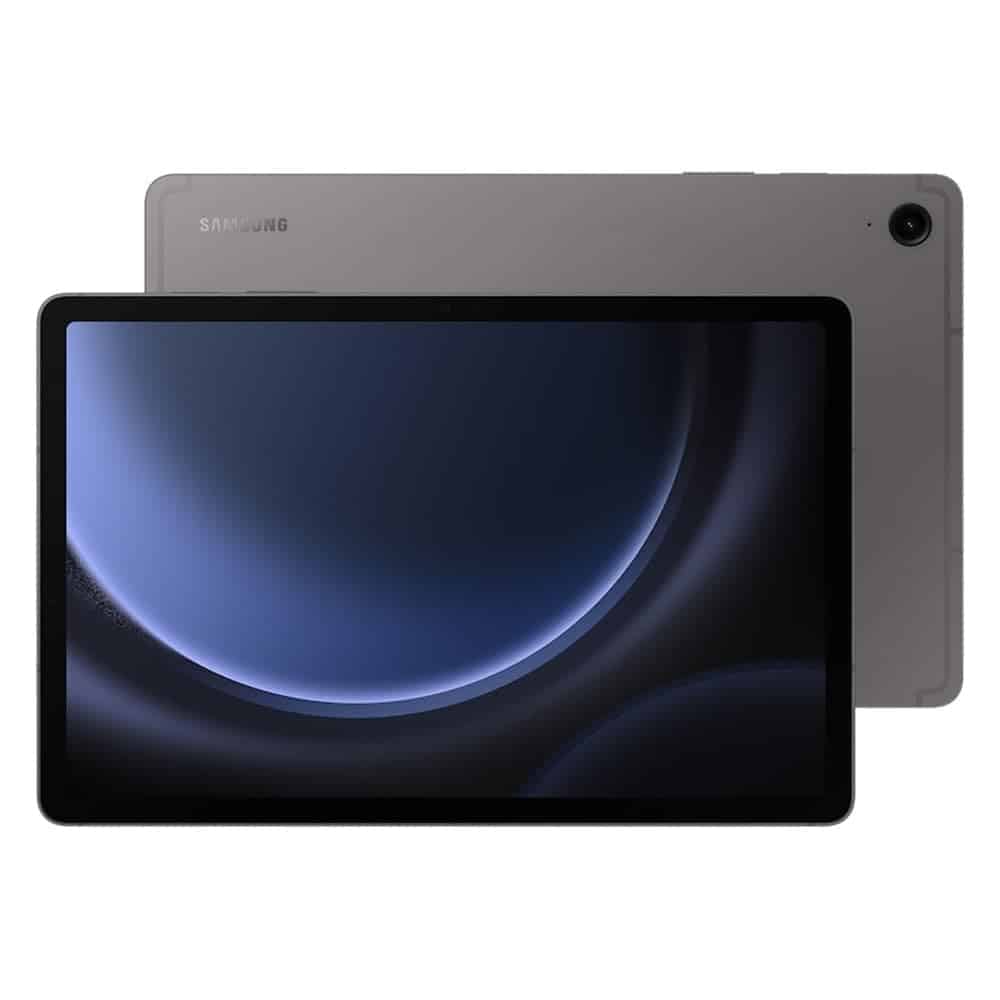
The Samsung Galaxy Tab S9 FE delivers premium tablet experiences with excellent battery life and S Pen functionality, making it ideal for creative users who need a reliable device.
Pros
- Water and dust resistant (IP68 rating) for durability in various environments
- Includes responsive S Pen for note-taking and drawing without additional purchase
- Long 18-hour battery life with super-fast charging capability
Cons
- Mid-range processor may limit heavy multitasking performance
- Base 128GB storage might require expansion for media-heavy users
- Some pre-installed Samsung apps can’t be removed
This versatile 10.9-inch tablet brings impressive features at a competitive price point. The clear, vibrant display makes everything from movies to documents look sharp. Samsung equipped the Tab S9 FE with dual speakers that enhance your entertainment experience whether you’re streaming shows or playing games.
Battery life stands out as a major advantage. You can enjoy up to 18 hours of use on a single charge, and when you do need to power up, Super Fast Charging gets you back to full in under 90 minutes. This makes the tablet particularly suitable for travelers or anyone who needs a reliable device throughout a busy day.
The included S Pen feels remarkably like writing on paper. You can easily take notes, sketch ideas, or mark up documents with precision. Circle to Search with Google adds another dimension of functionality—simply circle anything on screen to search for it instantly. The feature works seamlessly whether you’re shopping, researching, or curious about something you see.
Storage starts at 128GB but can be expanded with a microSD card up to an additional 1TB. The Tab S9 FE’s IP68 rating provides peace of mind when using your tablet in various environments. Few tablets offer this level of water and dust resistance, making it especially valuable for outdoor use or accident-prone users.
Apple iPad 10th Gen
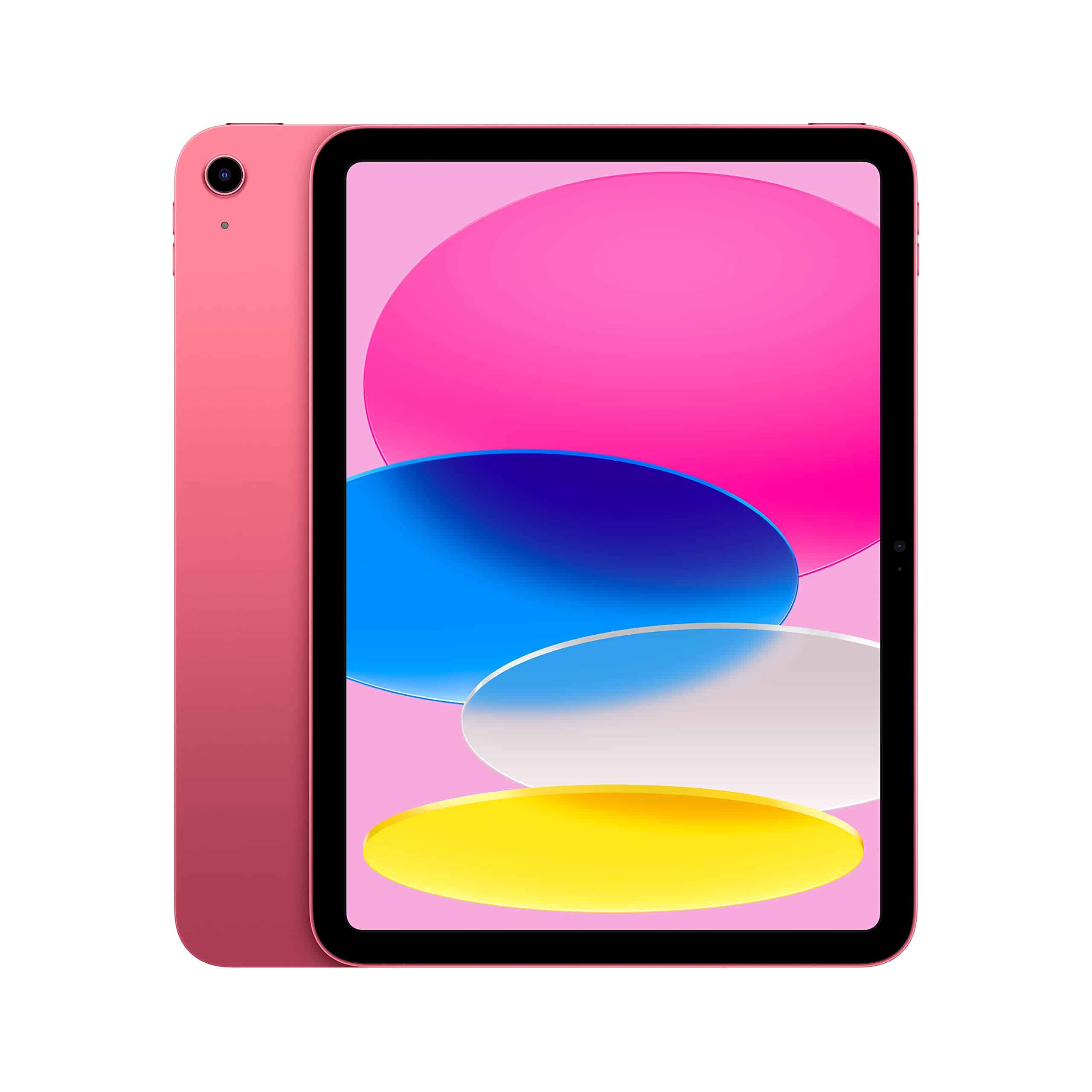
The 10th Generation iPad offers a perfect balance of performance, versatility, and value for anyone seeking a reliable tablet for everyday use.
Pros
- Beautiful 10.9-inch Liquid Retina display with vibrant colors
- Powerful A14 Bionic chip handles multitasking with ease
- Excellent battery life lasting up to 10 hours of continuous use
Cons
- Only compatible with 1st generation Apple Pencil (requires adapter)
- Base 64GB storage may fill up quickly for heavy users
- Accessories like Magic Keyboard and Apple Pencil sold separately
This redesigned iPad brings several meaningful improvements over previous generations. The all-screen design feels modern and immersive, while the 10.9-inch Liquid Retina display delivers crisp visuals whether you’re watching videos, editing photos, or taking notes. Four attractive color options let you pick a style that matches your personality.
Performance stands out as a key strength thanks to the A14 Bionic chip. Apps launch quickly, games run smoothly, and even demanding tasks like photo editing feel responsive. Wi-Fi 6 support means faster downloads and smoother streaming compared to older iPad models. Battery life impresses too, easily lasting through a full day of mixed use.
The camera system receives a notable upgrade with a 12MP Wide back camera for taking photos and shooting 4K video. The front-facing camera is now positioned for landscape orientation—a smart change that makes video calls feel more natural. Touch ID built into the power button provides quick, secure authentication for unlocking your device and making purchases.
You’ll appreciate iPadOS’s productivity features that let you run multiple apps simultaneously. The Magic Keyboard Folio (sold separately) transforms this iPad into a capable laptop alternative with its comfortable typing experience and trackpad. For students or creative professionals, the Apple Pencil support opens possibilities for note-taking and digital art.
While the 64GB base model works for casual users, consider upgrading to 256GB if you plan to download many apps or store media files. The tablet’s versatility makes it suitable for entertainment, productivity, and creative work—truly an all-purpose device that delivers excellent value.
ECOPAD Android 13 Tablet
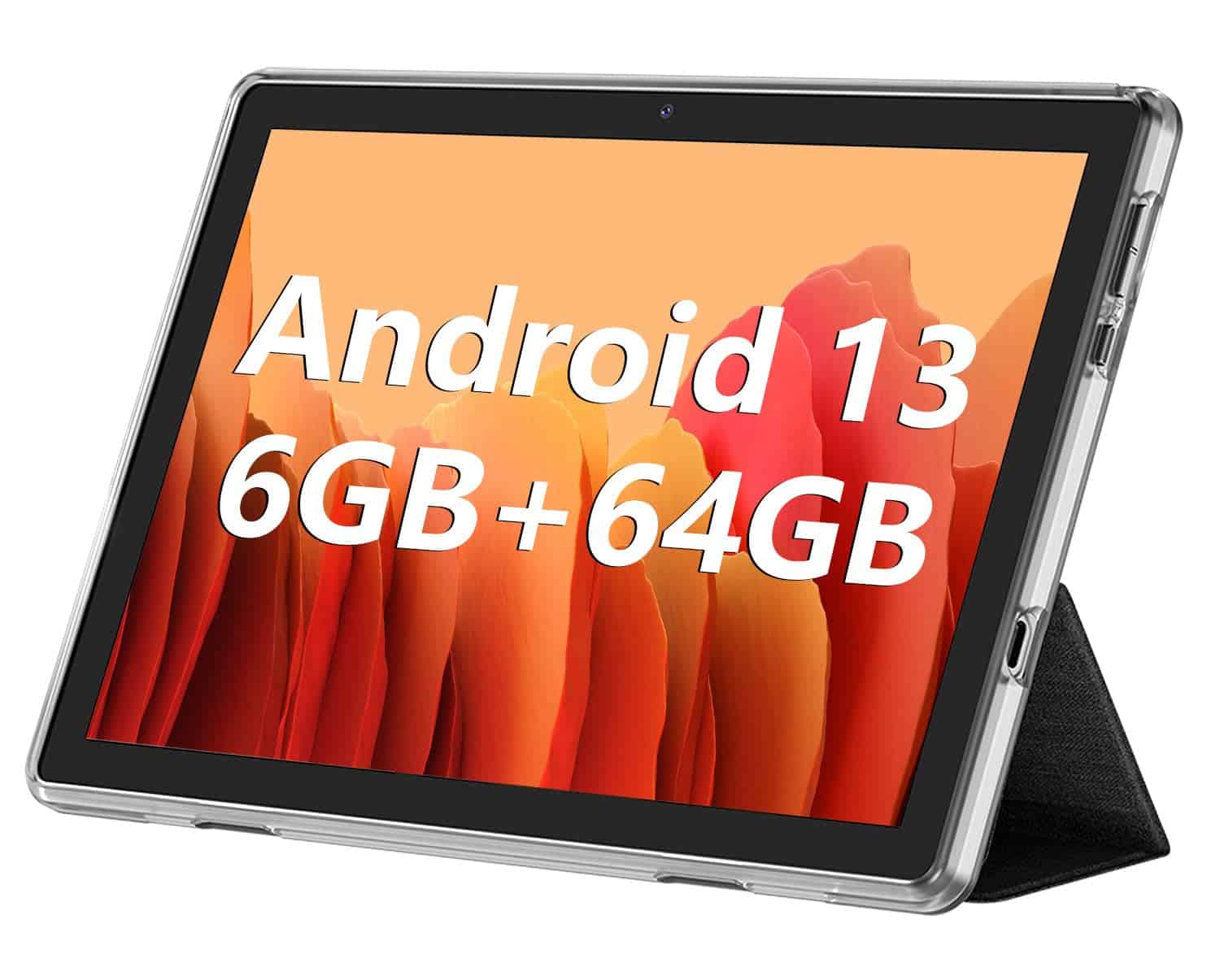
The ECOPAD Android 13 Tablet offers decent features at an affordable price point, but battery life concerns might make you think twice before purchasing.
Pros
- Generous 6GB RAM and expandable storage up to 1TB
- Comes with protective case and screen protector included
- Android 13 provides updated software experience
Cons
- Battery life falls short of advertised 8 hours
- Basic display resolution (1280×800)
- Mixed customer feedback about reliability
This budget-friendly tablet comes equipped with a quad-core processor and Android 13 operating system. The 10.1-inch IPS display delivers adequate visuals for everyday tasks like browsing, reading, or watching videos. You’ll find the 6GB RAM sufficient for moderate multitasking needs without experiencing significant slowdowns.
Storage shouldn’t be an issue with this device. The tablet provides 64GB of internal storage and supports expansion up to 1TB via microSD card. This gives you plenty of room for apps, photos, and media files without constantly worrying about running out of space.
Camera quality is modest but functional for basic needs. The 8MP rear camera and 2MP front camera won’t replace your smartphone for photography, but they handle video calls and occasional photos adequately. The 6000mAh battery claims to provide up to 8 hours of video playback, but several customer reviews suggest the actual performance may be considerably less.
Build quality appears reasonable for the price range. The tablet comes with a protective case and screen protector already installed, adding value to your purchase. At just over 2 pounds and with dimensions of 9.5 x 6.2 x 0.28 inches, it’s relatively portable while still offering a decent screen size for content consumption.
For casual users who need a simple tablet for web browsing, reading, or light media consumption, this ECOPAD model could be sufficient. However, if you require longer battery life or a sharper display, you might want to explore other options in a slightly higher price range.
COOPERS Android 14 2-in-1 Tablet
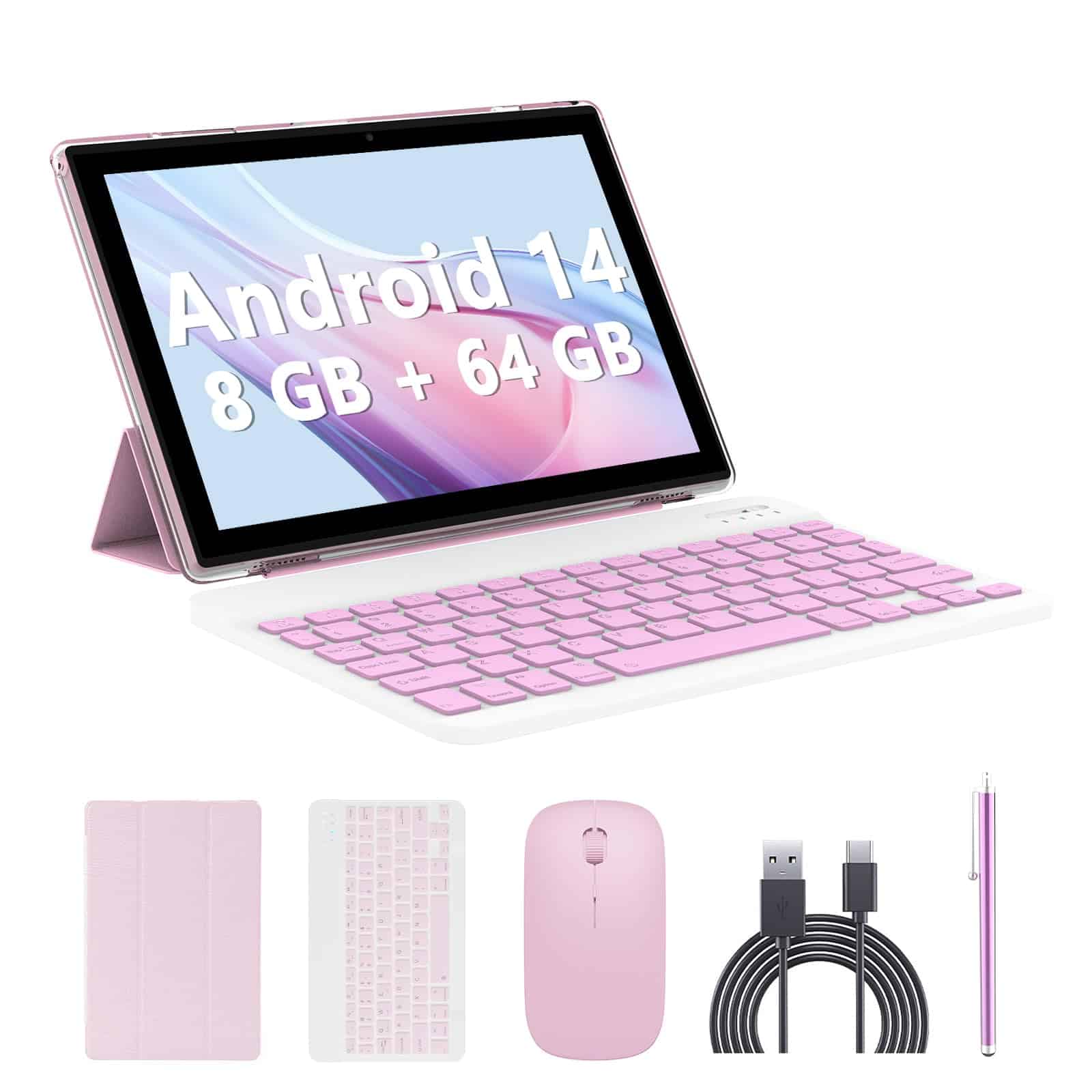
This budget-friendly 2-in-1 tablet offers good value with its complete accessory package, though its performance may not satisfy power users.
Pros
- Complete package includes keyboard, mouse, pen, and case
- Expandable storage up to 1TB
- Latest Android 14 with Google certification
Cons
- Processor speed may lag during intensive tasks
- Screen resolution is only 1280×800
- Some users report touchscreen responsiveness issues
The COOPERS 10-inch tablet comes ready for work or play straight out of the box. You get not just the tablet but a wireless keyboard, mouse, stylus pen, and protective case – everything needed to transform this device from tablet to laptop mode in seconds. With 8GB RAM (2GB fixed plus 6GB virtual) and 64GB internal storage expandable to 1TB, you’ll have space for your apps, documents, and media.
Android 14 powers this pink tablet, providing compatibility with popular apps like Facebook, Instagram, and Twitter. The Google certification means you won’t face restrictions on app downloads that often plague uncertified tablets. Dual cameras (2MP front, 8MP rear) handle video calls and basic photography needs, while dual stereo speakers enhance your viewing experience.
Battery life stretches to 8-10 hours of mixed use, making this suitable for a full day of work or school without hunting for outlets. The 1.8GHz processor isn’t breaking speed records, but handles basic tasks adequately. At this price point, the tablet represents a practical option for students, casual users, or anyone needing an affordable secondary device. Its lightweight design and included accessories make it particularly appealing for travel when you don’t want to lug a heavy laptop.
MEIZE Android 13 Tablet
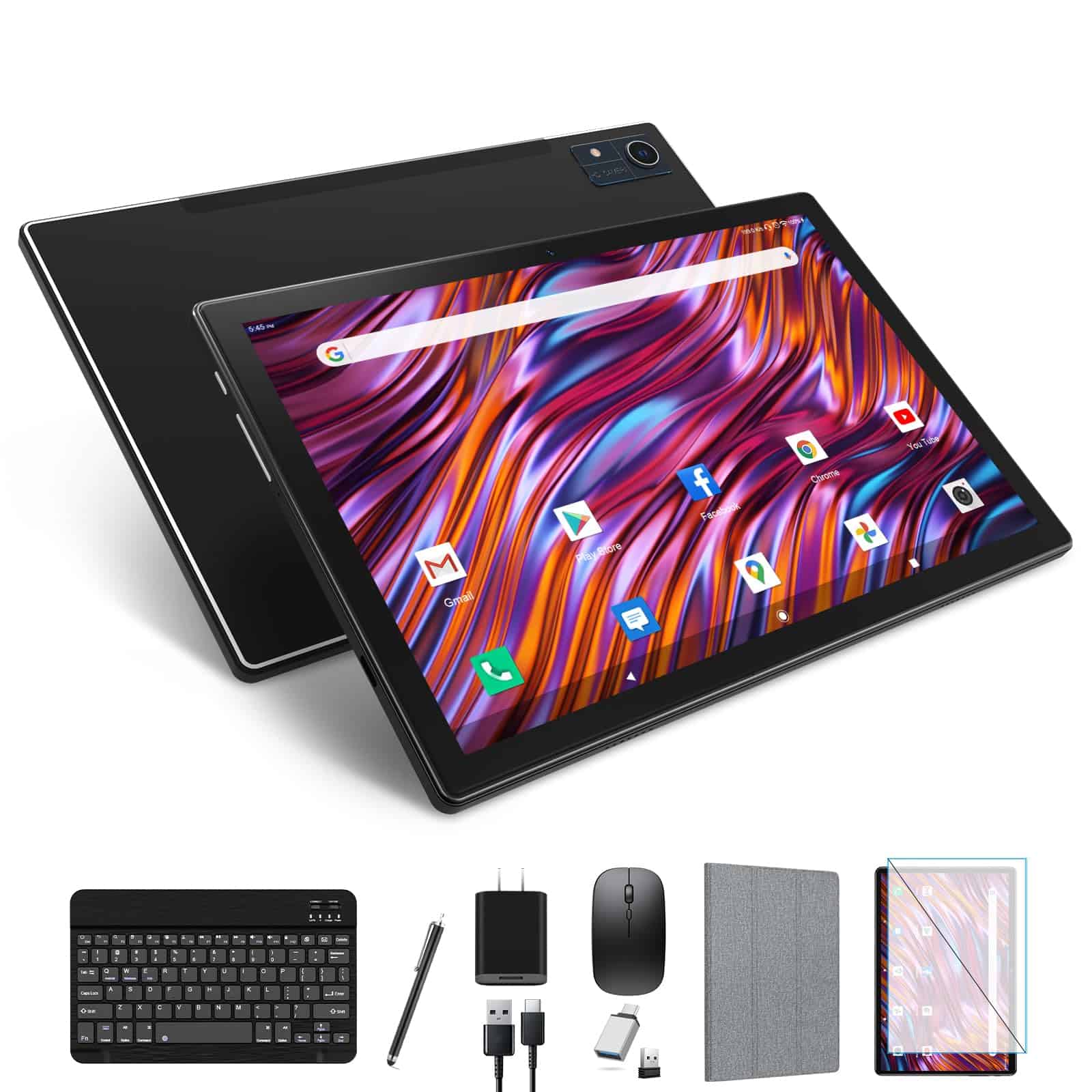
This budget-friendly tablet offers impressive value with its accessories bundle and solid performance for everyday tasks.
Pros
- Complete package includes keyboard, mouse, stylus and case
- Large 128GB storage with expansion options up to 512GB
- Strong battery life with 8000mAh capacity
Cons
- Display resolution is limited to 1280×800
- Keyboard requires firm pressure to register keystrokes
- Case stand functionality can be finicky
The MEIZE Android 13 tablet delivers solid performance for its price point. The octa-core processor handles multitasking well, allowing you to switch between apps smoothly. With 8GB of RAM, you’ll find it responsive enough for streaming, browsing, and casual gaming without frustrating delays.
Storage options impress with 128GB built-in and expansion capabilities up to 512GB. This gives you plenty of space for apps, videos, and documents. The dual-band WiFi connectivity ensures stable internet access in various settings, while Bluetooth 5.0 provides reliable connections to wireless accessories.
Battery life stands out as a key strength. The 8000mAh capacity can last up to 10 hours of video playback or 8 hours of gaming. The included accessories add significant value – you get a Bluetooth keyboard, mouse, stylus, and protective case. While the 10.1-inch screen’s 1280×800 resolution won’t wow photography enthusiasts, it’s perfectly adequate for everyday tasks and content consumption with reasonable visibility and color reproduction.
TUOHAITIME 11-inch Android 14 Tablet
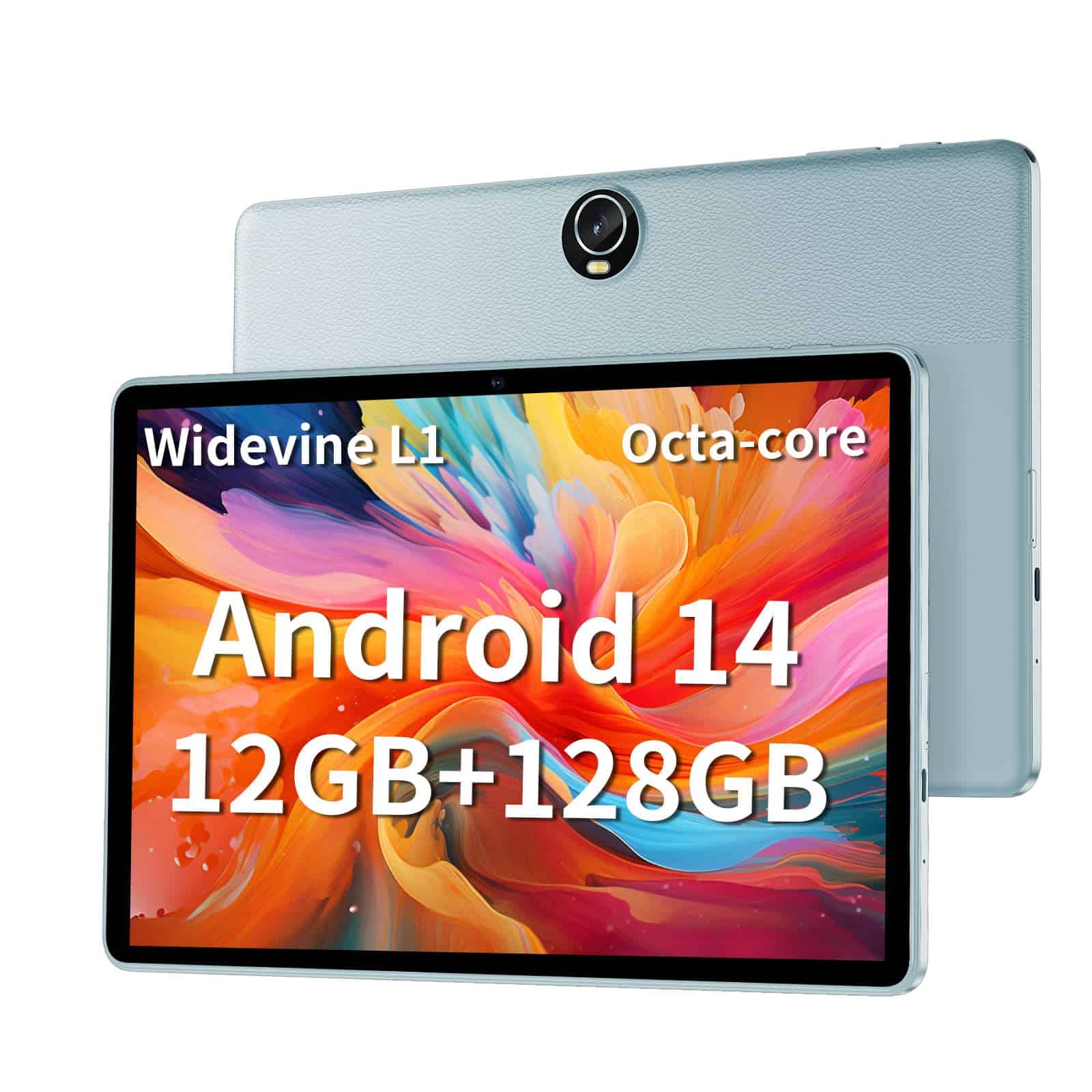
This budget-friendly tablet offers impressive specs and features that make it a solid choice for casual users seeking entertainment and basic productivity.
Pros
- Octa-core processor delivers smooth performance for everyday tasks
- Large 8000mAh battery provides 8-10 hours of use on a single charge
- Expandable storage up to 512GB gives plenty of space for apps and media
Cons
- Screen resolution (1280×800) is adequate but not exceptional
- Some users report issues with Bluetooth connectivity
- Charging adapter for the 18W fast charging sold separately
The TUOHAITIME 11-inch tablet runs the latest Android 14 operating system, giving you access to a clean interface without bloatware. With 12GB RAM (6GB+6GB through memory extension) and 128GB internal storage, you’ll have enough power and space for streaming videos, browsing the web, and running multiple apps. The tablet’s octa-core processor makes everyday tasks feel responsive and fluid.
Battery life stands out as a key strength. The built-in 8000mAh battery keeps you going for 8-10 hours of continuous use, making it perfect for long trips or days away from power outlets. The tablet supports 18W fast charging to minimize downtime, though you’ll need to purchase the compatible adapter separately.
WiFi 6 support gives you faster, more stable internet connections than previous-generation tablets in this price range. Parents will appreciate the built-in parental controls that help children develop healthy screen habits. The face unlock feature adds convenience, while the dual cameras allow for video calls and basic photography. While the 1280×800 display won’t match premium tablets, it delivers a pleasant viewing experience for watching videos, reading, and casual gaming at this price point.
Fusion5 Windows 11 Pro Tablet
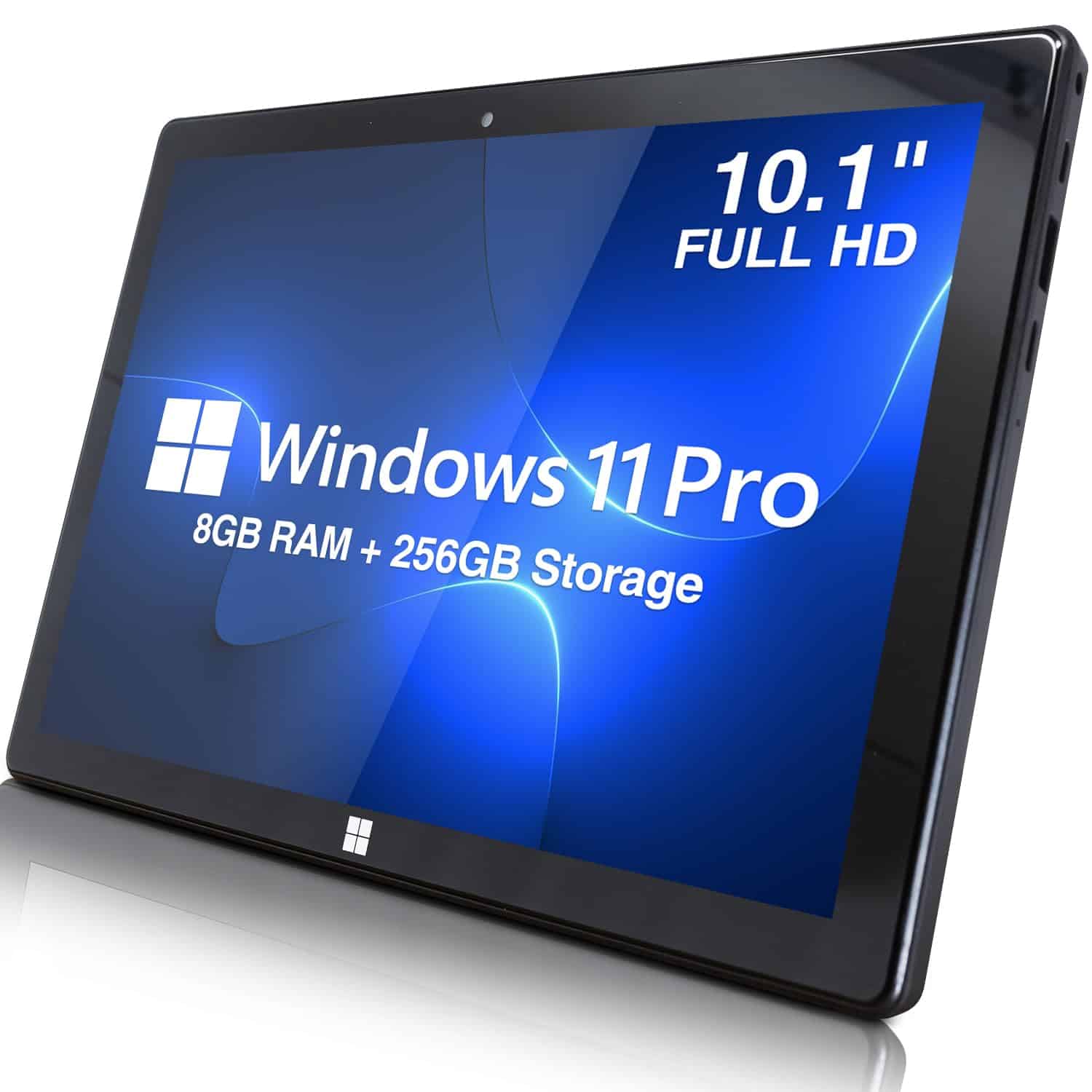
This sleek 10.1-inch Windows tablet delivers impressive performance and versatility at a competitive price point, making it an excellent choice for professionals and students alike.
Pros
- Ultra-slim design with full Windows 11 Professional functionality
- Generous 8GB RAM and 256GB SSD storage capacity
- Multiple connectivity options including USB 3.0 and Micro HDMI
Cons
- Battery life limited to about 6 hours
- Screen scratches easily according to some users
- May feel underpowered for resource-intensive applications
The Fusion5 Windows 11 Pro Tablet bridges the gap between portability and productivity with its lightweight build and full desktop operating system. Its 10.1-inch Full HD display delivers crisp visuals with a 1920×1200 resolution, perfect for document editing, web browsing, and media consumption. The Intel Quad-Core processor paired with 8GB RAM handles multitasking smoothly for everyday computing needs.
Storage won’t be a concern with this tablet. The 256GB M.2 SSD provides ample space for your applications and files while ensuring quick load times. Connectivity stands out as a major strength with 5G WiFi capability, Bluetooth 4.4, USB 3.0 port, and Micro HDMI output. These features allow you to connect peripherals, external displays, or storage devices with ease.
Weighing just 1.3 pounds with dimensions of 10 x 6.7 x 0.39 inches, this tablet offers true portability. The dual cameras enable video conferencing and quick photo captures. For professionals who need Windows software on the go, this tablet presents a compelling alternative to bulkier laptops. Remember to apply a screen protector immediately, as several users note that the display scratches easily.
EDDBNi Android 14 Tablet
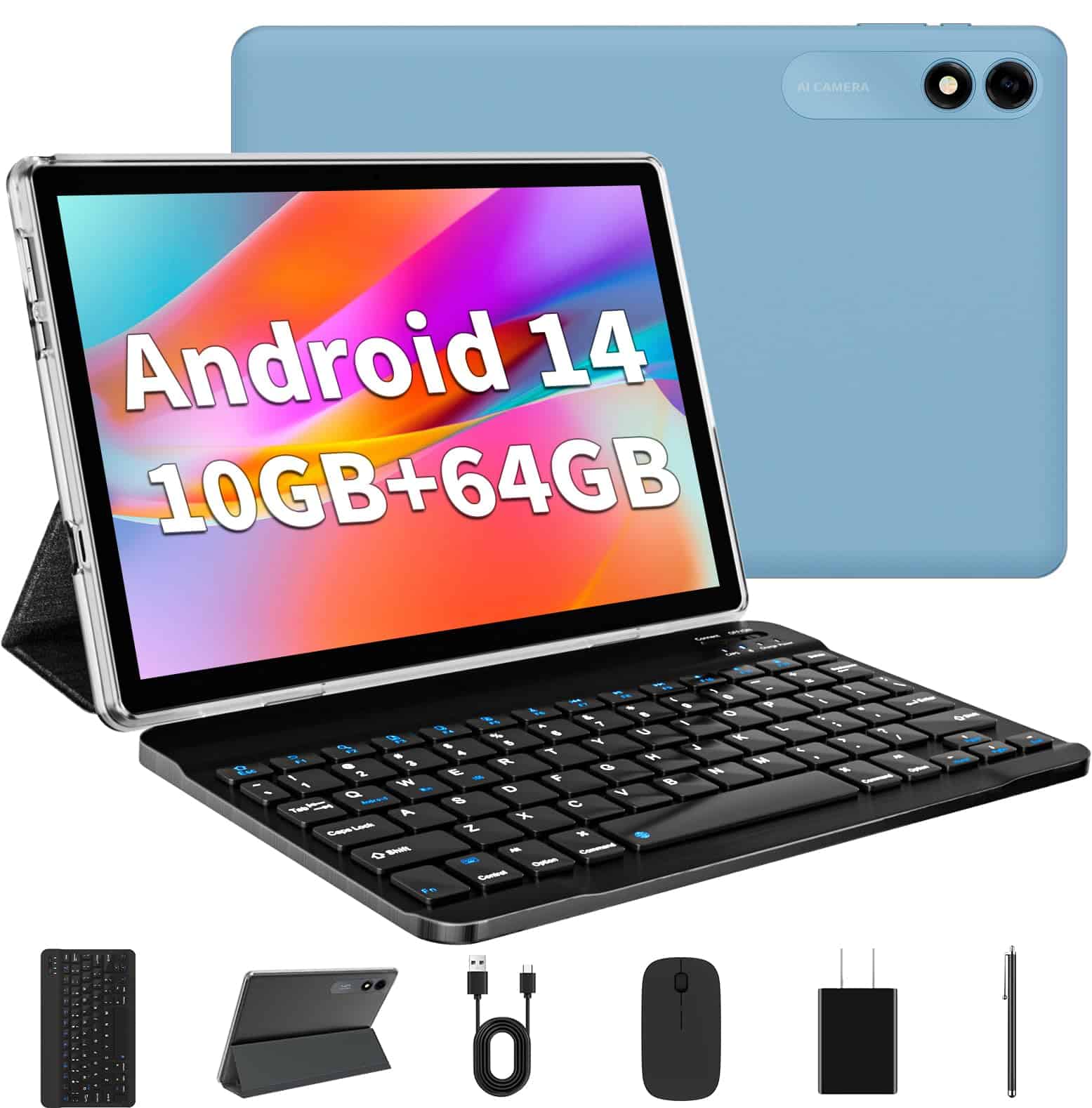
This budget-friendly tablet offers good value with its included accessories and decent performance for basic everyday tasks.
Pros
- Complete package includes keyboard, mouse, stylus, and case
- Latest Android 14 OS for improved performance
- Expandable storage up to 1TB
Cons
- Limited processing power for demanding applications
- Screen resolution is basic at 1280×800
- No USB port for connecting peripherals
The EDDBNi 10.1-inch tablet runs Android 14, giving you access to the newest features and security updates. With 10GB of combined RAM (6GB physical + 4GB virtual) and 64GB of storage, you have enough space for essential apps and media. The ability to expand storage up to 1TB with a microSD card is particularly helpful if you need extra room for photos or videos.
Battery life is a strong point for this tablet. The 6000mAh battery provides approximately 8-10 hours of use on a single charge, making it suitable for travel or extended use away from power outlets. The 18W fast charging support helps get you back up and running quickly when the battery does run low.
Included accessories add significant value to this package. You’ll receive a keyboard, mouse, stylus pen, and protective case right out of the box—eliminating the need to purchase these items separately. The 10.1-inch IPS display offers decent visibility with its 1280×800 resolution, though it won’t match the clarity of premium tablets. For basic web browsing, email, and video watching, it performs adequately.
Connectivity options include 2.4GHz WiFi and Bluetooth, letting you connect to the internet and pair wireless devices. The tablet features both front (5MP) and rear (8MP) cameras for basic photography and video calls. While not intended for professional photography, they’re sufficient for casual use and staying in touch with family and friends.
Buying Guide
Choosing the right computer or tablet requires careful consideration of several key factors. Your needs and budget will ultimately determine the best device for you.
Performance Requirements
Think about what you’ll use your device for. Basic tasks like web browsing and document editing need less power than gaming or video editing.
Processor (CPU) serves as the brain of your device. For everyday use, an entry-level processor works fine. Heavy multitasking or creative work requires more powerful options.
RAM determines how many applications you can run simultaneously. 8GB works for most users, while 16GB or more suits professionals and power users.
Storage Options
| Storage Type | Advantages | Best For |
|---|---|---|
| SSD | Fast, durable | Operating system, frequent files |
| HDD | Lower cost, higher capacity | Media storage, backups |
| Cloud | Accessible anywhere | Documents, photos |
Most computers now come with SSDs as standard. Consider at least 256GB for a computer and 64GB for a tablet.
Display Considerations
Screen quality affects your daily experience significantly. Look for:
- Resolution: Higher is better for detail (1080p minimum for laptops)
- Size: Larger screens show more content but reduce portability
- Type: IPS panels offer better colors and viewing angles
Touch screens add versatility but increase price and reduce battery life.
Connectivity
Check for essential ports like USB, HDMI, and headphone jacks. Newer, thinner devices might require adapters for connecting peripherals.
Wireless connectivity (Wi-Fi 6, Bluetooth 5.0) ensures your device stays future-proof for years.
Battery Life
For portable devices, aim for at least 8 hours of real-world battery life. Remember that manufacturer claims often exceed actual performance.