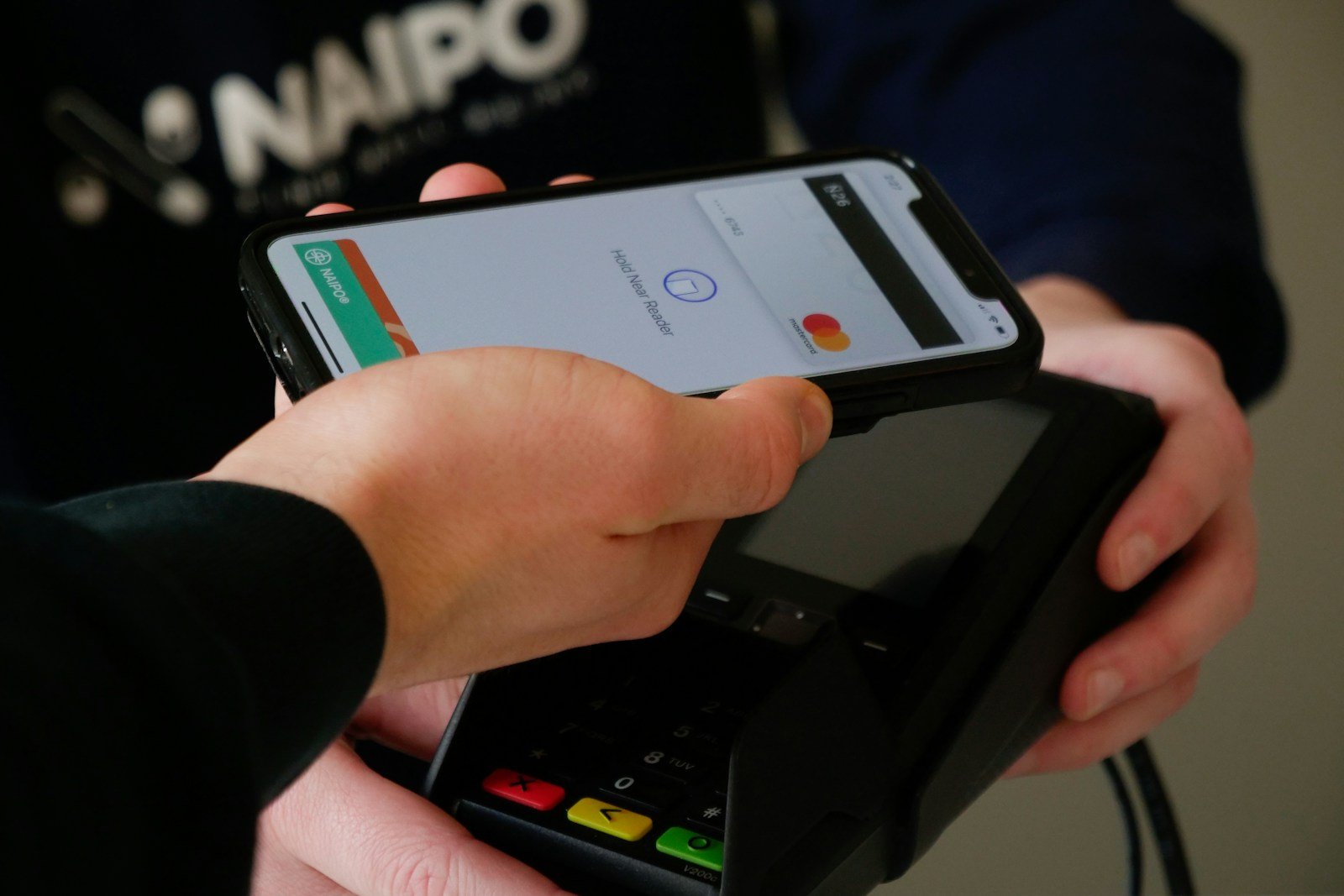
Digital wallets have become more popular in recent years. They offer a simple way to pay for things using your phone or watch. You can also store tickets, cards, and other items that might normally fill up your wallet.
A good digital wallet makes payments faster and safer than carrying cash or cards. Many options like Apple Wallet, Google Wallet, and others let you pay in stores with a tap. Some also help you send money to friends or track your spending.
1. Apple Pay
Apple Pay is a digital wallet that makes payments faster and easier than using cards or cash. It works on Apple devices like iPhones, iPads, and Apple Watches. Users can simply tap their device to pay in stores.
The app is built right into Apple devices. Setting it up takes just a few minutes. Users add their credit or debit cards to the Apple Wallet app, and they’re ready to go.
Privacy and security are key features of Apple Pay. When you pay, your card details aren’t shared with merchants. Instead, Apple Pay uses a unique code for each transaction.
You can use Apple Pay in stores, apps, and websites. It works at millions of places worldwide. Look for the contactless payment symbol or Apple Pay logo at checkout.
Apple Pay has become the most dominant digital wallet on the market. Its wide acceptance makes it a practical choice for everyday purchases.
The system lets you pay in full or over time. You can also use your card’s rewards when paying. This flexibility helps users manage their money in ways that work for them.
Face ID or Touch ID confirms each payment. This extra security step helps prevent unauthorized purchases. It’s much safer than carrying physical cards.
Beyond payments, Apple Pay works with passes and tickets too. Movie tickets, boarding passes, and store loyalty cards can all live in your Apple Wallet. This cuts down on paper waste and keeps everything organized.
Setting up Apple Pay is straightforward. Open the Wallet app, tap the plus sign, and follow the steps. Your bank might ask you to verify your card through a text message or call.
For online shopping, look for the Apple Pay button at checkout. One tap and a quick Face ID or Touch ID verification completes your purchase. No need to type in shipping or payment details each time.
2. Google Pay
Google Pay is a digital wallet that makes paying for things easy and secure. It works both online and in stores. You can use it to shop, send money to friends, or even board a plane.
In 2023, Google combined its payment services into what we now know as Google Wallet. This app includes the Google Pay features people loved, like tap-to-pay technology.
Tap to pay works at millions of stores worldwide. Just hold your phone near the payment terminal, and you’re done. No need to dig through your purse or wallet for cards.
What makes Google Pay stand out is how it keeps everything in one place. You can add credit cards, debit cards, loyalty cards, and even travel passes to your digital wallet.
Security is a big plus with Google Pay. Your actual card numbers aren’t shared when you make payments. Instead, the system uses special codes that change with each purchase.
The app is free to download on both Android and iPhone. Setting it up takes just a few minutes – you simply add your payment cards and you’re ready to go.
Google Pay also lets you send money to friends and family. This makes splitting dinner bills or paying back a friend much simpler than writing checks or handling cash.
For travelers, Google Pay is especially helpful. You can store boarding passes, transit cards, and event tickets all in one app. No more printing papers or worrying about losing tickets.
The Google Wallet app gives you fast access to all these features. It’s designed to be simple enough for anyone to use, regardless of how tech-savvy they are.
Many banks and credit card companies work with Google Pay. However, some smaller banks might not be compatible yet, so it’s worth checking if your cards will work before relying on it completely.
3. Venmo
Venmo stands out as one of the most popular digital wallets, especially among younger users. This app lets people send and receive money with friends, family, and businesses.
The platform combines social features with payment functionality. Users can add notes and emojis to their transactions, making the experience more personal and fun.
Setting up Venmo is simple. Once registered, you can link bank accounts, debit cards, or credit cards to fund your payments. The app stores this information securely for future use.
Venmo offers flexibility with how you use your money. You can keep funds in your Venmo balance or transfer them to your bank account. Many users appreciate this option for managing their cash flow.
The service has expanded beyond peer-to-peer payments. Venmo now provides physical and virtual debit cards that connect to your balance. These cards work at millions of retailers nationwide.
For shoppers who prefer contactless payments, Venmo cards can be added to Apple Pay, Google Pay, or Samsung Pay. This integration takes just three simple steps and enhances convenience.
Transaction limits vary based on identity verification. Verified users can send up to $60,000 with proper identity checks, making it suitable for larger transfers than some competitors offer.
The app’s social feed shows transactions between friends, though users can adjust privacy settings to control what others see. This feature has helped Venmo build a community feel that many competitors lack.
Merchants increasingly accept Venmo as payment. The widespread adoption places it among the top digital wallets globally, alongside services like PayPal (its parent company).
Venmo continues to grow its user base, with over 83 million people currently using the app. This popularity reflects its user-friendly design and social approach to money transfers.
4. PayPal
PayPal has grown to become one of the most trusted digital wallet options in the online payment world. Founded in 1998, this platform has evolved from a simple payment processor to a comprehensive financial tool used by millions worldwide.
The PayPal app functions as an all-in-one payment solution that helps users manage their money in one place. You can send money to friends, pay for online purchases, or even use it in physical stores that accept digital payments.
Setting up PayPal is straightforward. You simply download the app, create an account, and link your bank account or credit cards. This process usually takes just a few minutes to complete.
One of PayPal’s biggest strengths is its wide acceptance. Most online retailers support PayPal payments, making checkout faster since you don’t need to enter your card details for each purchase.
Security is a priority for PayPal. The service uses encryption to protect your financial information and offers buyer protection policies that can help if something goes wrong with a purchase.
For business owners, PayPal provides tools to accept digital wallet payments from customers. Their payment terminal integrates with various checkout options including QR codes and Venmo.
The PayPal family also includes Venmo, a popular peer-to-peer digital wallet that many Americans use to split bills and share expenses with friends. This social payment app adds a community element to digital payments.
International users appreciate PayPal’s ability to handle multiple currencies. You can send and receive money across borders, though fees may apply for currency conversion.
PayPal continues to expand its features. Recent additions include cryptocurrency buying and selling options, savings accounts, and improved budgeting tools.
Mobile payments are simple with PayPal. Users can pay in stores by scanning QR codes or using the tap-to-pay feature where available. This flexibility makes it useful for both online and in-person transactions.
The PayPal digital wallet works well for both casual users and those who need more advanced financial management tools. Its combination of simplicity, security, and wide acceptance has helped it remain popular even as new competitors enter the market.
5. Cash App
Cash App is a popular digital wallet that lets you do more with your money. Created by Block, Inc. (formerly Square) in 2013, it has grown to become the #1 finance app in the App Store.
With Cash App, you can easily send and receive money from friends and family. The app makes peer-to-peer payments simple and instant, eliminating the need for cash or checks when splitting bills or paying someone back.
Beyond basic money transfers, Cash App offers several useful banking features. Users can save money, spend with a linked debit card, and even set up direct deposits to receive paychecks earlier.
The app also serves as an entry point to investing. You can buy stocks or bitcoin with as little as $1, making investing accessible to beginners. Cash App even supports Lightning Network transactions for bitcoin, allowing for faster cryptocurrency transfers.
Getting started with Cash App is straightforward. Simply download the app from the Google Play Store or Apple App Store, create an account, and link your bank account or debit card.
The interface is clean and user-friendly, making it easy to navigate even for first-time users. You can quickly send money by entering a phone number, email, or scanning a QR code.
Cash App protects your information with encryption and fraud detection. You can also enable additional security features like Face ID, Touch ID, or PIN entry to keep your account safe.
While Cash App offers many free services, be aware that some transactions may include fees. For example, instant transfers to your bank account come with a small charge, though standard transfers are free.
6. Samsung Pay
Samsung Pay is a mobile payment app and digital wallet that lets users make payments with their Samsung devices. It works at stores where contactless payments are accepted.
What makes Samsung Pay special is its technology. Unlike some other digital wallets, Samsung Pay uses both NFC and MST technology. MST creates a magnetic signal that works like a regular credit card swipe, making it usable at more places.
The app has evolved into Samsung Wallet, which combines payment features with other useful tools. Users can store payment cards, IDs, and even digital home and car keys all in one place.
Samsung Wallet offers quick access too. Users can open it by dragging from the bottom of their lock screen. This makes payments fast and easy when checking out at stores.
Security is a priority for Samsung Pay. The app uses tokenization, which means your actual card number isn’t shared when making purchases. Instead, it creates a unique code for each transaction.
Samsung Pay also supports loyalty cards and gift cards. Users can keep all these items in one app instead of carrying physical cards. This helps declutter wallets and makes shopping more convenient.
The service works with many major banks and credit card companies. Most Samsung smartphones and smartwatches released in recent years support Samsung Pay, though availability may vary by region.
For frequent Samsung device users, Samsung Pay offers a smooth experience that integrates well with their ecosystem. The app receives regular updates to improve security and add new features.
7. Zelle
Zelle is a fast, safe, and easy way to send and receive money with friends, family, and other trusted individuals. It works directly with many banking apps, making transfers simple.
To use Zelle, you can check if it’s already included in your banking app. If your bank supports it, you don’t need to download anything extra. This integration means you can send money without leaving your familiar banking platform.
Getting started with Zelle is straightforward. You just need an email address or mobile phone number to send money to others. The recipient doesn’t even need to have the same bank as you.
One key feature of Zelle is its speed. Money typically moves between accounts within minutes when both users are enrolled. This makes it perfect for splitting dinner bills or paying your share of rent quickly.
Zelle differs from some other payment apps by focusing on direct bank transfers rather than storing money in a separate account. When you send money through Zelle, it goes directly from your bank account to the recipient’s account.
Zelle ranks eighth among top digital wallets according to FinTech Magazine. Its popularity continues to grow as more banks adopt the service.
Some users might find Zelle’s transaction limits restrictive compared to alternatives like Venmo. If you need to transfer larger amounts, check your bank’s specific limits or consider other options.
For those whose banks don’t offer Zelle, there’s a standalone Zelle app available. You can enroll your mobile number and link a Visa or Mastercard debit card to start using the service.
The biggest advantage of Zelle is its simplicity. There’s no need to cash out or transfer money between different accounts. Everything happens bank-to-bank with minimal steps.
8. HDFC Payzapp
HDFC PayZapp is an all-in-one digital wallet created by HDFC Bank. It works as both a digital wallet and a virtual card for various payment needs.
You can use PayZapp for online and offline payments across many merchants. The app makes it simple to manage money in one secure place.
One standout feature is the cashback rewards system. Users earn cashpoints when they make transactions through the app,
9. Folio Wallet
Folio Wallet stands out as a versatile digital wallet app available for both iOS and Android devices. It lets users easily manage their debit cards, credit cards, and important documents all in one place.
Unlike some digital wallets that focus only on payment methods, Folio acts as a complete solution for storing various types of cards. Users can scan and organize their credit cards, IDs, and even gift cards within the app.
Security is a key feature of the Folio app. The platform uses end-to-end encryption to keep personal information safe from unauthorized access.
Many iPhone users consider Folio the best wallet app for storing identification cards. While Apple Wallet works well for bank cards, Folio offers more flexibility for other important documents.
The app’s scanning feature makes adding new cards quick and simple. Users don’t need to manually enter card details – they can just take a picture, and Folio does the rest.
Folio positions itself as a top alternative to Apple Wallet, Google Wallet, and Stocard. Its comprehensive approach to digital storage makes it appealing to those who want more than just payment options.
The clean interface makes finding stored items easy. Users can quickly access what they need without scrolling through cluttered screens or complicated menus.
For people concerned about privacy, Folio offers peace of mind. The secure wallet app keeps sensitive information protected while still making it accessible when needed.
10. Crypto.com Onchain
Crypto.com Onchain is a non-custodial wallet that gives users full control over their crypto assets and private keys. Unlike custodial wallets where a third party manages your funds, this wallet puts you in charge of your digital assets.
The app works across multiple blockchains, making it versatile for crypto users with diverse portfolios. Users can access various DeFi services, dApps, and trading options all within a single interface.
One key difference between the Crypto.com App and Crypto.com Onchain is who controls the private keys. With Onchain, you’re the custodian of your own crypto, giving you complete control but also full responsibility for security.
The wallet is available on both Android and iOS devices. Its user interface is designed to be straightforward, even for those new to self-custody wallets.
Security remains a priority with Crypto.com Onchain. The wallet provides features to help users protect their assets while maintaining easy access to their funds. This balance of security and accessibility makes it appealing to both new and experienced crypto users.
The platform supports a wide range of cryptocurrencies and tokens. This variety allows users to manage different assets without switching between multiple wallet apps.
Crypto.com Onchain also connects users to the growing world of decentralized finance. Users can stake coins, provide liquidity, and earn yields directly through the wallet interface.
For those wanting to explore beyond basic storage, the wallet serves as a gateway to decentralized applications. This functionality expands what users can do with their crypto beyond simply holding it.
The Crypto.com Help Center offers detailed guides for wallet setup, management, and troubleshooting. These resources help users navigate the sometimes complex world of self-custody.
Understanding Digital Wallets
Digital wallets offer a convenient way to store payment information and make transactions without physical cards. These tech tools have changed how we pay for things in stores and online.
How Digital Wallets Work
Digital wallets are apps that securely store your credit cards, debit cards, and sometimes even loyalty cards on your mobile device. When you want to pay for something, you simply open the app and hold your phone near the payment terminal.
Most digital wallets use technology called NFC (Near Field Communication) to talk to payment terminals. Your phone sends encrypted payment info to the terminal without showing your actual card numbers.
Popular examples include:
- Apple Pay
- Google Pay
- Samsung Pay
Setting up a digital wallet is easy:
- Download the wallet app
- Add your card details (manually or by taking a picture)
- Verify your card (usually through a text code or call)
Many wallets add extra security with fingerprint scans, facial recognition, or PIN codes to protect your information.
Benefits of Using Digital Wallets
Digital wallets provide convenience since you don’t need to carry multiple physical cards. Just bring your phone and you’re ready to pay almost anywhere.
They offer better security than traditional cards. Your actual card number isn’t shared during transactions, reducing fraud risk. Many wallets use “tokenization” – creating a one-time code for each purchase instead of using your real card number.
Speed is another major advantage. Tapping your phone is faster than inserting a chip card or writing a check.
Many digital wallets track your spending automatically, making it easier to manage your budget. Some even offer special discounts or loyalty points when you use them.
For travel, digital wallets eliminate the hassle of currency conversion and reduce the risk of losing cards abroad.
Security Features in Digital Wallets
Digital wallets protect your money and personal information through several advanced security measures. These features work together to keep your financial data safe while making payments convenient.
Encryption and Authentication
Modern digital wallets use powerful encryption to secure your data. This technology scrambles your payment information so it can’t be read if intercepted.
Most digital wallets don’t store your actual card numbers. Instead, they use tokenization, which replaces your card details with random codes for each transaction. This means even if someone intercepts the data, they can’t use it elsewhere.
Strong authentication methods keep your wallet secure. These include:
- Biometric verification (fingerprints, face scans)
- PIN codes
- Pattern locks
- Two-factor authentication
For example, Apple Pay requires Face ID or Touch ID, while Google Pay might ask for your fingerprint or PIN. This multi-layered approach makes unauthorized access extremely difficult.
Managing Risks with Digital Wallets
Digital wallets often include built-in fraud detection systems that monitor for suspicious activity. These systems can spot unusual transactions and alert you immediately.
Many providers offer zero-liability policies. This means you won’t be responsible for unauthorized charges if you report them promptly. Check your wallet provider’s terms to understand your protection level.
Regular app updates are crucial for security. These updates patch vulnerabilities and add new security features. Always install them when available.
Using public Wi-Fi for financial transactions is risky. When possible, use cellular data or trusted networks when making payments through your digital wallet.
It’s also wise to enable transaction notifications. These real-time alerts keep you informed about all wallet activity, helping you spot unauthorized transactions quickly.
Frequently Asked Questions
Digital wallets offer many ways to pay and store money online. Users often wonder which apps work best for their needs, devices, and situations.
What are the top digital wallet apps currently available?
The market offers several excellent digital wallet options today. Google Wallet stands out as a versatile choice for many users, offering contactless payments and card storage.
Apple Pay remains a favorite for iPhone users with strong security features.
PayPal continues to be trusted for online shopping and person-to-person transfers.
Venmo, owned by PayPal, is popular for splitting bills and social payments.
Cash App offers banking services, stock investments, and Bitcoin purchases alongside payment features.
How do I choose the best digital wallet for cryptocurrency transactions?
When selecting a digital wallet for crypto, security should be your top priority. Look for wallets with multi-factor authentication and biometric features.
Consider if you need a hot wallet (connected to the internet) or cold wallet (offline storage) based on how often you trade.
Check which cryptocurrencies the wallet supports, as not all wallets handle every type of crypto.
Transaction fees vary widely between crypto wallets, so compare costs before deciding.
Which digital wallets are favored by iPhone users?
Apple Pay leads as the preferred choice for iPhone users. It comes pre-installed and integrates perfectly with the iOS ecosystem.
PayPal’s iOS app offers a user-friendly experience with broad acceptance online and in stores.
Venmo is especially popular among younger iPhone users for its social features and easy transfers.
Cash App appeals to iPhone users interested in both payments and investments in one place.
Can you suggest a good digital wallet for Android device owners?
Samsung Pay works exceptionally well for Samsung device owners, with compatibility at most payment terminals.
Google Pay (formerly Android Pay) functions smoothly across all Android devices and stores your cards securely.
PayPal offers a well-designed Android app with the same features as its iOS counterpart.
Venmo and Cash App both provide excellent Android experiences with their full feature sets.
Is there an e-wallet that functions well without being linked to a bank account?
PayPal allows users to receive money and make payments without linking a bank account, though some features may be limited.
Cash App lets you receive funds and use them without connecting to a bank, even offering a physical card.
Venmo can function as a standalone account where you can keep a balance from received payments.
Some crypto wallets work entirely without bank connections, storing only digital currencies.
What’s the most popular e-wallet used in the US today?
PayPal maintains strong popularity in the US with its wide acceptance at online retailers and established trust.
Venmo has captured a large market share, especially among younger Americans for social payments.
Apple Pay has grown rapidly with iPhone users, becoming increasingly accepted at physical stores.
Cash App has seen tremendous growth, particularly in underbanked communities and among younger users.
Google Pay continues to expand its user base across Android devices with its convenience and security features.