
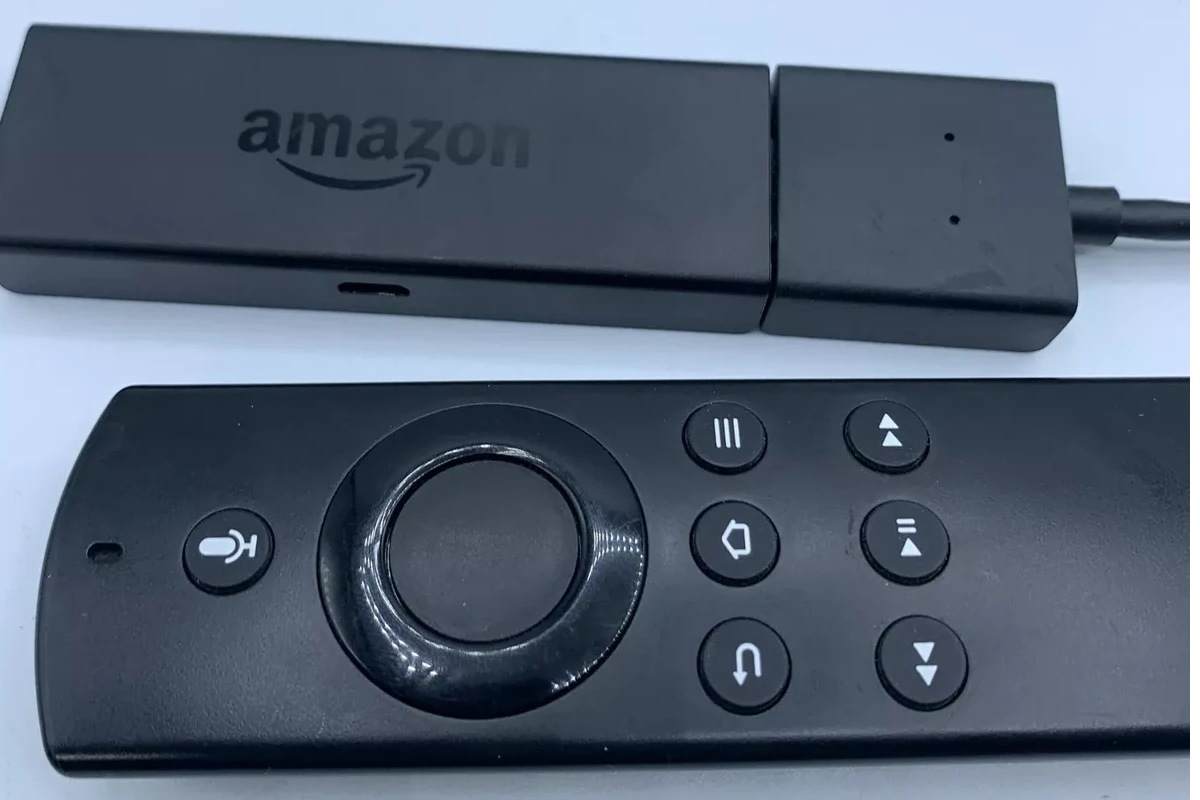
Amazon’s annual device blitz has arrived early this year, and Fire TV streamers are headline deals once again. Right now the Fire TV Stick 4K is 50% off ($24.99), while the 4K Max and Fire TV Cube are seeing similar record-low prices in the run-up to Prime Day (July 8–11).

Why Fire TV Still Stands Out
- Speed that matches mid-range laptops. The 2-GHz quad-core chip inside the 2nd-gen Fire TV Stick 4K Max launches apps in under two seconds and doubles onboard storage to 16 GB.
- Next-gen Wi-Fi 6E. Tri-band 6 GHz support means less buffering in congested homes and peak speeds that can hit 1.3 Gbps on a compatible router.
- Ambient Experience. When you’re not streaming, the stick turns your TV into a voice-controlled art frame or smart-home dashboard with widgets for calendars, Ring cameras, and more.
- A smarter remote. The optional Alexa Voice Remote Pro adds backlighting, two programmable shortcuts, and a built-in finder that pings the clicker when you yell, “Alexa, find my remote.” It regularly drops to $24.99 during sales.
What’s New in 2025
Benchmark testing shows the 2023 4K Max outpaces the standard 4K stick by roughly 15% in single-core and 20% in multi-core performance, keeping menus fluid even with live-TV tiles and ad carousels enabled. Amazon has also rolled out a Fire OS update that enables Xbox Cloud Gaming natively, bringing over 300 Game Pass titles to recent Sticks and the Cube with no console required.

Early Prime Day Deals Worth Grabbing
| Device | Price Now | Typical Street Price | Highlights |
|---|---|---|---|
| Fire TV Stick 4K | $24.99 | $49.99 | Dolby Vision/Atmos, Wi-Fi 6 |
| Fire TV Stick 4K Max | $34.99 | $59.99 | Wi-Fi 6E, Ambient Experience |
| Fire TV Cube | $79.99 | $129.99 | Octa-core CPU, hands-free Alexa |
Deep discounts also apply to bundles like the Fire TV Stick 4K Max + Xbox Wireless Controller for cloud gaming at $79.
Model-by-Model Breakdown
Fire TV Stick 4K Max (2nd Gen)
The stick to buy if you’re a Prime Video power user—or anyone chasing Dolby Vision plus Wi-Fi 6E headroom for the next five years.
Fire TV Stick 4K (2023)
Delivers 4K HDR streaming and Dolby Atmos for $10–$15 less than the Max; ideal if you’re fine with Wi-Fi 6 and don’t need the art-frame mode.
Fire TV Stick HD
A bargain 1080p upgrade for older TVs; still snappy, comes with the newest Alexa remote, and routinely falls below $30 during sales.
Fire TV Cube (3rd Gen)
Combines an octa-core processor, Ethernet port, and far-field mics for completely hands-free control—effectively an Echo Studio plus Fire TV in one box. Discounted trade-in credits can push final pricing under $65.
Roku Streaming Stick 4K
If you’d rather avoid Amazon’s banner ads, Roku offers a clean, app-first UI, speedy Dolby Vision playback, and platform-agnostic voice search.
Chromecast with Google TV 4K (2024 Refresh)
Great for Google Home households: a slick For You tab, Stadia-style game streaming, and sideload-friendly Android roots. It’s slower than the 4K Max but shines at surfacing personalized recommendations.
Netflix Compatibility Alert
As of June 3, 2025, first-generation Fire TV boxes and sticks (2014–2016) lost Netflix access due to new AV1 codec requirements. If you’re still on legacy hardware, any of the models above will restore support and add years of security updates.
Quick-Pick Cheat Sheet
| Need | Recommended Model | Why |
|---|---|---|
| Maximum future-proofing | Fire TV Stick 4K Max (2nd Gen) | Wi-Fi 6E, fastest CPU, Ambient Experience |
| Budget 4K | Fire TV Stick 4K (2023) | Nearly as quick, $10–$15 cheaper |
| Ad-light interface | Roku Streaming Stick 4K | Minimal ads, intuitive menus |
| 1080p upgrade | Fire TV Stick HD | Full HD, Alexa remote, under $35 |
| Hands-free everything | Fire TV Cube | Built-in Alexa mics, fastest overall |
With 4K sticks now dipping below $25 and older hardware aging out of key apps, 2025 is the perfect moment to modernize your streaming setup—just decide whether you value Amazon’s smart-home tricks or a cleaner, brand-neutral UI.
These TVs come with Alexa built-in, letting you control your viewing with just your voice. From budget-friendly models to premium versions with advanced features, Fire TVs make streaming simple. They connect with other Amazon devices too, creating a smooth home entertainment setup.
1. Amazon Omni Series 4K UHD Smart Fire TV
The Amazon Omni Series is a solid choice for anyone looking for a 4K smart TV with built-in Fire TV capabilities. It comes in several sizes, including 43-inch, 55-inch, and 65-inch models.
One of the standout features is hands-free Alexa control. Users can simply speak commands to turn on the TV, search for shows, or control smart home devices without reaching for a remote.
Picture quality on the Omni Series is good for its price range. The TV offers 4K Ultra HD resolution and supports Dolby Vision on the larger models. This means sharper images and better color accuracy compared to standard HD TVs.
For movie lovers, the Omni delivers a pleasant viewing experience. It has good contrast for dark room viewing, making those movie nights more enjoyable.
Access to content is another strong point. The Omni provides access to more than 1 million movies and TV episodes through various streaming platforms. All the popular services like Netflix, Prime Video, Disney+, and Hulu are easily accessible.
Gamers will find the Omni Series adequate for casual gaming. While not marketed as a gaming TV, it handles most console games well enough for the average player.
The interface is user-friendly and intuitive. Anyone familiar with Amazon’s ecosystem will feel right at home navigating through the menus and finding content to watch.
Sound quality is decent with Dolby Digital Plus support. Most users find it sufficient for everyday viewing, though audiophiles might want to add a soundbar for a more immersive experience.
It’s worth noting that while the Omni has many strengths, it does have underwhelming image quality compared to premium TVs. The blacks aren’t as deep as OLED displays, and the HDR performance is modest.
Price is where the Omni Series truly shines. It offers excellent value for the features provided, often coming in at a lower price point than competing TVs with similar specifications.
For families, the parental controls and user profiles make it easy to manage what content is accessible to children. This adds peace of mind for parents concerned about appropriate viewing.
2. Amazon 55-Inch Omni Mini-LED Series
The Amazon 55-Inch Omni Mini-LED Series brings premium viewing to your living room without breaking the bank. This 4K QLED TV offers stunning detail and over a billion life-like colors, creating a vibrant viewing experience.
One standout feature is the mini-LED backlit array, which helps create deeper blacks and brighter highlights. The TV can reach up to 1,400 nits of peak brightness, making HDR content pop off the screen.
Sports fans and gamers will appreciate the smooth motion handling thanks to the 120Hz refresh rate. Fast-moving scenes appear crisp and clear without the blur that plagues many lower-end TVs.
The TV supports multiple HDR formats including Dolby Vision IQ and HDR10+. This means you’ll see movies and shows with the visual impact their creators intended.
Built-in Fire TV gives easy access to thousands of streaming apps. The interface is simple to navigate and puts all your favorite content in one place.
Picture quality stands up well against competitors. Colors are vibrant while textures and details remain sharp, creating an immersive viewing experience for movies, shows, and games.
Value is a major strength of this TV. It offers great bang for your buck despite a few minor flaws. The combination of mini-LED technology and Fire TV integration provides a premium feel at a mid-range price point.
Room lighting isn’t an issue thanks to the high brightness levels. The TV performs well in both dark rooms and bright, sunlit spaces, making it versatile for any home setup.
Voice control through Alexa comes built in, letting you change channels, adjust volume, or search for content without hunting for the remote. This hands-free operation adds convenience to daily use.
The design is clean and modern with slim bezels that keep the focus on the screen. While not the thinnest TV on the market, it still looks sleek mounted on a wall or placed on a stand.
3. Amazon 2-Series HD Smart Fire TV 40-Inch
The Amazon Fire TV 40-inch 2-Series offers a budget-friendly option for those wanting a smart TV without breaking the bank. It delivers full HD 1080p resolution, bringing your favorite shows and movies to life with decent clarity.
This TV supports HDR10 and HLG formats, which help improve contrast and color accuracy in compatible content. It also features Dolby Digital Audio to enhance your viewing experience with better sound quality.
One of the main selling points is access to Amazon’s Fire TV platform. Users can stream from over a million movies and TV episodes across popular services. The TV comes with an Alexa Voice Remote, making it easy to find content using simple voice commands.
The price point is notably attractive. At just $249, it’s among the most affordable smart TVs on the market. Prime members can sometimes find it at even lower prices during special promotions.
However, the TV does have limitations. According to PCMag reviews, the panel is quite dim. This means it might not perform well in brightly lit rooms.
For those concerned about longevity, Amazon offers a 4-year protection plan bundled with the TV. This provides extra peace of mind beyond the standard warranty.
The interface focuses heavily on Amazon content, which is great for Prime subscribers. Non-Prime users can still access other streaming apps, but the Amazon-centric design is noticeable.
Setup is straightforward, with guided on-screen instructions. The TV connects to your home Wi-Fi and automatically updates its software when needed.
At 40 inches, this model works well in smaller spaces like bedrooms, apartments, or dorm rooms. The slim design helps it fit on most TV stands without taking up too much space.
4. Amazon Fire TV Stick 4K Max
The Fire TV Stick 4K Max stands out as Amazon’s most powerful streaming stick. It offers 40% more power than the regular Fire TV Stick 4K, which means apps start faster and navigation feels smoother.
When it comes to speed, this device doesn’t disappoint. The 4K Max comes with a 2.0 GHz quad-core processor that helps apps launch almost immediately. This quick response time makes a big difference in daily use.
Storage capacity is another key feature. The newest second-generation 4K Max comes with 16 GB of storage, double what the first generation and standard 4K models offer. This extra space lets you download more apps and games without running out of room.
The device supports the latest Wi-Fi standards too. With Wi-Fi 6E compatibility, streaming becomes more reliable even when other devices are using your network. This means fewer buffering pauses during your favorite shows.
Size-wise, the 4K Max measures about 4.25 x 1.18 x 0.55 inches. This compact design makes it easy to plug into any TV’s HDMI port without taking up much space.
Picture quality is top-notch with this streaming stick. It fully supports 4K Ultra HD content, bringing crisp details to compatible TVs. The device also handles various HDR formats for better contrast and colors.
The Fire TV Stick 4K Max comes with Alexa Voice Remote, letting you search for shows, control playback, and even manage smart home devices with voice commands. This hands-free option adds convenience to the viewing experience.
For anyone choosing between Amazon’s streaming options, the 4K Max is considered the best Fire Stick currently available. The performance improvements are noticeable in everyday use.
5. Amazon Fire TV Cube
The Amazon Fire TV Cube stands out as the most powerful streaming device in Amazon’s lineup. It’s much more powerful than the standard processors found in other Fire TV models.
This premium streaming box offers a unique hands-free experience. Users can control their TV without picking up a remote, thanks to built-in Alexa voice control. Simply say “Alexa, turn on the TV” or “Alexa, play Stranger Things” from across the room.
The latest Fire TV Cube includes WiFi 6E for faster, more reliable streaming. This means less buffering and smoother playback, even with multiple devices connected to your network.
Video quality gets a boost too. The Cube supports 4K Ultra HD and includes video upscaling technology that improves the look of standard definition content. Your older shows will look better on newer TVs.
Speed is another advantage. Amazon calls this their fastest-ever streaming media player, which makes navigating menus and launching apps noticeably quicker than with the Fire TV Sticks.
The Cube also offers more connectivity options. It includes an HDMI port, ethernet port, and USB port, giving users flexibility for connecting various devices and ensuring stable internet.
While the Fire TV Cube costs more than the Stick models, it provides more power and versatility. It’s designed for people who want the best streaming experience and appreciate the convenience of hands-free control.
For home theater enthusiasts, the Cube supports Dolby Vision, HDR, and Dolby Atmos audio. This creates a more immersive viewing experience with compatible TVs and sound systems.
The boxy design is meant to sit visibly in your entertainment center, unlike the Sticks that hide behind your TV. Its far-field microphones can pick up voice commands even when you’re across the room.
6. Sony 55-Inch Smart TV with Fire TV
Sony offers quality TVs that work well with Fire TV capabilities. While Sony typically uses Google TV as their main platform, you can add Fire TV features through external devices like the Fire TV Stick.
The Sony X85J is a popular 55-inch option that significantly outperforms direct Fire TV models in picture quality. It has better accuracy and much higher brightness levels than built-in Fire TV alternatives.
For movie fans, the Sony XR-55A95L stands out as one of the best 55-inch smart TVs available. While it doesn’t come with Fire TV built-in, adding a Fire TV Stick gives you the best of both worlds – Sony’s excellent picture quality with Amazon’s user-friendly interface.
Sony TVs typically feature superior processing power compared to TVs with built-in Fire TV systems. This means smoother streaming and better handling of fast-moving content like sports or action movies.
Many Reddit users recommend buying premium brands like Sony and then adding Fire TV functionality separately. This approach often results in a TV that lasts longer while still giving you the Fire TV experience you want.
The refresh rate on Sony models is another big advantage. Some Sony 4K TVs offer up to 240Hz refresh rates compared to the 60Hz typical on Fire TV models, making them better for gaming and watching sports.
Best Buy carries several Sony 55-inch options that work perfectly with Fire TV devices. The BRAVIA XR series is particularly popular, earning high customer ratings for its picture quality and performance.
When connecting a Fire TV Stick to a Sony TV, setup is simple. Just plug the device into an HDMI port, connect to Wi-Fi, and you’re ready to enjoy Fire TV features on your premium Sony display.
7. LG Smart TV with Built-in Fire TV
LG Smart TVs with Fire TV built-in blend LG’s display technology with Amazon’s Fire TV interface. This combination aims to give users the best of both worlds – LG’s picture quality and Amazon’s content-rich platform.
However, these hybrid TVs have mixed reviews from users. Some people find that Fire TV built into televisions can be sluggish, performing worse than standalone Fire TV streaming devices.
LG is known for their OLED technology, which delivers excellent black levels and color accuracy. Their newer models like the LG OLED evo C4 Series feature self-lit pixels for better picture quality.
The Fire TV interface gives you access to thousands of apps, including popular streaming services like Netflix, Hulu, and of course, Amazon Prime Video. You can also control your smart home devices through Alexa.
Setup is straightforward with these TVs. The Fire TV system is already integrated, so there’s no need to buy and connect a separate streaming device. This saves both money and HDMI ports.
One issue that sometimes comes up is compatibility between the Fire TV system and the TV hardware. Some users report display problems or lag when using certain apps.
The remote usually includes voice control through Alexa, making it easy to search for content or control your TV with simple commands. This feature works well for most users but can occasionally be finicky.
Price-wise, these TVs are generally competitive, though you might pay a small premium for the integrated Fire TV functionality. This cost is often offset by not needing to purchase a separate streaming device.
For those who already use Amazon services like Prime Video or have Alexa-compatible smart home devices, an LG Smart TV with Fire TV built-in could be a sensible choice. The convenience of a single interface and remote is appealing.
If you value performance above all else, a separate TV and streaming device might work better. This gives you the freedom to upgrade either component independently as newer models are released.
8. Samsung Smart TV Compatible with Fire TV
Samsung Smart TVs have a unique relationship with Amazon’s Fire TV ecosystem. Many Samsung TV owners wonder if they need a Fire Stick since Samsung TVs come with their own smart interface.
The good news is that most new Samsung Smart TVs already have streaming and casting capabilities built in. This means you can access popular streaming apps directly through the TV’s interface without needing extra devices.
Samsung TVs run on their Tizen operating system rather than Fire TV OS. However, you can still add a Fire TV Stick if you prefer Amazon’s interface or want access to specific Fire TV apps.
Connecting a Fire Stick to a Samsung TV is straightforward. Simply plug it into an available HDMI port and make sure both devices are powered on. Some users report needing to try different HDMI ports if the connection isn’t working initially.
For pairing the Fire Stick remote, keep it close to both devices during setup. The Bluetooth pairing process happens automatically when everything is properly connected.
Best Buy offers several Samsung TV models that work well with Fire TV devices. Their Crystal UHD 4K Smart TVs are popular options among customers looking for compatibility.
Some owners of high-end Samsung TVs, like the QN85 series, still consider adding Fire TV devices. One Reddit user with a Samsung QN85A questioned whether to add a Fire Stick despite having a premium television.
The compatibility between Fire TV apps and Smart TVs is impressive. According to Amazon, 99.9% of Fire TV apps work on Smart TVs when using a Fire TV device.
For the best experience, make sure your Samsung TV supports the same resolution as your Fire TV device. This ensures you get full 4K and HDR benefits if your devices support these features.
Remember that using a Fire Stick with a Samsung TV gives you two separate interfaces. You’ll need to switch inputs when moving between Samsung’s built-in smart features and the Fire TV interface.
9. Amazon Fire TV Stick 4K
The Amazon Fire TV Stick 4K is a powerful streaming device that brings 4K content to your TV at an affordable price. It supports various HDR formats and provides access to thousands of shows and movies.
This newer model comes with improved features compared to its predecessors. The latest version includes Wi-Fi 6 connectivity for better streaming performance and fewer buffering issues.
One of the standout features is the AI-powered Fire TV Search. This makes finding your favorite content much easier across the many streaming apps available on the platform.
Storage space is something to consider when choosing a Fire TV device. The standard 4K stick comes with 8GB of storage, which is enough for most users who mainly stream content rather than download apps.
Speed matters when navigating menus and loading apps. The Fire TV Stick 4K loads apps quickly, though not as fast as the Max version. Most users won’t notice a major difference in everyday use.
The remote that comes with the Fire TV Stick 4K includes voice control through Alexa. This lets you search for shows, control playback, and even manage other smart home devices with simple voice commands.
For movie buffs, the device supports Dolby Atmos audio when connected to compatible sound systems. This creates a more immersive viewing experience for supported content.
Setting up the Fire TV Stick 4K is straightforward. Just plug it into an HDMI port, connect to Wi-Fi, and sign in to your Amazon account. The interface is user-friendly, even for those who aren’t tech-savvy.
If you’re trying to decide between models, the standard Fire TV Stick 4K offers great value. While the Max version is slightly faster with more storage, many users find the regular 4K stick meets their needs perfectly.
The device gives access to all major streaming services including Netflix, Disney+, Hulu, and of course, Amazon Prime Video. You can also find free content through services like Pluto TV and Tubi.
For those upgrading from an older HD streaming device, the jump to 4K quality is noticeable on larger TVs, making this Fire TV Stick a worthy upgrade for many households.
10. Amazon Fire TV Stick with Alexa Voice Remote
The Amazon Fire TV Stick with Alexa Voice Remote is a popular streaming device that offers a lot of value for its price. This small stick plugs directly into your TV’s HDMI port and transforms any television into a smart TV.
The third generation Fire TV Stick is 50% more powerful than its predecessor. This boost in power means faster load times and smoother navigation when browsing through apps or searching for content.
One of the standout features is the included Alexa Voice Remote. Users can simply press a button and speak to search for shows, control playback, and even check local theaters for movie times.
The remote also includes TV power, volume, and input controls, eliminating the need for multiple remotes. This integration makes the overall viewing experience much more convenient.
For those who want an upgraded experience, there’s the Fire TV Remote Pro sold separately. It offers backlit buttons for watching in dark rooms and a rechargeable battery, among other premium features.
The standard Fire TV Stick streams in Full HD, making it perfect for most TVs. It’s particularly good for people new to streaming or those who don’t need 4K quality.
Users gain access to thousands of apps including popular services like Netflix, Disney+, Hulu, and Amazon’s own Prime Video. The interface is easy to navigate, even for less tech-savvy individuals.
Setting up the Fire TV Stick is straightforward. Just plug it in, connect to Wi-Fi, and sign into your Amazon account. The entire process takes only a few minutes.
The device also supports Dolby Atmos audio on compatible content, providing an immersive sound experience that enhances movies and TV shows with the right audio setup.
For those with smart home devices, the Fire TV Stick serves as another Alexa-enabled control center. Users can ask Alexa to dim lights, show security cameras, or check the weather without interrupting their viewing experience.
Understanding Fire TV
Amazon’s Fire TV products offer streaming capabilities that range from basic to advanced features. These devices connect to your TV and provide access to a variety of content through apps and Alexa voice commands.
What is Fire TV?
Fire TV is Amazon’s line of streaming media players and smart TVs. These devices connect to your television and the internet to stream movies, shows, and other content from services like Netflix, Hulu, and Amazon Prime Video.
The Fire TV family includes several products:
- Fire TV Stick Lite: Basic streaming in HD
- Fire TV Stick: Standard HD streaming
- Fire TV Stick 4K: Ultra HD streaming
- Fire TV Stick 4K Max: Enhanced 4K streaming with faster performance
- Fire TV Cube: Premium device with built-in speaker and enhanced Alexa features
Fire TV devices replace the need for cable or satellite TV for many users. They plug directly into your TV’s HDMI port and operate through your home Wi-Fi connection.
Features and Capabilities
Fire TV devices offer a range of features that make streaming simple and enjoyable. The main draw is access to thousands of apps and channels, including popular streaming services and free content options.
All Fire TV devices include:
- Alexa voice control through the remote
- User-friendly interface
- Access to thousands of apps and games
- Screen mirroring capabilities
- Regular software updates
Higher-end models like the Fire TV Stick 4K Max provide Ultra HD resolution and Dolby Vision for enhanced color and contrast. The Fire TV Cube takes things further by adding hands-free Alexa capabilities and the ability to control other smart home devices.
Fire TV also offers parental controls and personalized recommendations based on viewing habits. These devices work best with Amazon Prime membership, but don’t require one for basic functionality.
Setting Up Your Fire TV
Getting your Fire TV ready to use is simple and only takes a few minutes. The setup process guides you through connecting to Wi-Fi and signing into your Amazon account before you can start enjoying your favorite shows.
Initial Setup Guide
First, connect your Fire TV device to your TV using an HDMI port. Plug the power adapter into an outlet. Make sure you insert batteries into your remote control.
Turn on your TV and select the correct HDMI input source. Your Fire TV will display a startup screen. At this point, press the Play/Pause button on your remote to begin the setup process.
Follow the on-screen instructions to:
- Select your language
- Connect to your Wi-Fi network
- Sign in to your Amazon account
- Install recommended apps
If you have trouble connecting your remote, try standing directly in front of the Fire TV device. You can also try unplugging your Fire TV, waiting a moment, and plugging it back in if you encounter issues.
Customizing Preferences
After basic setup, you’ll want to adjust your Fire TV settings for the best experience. Long-press the “Home” button on your remote to quickly access important settings without navigating through menus.
Here are key settings to consider adjusting:
Display Settings:
- Resolution (1080p or 4K depending on your TV)
- HDR settings if your TV supports it
Sound Settings:
- Dolby Digital output
- Audio format preferences
You can also manage parental controls by setting a PIN and restricting content based on ratings. Add favorite apps to your home screen for quick access.
Don’t forget to enable screen mirroring if you want to display your phone or tablet on your TV. This makes sharing photos and videos with friends and family much easier.
Frequently Asked Questions
Fire TV devices offer many streaming options and hardware choices. Users often have specific questions about which models best suit their needs and what features to consider before buying.
What channels offer the best streaming experience on Fire TV?
Fire TV supports many popular streaming services. Netflix, Disney+, and HBO Max deliver excellent picture quality and performance on Fire TV devices.
Amazon Prime Video naturally works seamlessly with Fire TV, offering 4K content with minimal buffering. For sports fans, ESPN+ and YouTube TV provide reliable streaming with low latency.
Hulu and Apple TV+ also perform exceptionally well on the Fire TV platform. Their apps are optimized for quick loading and smooth navigation.
Which Fire TV model is most suitable for gamers?
The Fire TV Cube stands out for gamers due to its hexa-core processor and 2GB RAM. This power allows it to handle more demanding games from the Amazon Appstore.
The Fire TV Stick 4K Max also performs well for casual gaming. Its improved processor and Wi-Fi 6 support reduce lag during gameplay.
For serious gamers, the Amazon Omni Series 4K TV provides low input lag when in game mode. This feature is crucial for responsive gaming experiences.
Can you recommend a TV that comes with Fire TV already integrated?
The Amazon Omni Series 4K UHD Smart Fire TV offers excellent value with built-in Fire TV capabilities. Its 4K resolution and HDR support provide stunning picture quality.
For premium viewing, the Amazon 55-Inch Omni Mini-LED Series delivers superior contrast and brightness. The mini-LED technology creates deeper blacks and more vibrant colors.
Budget-conscious buyers should consider the Amazon 2-Series HD Smart Fire TV 40-Inch. It provides the full Fire TV experience at a lower price point with decent HD picture quality.
How does the Fire TV Stick 4K Max enhance viewing compared to other models?
The Fire TV Stick 4K Max supports all major HDR formats including Dolby Vision and HDR10+. This results in more realistic colors and better contrast than standard models.
Its Wi-Fi 6 compatibility provides faster, more stable streaming. This means fewer buffering interruptions, especially in homes with many connected devices.
The updated processor in the 4K Max loads apps 40% faster than previous Fire TV Sticks. This speedier performance makes navigating menus and switching between apps much smoother.
What drawbacks should users consider before purchasing an Amazon Fire TV?
Fire TV devices prominently feature Amazon content, which some users find overwhelming. The home screen prioritizes Amazon Prime Video content over other streaming services.
Some Fire TV apps may experience occasional bugs or performance issues. App quality can vary depending on the developer.
The advertising on the Fire TV interface bothers some users. Banner ads appear on the home screen and cannot be completely disabled.
Which model is currently considered the top of the line in Amazon’s Fire TV lineup?
The Fire TV Cube represents Amazon’s most powerful streaming device. Its octa-core processor delivers the fastest performance in the lineup for smooth navigation and quick app loading.
The Amazon 55-Inch Omni Mini-LED Series holds the top spot among Fire TV televisions. Its premium display technology provides superior picture quality with better brightness and contrast.
Both flagship models include hands-free Alexa control, allowing users to operate their TV with voice commands even when the remote isn’t nearby.





