
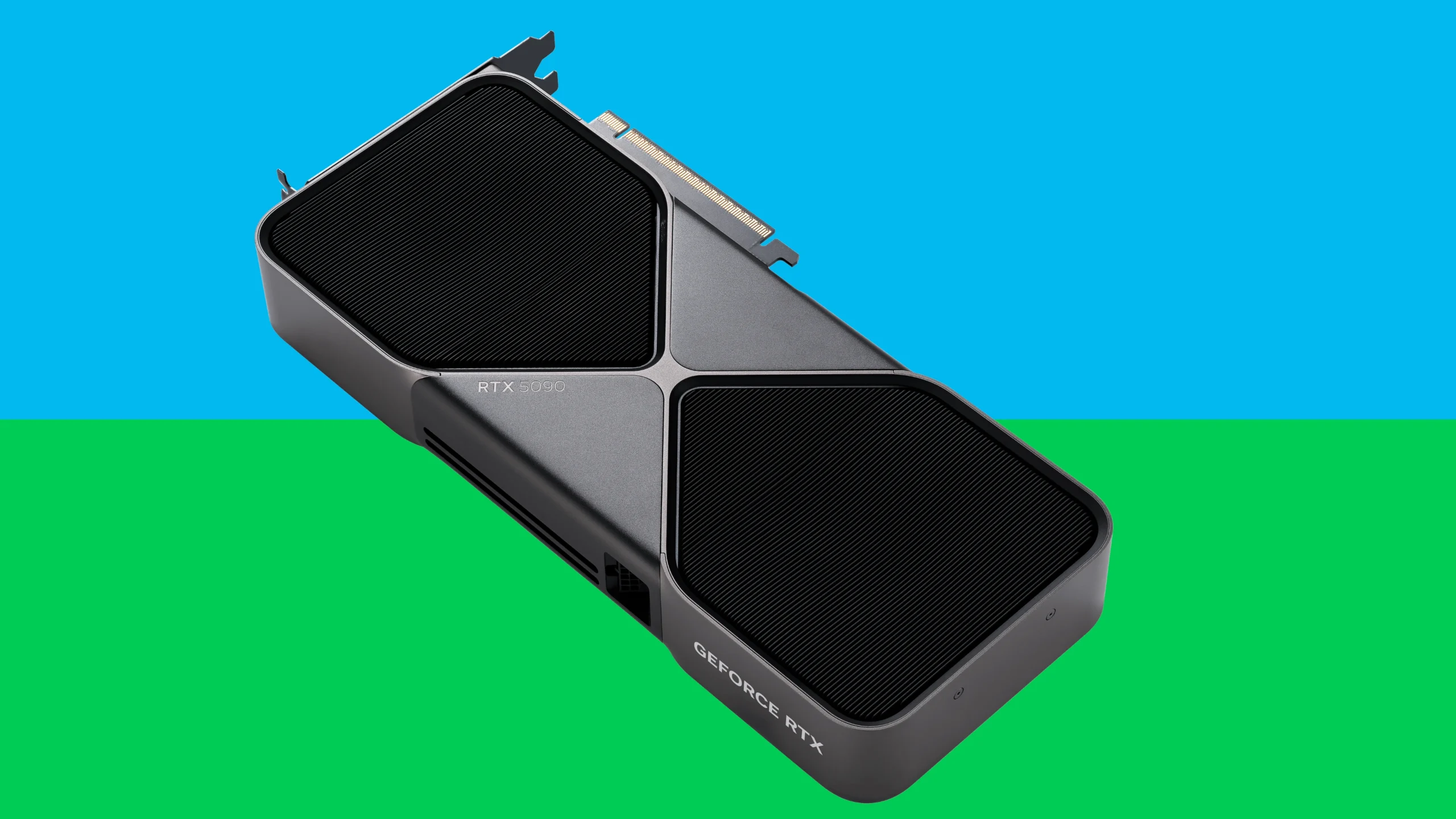
Nvidia is solidifying its position as the undisputed leader in the AI and semiconductor space, delivering blockbuster financial results and setting the stage for unprecedented growth through 2025 and beyond. In its latest quarter, Nvidia reported a staggering $44.06 billion in revenue — a 69.2% leap year-over-year — with earnings per share climbing to $0.81 from $0.61 just a year ago. This surge underscores the explosive demand for Nvidia’s GPUs, which have become the backbone of AI training, data centers, and cloud computing infrastructure worldwide.
Despite a $4.5 billion charge related to its H20 chips earlier this year, analysts remain bullish, projecting Nvidia will add another $15 billion in sales in the latter half of 2025 alone. This resilience highlights Nvidia’s strategic agility amid evolving technology cycles and competitive pressures.
Nvidia’s stock performance has been nothing short of meteoric, soaring over 1,000% since early 2023. This rally is largely driven by the AI boom, where Nvidia’s GPUs power everything from generative AI models to autonomous vehicles. Industry giants like Microsoft and Meta have doubled down on their investments in Nvidia’s technology, fueling a wave of capital expenditures that analysts say will push Nvidia’s market capitalization to an astonishing $5 trillion by year-end.
The company’s recent ten-for-one stock split has made shares more accessible to retail investors, while a massive $50 billion share repurchase program signals confidence from Nvidia’s leadership in sustained long-term growth.
Beyond financials, Nvidia is advancing key innovations like its Hopper GPU architecture and expanding its AI software ecosystem with platforms such as CUDA and the AI Enterprise suite. These developments not only reinforce Nvidia’s technical moat but also position it as a critical enabler of future AI breakthroughs across industries, from healthcare to finance.
In summary, Nvidia is not just riding the AI wave — it’s shaping the future of computing itself. With robust financials, strategic partnerships, and relentless innovation, Nvidia is poised to redefine the technology landscape and deliver outsized returns for investors and stakeholders alike well into 2026 and beyond. For a deeper dive into Nvidia’s latest financials and growth outlook, see the detailed analysis from August 2025.
Nvidia Continues AI Supremacy
📊 Financial Performance
- In Q4 fiscal 2025, Nvidia reported $39.3 billion in revenue, up 78% year-over-year. Full-year revenue surged to $130.5 billion, marking a massive 114% increase, with quarterly data center sales reaching $35.6 billion.
- In Q1 fiscal 2026, revenue hit $44.1 billion, up 69% year-over-year. Data center revenue alone was $39.1 billion.
- Nvidia executed an aggressive $33.7 billion share buyback in FY 2025, demonstrating confidence in long-term growth. Gross margins remain strong at around 75% across recent quarters.
🧠 Technology & Roadmap: Blackwell, Rubin & Beyond
- At GTC 2025, Nvidia introduced its next-gen platforms including the Blackwell Ultra GPUs, robotics frameworks, and the Newton physics engine for AI-operated robots.
- Nvidia also previewed its upcoming Rubin microarchitecture (GPU/CPU combo named after Vera Rubin), launching in late 2025 and shipping in early 2026 with HBM4 memory and up to 50 petaflops of FP4 performance. It will be followed by Rubin Ultra in 2027, doubling that performance.
- The Feynman architecture—expected in 2028—was also unveiled during GTC. Designed using Blackwell prototypes, it pledges to deliver next-generation AI performance with advanced HBM memory support.
🎮 Consumer Focus: GeForce RTX 50 Series & Beyond
- The RTX 50 series (Blackwell architecture) debuted with features like GDDR7 memory, DisplayPort 2.1b, and DLSS 4 with Multi Frame Generation.
- The RTX 5070’s claim of “RTX 4090 performance at $549” sparked controversy—benchmarks suggest the gains rely more heavily on DLSS upscaling than raw power.
- Driver issues have plagued RTX 30/40-series users due to RTX 50–focused updates, leading to widespread complaints and recommended rollbacks by developers.
- Nvidia is preparing RTX 50 SUPER GPUs (e.g. 5080 SUPER, 5070 Ti SUPER) for a Q4 2025 launch with significantly increased VRAM—up to 24 GB—to address memory limitations of base models.
🌐 China Market Moves & Geopolitical Challenges
- Export controls affecting Nvidia’s H20 AI chips were eased, enabling resumed sales to China—a move reportedly secured after a meeting between Jensen Huang and President Trump.
- Following the ban lift, Nvidia’s H20 chip shipments sparked concern from Chinese regulators and state media, who are demanding “security proofs” amid accusations of potential backdoors. Nvidia firmly denies all allegations.
- Additionally, a U.S. national security advisory group has urged renewed restricttions, calling resumed exports a potential strategic misstep.
- Nvidia is also preparing the RTX 6000D—a China‑compliant GPU built on TSMC 4 nm with GDDR7 memory—targeting 1–2 million units by year-end to reclaim lost revenue.
🏢 Expansion & Real Estate
- Nvidia is reportedly close to finalizing a lease for 45,000 sq ft of office space in San Francisco’s Mission Rock. This move positions the company near other AI leaders like OpenAI and reaffirms its commitment to innovation hubs on the West Coast.
🧶 Industry Tensions: Anthropic vs. Nvidia
- A public disagreement has emerged between Nvidia CEO Jensen Huang and Anthropic CEO Dario Amodei. Huang criticized Amodei’s stance on limiting powerful AI development; Amodei responded on a podcast calling Huang’s remarks a “bad faith distortion.” The clash highlights divisions over AI democratization versus caution-based regulation.
✅ Bottom Line: Nvidia at the Apex of AI
Nvidia remains the undisputed leader in AI infrastructure and GPU technology, posting record-breaking revenues and launching key innovations like Blackwell, Rubin, and Feynman architectures. Its dominance is reinforced by aggressive buybacks, deep ties with cloud providers, and continued growth in data center demand.
Yet challenges loom: regulatory headwinds in China, criticism over security, consumer driver reliability issues, and growing demand for memory-competitive RTX SUPER GPUs. Still, Nvidia’s leadership in AI compute, robotics, and infrastructure continues to shape the technological frontier.
📅 What’s Ahead
- Q2 FY2026 earnings expected August 27, 2025 (after market close).
- RTX 50 SUPER launch anticipated Q4 2025.
- Rubin GPU/CPU release early 2026, with Feynman architecture debuting in 2028.
Best Dell Laptops For Business
Finding the right laptop for your business can be a challenge with so many options available. Dell offers several business laptop lines that cater to different needs and budgets, from the affordable Vostro series to the premium XPS models. The best Dell business laptop for you depends on your specific requirements, including performance needs, portability preferences, and budget constraints.
Dell’s business laptops are known for their reliability, security features, and excellent support options. Some models focus on affordability while others highlight premium build quality and cutting-edge technology. Whether you’re a small business owner looking for value or a corporate professional needing high performance, Dell likely has a laptop that fits your business needs.
1. Dell XPS 16 (2024)
The Dell XPS 16 stands out as a top-tier laptop for business professionals. Released in 2024, this model brings powerful performance in an elegant design.
It features AI-capable Intel Core Ultra processors that handle complex projects with ease. The laptop delivers up to 80W of performance, making it suitable for demanding business tasks like data analysis and graphic design.
The 16.3-inch display offers stunning visuals with 4K+ resolution options. This makes spreadsheets clearer and presentations more impressive when meeting with clients.
Users praise its premium build quality. The keyboard feels comfortable for long typing sessions, and the trackpad responds accurately to touch. These features matter when you’re working on important documents all day.
Battery life impresses many business users. The XPS 16 keeps running through meetings and travel without constant charging. This reliability helps professionals stay productive wherever work takes them.
Connection options are plentiful. The laptop includes multiple ports for external displays and accessories, helping create an effective office setup.
The XPS 16 runs Windows 11, with Dell recommending Windows 11 Pro for business users. This operating system includes enhanced security features that protect sensitive company information.
According to reviews, the XPS 16 ranks as one of the best Dell laptops of 2025. Testers appreciate its versatility for various business tasks, from everyday office work to processor-intensive projects.
The laptop’s speakers deliver clear audio for video conferences. This quality helps ensure effective communication with team members and clients during remote meetings.
While the price sits at the higher end of business laptops, many professionals find the investment worthwhile for its performance and reliability. The XPS 16 combines power and portability in a package that meets diverse business needs.
2. Dell XPS 14 with OLED Display
The Dell XPS 14 stands out as a premium business laptop with its stunning 3.2K OLED touch display. This screen is simply beautiful and makes working with visual content a joy.
Business professionals will appreciate the 14.5-inch screen size. It hits a sweet spot between portability and screen real estate, making it perfect for both office use and travel.
The laptop runs on Intel Core Ultra processors with options for NVIDIA 40-series graphics. This means plenty of power for demanding business applications, data analysis, and even some creative work.
Battery life is impressive too. The XPS 14 can last up to 12 hours on a single charge, letting professionals work through a full day without hunting for power outlets.
The minimalist design of the XPS 14 makes it look professional in any meeting. Its platinum color option gives it a sleek, premium feel that many business users prefer.
Memory and storage options are generous. Models with 32GB of RAM and 1TB SSD provide enough space for large business files and smooth multitasking.
The laptop balances performance with portability. It’s lightweight enough to carry between meetings but powerful enough for serious work tasks.
One thing to note is that the OLED display, while gorgeous, does increase the base price of the laptop. However, many business users find the improved visual quality worth the investment, especially for client presentations.
The XPS 14 features the same design language as other recent XPS models. This consistency makes it a familiar choice for companies already using Dell products.
For business users who often work with spreadsheets, documents, and presentations, the high-resolution screen reduces eye strain during long work sessions. Colors look vibrant and text appears crisp and clear.
The laptop also includes modern connectivity options needed for today’s business environment. This makes it easy to connect to external displays for presentations or conference room setups.
3. Dell Latitude 9420
The Dell Latitude 9420 stands out as one of the most compact 14-inch business laptops on the market. It offers both traditional laptop and 2-in-1 configurations to fit different work styles.
What makes this laptop special is Dell Optimizer, an AI system that learns how you work. It adjusts performance based on your habits to make your workflow smoother and faster.
The 14-inch display comes with FHD+ (1920 x 1200) resolution, giving you sharp images and text. This higher resolution provides more vertical space than standard 1080p screens, which helps when working with documents or spreadsheets.
For performance, the Latitude 9420 runs on 11th Gen Intel Core processors. The i7-1185G7 option delivers strong processing power for business tasks, even complex Excel spreadsheets and data analysis.
Memory options include up to 16GB RAM, which handles multitasking well. Storage comes as a fast SSD with options up to 1TB, providing quick access to files and programs.
Video conferencing gets a boost with the Latitude 9420’s improved webcam. Some models feature a 1080p camera that produces clearer video calls than standard 720p options found in many business laptops.
Battery life is solid for all-day work, though heavy use will reduce runtime. One thing to note from user experiences is that the laptop can generate heat after extended intensive use.
Connectivity is excellent with multiple USB ports, Thunderbolt 4 support, and good wireless capabilities. The laptop also includes security features like an IR webcam for Windows Hello facial recognition login.
Build quality feels premium with a solid chassis that can withstand daily business use. The keyboard offers comfortable typing for long documents or emails.
For business professionals who need a powerful yet portable 14-inch laptop, the Latitude 9420 balances performance and mobility well. It works particularly well for those who spend time in meetings, travel frequently, or need reliable performance for productivity applications.
4. Dell Latitude 9520
The Dell Latitude 9520 stands out as one of the most intelligent business laptops on the market. It comes in both traditional laptop and 2-in-1 convertible designs to fit different work styles.
This 15-inch device is surprisingly portable. Dell claims it’s the smallest and lightest 15″ business laptop in its class, making it ideal for professionals who travel frequently.
The build quality is impressive. The Latitude 9520 features a premium CNC aluminum chassis with diamond cut edges and a hairline brushed finish. These details give it a professional and elegant look.
Performance is a key strength with this model. It comes equipped with 11th Gen Intel Core processors, including the powerful i7-1185G7 option. This processor works well for demanding business applications and multitasking.
Memory and storage options are generous. Configurations include up to 16GB RAM and 512GB SSD storage, providing plenty of speed and space for business needs.
The display deserves special mention. With a Full HD (1920 x 1080) resolution, the screen delivers clear visuals for presentations, spreadsheets, and video conferences. The 2-in-1 version adds touchscreen functionality for increased versatility.
Dell Optimizer is an interesting feature of this laptop. This AI-based software adjusts to the user’s work patterns, potentially improving productivity and battery life over time.
Battery life is solid for a business laptop. The system can last through a typical workday on a single charge, depending on usage patterns.
Connectivity options are comprehensive. The Latitude 9520 includes modern ports and wireless standards to connect to various devices and networks.
According to user feedback, the keyboard and trackpad are comfortable for extended work sessions. This ergonomic design helps reduce fatigue during long workdays.
Price is a consideration. The fully configured models can reach around $2,800 according to PCMag, placing it in the premium business laptop category. However, more affordable configurations are available with slightly lower specifications.
5. Dell Latitude E5470
The Dell Latitude E5470 is a solid business laptop that balances performance and practicality. It features an Intel Core i5-6300U 2.40GHz processor, 8GB RAM, and a 256GB SSD, making it suitable for everyday business tasks.
The laptop comes with a 14-inch FHD display with anti-glare technology. This screen resolution (1920 x 1080) provides sharp visuals for documents, spreadsheets, and presentations without straining your eyes during long work sessions.
One standout feature is its keyboard. The Latitude E5470 offers a comfortable typing experience that business users appreciate during long hours of work. The keys have good travel and feedback, making typing reports and emails easier.
Battery life is a consideration with this model. Some reviews mention below-average battery performance, which might be important if you frequently work away from power outlets.
For those considering older business laptops, the E5470 has aged reasonably well. Even in 2023, users found it still performs admirably after years of service, though with some limitations compared to newer models.
The laptop also includes a webcam, making it suitable for video conferences and remote meetings. This feature has become increasingly important for modern business environments.
Durability is another strength of the Latitude line. Built to business standards, these laptops typically handle daily wear better than consumer models. The E5470 continues this tradition with solid construction.
For computer science students or professionals working with basic programming tools, this laptop provides adequate specifications. The combination of a decent processor and sufficient RAM handles development environments and basic compiling tasks.
Some users even prefer the Latitude E5470 over the XPS series for business use. The practical design and reliability sometimes outweigh the flashier features of consumer-focused laptops.
Refurbished models offer particularly good value. Certified refurbished versions provide business-class performance at a fraction of the original price, making them worth considering for budget-conscious businesses.
6. Dell Vostro Series
The Dell Vostro series is specifically designed for small businesses with features that balance productivity, security, and affordability. These laptops offer practical solutions without the premium price tag of some higher-end business models.
Vostro laptops come with reliable security features and key productivity tools that small business owners need daily. They provide exceptional support and affordability, making them accessible for companies with tighter budgets.
The Vostro 3520 model offers impressive specs including a 15.6″ FHD display with 120Hz refresh rate. Some configurations feature the 12th Gen Intel 10 Cores i5-1235U processor, which actually outperforms the i7-1165G7 in many tasks.
Memory and storage options are generous. You can find models with up to 32GB RAM and combination storage solutions like 1TB SSD plus 2TB HDD. This gives businesses plenty of speed and space for documents and applications.
The newer Vostro 3530 features a clean design with 3-sided narrow borders around the display. It offers dual storage options and runs on up to 13th Gen Intel Core processors for increased performance.
Connectivity is a strong point for the Vostro series. The laptops typically include HDMI ports and other essential connections that business users need for presentations and peripherals.
The Vostro line sits in an interesting spot in Dell’s business lineup. While not as feature-rich as the Latitude series, Vostro laptops are designed specifically with small business needs in mind, offering a more targeted solution.
Battery life tends to be adequate for a full workday in most models. The practical design prioritizes function over premium materials, keeping costs reasonable while maintaining durability.
For small businesses looking for a reliable, affordable laptop without unnecessary bells and whistles, the Vostro series hits a sweet spot. It delivers the essential business features without the price tag of Dell’s premium business offerings.
7. Dell Pro Premium 13-inch
The Dell Pro 13 Premium laptop stands out as a high-performance business option with built-in AI capabilities. It runs almost silently thanks to its dual fan system that boosts airflow by 20%, making it the quietest laptop in the Dell Pro family.
Weighing under 3 pounds, this laptop offers excellent portability for business professionals who travel frequently. The lightweight design doesn’t compromise on performance or screen quality.
The display features FHD+ resolution that delivers bright, sharp visuals. Users who invest in the higher-end screen option will appreciate the clarity when working with detailed spreadsheets or presentations.
Performance-wise, the Dell Pro Premium comes equipped with Intel Ultra Core processors series 2. These processors provide exceptional speed for multitasking and running business applications smoothly.
Price points start at $1,829 for the base configuration, positioning it in the premium laptop segment. While the cost is higher than some business laptops, the quality matches the price tag.
One Reddit user shared their experience, noting that the Dell Pro 13 Premium delivers actual premium features that justify its cost. The bright screen in particular received praise from this reviewer.
The built-in AI features help streamline workflows and boost productivity, though specific AI capabilities depend on the configuration. These features can assist with everything from meeting transcriptions to smart battery management.
Battery life is suitable for full workdays, reducing the need to carry chargers to meetings or while traveling. Combined with its quiet operation, this laptop works well in silent environments like libraries or shared office spaces.
For business users seeking a compact, powerful, and premium laptop experience, the Dell Pro 13 Premium offers a compelling package that balances performance with portability.
8. Dell Pro Premium 14-inch
The Dell Pro 14 Premium stands out as the lightest and slimmest 14-inch laptop in Dell’s Pro lineup. Business professionals will appreciate its sleek design crafted from 90% recycled magnesium, making it both eco-friendly and premium-looking.
This business laptop comes equipped with built-in AI capabilities, helping users work smarter and more efficiently. The QHD+ resolution display delivers crisp, clear visuals for presentations and detailed work.
Eye strain is reduced thanks to the ComfortView Plus technology, an important feature for those long workdays staring at spreadsheets and documents. The screen quality makes it suitable for both data analysis and client presentations.
The Dell Pro 14 Premium is built on the Intel vPro platform, providing enhanced security and management features that IT departments value. This makes it easier to deploy and maintain across business environments of any size.
For business travelers, the lightweight design means less strain when carrying it between meetings or during commutes. The premium build quality ensures it can withstand the rigors of business travel while maintaining a professional appearance.
Battery life is sufficient for a full workday, reducing the need to search for power outlets during important meetings or while working remotely. Performance remains consistent whether plugged in or running on battery.
Connectivity options include all the essential ports business users need for connecting to peripherals and external displays. This versatility makes it adaptable to various office setups without requiring additional dongles.
The keyboard offers comfortable typing for long documents and emails, with good key travel and responsiveness. The trackpad is precise and responsive, making navigation intuitive.
Security features protect sensitive business data, an essential consideration for companies of all sizes. The Pro 14 Premium fits well within corporate environments where data protection is paramount.
Overall performance handles standard business applications with ease, from productivity suites to video conferencing software. The Pro 14 Premium represents a solid balance of performance, portability, and professional design for business users.
9. Dell Precision Series
Dell Precision laptops are powerful mobile workstations designed for professionals who need serious computing power. These machines stand out in Dell’s business lineup as the go-to choice for demanding tasks.
What makes Precision laptops special is their ability to handle complex software. They come with professional-grade graphics cards and processors that can manage heavy workloads with ease.
The Precision lineup offers various models to fit different needs. Some are lightweight for professionals who travel, while others focus on maximum performance for desk-bound work.
The Dell Precision 5690 (2024) is currently one of the best Dell workstations available. It features a 16-inch display and comes with multiple hardware configuration options to match your specific requirements.
For businesses working with design software like SOLIDWORKS, the Dell Precision 3561 offers excellent performance at a reasonable price point. It balances power and cost effectively.
Precision laptops typically include robust security features to protect sensitive business data. This makes them suitable for industries like finance, healthcare, and government work.
The displays on Precision laptops often include 4K touch options. This high resolution is perfect for detailed design work, video editing, and other visual tasks requiring precision.
Battery life can be shorter than other business laptops due to the powerful components. However, the trade-off in performance is worth it for many professionals.
Dell’s Precision series includes excellent build quality. The laptops are made with durable materials to withstand daily business use and frequent travel.
Support options for Precision laptops are extensive. Dell offers business-grade service plans that minimize downtime if problems occur.
Price-wise, Precision laptops sit at the higher end of Dell’s business range. The investment makes sense for users who need the extra power and can’t afford system slowdowns.
10. Dell XPS 13 Snapdragon X-based
The Dell XPS 13 with Snapdragon X Elite brings a fresh approach to business computing. This laptop combines powerful AI capabilities with impressive battery life, making it a strong option for professionals who need reliability throughout long workdays.
At its core, the XPS 13 9345 uses the new Snapdragon X Elite processor. This chip handles complex tasks smoothly while using less power than traditional processors.
Battery performance stands out as a major benefit. The XPS 13 offers what Dell calls groundbreaking multi-day battery life – perfect for business travelers who can’t always stop to recharge.
The laptop’s slim design makes it easy to carry between meetings or on business trips. It weighs less than most comparable business laptops, reducing the burden during travel.
Display options include a stunning OLED touchscreen variant. The 13.4-inch screen delivers vibrant colors and sharp text, helpful when reviewing detailed documents or presentations.
This XPS model comes with Windows 11 ARM, optimized for the Snapdragon processor. The pairing enables better performance with Microsoft applications commonly used in business settings.
For video calls, the laptop includes a front-facing camera that works well in various lighting conditions. Clear video quality helps make virtual meetings more professional.
Memory options start at 16GB, which handles multiple programs simultaneously without slowdowns. This proves useful when juggling spreadsheets, presentations, and communication tools.
Storage begins at 512GB SSD, providing quick access to files and rapid boot times. The fast storage means less waiting and more productivity during busy workdays.
According to user experiences shared online, the laptop offers “a good balance of performance, battery life, and portability.” These three factors matter greatly in business environments.
The XPS 13 also features Dolby Vision and Dolby Atmos technologies. These enhance media experiences when showing presentations or reviewing video content with clients.
Connectivity includes USB-C ports for connecting external displays and accessories. The ports support charging too, reducing the number of cables needed when traveling.
Key Features to Consider
When selecting a Dell business laptop, focusing on essential features will ensure you get a device that meets your needs. These features directly impact your productivity, mobility, and data security.
Processing Power and Performance
The heart of any business laptop is its processor and performance capabilities. Dell business laptops often come with Intel Core or AMD Ryzen processors, with options ranging from basic i3/Ryzen 3 to powerful i9/Ryzen 9 chips. For most business tasks, an Intel Core i5 or i7 processor provides the right balance of power and efficiency.
RAM is equally important. For basic tasks like email and document editing, 8GB is sufficient. However, if you frequently multitask or use demanding applications, consider 16GB or more.
Storage type matters too. SSDs (Solid State Drives) offer faster boot times and data access compared to traditional hard drives. Many Dell business laptops come with:
- 256GB to 1TB SSD options
- NVMe technology for even faster speeds
- Options for additional storage expansion
Graphics requirements vary by role. Standard integrated graphics work for most business needs, while specialized roles like design or engineering might require dedicated NVIDIA or AMD graphics.
Battery Life and Portability
Business often happens away from power outlets, making battery life crucial. The Dell Latitude series is known for combining compact design with impressive battery performance. Look for laptops offering 8+ hours of real-world use.
Weight and dimensions significantly impact portability. Business laptops typically fall into these categories:
| Type | Weight | Screen Size | Best For |
|---|---|---|---|
| Ultraportable | 2-3 lbs | 13″-14″ | Frequent travelers |
| Standard | 3-4 lbs | 14″-15″ | Office/home balance |
| Desktop replacement | 4+ lbs | 15″-16″ | Primarily desk-based |
Battery features to consider include fast charging technology and power management software. Some Dell models can reach 80% charge in under an hour, perfect for busy professionals.
Screen quality also affects battery life. Lower brightness settings conserve power, but you’ll still want a display that remains visible in various lighting conditions.
Security Features
Business laptops need robust security to protect sensitive company data. Dell’s business range includes multiple layers of protection. Dell’s security offerings start with hardware-based features like:
- Fingerprint readers for quick, secure login
- IR cameras supporting Windows Hello facial recognition
- Smart card readers for enterprise authentication
- TPM (Trusted Platform Module) for secure encryption
Software security is equally important. Dell business laptops often include:
- Dell Data Protection encryption
- Advanced threat protection
- BIOS-level security features
- Remote management capabilities
For organizations with stricter requirements, look for models with additional physical security features like privacy screens and webcam covers. These prevent visual data breaches in public settings.
Dell’s corporate-focused models also offer enterprise management features that let IT departments deploy updates, enforce policies, and even remotely wipe lost devices.
Dell Technology Innovations
Dell combines cutting-edge technology with practical solutions that help businesses work more efficiently. Their focus on smart software and eco-friendly practices sets them apart in the business laptop market.
Dell Optimizer
Dell Optimizer is an AI-based software that learns how you work and adjusts your laptop’s performance accordingly. This intelligent application runs in the background, analyzing your usage patterns to improve system responsiveness where you need it most.
The software offers several key features that business users will appreciate:
- Intelligent audio: Automatically adjusts for background noise during video calls
- ExpressResponse: Prioritizes your most-used applications for faster loading
- ExpressCharge: Learns your power usage habits to extend battery life
- ExpressConnect: Finds and connects to the strongest WiFi signal available
Dell Latitude laptops come with Dell Optimizer pre-installed, making them smarter right out of the box. The system gets better over time as it continues to learn your work habits.
Business users report saving up to 30 minutes per day thanks to these optimizations. The interface is simple to use, with easy controls for enabling or disabling specific features.
Sustainability Initiatives
Dell takes environmental responsibility seriously across their business laptop lineup. Their commitment goes beyond marketing claims with concrete actions that benefit both businesses and the planet.
Recent Dell laptops incorporate:
- Recycled materials in chassis construction and packaging
- Energy-efficient components that reduce power consumption
- Longer battery lifecycles to decrease electronic waste
- Packaging made from bamboo and recycled materials
The company has pledged to make every product packaging 100% recyclable by 2030. Many Dell business laptops now use recycled ocean-bound plastics in their construction.
Dell’s sustainability efforts have earned recognition from environmental organizations. Their business computers meet strict EPEAT and Energy Star standards, helping companies meet their own environmental goals.
Choosing Dell often means qualifying for green business incentives while reducing your company’s carbon footprint.
Frequently Asked Questions
Dell offers several laptop models designed for business use, with different features and price points to meet various needs. Here are answers to common questions about Dell’s business laptops.
What features should I look for in a Dell laptop suitable for both business and personal use?
Look for a Dell laptop with at least 16GB RAM and an i5 or i7 processor for smooth multitasking. Battery life of 8+ hours is important for all-day productivity without charging.
Security features like fingerprint readers and TPM chips protect sensitive business data. These are standard on most Dell business models.
Connectivity options matter too – check for enough USB ports, HDMI, and possibly Thunderbolt for connecting to external displays and devices.
How does the Dell XPS 13 fare as a laptop for business professionals?
The Dell XPS 13 is excellent for business use, offering a perfect balance of performance and portability. Its InfinityEdge display provides a larger screen in a smaller footprint.
Business professionals appreciate its long battery life and premium build quality. The carbon fiber palm rest stays cool during long work sessions.
While not technically in Dell’s business line, many professionals choose it for its reliability and performance for everyday business tasks.
What distinguishes Dell’s business laptops from their home use counterparts?
Dell’s business laptops typically offer better build quality and durability than consumer models. They undergo more rigorous testing to withstand daily business use.
Business models like the Latitude series include enhanced security features and more comprehensive warranty options. Many offer next-business-day service plans.
The Vostro line is specifically designed for business applications, with features optimized for finance software and productivity suites.
Can you recommend a Dell laptop that is well-suited for student business majors?
The Dell XPS 14 with OLED display offers a great balance for business students. It’s powerful enough for business software but portable enough for campus life.
For a more budget-friendly option, the Dell Vostro series works well with common office software packages that business majors typically use.
Students might also consider the Dell XPS 15 with 8GB RAM, which provides good performance for business applications at a reasonable price point.
Are there particular models in the Dell business series that are recommended for frequent business travelers?
The Dell Latitude 9420 is ideal for business travelers due to its lightweight design and exceptional battery life. It weighs just under 3 pounds, making it easy to carry.
Its advanced connectivity options, including 5G capability on some models, ensure you stay connected wherever business takes you.
The Latitude 9520 is another excellent travel companion with similar features but a slightly larger screen for those who need more display space.
How do Dell Latitude laptops perform for users with demanding business tasks?
Dell Latitude laptops handle demanding business tasks exceptionally well. The higher-end models come with powerful processors and ample RAM for multitasking.
The Latitude E5470 is particularly noted for its performance with resource-intensive applications like data analysis software and complex spreadsheets.
Latitude laptops also offer excellent thermal management, keeping them cool and performing optimally even under heavy workloads.





