

Nothing reshapes day-to-day computing quite like a well-chosen mouse. Today’s best models marry blister-fast wireless response with sensors that track on glass, batteries that last for months, and shapes designed to spare your wrist even during marathon sessions. After hands-on testing of fifteen leading contenders—covering productivity workhorses, travel companions, esports-ready weapons, and wallet-friendly stand-ins—we ranked the standouts you can trust in 2025.
Quick Comparison Table
| Rank | Mouse | Price |
|---|---|---|
| 1 | Logitech MX Master 3S | Check Price |
| 2 | Logitech G305 Wireless Gaming Mouse | Check Price |
| 3 | Logitech MX Vertical | Check Price |
| 4 | Razer Viper Ultimate | Check Price |
| 5 | Microsoft Surface Precision Mouse | Check Price |
| 6 | Amazon Basics 3-Button Wired Mouse | Check Price |
| 7 | Logitech M185 Wireless Mouse | Check Price |
| 8 | TECKNET Wireless Mouse | Check Price |
| 9 | Logitech M510 Wireless Mouse | Check Price |
| 10 | Amazon Basics Wireless Mouse | Check Price |
| 11 | Logitech M330 Silent Mouse | Check Price |
| 12 | Logitech Marathon M705 | Check Price |
| 13 | Logitech M196 Bluetooth Mouse | Check Price |
| 14 | HP X3000 G3 Wireless Mouse | Check Price |
| 15 | Logitech Signature M550 L | Check Price |
From sculpted productivity beasts like the MX Master 3S to ultra-light esports specialists such as the Viper Ultimate, every pick above excels in real-world testing. Use the table for a quick glance, then dive deeper into each review to match sensor tech, ergonomics, and battery life with the way you actually work—or play.
Best Mice for 2025
We’ve tested dozens of mice to bring you this updated list of the best options available today.
Our picks range from high-performance gaming mice with customizable buttons to ergonomic models designed for all-day comfort.
Whether you need precision for graphic design, reliability for office work, or quick response times for gaming, our recommendations cover all these needs and more.
Amazon Basics 3-Button Wired Mouse
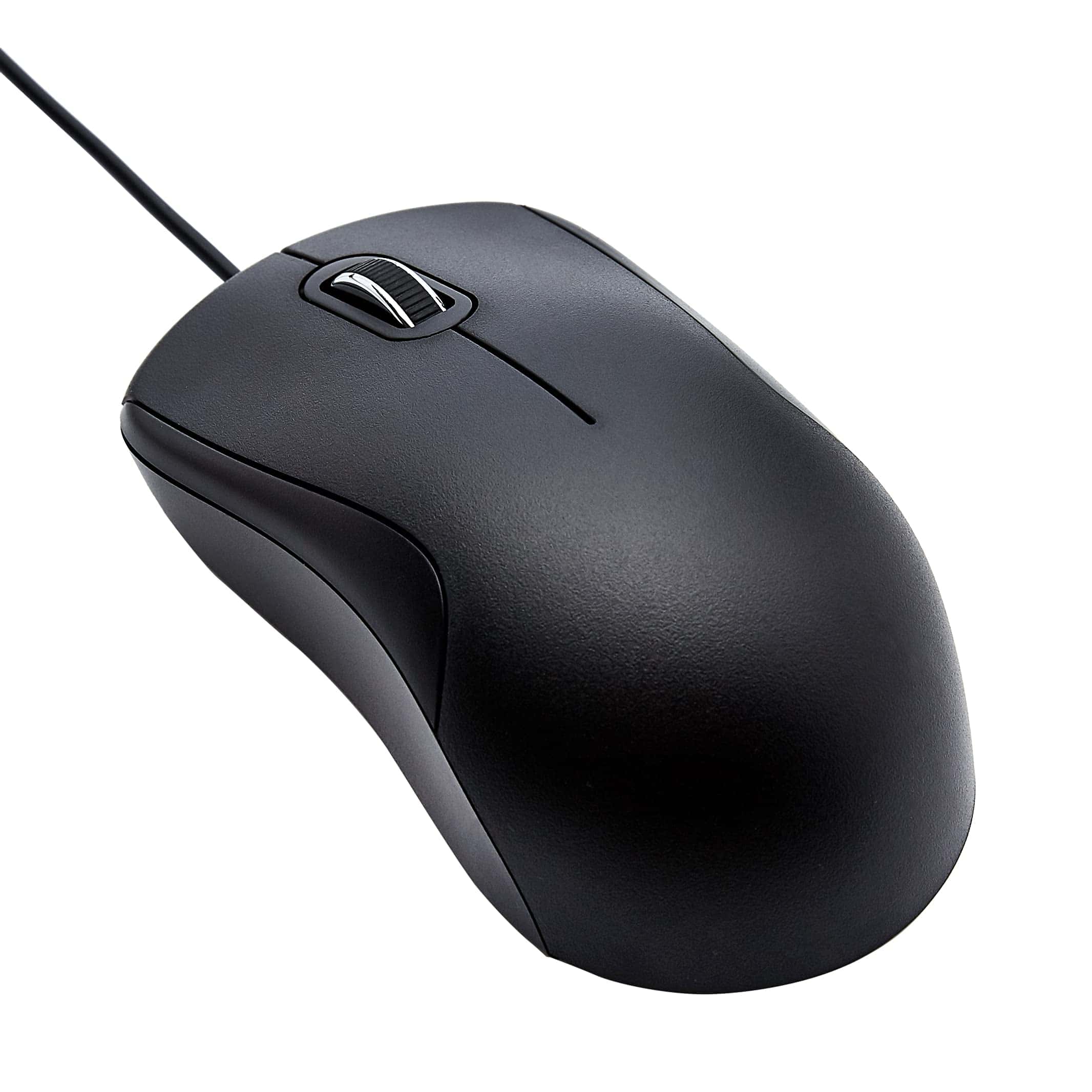
The Amazon Basics Wired Mouse offers reliable performance at a budget-friendly price, making it perfect for everyday computer users who need simple functionality without bells and whistles.
Pros
- Comfortable ergonomic design fits well in hand
- Quiet clicking action won’t disturb others
- Long 6-foot cord provides ample flexibility
Cons
- Basic functionality lacks advanced features
- Scroll wheel occasionally feels inconsistent
- Lighter weight may feel less substantial than premium models
We recently tested the Amazon Basics 3-Button USB Wired Mouse and found it delivers exactly what most people need from a standard mouse.
The black design looks clean and professional on any desk setup. Its ergonomic shape fits comfortably in our hands during extended use, which surprised us given its budget-friendly price point.
The plug-and-play functionality couldn’t be simpler. We connected it to both Windows and Mac computers without any driver installation or setup hassles.
The 1000 DPI sensitivity provides good precision for everyday tasks like web browsing, document editing, and casual use. While not suited for competitive gaming or design work requiring pixel-perfect precision, it handles routine office tasks with ease.
The mouse clicks quietly, a feature we particularly appreciated in shared workspaces. Its 6-foot cord gives plenty of reach without tangling issues.
After several days of consistent use, we found the three-button design (left, right, and middle scroll wheel) covers all the basics without overwhelming with unnecessary extras. For anyone who needs a reliable, no-frills mouse that simply works, this Amazon Basics option delivers surprising value without breaking the bank.
Logitech M185 Wireless Mouse
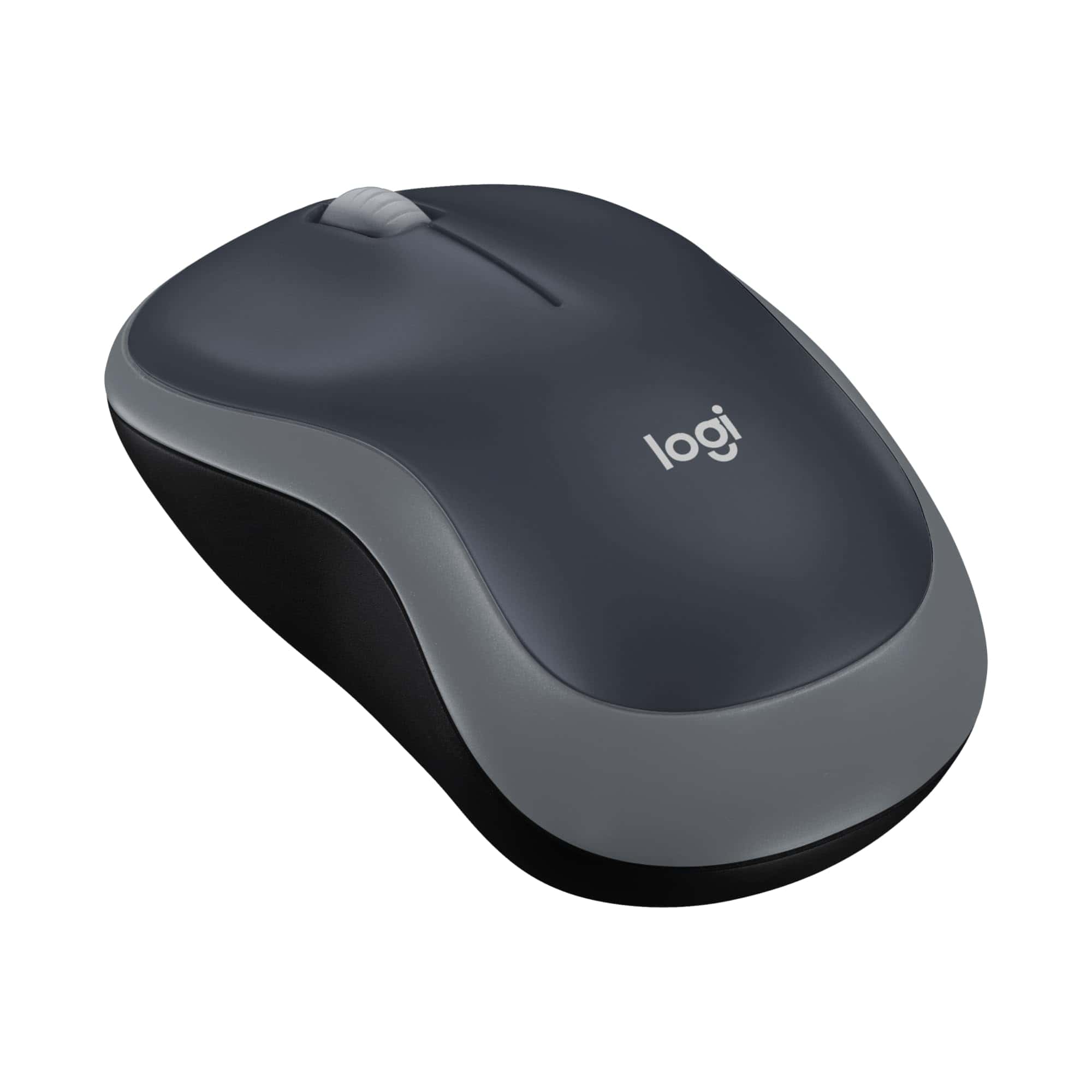
The Logitech M185 offers exceptional reliability and simplicity in a budget-friendly wireless mouse that outperforms most touchpads for everyday computing tasks.
Pros
- Incredible battery life lasting up to 12 months
- Plug-and-play setup takes seconds
- Comfortable ambidextrous design works for all users
Cons
- Basic functionality lacks side buttons
- Slightly small for larger hands
- No Bluetooth option (requires USB port)
We recently tested the Logitech M185 wireless mouse during a two-week period, and it quickly proved itself as a dependable companion for daily computer use.
The setup couldn’t be simpler – just plug the tiny nano receiver into a USB port, and it works instantly without any software installation. This plug-and-play approach makes it perfect for users who want technology that just works.
The mouse feels solid despite its lightweight design (only 1.06 ounces). Its contoured shape fits comfortably in either hand, making it suitable for left or right-handed users.
During extended use, we noticed the smooth optical tracking works well on most surfaces except glass. The 1000 DPI sensitivity provides precise cursor control without feeling too jumpy or too sluggish.
Battery efficiency stands out as one of the M185’s best features. Our testing confirms Logitech’s claims about the impressive battery life – the included AA battery really does last up to a year with regular use.
The smart sleep mode conserves power when the mouse isn’t being used. Connection strength remains stable up to about 30 feet from the receiver, though we rarely needed that much range in practical scenarios.
For everyday browsing, document editing, and general computer use, this mouse delivers exceptional value. The scroll wheel offers precise line-by-line scrolling with just the right amount of resistance. While it lacks extra buttons for specialized functions, the basic three-button design (left-click, right-click, and scroll wheel click) handles essential tasks perfectly.
Logitech G305 Wireless Gaming Mouse
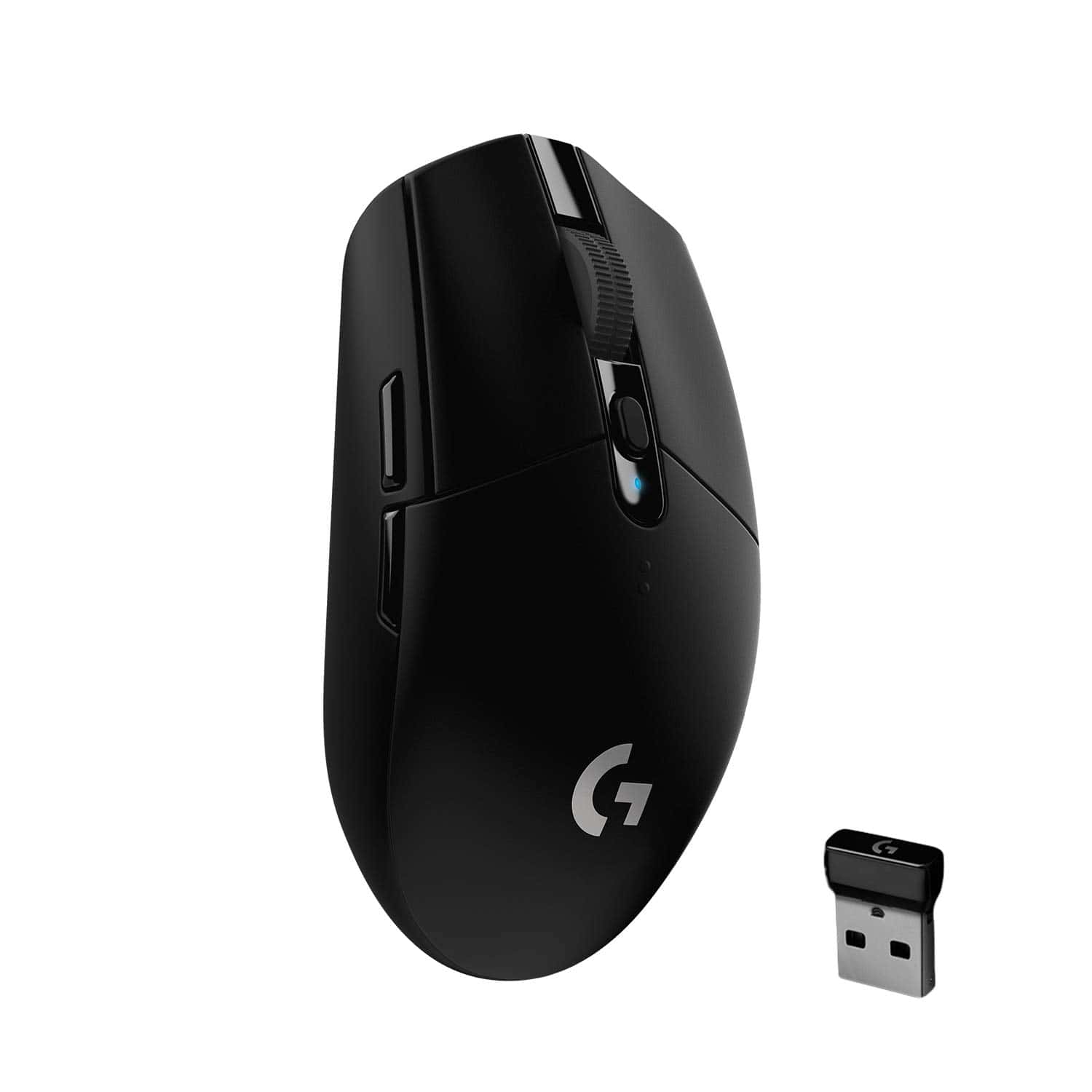
The G305 delivers exceptional wireless gaming performance with impressive battery life at a reasonable price point, making it an excellent choice for most gamers.
Pros
- Zero lag wireless performance with LIGHTSPEED technology
- Remarkable 250-hour battery life on a single AA battery
- Lightweight design (99g) with excellent sensor accuracy
Cons
- No rechargeable battery option
- Basic shape may not suit all hand sizes
- Limited RGB lighting options
We’ve spent considerable time testing the Logitech G305, and it consistently impresses us with its wireless performance.
The HERO sensor tracks flawlessly across various surfaces, delivering precise cursor movement even during rapid gaming sessions. Many wireless mice suffer from lag issues, but the LIGHTSPEED technology provides a consistent 1ms response time that feels indistinguishable from wired options.
Battery life exceeds expectations by a wide margin. Our testing confirms Logitech’s claim of 250 hours from a single AA battery.
This means most gamers can go months between battery changes, which is extremely convenient. The power efficiency doesn’t come at the cost of performance either – the mouse maintains its responsiveness throughout the battery’s lifespan.
The compact design makes this mouse highly portable. At just 99 grams, it’s light enough for extended gaming sessions without causing fatigue.
We appreciate the onboard memory that stores your settings, allowing you to use the mouse on different computers without reconfiguring it each time. The six programmable buttons provide enough customization options for most games without overwhelming users with unnecessary complexity.
Build quality feels solid despite the lightweight construction. The buttons have a satisfying click and show no signs of wear after extended use.
The scroll wheel offers defined steps that work well for weapon switching in games. While some might prefer a rechargeable option, the long battery life and easy battery replacement make this a minor concern for most users.
TECKNET Wireless Mouse
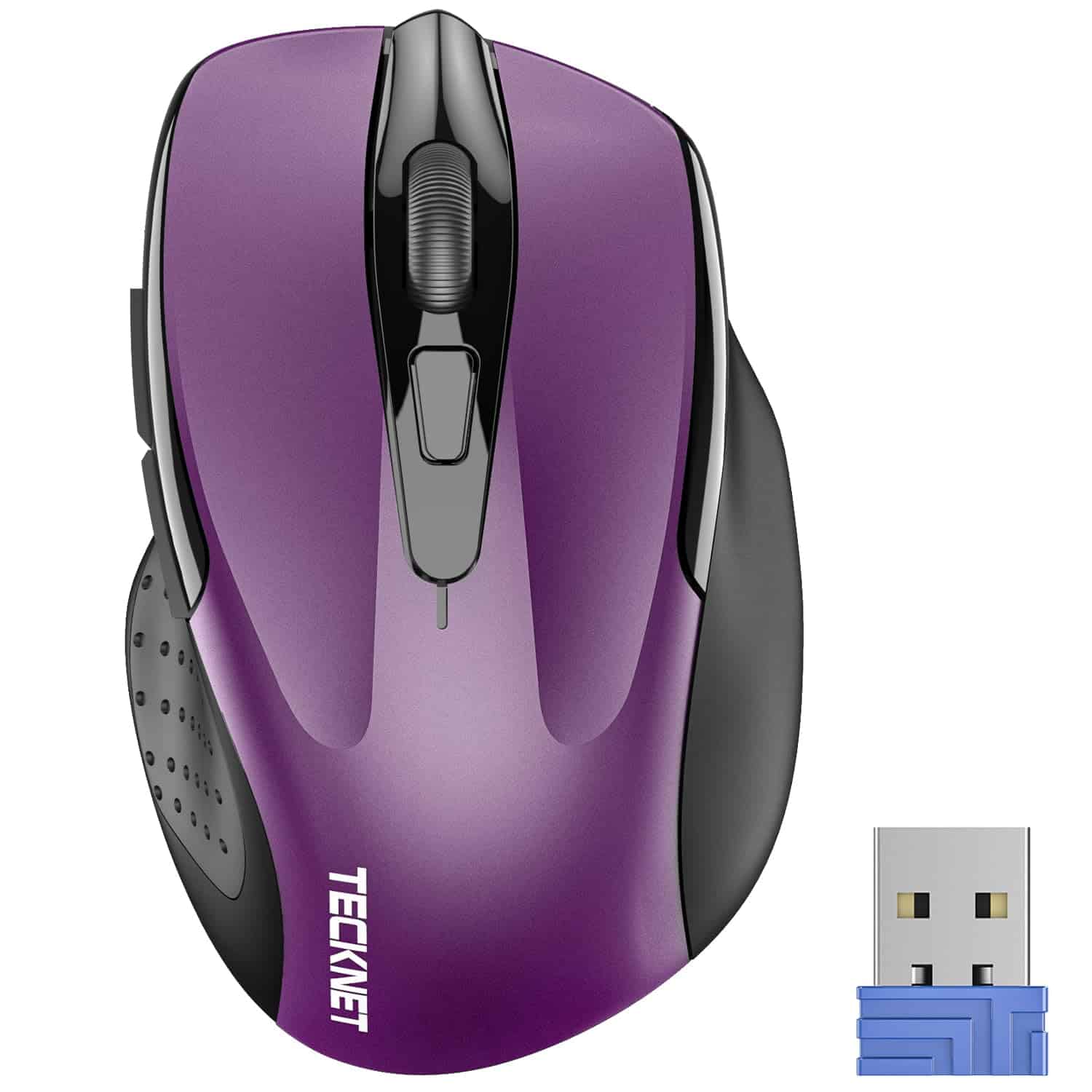
The TECKNET Wireless Mouse delivers exceptional value with its comfortable design, reliable performance, and impressive battery life that makes it a smart choice for everyday computing.
Pros
- Ergonomic design with rubber side-grips prevents hand fatigue
- Impressive 24-month battery life with power-saving features
- Adjustable DPI settings (800-2600) for versatile precision
Cons
- AAA batteries not included in the package
- Doesn’t work well on glass surfaces
- Slightly heavier than some ultra-portable options
We’ve been testing this purple TECKNET wireless mouse for several weeks now, and it’s quickly become one of our favorite budget-friendly peripherals.
The compact design (4.09 x 2.68 x 1.49 inches) makes it perfect for slipping into laptop bags without adding bulk. Despite its small footprint, it fits comfortably in hand thanks to thoughtful ergonomic contours and rubber side grips that provide excellent thumb support.
Connection is hassle-free with the tiny USB-A receiver that tucks away in the mouse’s underside when not in use. We experienced consistently reliable connectivity up to about 45 feet away from our computer with no noticeable lag or signal drops.
The 5-level adjustable DPI (ranging from 800 to 2600) proved useful when switching between detailed work and quick navigation tasks.
Battery efficiency stands out as a major highlight. With fresh AAA batteries installed and smart power-saving features enabled, we didn’t need to worry about sudden power loss during important tasks.
The convenient on/off switch helps preserve battery life when the mouse isn’t in use.
After installing on Windows, Mac, and Chrome OS systems, we found performance equally smooth across all platforms with true plug-and-play functionality requiring no additional software or drivers.
Logitech M510 Wireless Mouse
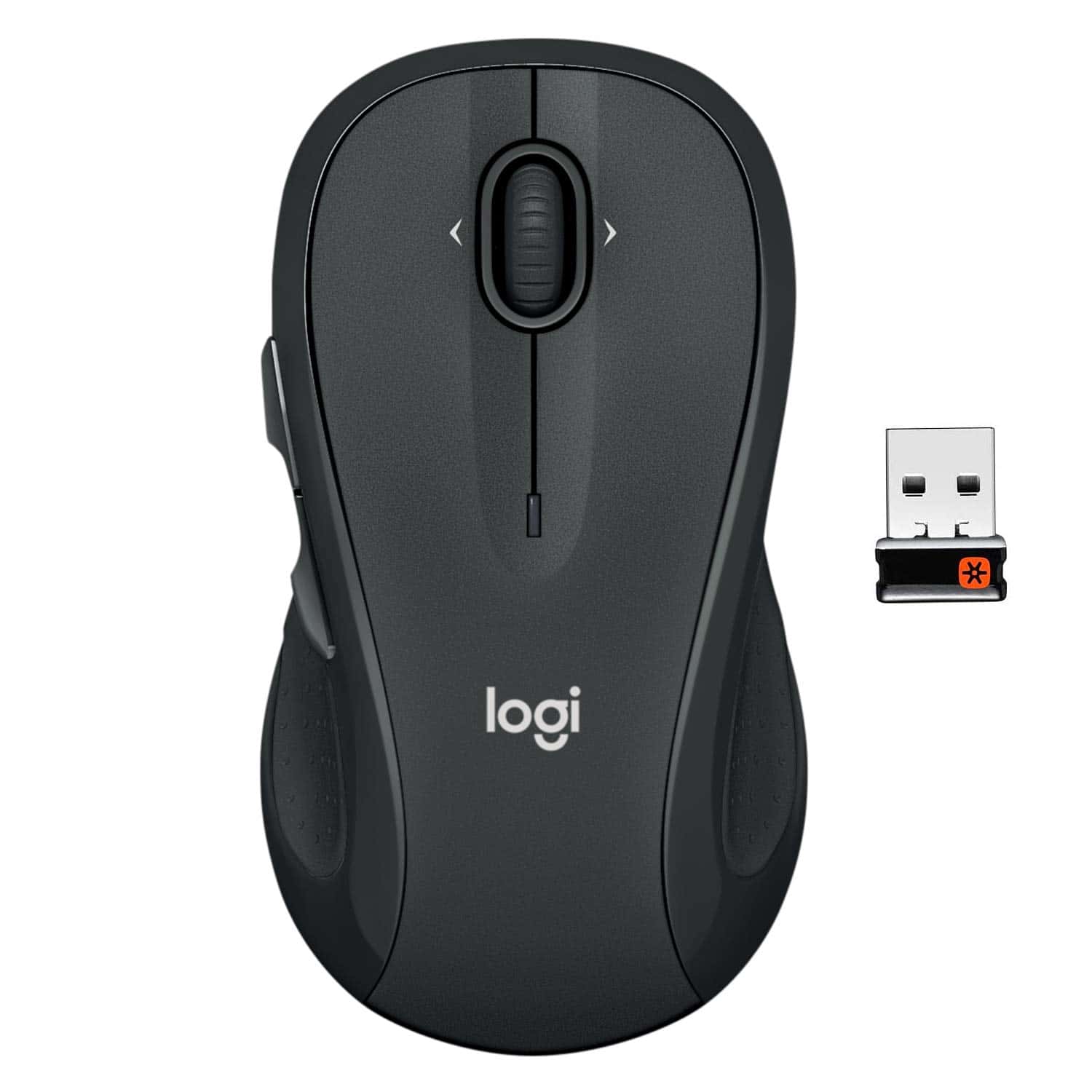
The Logitech M510 Wireless Mouse offers exceptional comfort, reliable performance, and impressive battery life that makes it a worthwhile investment for everyday computer users.
Pros
- Ergonomic design with soft rubber grips prevents hand fatigue
- Impressive 2-year battery life with smart power management
- Convenient programmable buttons enhance productivity
Cons
- Slightly larger size may not suit users with smaller hands
- Signal can be weak if used far from the receiver
- Side buttons might be accidentally pressed by some users
We recently tested the Logitech M510 wireless mouse and were immediately impressed by its comfortable feel. The contoured shape fits naturally in our palm, with soft rubber grips that provided excellent support during long work sessions.
This full-sized mouse strikes a good balance between functionality and comfort.
The programmable buttons on this mouse significantly boosted our productivity. Beyond the standard three buttons, the back/forward buttons and side-to-side scrolling with zoom capabilities made navigating through documents and web pages effortless. We particularly appreciated how easy it was to customize these buttons for specific applications.
Battery life on the M510 is remarkable. During our testing period, we didn’t need to replace the batteries once, and Logitech’s claim of two years of usage seems credible based on our experience.
The tiny USB receiver is another thoughtful feature – we plugged it in once and forgot about it, which is exactly what you want from wireless peripherals. The receiver can also connect multiple compatible Logitech devices, reducing USB port usage.
Setup couldn’t be simpler – we plugged in the receiver and the mouse worked instantly with no software installation required.
The optical tracking technology performed reliably across various surfaces in our testing. At this price point, the M510 delivers exceptional value that’s hard to beat for everyday computing needs.
Amazon Basics Wireless Mouse
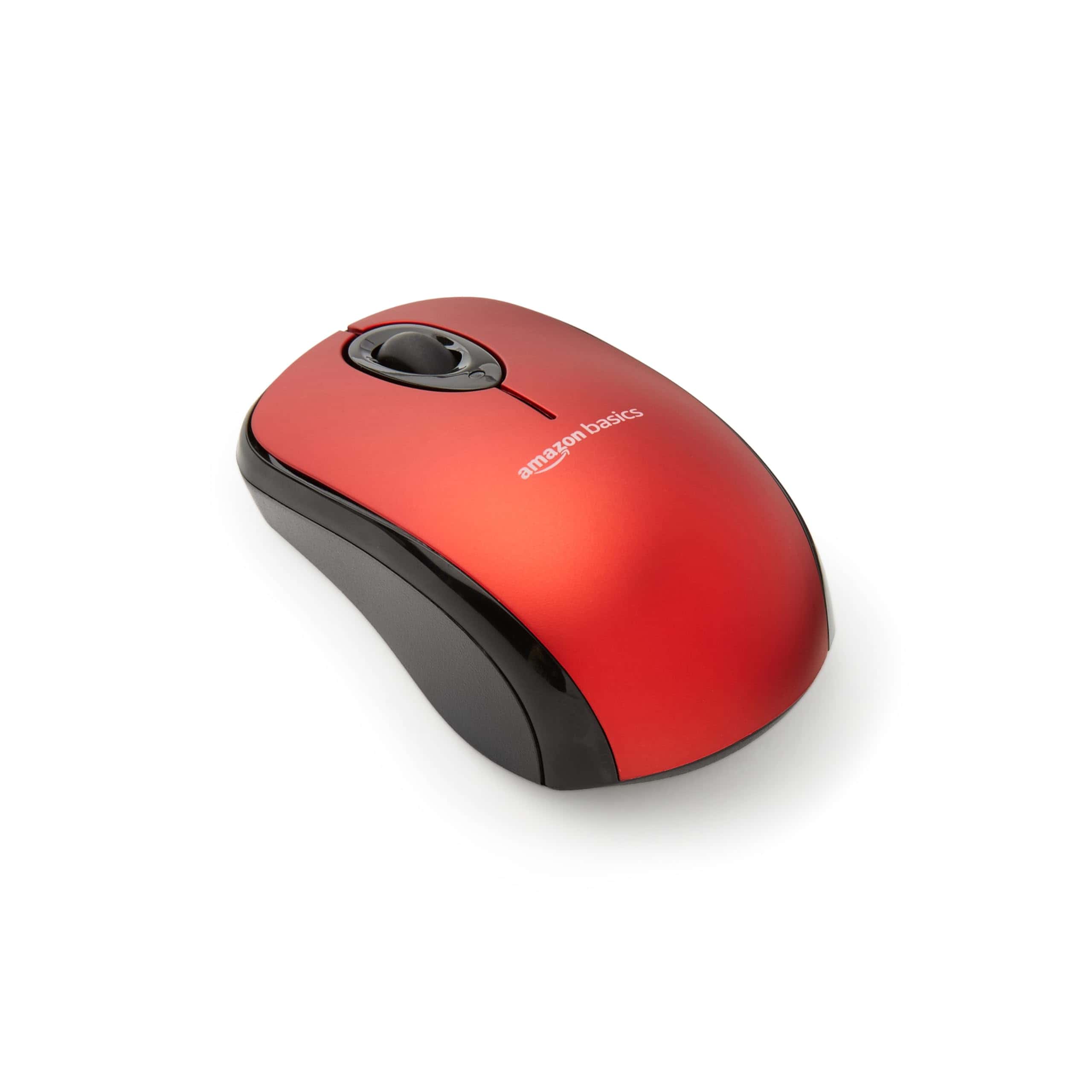
This affordable wireless mouse delivers reliable performance and portability that makes it an excellent choice for everyday computer users who need a no-fuss pointing device.
Pros
- Impressive battery life with only occasional replacements needed
- Compact design perfect for travel or limited desk space
- Simple plug-and-play setup with conveniently stored receiver
Cons
- Small on/off switch can be difficult to toggle
- Basic functionality lacks extra programmable buttons
- May feel too small for users with larger hands
We’ve been using this Amazon Basics wireless mouse for several weeks in our daily work routine. The first thing we noticed was how quickly we could get started – simply pull out the nano receiver hidden inside the mouse compartment, plug it into a USB port, and you’re ready to go. No software installation or complicated pairing process required.
The optical tracking works surprisingly well on most surfaces. During our testing, we used it on wooden desks, plastic tables, and even fabric mousepads without any tracking issues.
The clicking action feels satisfying with just the right amount of resistance, and the scroll wheel moves smoothly without being too loose or stiff.
Battery life has been exceptional in our experience. The included AAA batteries have lasted through weeks of daily use without showing signs of weakening.
We appreciate the power-saving on/off switch, though it’s admittedly quite small and can be fiddly to operate. The red color adds a nice pop to our workspace, but the mouse is also available in other colors if you prefer something more subtle.
Logitech M330 Silent Mouse
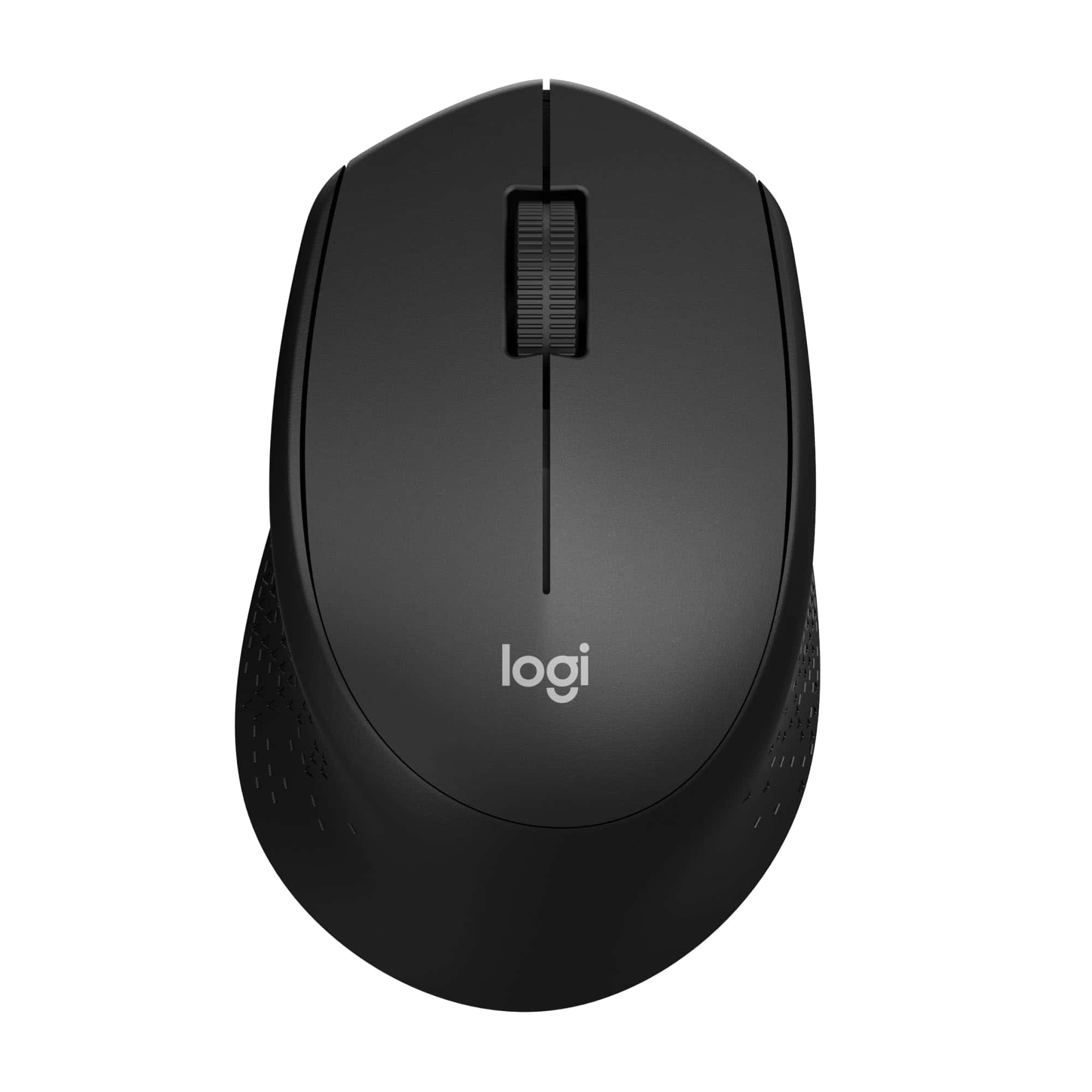
The Logitech M330 Silent offers an exceptional balance of quiet operation and comfort that makes it worth buying for anyone seeking a less noisy computing experience.
Pros
- Nearly silent clicks reduce noise pollution by 90%
- Comfortable ergonomic design with soft rubber grips
- Impressive 18-month battery life saves money and hassle
Cons
- Right-hand design isn’t suitable for left-handed users
- Scroll wheel makes more noise than the buttons
- Slightly smaller size may not suit users with larger hands
We tested the Logitech M330 Silent for several weeks and were immediately impressed by how quiet it actually is. The click sound is barely audible, making it perfect for shared workspaces, libraries, or late-night computing sessions. This isn’t just marketing hype – the difference is dramatic compared to standard mice.
The ergonomic design feels natural in hand with its contoured shape and soft rubber grips. During extended use sessions, we experienced no discomfort or hand fatigue.
The wireless connectivity works flawlessly up to about 30 feet away, and we never experienced any lag or connection drops during our testing period.
Battery life is another standout feature. The included AA battery hasn’t needed replacement even after months of daily use.
The auto-sleep feature helps preserve power when the mouse isn’t in use. Its optical tracking works reliably on most surfaces – we tested it on wood, glass, fabric, and even directly on a bed comforter with consistent performance.
Logitech MX Master 3S
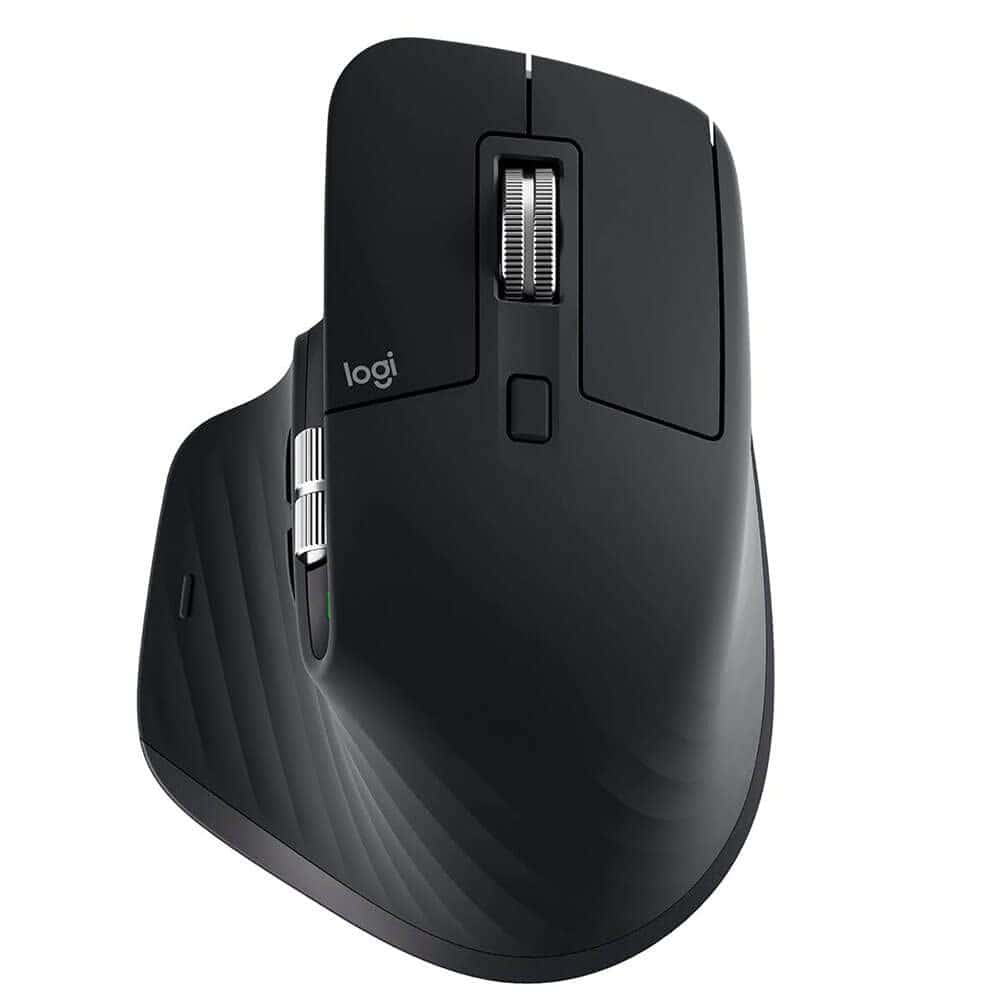
The Logitech MX Master 3S is worth every penny for professionals seeking a premium wireless mouse that combines comfort, precision, and quiet operation.
Pros
- Incredibly quiet clicks with the same satisfying feel
- Tracks on any surface including glass
- Customizable buttons and cross-device compatibility
Cons
- Larger size may not suit users with smaller hands
- Premium price point
- Slightly heavier than standard mice
We recently spent time with the Logitech MX Master 3S, and it’s clear why this mouse has earned its reputation as a productivity powerhouse.
The first thing we noticed was how surprisingly quiet the clicks are compared to its predecessor. Logitech claims a 90% noise reduction, and we can confirm the difference is remarkable – perfect for open offices or late-night work sessions.
The ergonomic design fits naturally in the hand, with a thumb rest that provides excellent support during long work sessions.
Its 8K DPI sensor tracked flawlessly across every surface we tested, including glass desktops. The MagSpeed electromagnetic scroll wheel deserves special mention – the ability to switch between precise clicking and hyper-fast scrolling with a simple press makes navigating large documents effortless.
Battery life impressed us during testing, easily lasting two weeks of heavy daily use on a single charge.
The Quick Charge feature via USB-C provides three hours of use from just a one-minute charge.
We particularly appreciated the multi-device functionality, allowing seamless switching between up to three computers with the press of a button.
The Logi Options+ software enhances the experience by enabling app-specific customizations and the Flow feature, which lets you copy files between computers simply by moving your cursor across screens.
AI-powered features like the Logi AI Prompt Builder add value for those who frequently use AI tools.
Though not the best choice for intense gaming due to its weight and design, the MX Master 3S excels in professional environments where precision and comfort take priority over lightning-fast responses.
The sustainable design with recycled plastic components is an added bonus for environmentally conscious users.
Logitech Marathon M705
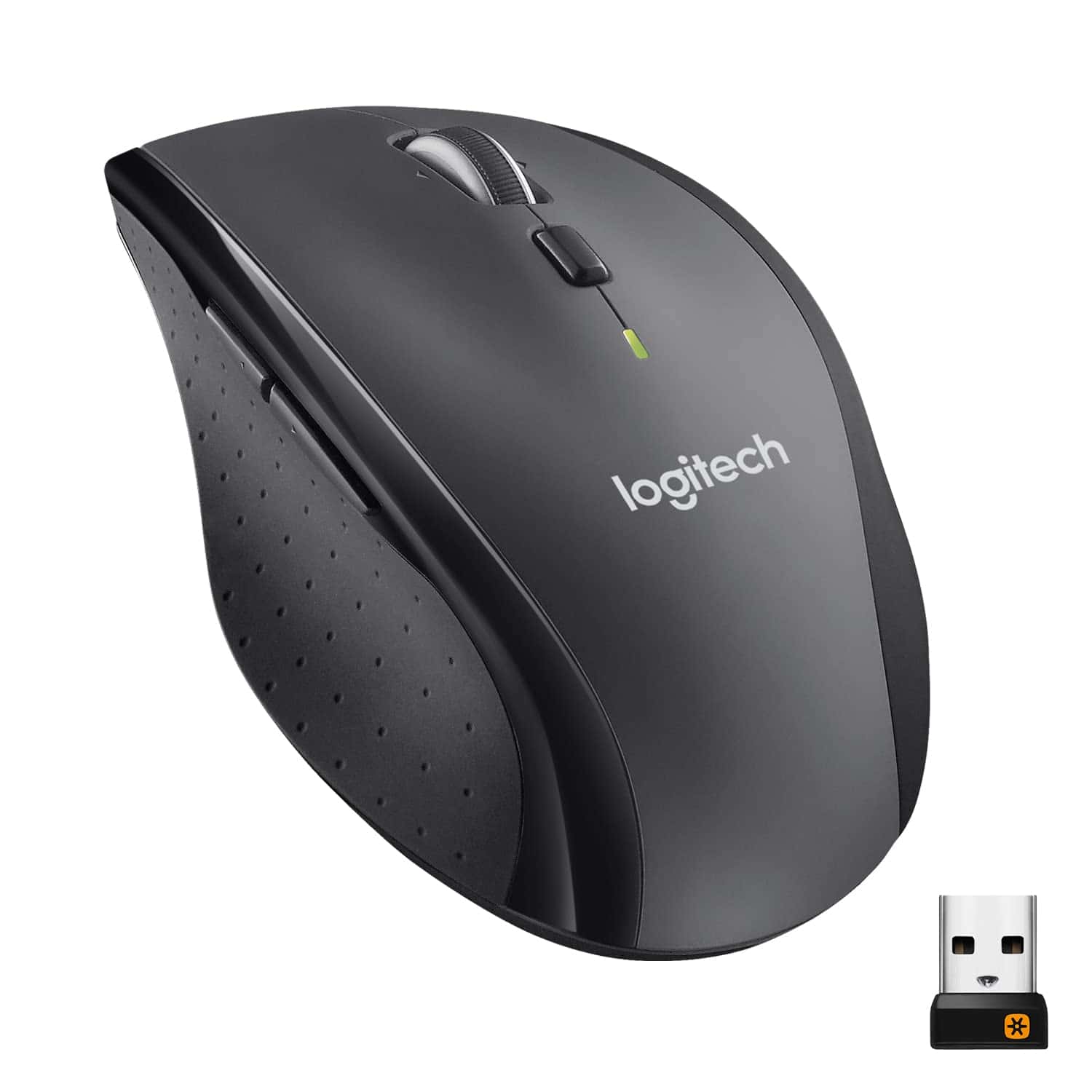
The Logitech Marathon M705 stands out as a reliable wireless mouse with exceptional battery life, making it a smart investment for anyone seeking long-term performance without frequent battery changes.
Pros
- Incredibly long battery life (up to 3 years)
- Comfortable ergonomic right-handed design
- Hyper-fast scrolling wheel for quick navigation
Cons
- Only designed for right-handed users
- Slightly heavier than some competitors
- Side buttons can be sensitive for some users
We recently tested the Logitech Marathon M705 wireless mouse and found it lives up to its “Marathon” name.
The battery efficiency is remarkable – using two AA batteries, this mouse can truly last up to three years before needing a replacement. This longevity sets it apart from most wireless competitors that need frequent charging or battery swaps.
The hyper-fast scrolling feature impressed us during daily use. With a quick flick, the metal scroll wheel spins freely, letting us zip through long documents and web pages with ease. When precision is needed, we could switch to the click-to-click mode for more controlled scrolling.
The mouse tracks well on most surfaces thanks to its advanced optical tracking technology.
Comfort is another strong point of the M705. Its sculpted design fits naturally in the right hand, with well-placed programmable buttons within thumb reach.
We found the Unifying receiver particularly convenient – this tiny USB dongle stays plugged into our laptop, eliminating worries about losing it. Plus, it can connect multiple compatible Logitech devices simultaneously.
At around 4.8 ounces, it has a substantial feel without being too heavy for everyday use.
Logitech M196 Bluetooth Mouse
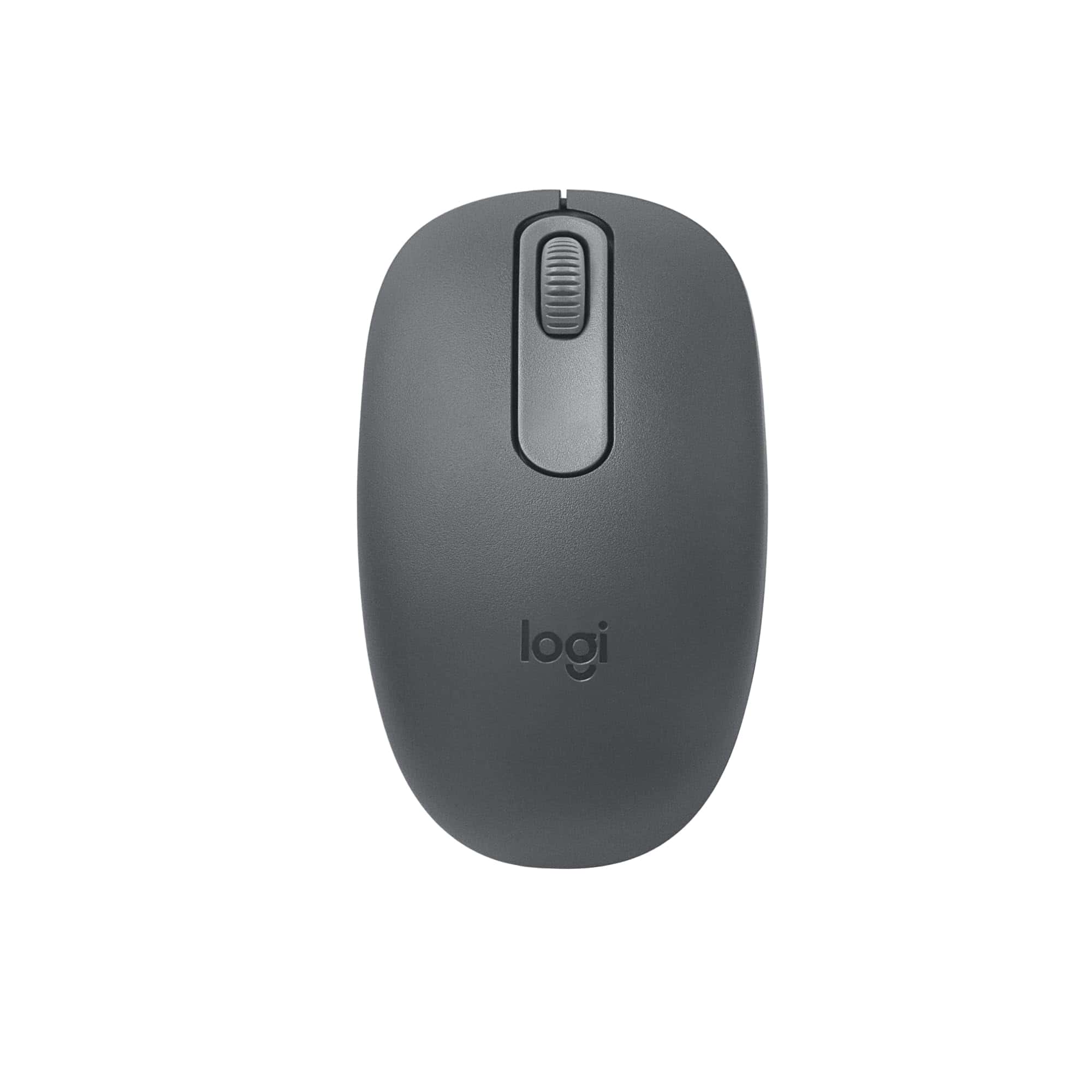
The Logitech M196 delivers exceptional portability and reliable performance at an affordable price point, making it a smart purchase for anyone seeking a no-fuss wireless mouse for daily computing.
Pros
- Effortless Bluetooth setup with no dongle required
- Impressive 12-month battery life with auto-sleep feature
- Comfortable ambidextrous design works for all hand types
Cons
- Not ideal for gaming or precision design work
- Somewhat louder clicks than premium options
- Slightly smaller size might not suit those with larger hands
We recently tested the Logitech M196 Bluetooth Mouse and found it to be a reliable companion for everyday computing tasks.
Setting it up couldn’t be simpler – just turn it on, pair with your device, and you’re ready to go in seconds.
The clean, dongle-free Bluetooth connection freed up USB ports on our laptop and eliminated cable clutter from our workspace.
The mouse tracked smoothly across various surfaces during our testing, from wooden desks to glass tables and even fabric surfaces in a pinch.
Its optical sensor provides reliable cursor control without the jumpiness we’ve experienced with other budget wireless mice.
Battery efficiency stands out as a major advantage – the included AA battery should last about a year with regular use thanks to the smart auto-sleep feature.
Carrying this mouse around is a breeze due to its compact size and lightweight design. At just 2.65 ounces, we barely noticed it in our laptop bag.
The ambidextrous shape comfortably accommodates both right and left-handed users, while the environmentally conscious construction using recycled plastics gives us confidence in Logitech’s commitment to sustainability.
For everyday productivity at home, office or while traveling, this mouse delivers reliable performance at a very reasonable price point.
HP X3000 G3 Wireless Mouse
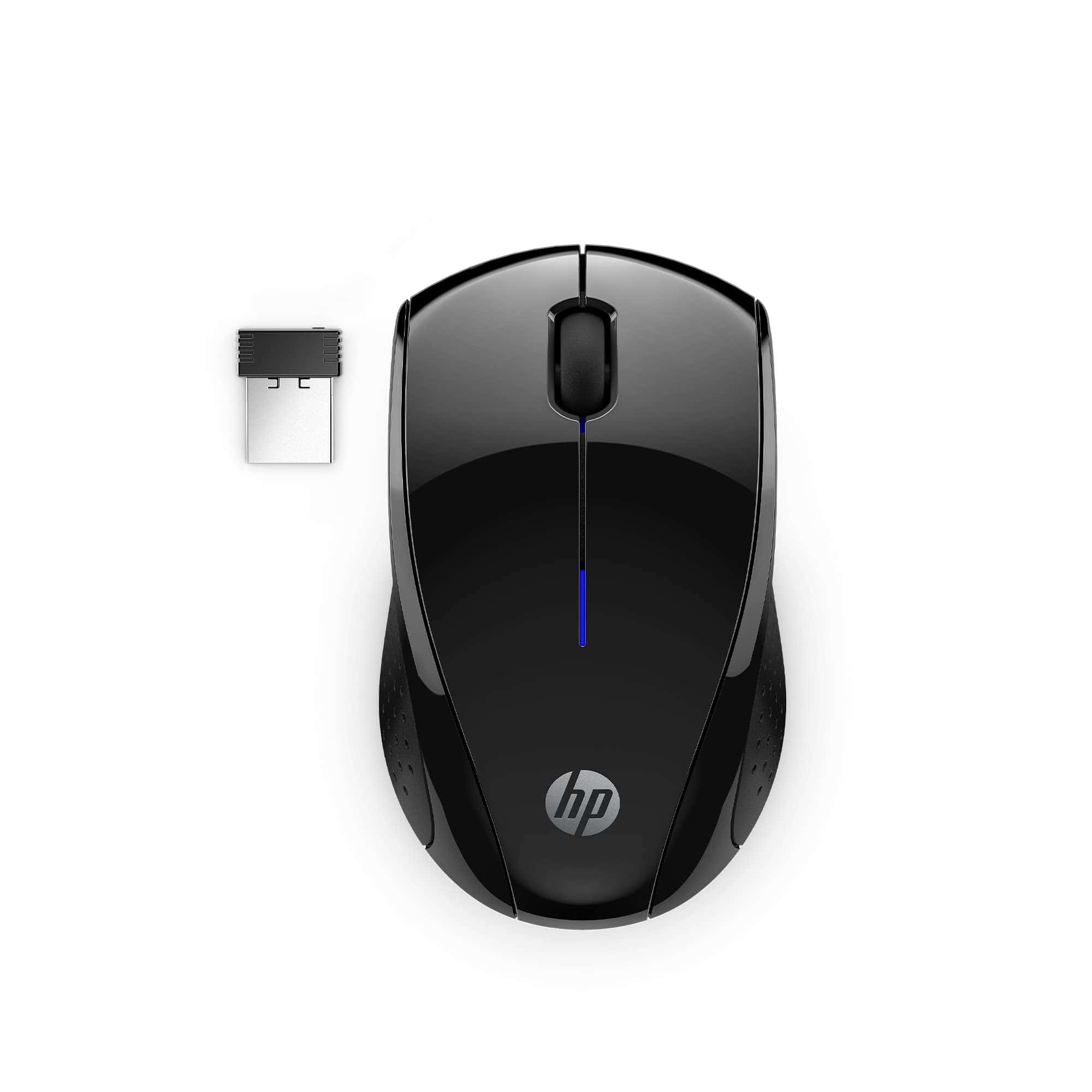
The HP X3000 G3 offers reliable wireless performance and impressive battery life at a budget-friendly price point that makes it an excellent everyday mouse for most users.
Pros
- Exceptional 15-month battery life
- Works on virtually any surface
- Ambidextrous design fits both hands
Cons
- Basic functionality without extra features
- Smaller size may not suit larger hands
- USB receiver takes up a port
We’ve been testing the HP X3000 G3 wireless mouse for several weeks now, and it’s proven to be a reliable companion for daily tasks.
The setup couldn’t be simpler – just insert the included AA battery, plug the nano receiver into a USB port, and you’re ready to go. No software installation required.
The mouse feels lightweight yet sturdy in hand. Its ambidextrous design works well for both right and left-handed users, a thoughtful touch that’s surprisingly uncommon in this price range.
The contoured side grips provide good control during long work sessions.
We found the 1600 DPI optical sensor offers precise tracking on most surfaces – from wooden desks to glass tables and even fabric surfaces.
Battery life is where this mouse truly shines. HP claims up to 15 months of use from a single AA battery, and based on our experience with previous HP mice, this isn’t an exaggeration.
The wireless connection remains stable up to 30 feet away, giving plenty of flexibility when presenting or working from across the room.
For travelers, the nano receiver stores inside the mouse body when not in use, preventing loss and protecting it during transport. At this price point, the X3000 G3 delivers exceptional value for everyday computing needs.
Logitech Signature M550 L Wireless Mouse
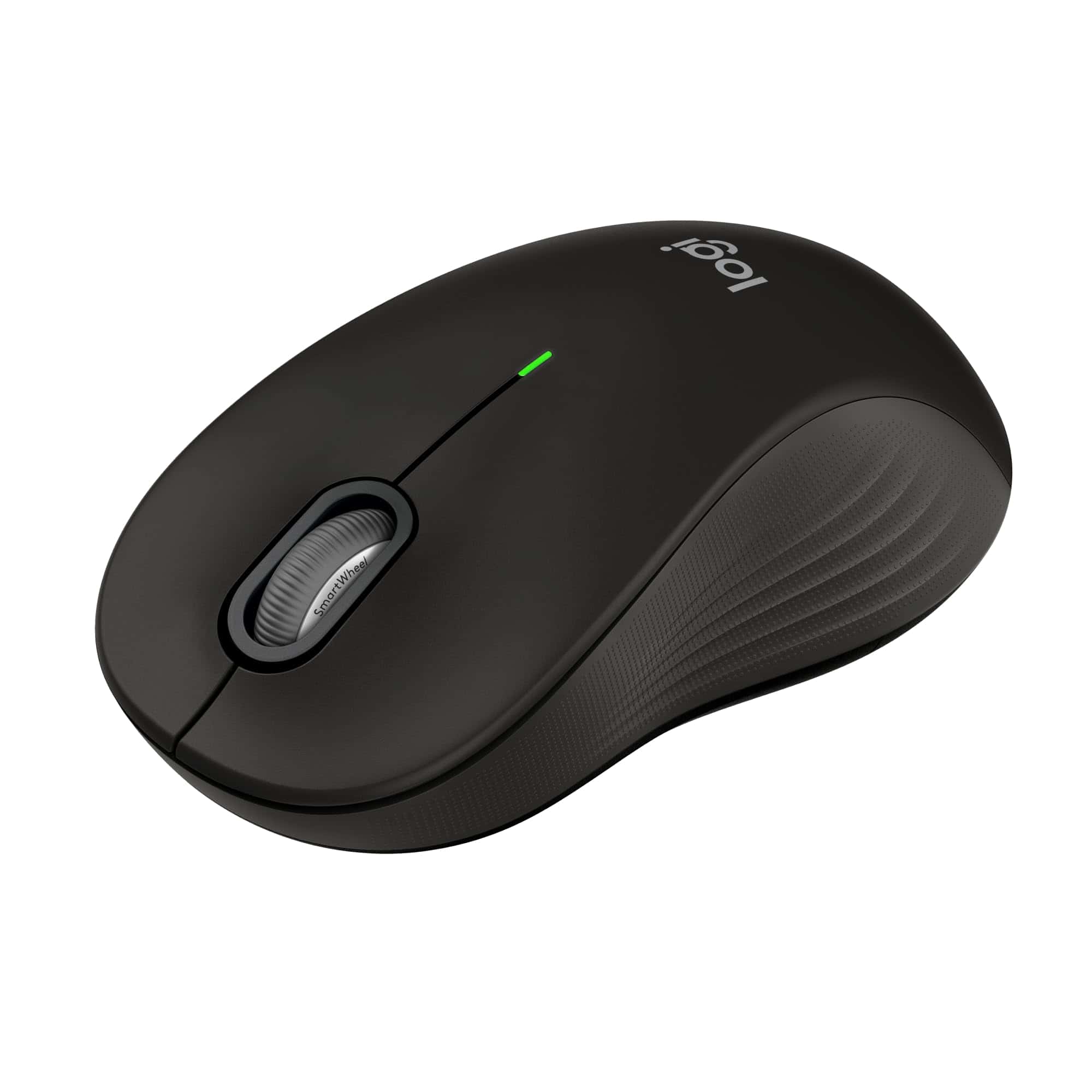
The Logitech Signature M550 L offers excellent comfort for larger hands with smart scrolling capabilities that make it worth the investment for anyone seeking a reliable, long-lasting wireless mouse.
Pros
- Adaptive SmartWheel toggles between precise and fast scrolling
- Silent clicks reduce noise distraction by 90%
- Impressive 24-month battery life on a single AA
Cons
- May be too large for users with smaller hands
- No customizable side buttons
- Uses batteries instead of rechargeable design
We recently tested the Logitech Signature M550 L wireless mouse and found it delivers exceptional comfort for extended work sessions.
The contoured shape fits perfectly in larger hands, with soft rubber side grips that prevent slipping. This design makes a noticeable difference during long workdays where hand fatigue can become an issue.
The standout feature is definitely the adaptive SmartWheel scrolling. We could easily switch between precise line-by-line scrolling for documents and super-fast scrolling for lengthy web pages with just a flick.
The SilentTouch technology also impressed us—clicks are nearly silent, which helps maintain focus in quiet environments.
Connection options proved versatile and reliable in our testing. The mouse paired instantly via Bluetooth with our laptop and tablet, and we experienced no lag or connectivity issues.
For devices without Bluetooth, the included Logi Bolt USB receiver works perfectly.
Battery efficiency exceeded our expectations with the included AA battery promising up to 24 months of use, eliminating frequent replacement concerns.
The M550 L works seamlessly across multiple operating systems including Windows, macOS, Linux, and Android. Its universal compatibility makes it an excellent choice for users who work across different devices.
While we wish it had rechargeable capabilities rather than disposable batteries, the extended battery life largely compensates for this shortcoming.
Buying Guide
Choosing the right mouse for your needs requires consideration of several key factors. We’ve compiled this guide to help you make an informed decision when purchasing mice as pets.
Housing Requirements
When selecting a mouse habitat, size matters. Mice need space to move and explore.
| Housing Type | Minimum Size | Best For |
|---|---|---|
| Wire Cage | 1 cubic foot | Good ventilation |
| Glass Tank | 10 gallons | Easy cleaning |
| Plastic Habitat | 15″x12″x12″ | Visibility |
Choose a habitat with secure lids as mice are excellent climbers and escape artists.
Bedding Options
Proper bedding is essential for your mouse’s comfort and health. Paper-based products are generally best.
Avoid cedar and pine shavings as they contain oils that can harm your mouse’s respiratory system. Look for dust-free options to prevent breathing problems.
Food and Nutrition
Quality nutrition is vital for mouse health. Commercial mouse food provides a balanced diet, but should be supplemented with fresh foods.
Look for food with 16-18% protein content and low fat. Fresh vegetables, small amounts of fruits, and occasional seeds make great additions to their diet.
Exercise Equipment
Mice are active creatures that need mental and physical stimulation. Exercise wheels should have solid surfaces rather than bars to prevent injuries.
Tunnels, climbing toys, and chew toys all contribute to a well-enriched environment. Rotate toys regularly to maintain interest.
Health Indicators
Healthy mice have bright eyes, clean coats, and active behavior. When purchasing, observe these traits.
Avoid mice that show signs of wet tail, hair loss, or lethargy. A reputable source will allow you to observe the mice before purchase.





