
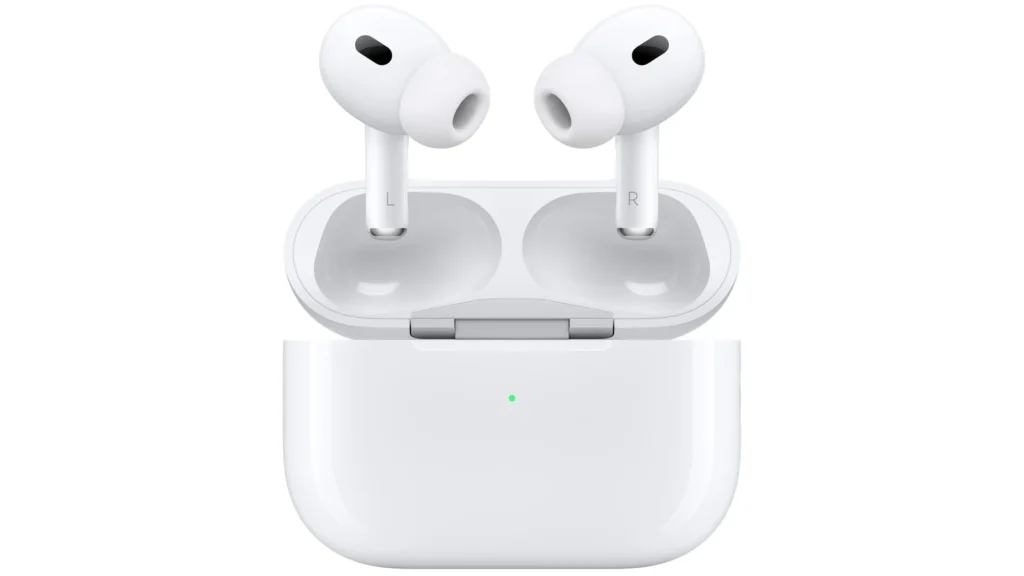
Adaptive transparency mode is a significant advancement in audio technology, particularly for Apple’s line of earbuds and headphones. This feature, available on devices like the AirPods Pro 2 and AirPods Max when paired with compatible Apple products, allows users to hear ambient sounds in their environment. It adjusts the intensity of these sounds in real-time, dampening harsh noises to protect the user’s hearing while maintaining awareness of their surroundings.
Apple’s implementation of adaptive transparency differs from standard noise control options. Traditional Active Noise Cancellation (ANC) creates a secluded audio experience by blocking out as much external sound as possible. In contrast, transparency mode lets environmental sound pass through to the listener. Adaptive transparency takes this a step further by dynamically adjusting to minimize the impact of sudden, loud noises without the need to manually switch between noise-control modes. It works seamlessly across a range of Apple devices, including the iPhone, iPad, Mac, and Apple Watch.
Compatibility with Apple’s ecosystem allows for a personalized audio experience. The feature uses the Apple H2 chip’s computational power coupled with outward-facing microphones to analyze and adapt to environmental noise. Users benefit from this technology in various scenarios, from engaging in conversations to navigating busy streets, making it not only a comfort feature but also a notable step forward in accessibility and personalized volume control.
What is Adaptive Mode?
Adaptive Mode (also called Adaptive Audio or Adaptive Noise Control) is a feature available on AirPods Pro (2nd gen) and AirPods 4 (with ANC).
It blends Active Noise Cancellation (ANC) and Transparency Mode to automatically adjust how much outside sound you hear.
- In quiet spaces → it leans toward Transparency so you stay aware.
- In loud environments → it increases Noise Cancellation to block distractions.
- It continuously adapts in real time to your surroundings.
(source: Apple Support, How-To Geek)
✅ Requirements
- AirPods Pro (2nd gen) or AirPods 4 (ANC model)
- iPhone or iPad running iOS 17 or later (or Mac with macOS Sonoma or later)
🎧 How to Turn On Adaptive Mode
On iPhone / iPad
- Connect your AirPods.
- Open Settings > tap your AirPods at the top.
- Under Noise Control, select Adaptive.
From Control Center
- Swipe down to open Control Center.
- Press and hold the Volume slider (with AirPods connected).
- Tap Noise Control → choose Adaptive.
On Mac
- Open System Settings > select your AirPods in the sidebar.
- Under Noise Control, enable Adaptive.
⚙️ How to Customize Adaptive Mode
You can fine‑tune how much outside sound is allowed in:
- On iPhone/iPad:
- Go to Settings > your AirPods.
- Adjust the Adaptive Audio slider to let in more or less ambient noise.
- On Mac:
- In System Settings, choose your AirPods.
- Use the Adaptive Audio slider.
(source: Apple Support)
🧠 Extra Features with Adaptive Mode
- Personalized Volume: Learns your listening preferences and adjusts automatically.
- Conversation Awareness: Lowers volume and enhances voices when you start speaking.
🎯 When to Use Adaptive Mode
- Commuting: Blocks train/bus noise but lets you hear announcements.
- Office / Café: Keeps you aware of coworkers or staff while reducing background chatter.
- Walking outside: Balances safety awareness with noise reduction.
👉 In short: Adaptive Mode is the “set it and forget it” option—no need to switch manually between ANC and Transparency.
Key Takeaways
- Adaptive transparency enables the hearing of ambient noise while reducing loud sounds.
- It represents an enhancement over traditional noise-control options, working dynamically.
- The feature is integrated with the Apple ecosystem for a consistent, personalized experience.
Innovations in Transparency and Noise Control
As technology advances, Apple’s AirPods Pro line continues to redefine how we interact with sound. Key updates in adaptive transparency enhance users’ audio experiences by responding dynamically to environmental conditions.
The Evolution of Adaptive Transparency
Adaptive Transparency Mode arrived with the second-generation AirPods Pro. It allows earbuds to lower loud external noises while letting in ambient sounds. This feature adjusts the sound based on what is happening around the user. Apple’s technology uses microphones to detect and then minimize unwanted noise.
Practical Applications and User Experience
In everyday use, Adaptive Transparency Mode proves particularly helpful during conversations. It enables clear hearing of speech without having to remove the AirPods. Users can switch between Transparency mode and Active Noise Cancellation with a simple press on the AirPod stem. This offers a balance between engaging with one’s surroundings and isolating from distracting noise.
Compatibility and Integration Across Apple Ecosystem
Apple ensures the Adaptive Transparency feature works seamlessly across devices. It includes the iPhone, iPad, Mac, and Apple Watch. Integration allows for easy control of settings from any connected device. Users can manage features via the Settings app on iOS, macOS, or iPadOS.
Optimizing AirPods for Hearing and Accessibility
AirPods go beyond just playing music. They now include features like Conversation Boost and Hearing Accommodations. These tools help people with varying degrees of hearing loss. Firmware updates include improvements in accessibility to make sure all users can enjoy their audio experience.
Comparative Analysis of Market Alternatives
While Apple leads with innovation, other industry leaders like Bose are also creating earbuds with ambient noise reduction. When compared, each brand offers unique features. AirPods stand out with their Adaptive Transparency Mode and integration within the Apple ecosystem.
Guiding Users Through Advanced Settings
Users can fine-tune their listening experience with the AirPods through advanced settings. These include the use of the slider for Active Noise Cancellation intensity in the Control Center. For tech-savvy individuals or users with specific needs, these settings enhance the user’s control over their audio environment.
Looking Forward: Trends and Future Developments
Going forward, trends suggest that earbuds will become more adaptive to individuals’ needs. Expected improvements to Adaptive Transparency Mode may include even more personalized controls. They could adapt to the intensity of environmental noise and spoken words. The promise of future updates keeps Apple at the forefront as an industry leader in personal audio technology.





