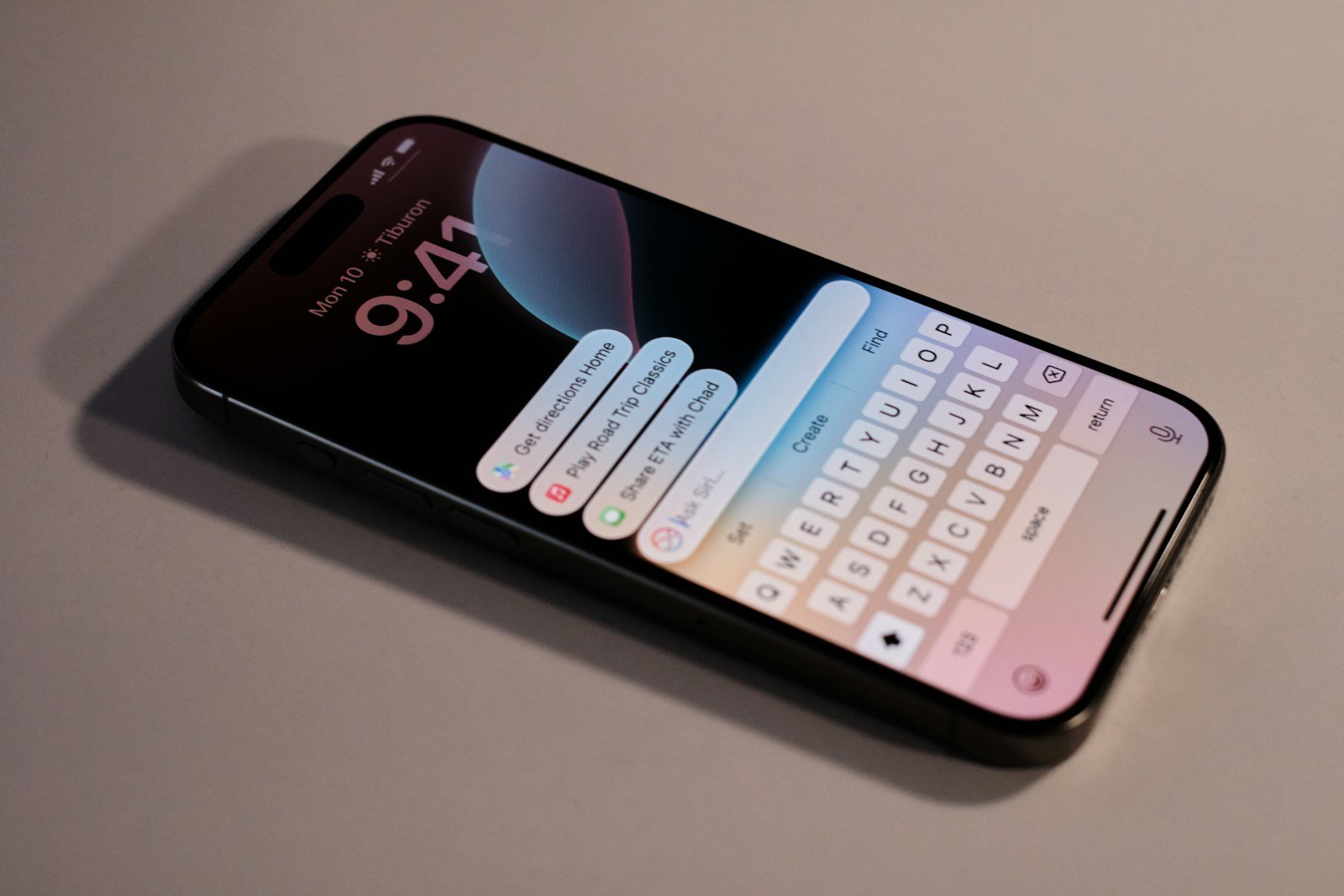
Apple’s iOS 26 marks one of the biggest leaps forward in the company’s history, introducing a deeply integrated suite of artificial intelligence tools under the banner of Apple Intelligence. With these new features, iPhones are becoming more context-aware, expressive, and helpful than ever before.
What Is Apple Intelligence?
Apple Intelligence is Apple’s take on generative AI — a system designed to understand your context, assist with tasks, and enhance creativity while maintaining the company’s strong stance on privacy. It’s built directly into iOS 26, iPadOS 26, and macOS Sequoia, and leverages both on-device processing and Private Cloud Compute for secure AI operations.
Only select devices, including the iPhone 15 Pro, iPhone 15 Pro Max, and all iPhone 17 models, support Apple Intelligence due to the advanced hardware requirements of the A17 Pro and newer chips (MacRumors).
✨ Top New AI Features in iOS 26
1. Writing Tools Across the System
Apple Intelligence introduces system-wide writing tools that help you rewrite, proofread, and summarize text in apps like Mail, Notes, and Safari. Whether you’re polishing an email or summarizing a webpage, these tools adapt to your tone and intent.
2. Smart Notifications & Priority Messages
AI now automatically sorts notifications and messages by importance. For example, it can highlight urgent texts or emails while minimizing distractions — perfect for staying focused during work or downtime (ZDNet).
3. Visual Intelligence
Using on-screen context, Visual Intelligence can identify and extract information from images, such as phone numbers, addresses, or product details. You can also ask Siri to “add this address to my contacts” directly from a photo (iThinkDiff).
4. Genmoji and Image Playground
Apple’s new Genmoji feature lets users create personalized emojis generated from text prompts — for example, “a koala wearing sunglasses.” The Image Playground app expands this further, allowing you to generate fun, stylized images in seconds (9to5Mac).
5. Siri Gets Smarter (and More Natural)
Siri is now powered by Apple Intelligence, making it more conversational and contextually aware. You can type or speak to Siri interchangeably, and it can understand references like “show me that photo John sent last week.” It can even summarize notifications or documents on the fly (TechRadar).
6. Live Translation and Context Awareness
The new Live Translation feature can interpret conversations in real-time, both in text and audio form. Combined with Apple Intelligence, it can also summarize what was said or provide cultural context — ideal for travelers and multilingual users.
7. Privacy-Preserving AI
Apple emphasizes that all AI processing happens on-device whenever possible. When cloud resources are needed, the system uses Private Cloud Compute, ensuring that no personal data is stored or accessible to Apple (Apple Support).
📱 Compatible Devices
Apple Intelligence and most AI features in iOS 26 are available on:
- iPhone 15 Pro and 15 Pro Max
- iPhone 16 and 16 Pro models
- iPhone 17 lineup
Older devices will still get iOS 26’s new design and performance updates but won’t support the full Apple Intelligence suite.
🧩 Final Thoughts
With iOS 26, Apple is redefining what “smart” means in a smartphone. The integration of Apple Intelligence brings generative AI into everyday tasks — writing, communication, creativity — while preserving privacy and simplicity. It’s not just a new version of iOS; it’s the beginning of a new era for iPhone users.
Sources:
AI Features Coming to iOS 18
iOS 18 promised to revolutionize how we use our iPhones with an impressive array of new AI features. This update aims to make your iPhone more personal, capable, and intelligent than ever before. With the fierce competition from Google and Microsoft, Apple is now doubling down on artificial intelligence to stay ahead.
iOS 18 introduces several AI-powered features that enhance personalization. Users can now arrange apps and widgets freely on their Home Screen. There are also new messaging options and smart tools integrated across the system. The Photos app has undergone a major redesign, making it easier and smarter to manage your pictures.
Besides new features, privacy remains a top priority. Apple Intelligence leverages the power of Apple silicon for tasks while setting new standards for privacy. This blend of AI and enhanced privacy creates a seamless and secure experience for users across all Apple devices, from iPhone to Mac.
The integration of Artificial Intelligence (AI) in iOS 18 is a major update, with Apple introducing a new system called Apple Intelligence designed to enhance usability, personalization, and productivity across the operating system.
Here is a comprehensive guide to the key AI features coming to iOS 18:
Apple Intelligence: The Core AI System
Apple Intelligence is the name for the generative AI and machine learning features deeply integrated into iOS 18. It is designed to be personal, relying on your device’s context (emails, messages, photos, calendar, etc.) to perform tasks.
A key feature is Private Cloud Compute, which allows Apple to use larger, server-based models running on dedicated Apple silicon servers for more complex tasks while maintaining a strong commitment to user privacy.
I. Smarter Siri and System-wide Actions
Siri has received a major overhaul, making it more capable, natural, and personal:
- New Look and Interaction: Siri features a new visual design with a glowing light around the edge of the screen when active. You can now Type to Siri at any time and switch fluidly between voice and text.
- Personal Context: Siri can draw on your personal data (emails, photos, messages) to understand and fulfill requests. For example, you can ask a question like, “Show me the photos my wife sent me from the Hawaii trip.”
- On-Screen Awareness: Siri can understand what is currently on your screen and use that context to take action. For instance, if a friend texts you their new address, you can say, “Add this address to their contact card,” and Siri will do it.
- Actions in Apps: Siri can take action in and across apps, like asking it to enhance a photo and then dropping it into a specific note.
- ChatGPT Integration: Siri can tap into ChatGPT (from OpenAI) for broader world knowledge questions when appropriate. Users are asked for permission before any information is sent to ChatGPT.
II. System-Wide Writing Tools
AI-powered Writing Tools are available everywhere you write, including Mail, Notes, Pages, and third-party apps:
- Rewrite: Choose from different versions of what you’ve written, adjusting the tone to be Friendly, Professional, or Concise.
- Proofread: Checks grammar, word choice, and sentence structure, and suggests edits with explanations.
- Summarize: Select text and have it instantly recapped in a paragraph, bulleted key points, a table, or a list.
III. New Features for Communication and Focus
Apple Intelligence improves communication and helps you prioritize:
Mail App
- Priority Messages: A new section at the top of your inbox surfaces the most urgent emails, like a dinner invitation or a boarding pass.
- Summaries: Instead of just previewing the first lines, you can see a quick summary of the email’s content.
- Smart Reply: Provides suggestions for quick responses and identifies questions in an email to ensure you answer everything.
Notifications
- Notification Summaries: Summaries for long or stacked notifications show you the key details right on the Lock Screen.
- Reduce Interruptions: A new Focus mode that surfaces only the most time-sensitive notifications, silencing less important ones.
Notes & Phone
- Audio Transcription and Summary: In the Notes and Phone apps, you can record and transcribe audio. For phone calls, participants are notified, and once the call ends, the AI generates a summary of the key points.
IV. Image and Photo Intelligence
The Photos app and image creation tools get powerful AI upgrades:
- Image Playground: A new tool for creating fun, original images in seconds using text descriptions. You can choose from three styles: Animation, Illustration, or Sketch. This is integrated into Messages, Notes, and the new dedicated app.
- Genmoji: Create original, custom emojis by simply typing a description. These can be used inline in messages.
- Clean Up Tool: A new tool in Photos that can identify and remove distracting objects in the background of a photo without accidentally altering the subject.
- Natural Language Search: Search for specific photos or videos using natural descriptions, such as “Maya skateboarding in a tie-dye shirt” or “Find the moment in the video where we opened the presents.”
- Memory Movies: Describe a story you want to see, and Apple Intelligence will find the best photos and videos, craft a storyline, and arrange it all into a movie with music.
V. Visual Intelligence
This feature builds on Live Text and Visual Look Up to let your iPhone take action on what it sees in the world or on your screen:
- Actionable Content: Quickly turn a poster into a Calendar event, identify plants and animals, or ask for recipe ideas based on a photo of your fridge contents.
- Image Wand: In the Notes app, you can turn a rough sketch into a more refined image, or circle an empty space and have the AI fill it with an image based on the surrounding context.
Key Takeaways
- iOS 18 adds AI features to make iPhones more personal and capable
- Users can now freely arrange apps and widgets and enjoy new messaging options
- Apple maintains high privacy standards with Apple Intelligence
Revolutionizing User Experience with AI
iOS 18 brings powerful AI enhancements aimed at transforming how users interact with their devices. From smarter Siri interactions to advanced privacy features, the update offers notable advancements.
Interactive AI Enhancements in Siri and ChatGPT
Siri gets a major upgrade in iOS 18 with advanced AI capabilities. Users can expect more accurate voice recognition and better understanding of natural language. Siri can now handle more complex tasks like scheduling multiple events or generating reminders based on user habits.
The integration of ChatGPT enhances real-time chat support. Users can ask detailed questions or seek help with problems, receiving comprehensive and relevant responses instantly.
Contextual Intelligence in Photos and Images
The Photos App in iOS 18 now uses contextual intelligence to organize and enhance images. This means better photo categorization and personalized editing suggestions based on the context of captured moments.
For instance, if a photo is taken at a beach, the app can recommend filters relevant to beach settings. Image Playground enables users to create, edit, and experiment with photos seamlessly, making photo management much more intuitive.
Personalized AI Features in Communication
Messaging in iOS 18 is smarter and more intuitive. The Messages App introduces Genmoji, an AI-powered feature allowing users to create personalized emojis. These Genmojis adapt to user expressions and preferences, making messages more engaging.
Moreover, users now have advanced writing tools that can summarize, rewrite, and proofread texts. This helps in composing clearer and more impactful messages effortlessly.
Advanced AI in Productivity Apps
Productivity apps like Notes and Mail receive significant AI enhancements. The Notes App now can auto-organize contents and suggest relevants notes based on user activity. This makes finding crucial information much faster.
In the Mail App, AI assists in sorting and prioritizing emails, ensuring important messages are highlighted. Users can also benefit from automated responses generated through AI, saving time on email management.
Reimagined AI Security and Privacy
iOS 18 prioritizes privacy with advanced AI-driven security features. The new system grants enhanced control over data sharing and permissions. Personal Intelligence leverages Private Cloud Compute, ensuring sensitive data stays on the device and is not uploaded to external servers.
Furthermore, authentication methods become more robust with AI-driven fraud detection. This ensures that users’ information remains secure, reducing the risk of unauthorized access.