
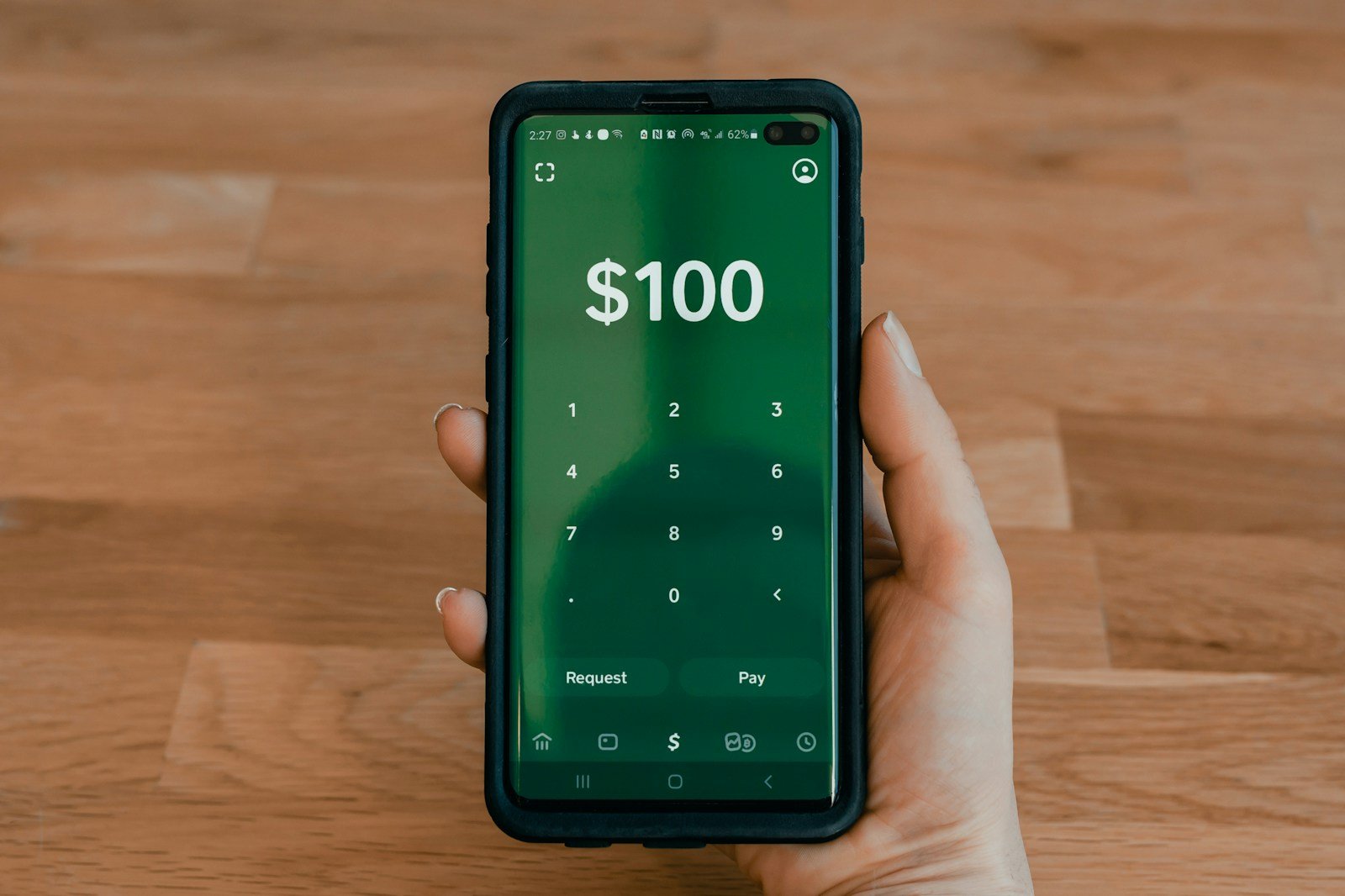
Purchasing Bitcoin on Cash App is a straightforward process that makes investing in cryptocurrency accessible to the general public. Users can buy Bitcoin through the app using existing funds in their account or by attaching a bank account or debit card for direct purchases. Cash App also provides a feature for automatic investment, allowing users to set up recurring buys of Bitcoin to streamline their investment strategy.
Cash App is not just a platform for buying Bitcoin; it offers a variety of features like selling, sending, and storing Bitcoin all in one place. This simplicity makes Cash App a versatile tool for newcomers to cryptocurrency and experienced investors alike. It’s easy to get started: one only needs to navigate to the Bitcoin section of the app, decide on the amount of Bitcoin to purchase, and approve the transaction.
How to Purchase Bitcoin on Cash App
Cash App has become one of the most popular and user-friendly platforms for buying Bitcoin in the United States. With its simple interface and instant purchase capabilities, Cash App makes cryptocurrency accessible to beginners while offering features that experienced investors appreciate. This comprehensive guide will walk you through everything you need to know about purchasing Bitcoin on Cash App.
What Is Cash App?
Cash App is a mobile payment service developed by Block, Inc. (formerly Square, Inc.) that allows users to send money, invest in stocks, and buy Bitcoin. Since 2018, Cash App has offered Bitcoin trading exclusively to U.S. users (source: CryptoManiaks).
Key Features:
- ✅ No minimum purchase amount
- ✅ Instant Bitcoin purchases
- ✅ Built-in Bitcoin wallet
- ✅ Ability to send Bitcoin to external wallets
- ✅ Buy and sell 24/7
- ✅ Simple, beginner-friendly interface
- ✅ Lightning Network support for fast transactions
Requirements Before You Start
What You’ll Need:
- Eligibility: Must be 18+ years old and a U.S. resident (source: CryptoManiaks)
- Cash App Account: Downloaded and verified
- Identity Verification: Government-issued ID (driver’s license, passport, or state ID)
- Funding Source: Linked bank account or debit card
- Mobile Device: iPhone or Android smartphone
- Cash App Balance or Linked Payment Method: Money to purchase Bitcoin
Step-by-Step: How to Buy Bitcoin on Cash App
Step 1: Download and Set Up Cash App
If you don’t already have Cash App:
- Download the App:
- iOS: Download from App Store
- Android: Download from Google Play Store
- Create Your Account:
- Open Cash App
- Enter your phone number or email
- Create a unique $Cashtag (your Cash App username)
- Link a debit card or bank account
- Verify Your Identity:
- Tap your profile icon (top-right corner)
- Select “Personal”
- Provide full legal name, date of birth, and last 4 digits of SSN
- Take a photo of your government-issued ID
- Verification usually takes a few minutes but can take up to 24-48 hours
Note: Identity verification is required to buy Bitcoin on Cash App.
Step 2: Add Funds to Your Cash App
Before buying Bitcoin, you need money in your Cash App balance or a linked payment method (source: Cash App Help):
Option A: Add Money from Bank Account
- Tap the Money tab ($ icon) on the home screen
- Tap “Add Cash”
- Enter the amount you want to add
- Tap “Add”
- Confirm with your PIN or Touch ID
- Bank transfers typically arrive within 1-3 business days (instant for a small fee)
Option B: Use Linked Debit Card
- You can buy Bitcoin directly using a linked debit card
- Funds are debited instantly during purchase
- May incur small processing fees
Option C: Direct Deposit
- Set up direct deposit to Cash App
- Get your paycheck deposited directly
Step 3: Navigate to the Bitcoin Section
- Open Cash App and go to the home screen
- Tap the Money tab ($ icon at bottom-left) or scroll to find the Bitcoin section (source: Cash App Help)
- Tap on the Bitcoin tile (shows ₿ symbol and current Bitcoin price)
- You’ll see the Bitcoin dashboard with:
- Current Bitcoin price
- Price chart (1D, 1W, 1M, 1Y, All)
- Your Bitcoin balance (if any)
- Buy and Sell buttons
Step 4: Purchase Bitcoin
Follow These Steps (source: Cash App Help):
- Tap “Buy” or “Buy Bitcoin”
- This button is prominently displayed on the Bitcoin screen
- Select Amount:
- You’ll see preset amounts ($10, $25, $50, $100, etc.)
- Or tap the “…” button (three dots) to enter a custom amount
- Enter any dollar amount you want to spend (no minimum required)
- The app will show you how much Bitcoin you’ll receive
- Review Purchase Details:
- Dollar amount you’re spending
- Amount of Bitcoin you’ll receive (in BTC)
- Current exchange rate
- Any applicable fees (Cash App charges approximately 0.5-2% spread)
- Confirm Purchase (source: YouTube – How to Buy Bitcoin on Cash App):
- Tap “Confirm” or “Buy”
- Enter your Cash App PIN, Touch ID, or Face ID for security
- Wait for confirmation (usually instant)
- Purchase Confirmation:
- You’ll see a success message
- Bitcoin is immediately added to your Cash App Bitcoin balance
- You’ll receive a notification confirming the purchase
Understanding Bitcoin Purchases on Cash App
How Much Does It Cost?
Fees and Pricing (source: CryptoManiaks):
- No Direct Fees: Cash App doesn’t charge explicit buying fees
- Spread/Markup: Cash App builds in approximately 0.5-2% markup above market price
- Bank Transfer Fees: Standard bank transfers are free; instant deposits cost 0.5-1.75%
- Debit Card Fees: No additional fee when buying with linked debit card
- No Minimum Purchase: Buy as little as $1 worth of Bitcoin
Example:
- If Bitcoin market price is $100,000
- Cash App might sell it to you at $100,500-$102,000 (0.5-2% markup)
- On a $100 purchase, you’d pay approximately $0.50-$2.00 in hidden fees
Purchase Limits
- Standard Accounts: Up to $2,500 per week
- Verified Accounts: Up to $7,500 per week
- Higher Limits: Contact Cash App support for increased limits
- Limits can vary based on account history and verification level
After Your Purchase: What’s Next?
Viewing Your Bitcoin Balance
- Tap the Money tab on Cash App home screen
- Tap the Bitcoin tile
- View your total Bitcoin holdings in both BTC and USD
- Check price charts and performance
Option 1: Hold Your Bitcoin in Cash App
Pros:
- ✅ Easy to sell quickly
- ✅ No transfer fees
- ✅ Simple interface
- ✅ Integrated with your Cash App balance
Cons:
- ❌ Not your private keys (Cash App controls them)
- ❌ Dependent on Cash App’s security
- ❌ Cannot use for payments directly from Cash App (must sell first)
Option 2: Transfer Bitcoin to External Wallet
For enhanced security, you can move Bitcoin to your own wallet (source: Bitget):
- Get Your External Wallet Address:
- Set up a Bitcoin wallet (hardware wallet like Ledger/Trezor, or software wallet)
- Copy your Bitcoin receiving address
- Send from Cash App:
- Tap the Bitcoin tile in Cash App
- Tap the airplane icon (send)
- Choose “Send Bitcoin”
- Enter the amount to send
- Paste the destination wallet address
- Confirm the transaction
- Pay the network fee (varies based on Bitcoin network congestion)
- Wait for Confirmation:
- Bitcoin transactions typically take 10-60 minutes
- Check transaction status in your external wallet
Network Fees: Cash App passes on blockchain network fees (typically $1-$10 depending on network congestion)
How to Sell Bitcoin on Cash App
When you’re ready to sell (source: BeInCrypto):
- Open Bitcoin Section:
- Tap Money tab > Bitcoin tile
- Tap “Sell”:
- Choose how much Bitcoin to sell (in USD or BTC)
- Or use preset amounts
- Review and Confirm:
- Check the USD amount you’ll receive
- Review the exchange rate
- Tap “Confirm”
- Authenticate with PIN/biometrics
- Receive Funds:
- USD is instantly added to your Cash App balance
- You can then transfer to your bank account or use for payments
Selling Fees: Similar 0.5-2% spread applies when selling
Safety and Security Tips
Protect Your Cash App Account
- Enable Security Features:
- Set up a strong PIN
- Enable Touch ID or Face ID
- Turn on security notifications
- Enable Two-Factor Authentication:
- Go to profile > Security
- Enable 2FA via SMS or authenticator app
- Be Cautious of Scams:
- ⚠️ Never send Bitcoin to someone claiming to be Cash App support
- ⚠️ Don’t share your PIN or sign-in code
- ⚠️ Be wary of “investment opportunities” or “giveaways”
- ⚠️ Cash App will never ask for your password or PIN
- Use Verified Contacts Only:
- Double-check $Cashtags before sending
- Only send Bitcoin to addresses you trust
Bitcoin Investment Safety
- Only Invest What You Can Afford to Lose: Bitcoin is highly volatile
- Don’t FOMO: Avoid buying during extreme price spikes
- Research Before Investing: Understand what Bitcoin is
- Consider Dollar-Cost Averaging: Buy small amounts regularly rather than lump sums
- Long-Term Mindset: Bitcoin is typically better as a long-term investment
Advantages of Buying Bitcoin on Cash App
| Advantage | Description |
|---|---|
| User-Friendly | Simple interface perfect for beginners |
| No Minimum | Buy as little as $1 of Bitcoin |
| Instant Purchases | Get Bitcoin immediately |
| Withdrawal Option | Can send to external wallets |
| 24/7 Trading | Buy and sell anytime |
| Trusted Platform | Operated by Block, Inc. (publicly traded company) |
| Mobile-First | Optimized for smartphone use |
| Lightning Network | Fast, low-fee Bitcoin transfers |
Disadvantages and Limitations
| Limitation | Details |
|---|---|
| U.S. Only | Only available to U.S. residents |
| Bitcoin Only | Can’t buy other cryptocurrencies like Ethereum |
| Higher Spreads | 0.5-2% markup compared to some exchanges |
| Limited Trading Features | No advanced trading tools, charts, or limit orders |
| Custodial Wallet | Cash App holds your private keys |
| Weekly Limits | Purchase limits may restrict large buys |
| Tax Reporting | Must track for tax purposes (Cash App provides 1099-B) |
Key Takeaways
- Cash App provides a simple way to purchase and invest in Bitcoin.
- Users can buy Bitcoin and engage in other cryptocurrency transactions within the app.
- The platform offers features like automatic investment to help users build their Bitcoin holdings over time.
Understanding Bitcoin and Cash App
Bitcoin is a digital currency. People across the world use it to buy goods and pay for services. Unlike traditional currencies, no single institution or government controls Bitcoin. It works on a technology called blockchain that keeps it secure and lets users track all transactions.
Cash App allows users to buy and send Bitcoin with ease. It’s a mobile payment service where they can handle traditional money too. With Cash App, they can convert dollars to Bitcoin from their phone. To buy Bitcoin, users must have a balance in their Cash App.
The process to buy Bitcoin on Cash App is simple. Users tap the Bitcoin tab on the home screen and select ‘Buy BTC’. They can choose an amount or enter a custom one. Then they confirm the purchase with their PIN. They may need to provide additional information based on where they live.
Cash App can charge a fee for each transaction. This fee will be clear when a user confirms their trade. Selling Bitcoin may also have tax implications. Cash App gives users a way to track their Bitcoin sales which can help during tax season.
By using Cash App, users can also set up Auto Invest to buy Bitcoin regularly. This feature lets them schedule purchases daily, weekly, or bi-weekly. This method can help users invest in Bitcoin over time without the need to make manual purchases.





