
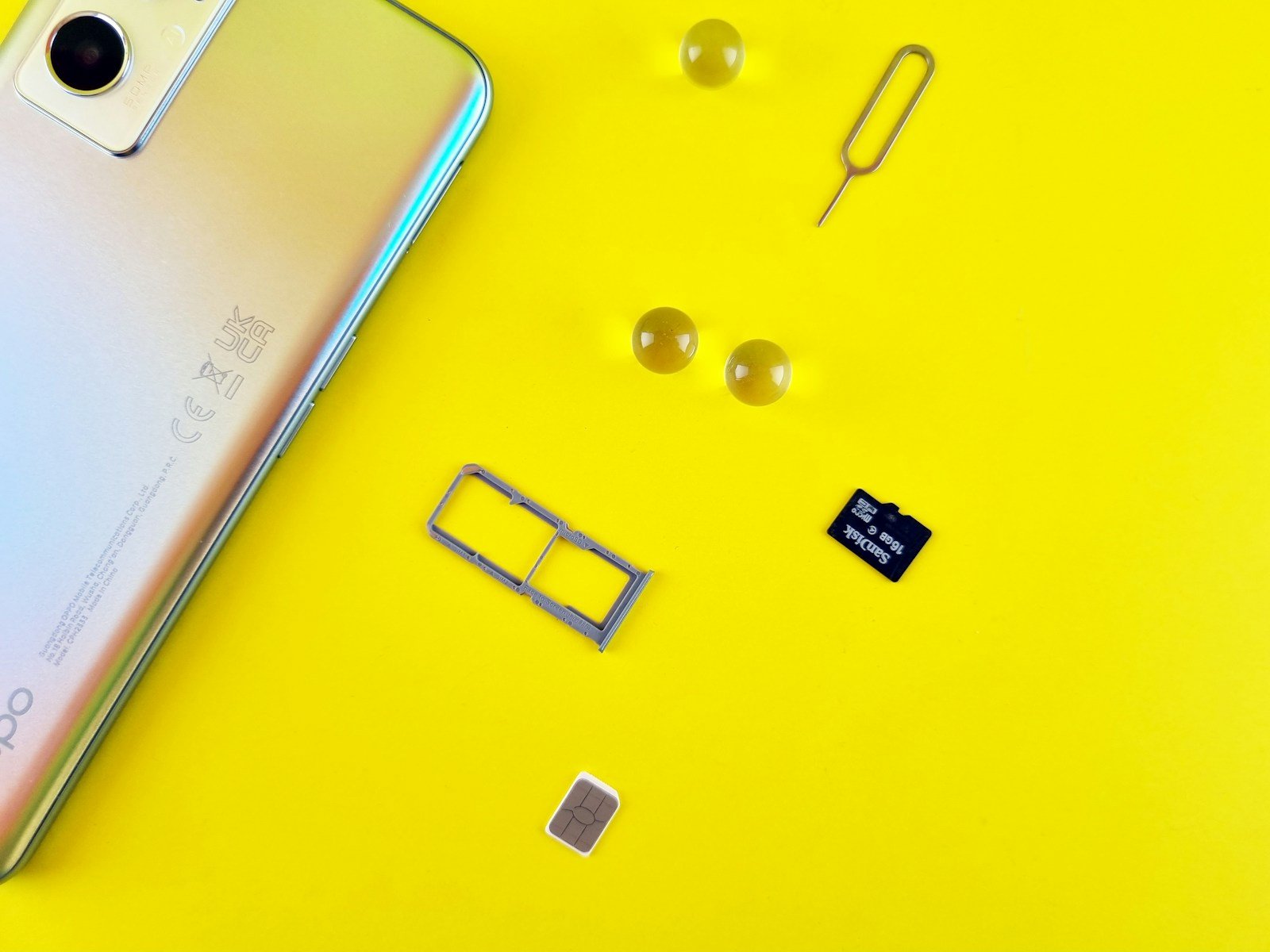
Opening the SIM card slot of a Samsung smartphone or tablet is a straightforward task that many users may need to perform. Whether upgrading to a newer phone or switching carriers, the ability to access the SIM tray is essential. For Galaxy phone owners, the process is similar across various models, such as the Galaxy S21 or the A55 5G. Maintaining the functionality of these devices hinges on the effective management of the SIM card slot, since it connects the phone to the mobile network.
Samsung’s design requires a SIM eject tool to safely open the SIM tray. This tool usually comes with the phone, but a paper clip or earring can be a substitute when necessary. Knowing how to properly open the SIM card slot ensures that one can add or change a SIM card without damaging the device. As with any technological task, caution is advised to protect the intricate parts within the smartphone or tablet.
What You’ll Need
- SIM ejection tool (provided in your phone box) or a small paperclip
- Your Samsung device
- Good lighting to see the SIM tray clearly
Step-by-Step Instructions
Step 1: Locate the SIM Card Tray
Find the SIM card tray on your Samsung device. The location varies by model:
- Galaxy S8/S8+: Bottom of the device (source: Samsung)
- Other models: Usually on the side or top edge of the device
Look for a small circular hole next to a thin rectangular slot.
Step 2: Insert the Ejection Tool
- Take the SIM ejection tool from your phone’s original box
- Carefully insert the tool into the small hole next to the SIM tray
- Apply steady pressure – you may need to push firmly for the tray to pop out (source: Samsung Community)
Step 3: Remove the SIM Tray
- Gently pull the tray from the slot once it pops out slightly
- Be careful not to force it – it should slide out smoothly
- The tray will contain slots for your SIM card and possibly an SD card
Important Tips
- Use the correct tool: Always use the provided SIM ejection tool rather than makeshift alternatives when possible
- Check the location: Make sure you’re inserting the tool in the SIM tray hole, not a microphone or speaker opening (source: Samsung Community)
- Be patient: Sometimes it requires a bit of pressure, but don’t force it excessively
SIM Card Placement
When inserting your SIM card:
- Place the SIM on the tray with gold contacts facing downward (source: Samsung)
- Ensure the SIM card fits properly in the designated slot
- Most Samsung devices use nano-SIM cards
Closing the Tray
After inserting your SIM card, gently slide the tray back into the device until it sits flush with the phone’s edge.
Following these steps will help you safely access and manage your Samsung device’s SIM card slot without damaging your phone or the SIM tray mechanism.
Key Takeaways
- Accessing the SIM tray is crucial for phone setup and network connectivity.
- A SIM eject tool or a small, thin object like a paper clip can open the SIM slot.
- Handling the SIM card and tray with care protects the phone from damage.
Preparation and Tools Required
Before inserting or removing a SIM card, it’s crucial to understand the specific requirements of your Samsung device and have the right tools on hand. This ensures the task is completed safely without damaging the SIM card or your device.
Understanding Your Device’s Requirements
Samsung Galaxy models, including the Galaxy S21, Galaxy S20 FE, Galaxy Z Fold5, and others like the Galaxy A14 5G, each have a unique design. This means the SIM card slot could be located in different places such as on the side, near the battery, or close to the charging port. Some models also have a hybrid slot that can hold a microSD card for expanded storage. It’s important to know your device model to find the correct slot.
Gathering Necessary Tools
You need a SIM eject tool to safely open the SIM card tray. Usually, this tool comes with your Samsung device. If it’s lost, you can use a small paperclip as an alternative. Gently straighten the paperclip to use its pointy end. For devices with a removable battery, ensure you have access to the battery compartment to reach the SIM card slot.
Ensuring Safe Ejection
Always power off your device before attempting to insert or remove a SIM card. This prevents any potential damage to the device or SIM card. After powering off, locate the small pinhole next to the SIM tray. Insert the SIM eject tool or paperclip firmly into the eject hole. Apply steady pressure until the tray pops out. Handle the SIM card and tray carefully to avoid damage to the delicate metal contacts and the ejection mechanism.





