
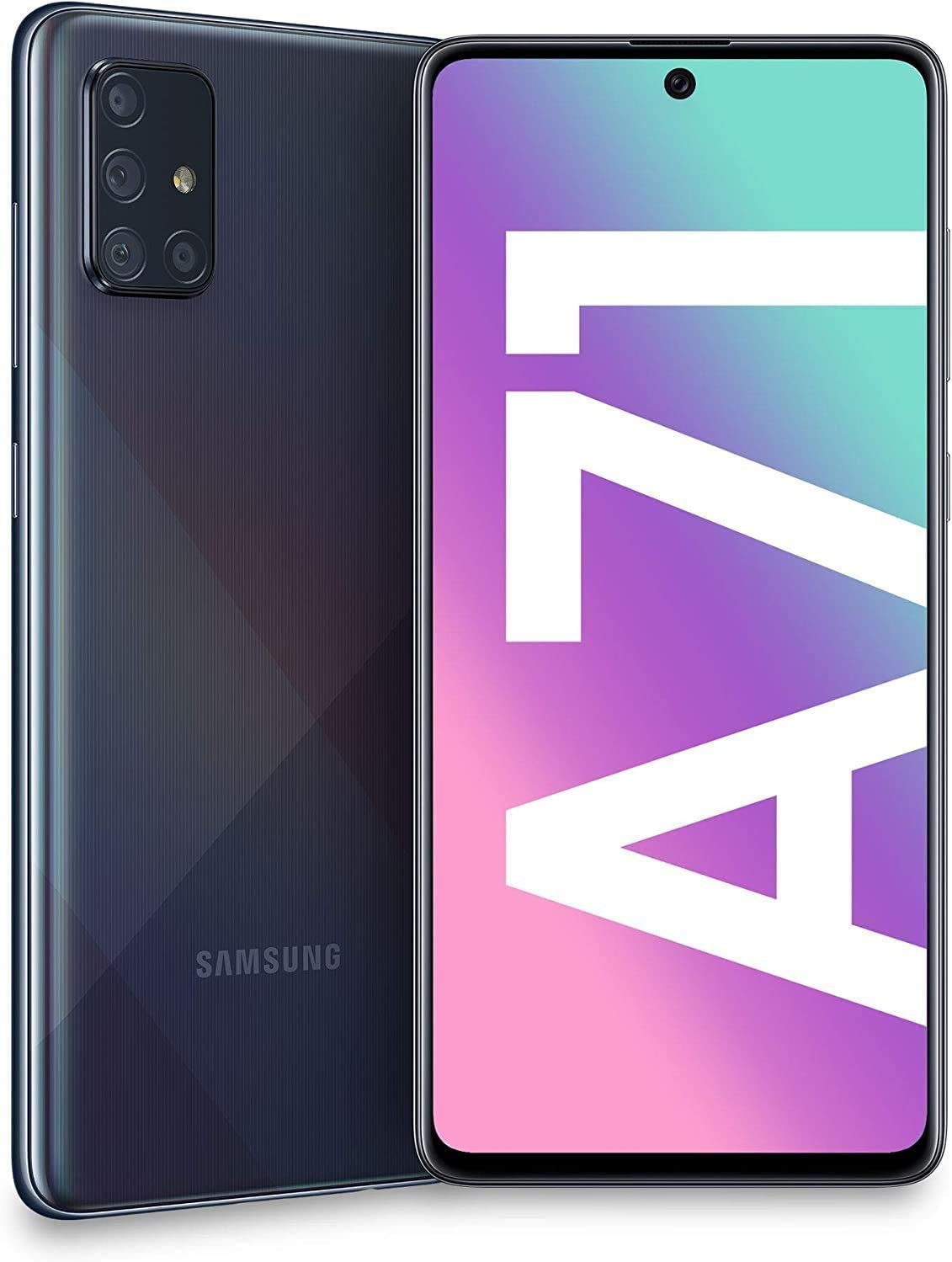
The Galaxy A71 is a Samsung phone with a lot to offer, but one feature it lacks is wireless charging. Wireless charging is often found in flagship models, but mid-range phones like the A71 usually do not include this option. Samsung reserves features like wireless charging for higher-end models, such as the Galaxy Note series and the Galaxy S series.
Even though the Galaxy A71 doesn’t come with wireless charging built-in, there are ways to add this capability. Third-party accessories can bridge the gap, offering the convenience of wireless charging to this device. With an understanding that the A71 doesn’t support wireless charging natively, users can look for certified products that add this function without compromising the phone’s design or performance.
Samsung Galaxy A71 Overview
The Samsung Galaxy A71, released in December 2019, is a mid-range smartphone that offers premium features at an affordable price point. It’s part of Samsung’s popular Galaxy A series, known for its sleek design, Super AMOLED display, and reliable performance.
⚙️ Key Specifications
| Feature | Details |
|---|---|
| Display | 6.7-inch Super AMOLED Plus, 1080 × 2400 pixels (FHD+) |
| Processor (Chipset) | Qualcomm Snapdragon 730 (8nm) |
| RAM | 6GB / 8GB |
| Storage | 128GB (expandable via microSD up to 1TB) |
| Rear Cameras | Quad setup — 64MP (wide), 12MP (ultrawide), 5MP (macro), 5MP (depth) |
| Front Camera | 32MP (wide) |
| Battery | 4,500 mAh with 25W fast charging |
| Operating System | Android 10 (upgradable to Android 13 with One UI 5) |
| Connectivity | 4G LTE, Wi-Fi, Bluetooth 5.0, NFC, USB Type-C |
| Other Features | In-display fingerprint sensor, 3.5mm headphone jack |
| Build | Plastic back and frame, Gorilla Glass 3 front |
(Source: GSMArena)
⚡ Wireless Charging: Does the Galaxy A71 Support It?
❌ Native Wireless Charging
The Samsung Galaxy A71 does not support wireless charging natively.
Unlike Samsung’s flagship S and Note series, the A71 lacks the internal hardware coil required for Qi wireless charging.
(Source: LearnProTips)
✅ How to Add Wireless Charging to the Galaxy A71
You can still enable wireless charging on your Galaxy A71 using a Qi-compatible wireless charging adapter.
What You’ll Need:
- Qi Wireless Charging Receiver (USB-C type, fits under your phone case)
- Example: Nillkin Magic Tag, Yootech, or generic Qi receivers on Amazon.
- Qi Wireless Charging Pad (any standard one works — Samsung, Anker, Belkin, etc.)
Steps:
- Plug the Qi receiver into your Galaxy A71’s USB-C port.
- Lay the receiver flat on the back of your phone and cover it with a slim case.
- Place your phone on a Qi charging pad.
- The phone should begin charging wirelessly — indicated by the charging icon on the screen.
💡 Tip: Use a thin case to ensure the wireless charging signal passes through effectively.
🔋 Charging Alternatives
Even without built-in wireless charging, the Galaxy A71 supports:
- 25W Super Fast Charging via USB-C (included in the box)
- Power Delivery (PD) and Adaptive Fast Charging compatible chargers
These wired options are significantly faster than most wireless chargers.
🧠 Summary
| Feature | Support |
|---|---|
| Native Wireless Charging | ❌ No |
| Add-on Wireless Charging | ✅ Yes, via Qi adapter |
| Fast Wired Charging | ✅ 25W Super Fast Charging |
| Battery Capacity | 🔋 4,500 mAh |
In short:
The Samsung Galaxy A71 doesn’t have built-in wireless charging, but you can easily add the feature with an affordable Qi adapter and charging pad. For the fastest charging experience, stick with Samsung’s 25W wired charger.
Key Takeaways
- The Galaxy A71 does not have native wireless charging.
- High-end Samsung models have wireless charging, unlike the mid-range A71.
- Wireless charging can be added to the A71 with accessories.
Wireless Charging Capabilities and Enhancements
This section explores the integration of wireless charging in the Samsung Galaxy A71 and how users can optimize their charging experience.
Compatibility and Charging Standards
The Samsung Galaxy A71 does not come with built-in wireless charging. However, it can achieve wireless charging through a Qi adapter. For the Samsung Galaxy A71 5G model, a wireless Qi adapter connects to the USB-C port to enable this feature. Chargers must meet the Qi standard to ensure compatibility.
Design and Connectivity for Optimal Charging
Wireless chargers are designed for convenience. The charging pad connects to a power source and the phone is placed on top without the need for cables. The design of the wireless charging pad and the positioning of the phone play crucial roles in the charging efficiency.
Battery Performance and Efficiency
Fast Charging technology enhances the Samsung Galaxy A71’s battery performance. The use of a certified wireless charger can maintain battery life and offer a convenient charging method without compromising the device’s performance.
Enhancing Your Experience with Accessories
Accessories like case-compatible wireless charging pads, wireless charging car holders, and wireless charging power banks expand the utility of the Galaxy A71. Users should choose accessories that support Fast Charging to take full advantage of the device’s capabilities.
Software Integration and Smart Features
The Galaxy A71 runs on Android 10 with One UI 2. This software version supports Fast Charging but not Wireless PowerShare. Through Quick Settings, users can manage battery settings to optimize charging and monitor battery usage efficiently.





