
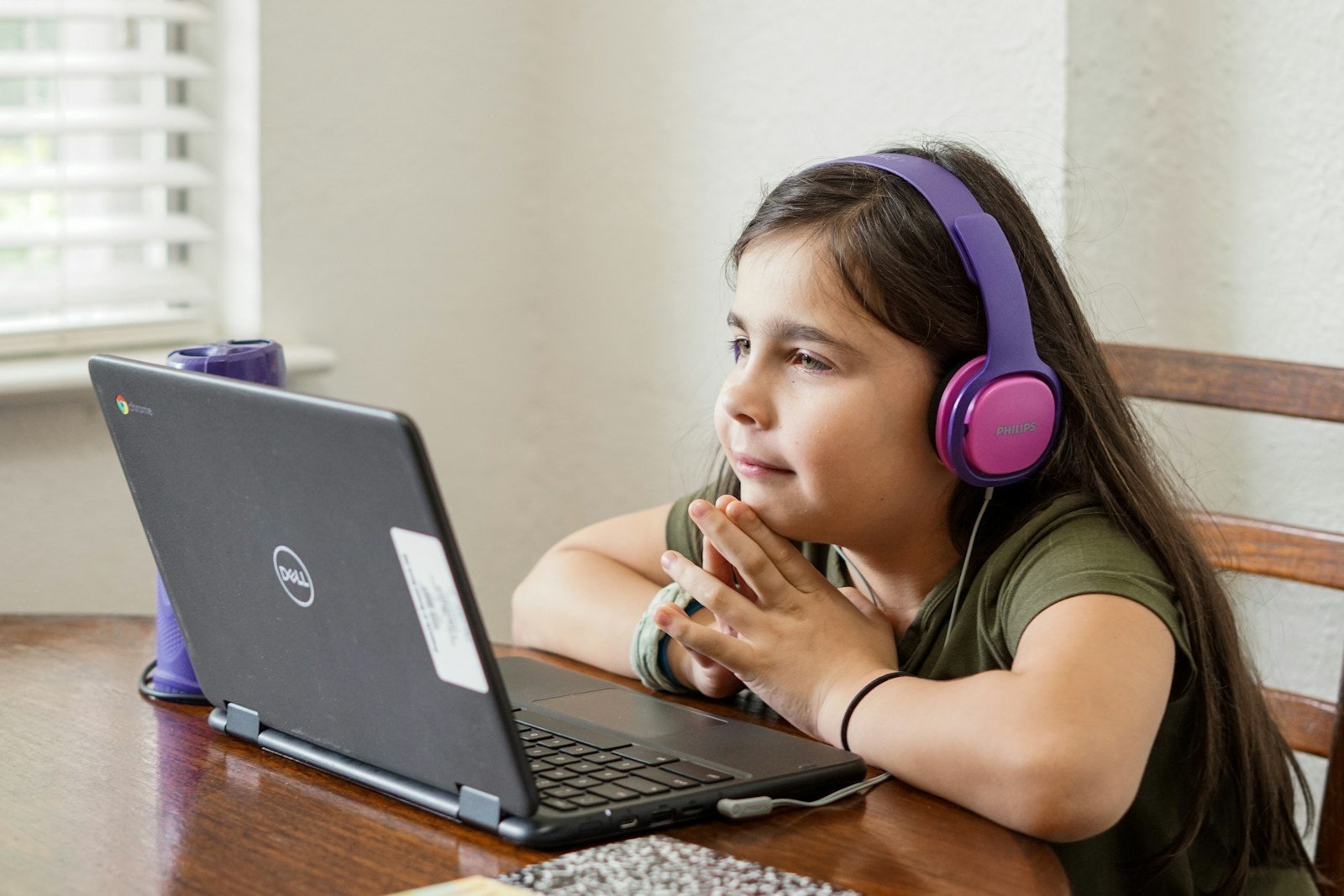
PC accessories for kids can make technology fun and educational. Many parents want to find the right gear for their children. The best PC accessories for kids are safe, age-appropriate, and designed for small hands.
Companies make special computer mice, keyboards, headphones, and more just for kids. These items often have bright colors and fun designs. They also tend to be more durable than regular accessories. This helps them stand up to rough play.
Some popular kid-friendly PC accessories include gaming headsets, drawing tablets, and protective cases for tablets or laptops. Many of these items can help kids learn while they use technology. Parents should look for accessories that match their child’s interests and skill level.
PC Accessories for Kids
As more kids explore gaming, coding, digital art, and online learning, having the right PC accessories can make their experience safer, more comfortable, and more fun. Whether your child is just starting out or already a budding tech enthusiast, choosing age‑appropriate and durable gear is key.
This guide covers essential PC accessories for kids, what to look for when buying them, and a helpful comparison table to make your decisions easier.
🎧 1. Kid-Friendly Headsets
A quality headset helps children focus during online classes, gaming sessions, or video chats with friends and family.
What to Look For:
- Volume limiting (85 dB or lower) to protect hearing
- Soft, adjustable headbands
- Noise-canceling microphone for clear communication
- Durable build to withstand drops
Best for: Online classes, gaming, voice chats
⌨️ 2. Kid-Sized Keyboards
Standard keyboards can feel oversized for small hands. Compact or youth-focused keyboards improve comfort and typing confidence.
Key Features:
- Smaller form factor (60% or TKL)
- Spill-resistant design
- Low-profile or membrane keys
- Fun colors or backlighting (optional)
Best for: Homework, beginner coding, casual gaming
🖱️ 3. Ergonomic Mouse for Small Hands
A properly sized mouse improves control and reduces strain.
Look for:
- Lightweight design
- Adjustable DPI settings
- Soft-click buttons
- Wireless option (to reduce cable clutter)
Best for: Schoolwork, creative apps, gaming
🪑 4. Comfortable Seating & Ergonomic Support
Kids can spend hours at their desks. Proper posture matters.
Consider:
- Adjustable desk chairs
- Footrests for smaller children
- Wrist rests for keyboard/mouse
- Monitor risers to align screen at eye level
Best for: Long study sessions and healthy posture
💡 5. Fun & Functional Desk Accessories
Make the setup enjoyable and organized.
Popular add-ons:
- LED desk lamps with adjustable brightness
- Cable management clips
- Themed mouse pads
- Desktop organizers
🛡️ 6. Safety & Parental Control Accessories
Safety should always come first.
Options include:
- Webcam covers
- Blue light screen filters
- Parental control software
- Surge protectors
📊 Essential PC Accessories for Kids (Comparison Table)
| Accessory | Why It’s Important | Key Features to Look For | Ideal Age Range |
|---|---|---|---|
| Volume-Limited Headset | Protects hearing & improves communication | 85 dB limit, soft padding, adjustable mic | 6+ |
| Compact Keyboard | Better fit for small hands | Spill-resistant, lightweight, quiet keys | 6–14 |
| Ergonomic Mouse | Improves control & comfort | Small size, adjustable DPI, wireless | 6+ |
| Adjustable Desk Chair | Promotes healthy posture | Height adjustment, lumbar support | 7+ |
| Wrist Rest | Reduces strain during typing | Soft memory foam, non-slip base | 8+ |
| LED Desk Lamp | Reduces eye strain | Adjustable brightness, warm/cool modes | All ages |
| Webcam Cover | Enhances privacy | Slide mechanism, adhesive backing | All ages |
| Surge Protector | Protects equipment | Multiple outlets, child safety covers | All ages |
🎮 Optional Upgrades for Tech-Savvy Kids
If your child is especially passionate about tech, consider:
- Drawing tablet (for digital artists)
- Gaming controller for PC
- USB microphone for content creation
- External SSD for projects and games
🧠 Tips for Parents
- ✅ Prioritize ergonomics over flashy design
- ✅ Choose durable, easy-to-clean materials
- ✅ Balance screen time with offline activities
- ✅ Teach digital safety alongside hardware setup
Final Thoughts
The right PC accessories can make technology both educational and enjoyable for kids. By focusing on comfort, safety, and age-appropriate design, you can create a setup that supports learning, creativity, and responsible digital habits.
If you’d like, I can also create a budget buying guide, gaming-focused setup guide, or a study-optimized desk setup checklist for kids.
Key Takeaways
- Kid-friendly PC accessories are colorful, durable, and sized for children
- Popular items include headsets, drawing tablets, and protective cases
- The right accessories can make computer use more fun and educational for kids
Essential PC Accessories for Kids’ Educational and Gaming Needs
PC accessories can make a big difference for kids using computers. The right tools help with learning and fun. They can make tasks easier and more enjoyable.
Choosing the Right Devices
Kids need devices that fit their size and skills. Smaller keyboards and mice work well for little hands. Look for ones with bright colors and fun designs. Some have special features for kids.
Tablets are good for younger children. They’re easy to use and carry around. Laptops work better for older kids who need to type more. Make sure the screen isn’t too big or heavy.
Headsets are important for online classes and games. Pick ones that fit well and have good sound. Some have mics for talking to friends or teachers.
Enhancing Gaming and Learning
Gaming accessories can make play more fun. A good mouse helps in fast-paced games. Look for ones made for small hands. Some light up, which kids often like.
For Minecraft or Roblox fans, consider a special keyboard. These often have shortcuts for common game actions. This makes playing easier and more fun.
Learning tools can turn gaming time into brain-building time. STEM kits let kids create while they play. Some connect to computers for coding practice.
Interactive Learning Tools
Many tools help kids learn while using a computer. Drawing tablets are great for art projects. They let kids draw right on the screen. This is fun and helps build skills.
Virtual reality headsets can make learning more exciting. They let kids explore new places without leaving home. But check age ratings first.
For typing practice, look for keyboard covers or stickers. These show where letters are and make typing easier to learn. Some light up to guide fingers to the right keys.
Shopping Guide for Kids’ PC Accessories
Choosing PC accessories for kids requires careful thought. Safety and durability matter most. Parents should also consider price and fun features.
Navigating Online Stores
Online stores offer many options for kids’ PC gear. Amazon has a wide range of items at different prices. Best Buy’s website lets you filter by age and type. Both sites have user reviews to help you decide.
Look for sales and deals to save money. Many stores offer free shipping on orders over a certain amount. Check return policies before buying. This is key for items kids might not like.
Some sites let you compare products side by side. This makes it easy to see which one is best for your child.
Selecting Durable and Safe Accessories
Kids can be rough on their stuff. Pick accessories that can take a beating. Rubber-coated mice and keyboards resist spills. Look for items with long warranties.
Safety is crucial. Choose accessories with rounded edges to prevent cuts. Avoid small parts that could be swallowed. For younger kids, wired items may be safer than wireless ones.
Pick the right size for your child’s hands. A small mouse works better for little fingers. Headphones should fit well and have volume limits to protect hearing.
Bright colors and fun designs make accessories more fun for kids. But don’t forget about comfort and function too.





