
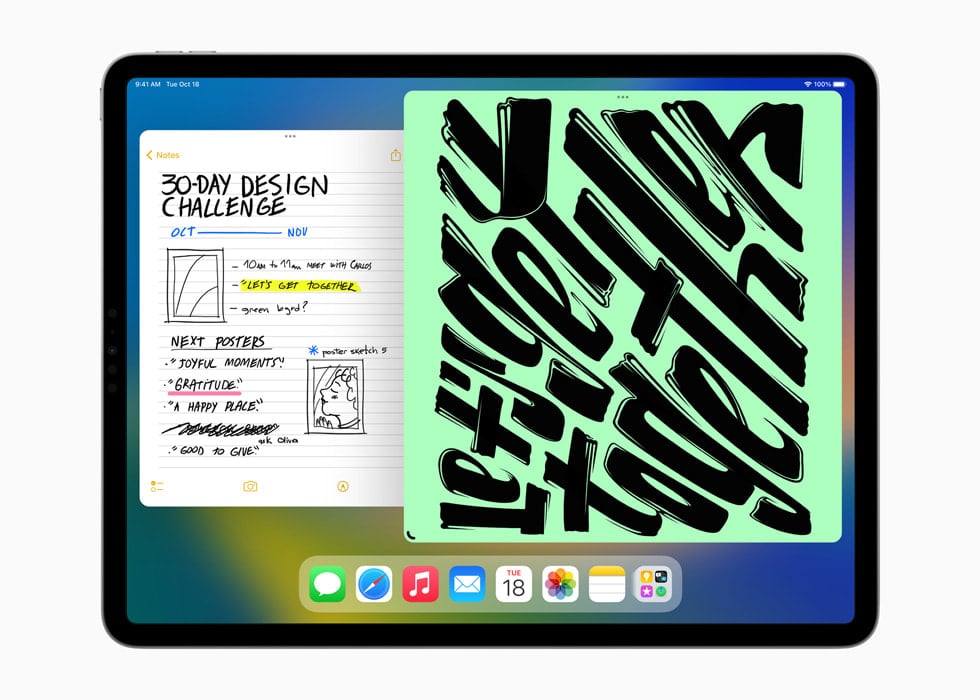
On September 15, 2025, Apple released iPadOS 16.7.12 as part of its ongoing support for older iPads that can’t upgrade to the newest iPadOS 26. While this isn’t a feature-packed update, it plays a critical role in keeping older devices secure and reliable.
Let’s break down everything you need to know.
Why iPadOS 16.7.12 Was Released
Apple often issues “point updates” like 16.7.12 for older devices that are no longer eligible for the latest major iPadOS versions. These updates usually don’t add flashy new features but focus on security patches and stability improvements.
This ensures that even if your iPad can’t run iPadOS 17, 18, or the brand-new iPadOS 26, it still gets protection against newly discovered vulnerabilities.
The Key Fix in iPadOS 16.7.12
According to Apple, iPadOS 16.7.12 addresses a serious ImageIO vulnerability (CVE-2025-43300) (source: MacObserver).
- What is ImageIO?
ImageIO is the framework that handles image files (JPEG, PNG, GIF, TIFF, etc.) across iOS and iPadOS. It’s used whenever your device loads or processes images. - What was the issue?
A maliciously crafted image could exploit this vulnerability, potentially allowing attackers to execute arbitrary code on your device. In simpler terms, just opening or receiving a harmful image could put your iPad at risk. - How Apple fixed it
Apple improved input validation so that images are properly checked before being processed, closing the loophole.
This is a high-severity security patch, so updating is strongly recommended.

Devices That Get iPadOS 16.7.12
iPadOS 16.7.12 is available for iPads that:
- Could run iPadOS 16 but are not eligible for iPadOS 17 or later.
- Commonly includes older devices such as:
- iPad (5th generation, 2017)
- iPad Pro (9.7-inch, 2016)
- iPad Pro (12.9-inch 1st generation, 2015)
- iPad mini (5th generation, 2019)
- iPad Air (3rd generation, 2019)
If your iPad can run iPadOS 17 or higher, you won’t see this update — you’ll be offered newer versions instead.
How to Update to iPadOS 16.7.12
- Open Settings
- Go to General > Software Update
- Tap Download and Install if 16.7.12 is available
- Make sure your iPad is plugged in or has at least 50% battery
Should You Update?
Yes — absolutely. Even though there are no new features, this update is crucial for:
- Security: Protects you from a real-world exploit that could be used in malware or phishing campaigns.
- Stability: Minor bug fixes and optimizations are included.
- Longevity: Keeps your older iPad safe for everyday use like browsing, email, and media.
iPadOS 16.7.12 vs. iPadOS 26
| Category | iPadOS 16.7.12 | iPadOS 26 |
|---|---|---|
| Release Date | September 15, 2025 | September 15, 2025 |
| Supported Devices | Older iPads (e.g., iPad 5th gen, iPad Pro 9.7″, iPad Air 3, iPad mini 5) | Latest iPads (iPad Pro M4, iPad Air M2, iPad 10th gen, newer) |
| Focus | Security & stability update | Major feature release |
| New Features | None — strictly a security patch | New multitasking refinements, AI‑powered writing tools, Share Accessibility Settings, redesigned Control Center, improved Stage Manager, and more |
| Security Fixes | ImageIO vulnerability (CVE‑2025‑43300) patched; prevents malicious image exploits | Includes all iPadOS 16.7.12 fixes plus broader system‑wide security hardening |
| Productivity Tools | Standard iPadOS 16 features (Stage Manager, Freeform, iCloud Shared Photo Library, Messages editing) | Enhanced Stage Manager with more flexible windowing, AI‑assisted document editing, and smarter multitasking |
| Accessibility | Existing iPadOS 16 accessibility features | Share Accessibility Settings lets users temporarily transfer accessibility preferences to another iPad (great for shared/public devices) |
| Performance | Optimized for older hardware | Optimized for Apple Silicon (M1 and newer), with faster app launches and better battery efficiency |
| Longevity | Final support branch for iPads stuck on iPadOS 16 | Ongoing updates for modern iPads, will continue to evolve with iPadOS 27+ |
Takeaways
- iPadOS 16.7.12: A must‑install update for older iPads — it won’t make your device feel new, but it keeps it safe from a dangerous exploit.
- iPadOS 26: The cutting edge of Apple’s tablet OS, bringing AI enhancements, multitasking upgrades, and accessibility improvements — but only for newer iPads.
👉 If you’re on an older iPad, updating to 16.7.12 is essential for security.
👉 If you own a newer iPad, iPadOS 26 unlocks the latest productivity and accessibility tools.
Final Thoughts
iPadOS 16.7.12 may not bring flashy design changes or new apps, but it’s one of those “quietly essential” updates. By patching a dangerous ImageIO flaw, Apple ensures that older iPads remain safe and usable even in 2025, long after their original release.
If you’re using an iPad stuck on iPadOS 16, don’t delay — install this update right away.





