
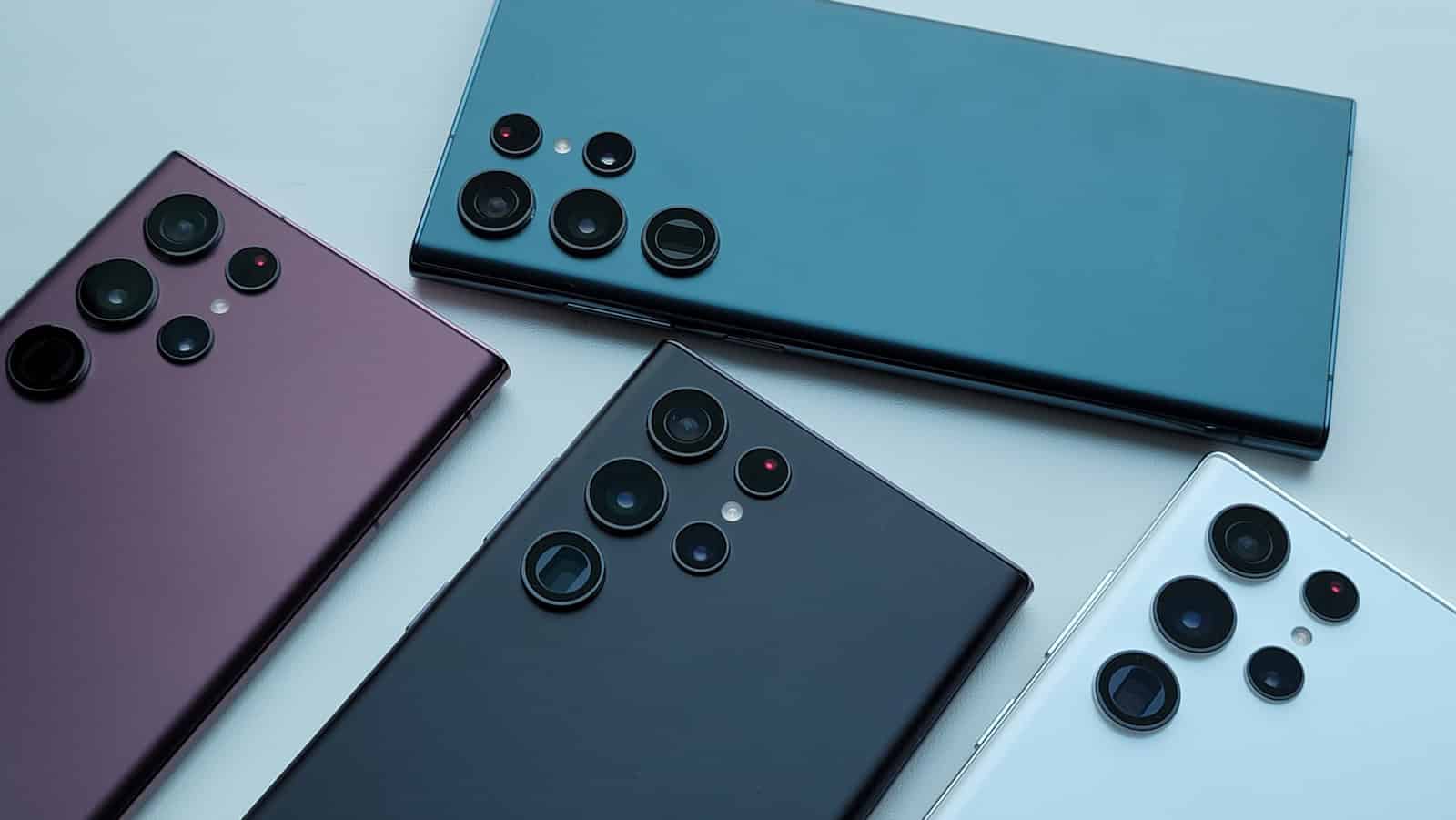
Samsung Galaxy smartphones are among the most popular Android devices worldwide, known for their sleek designs, powerful features, and versatile options. One common question many buyers ask is: Does the Samsung Galaxy have an SD card slot? The answer varies depending on the model and series, as Samsung’s approach to expandable storage has evolved over time.
This article breaks down which Samsung Galaxy phones support microSD cards, the benefits of expandable storage, and what to consider when choosing a device.
What is a microSD Card Slot?
A microSD card slot allows you to insert a small memory card to expand your phone’s storage beyond its built-in capacity. This is useful for storing extra photos, videos, apps, and files without relying solely on internal storage or cloud services.
Which Samsung Galaxy Phones Have microSD Card Slots?
Samsung Galaxy Models with microSD Support
Many Samsung Galaxy phones, especially in the Galaxy A series and some models in the Galaxy S series, include microSD card slots. Here are some notable examples:
- Galaxy A Series: Models like the Galaxy A53, A73, A14, and A34 come with microSD card slots, supporting expandable storage up to 1TB or more.
- Galaxy S Series: Some older and mid-range models like the Galaxy S20 FE and Galaxy S10 include microSD slots.
- Galaxy Note Series: Earlier models, such as the Galaxy Note 10 and Note 20, offered microSD support (Note 20 Ultra).
- Galaxy Z Series: Foldable phones like the Galaxy Z Fold and Z Flip generally do not have microSD card slots.
Samsung Galaxy Models Without microSD Slots
- Recent Flagship Galaxy S Models: Starting with the Galaxy S21 series and continuing with the S22, S23, and newer, Samsung removed microSD slots from their flagship phones.
- Galaxy Z Fold and Flip: Foldable devices prioritize sleek design and internal storage, so they lack expandable storage options.
Why Did Samsung Remove the microSD Slot from Some Models?
Samsung and other manufacturers have been moving away from microSD slots in flagship devices for several reasons:
- Design constraints: Slimmer, more compact designs limit space for additional slots.
- Performance: Internal storage (UFS 3.1 and above) is much faster than microSD cards, improving app and game performance.
- Cloud storage: Increased reliance on cloud services reduces the need for physical expandable storage.
Benefits of Having a microSD Slot
- Expandable storage: Easily increase storage capacity without paying for higher internal storage models.
- Flexibility: Move files and media between devices quickly.
- Cost-effective: microSD cards are generally cheaper than upgrading internal storage.
How to Use a microSD Card on Samsung Galaxy Phones
If your Samsung Galaxy phone supports microSD cards, here’s how to use it:
- Insert the microSD card: Locate the SIM/microSD tray (usually on the side), insert the card, and close the tray.
- Format the card: Your phone will prompt you to format the card for optimal use.
- Manage storage: Go to Settings > Storage to view and manage your SD card. You can move photos, videos, and some apps to the card.
Conclusion
Whether a Samsung Galaxy phone has a microSD card slot depends on the model and series. Many mid-range and budget Galaxy A series phones still include expandable storage, making them ideal for users who want flexibility. However, recent flagship Galaxy S and foldable Z series models have dropped support for microSD cards in favor of faster internal storage and cloud solutions.
If expandable storage is important to you, check the specific model’s specifications before purchasing. For the latest Samsung Galaxy phones, consider alternative storage options like cloud services or choosing a model with larger built-in storage.
Sources:
- Samsung Official Support: Using a microSD Card
- Darwin’s Data: Which Galaxy Phones Have microSD?
- Nerdy Tech Blog: Samsung Phones with SD Card Slots
Samsung Galaxy S22 Info
As the world of smartphones evolves, certain features become less common. One such feature in question for Samsung’s Galaxy S22 series is the inclusion of a microSD card slot. This feature has been valued by users for the expandable storage options it offers. However, the Galaxy S22, Galaxy S22+, and Galaxy S22 Ultra all follow a design without an SD card slot. This choice aligns with Samsung’s recent approach, as seen with the preceding Galaxy S21 series.
With the absence of expandable storage through an SD card, consumers might consider alternative storage solutions. The Galaxy S22 series compensates for this by offering internal storage options. It’s essential for potential buyers to assess their storage needs before purchasing a device. Samsung’s decision reflects a broader trend in the smartphone industry, where cloud services and larger internal memory capacities are becoming more prevalent over physical expansion methods.
Key Takeaways
- The Galaxy S22 series does not have a microSD card slot for expandable storage.
- Users must rely on the internal storage provided with the device.
- The shift away from microSD card slots reflects a wider industry trend.
Galaxy S22 Series Overview
The Samsung Galaxy S22 series stands out with its elegant design and top-tier performance. It boasts impressive camera systems and cutting-edge display technology.
Design and Display Features
Samsung has equipped the Galaxy S22 series with a sleek design featuring a robust metal frame and Gorilla Glass. Its dynamic AMOLED 2X display delivers vibrant colors and deep blacks. Users can enjoy clear visuals in various lighting conditions thanks to adaptive brightness settings that are easy on the eyes.
Camera and Photography Capabilities
The camera setup in the Galaxy S22 series provides versatility for photographers. Featuring multiple cameras, the devices can capture sharp images and 8K video. Advanced sensors allow for night mode and portrait mode, giving users the tools for creative and high-quality photography.
Performance and Hardware Specifications
At the heart of the Galaxy S22 series, you’ll find either the Exynos 2200 or Snapdragon 8 Gen 1 processor, depending on the region. They come with 8GB of RAM and a choice of 128GB or 256GB storage. The internal UFS 3.1 storage system ensures fast data transfer speeds, enhancing the overall performance of the device.





